
Introduction
Thank you for purchasing the Shark IZ300EUT Cordless Stick Vacuum Cleaner. This manual provides essential information for the safe and efficient operation, maintenance, and troubleshooting of your new appliance. Please read these instructions thoroughly before first use and keep them for future reference.
Important Safety Instructions
When using electrical appliances, basic safety precautions should always be followed, including the following:
- Read all instructions before using your vacuum cleaner.
- Do not use outdoors or on wet surfaces.
- Always turn off the vacuum cleaner before connecting or disconnecting any accessories.
- Keep hair, loose clothing, fingers, and all parts of the body away from openings and moving parts.
- Use only as described in this manual. Use only manufacturer’s recommended attachments.
- Do not use with any opening blocked; keep free of dust, lint, hair, and anything that may reduce airflow.
- Do not pick up anything that is burning or smoking, such as cigarettes, matches, or hot ashes.
- Do not pick up hard or sharp objects such as glass, nails, screws, or coins that could damage the vacuum cleaner.
- Do not use without dust cup and/or filters in place.
- Store the appliance indoors. After use, put the appliance away to prevent accidents.
Package Contents
Your Shark IZ300EUT Cordless Stick Vacuum Cleaner package includes the following components:
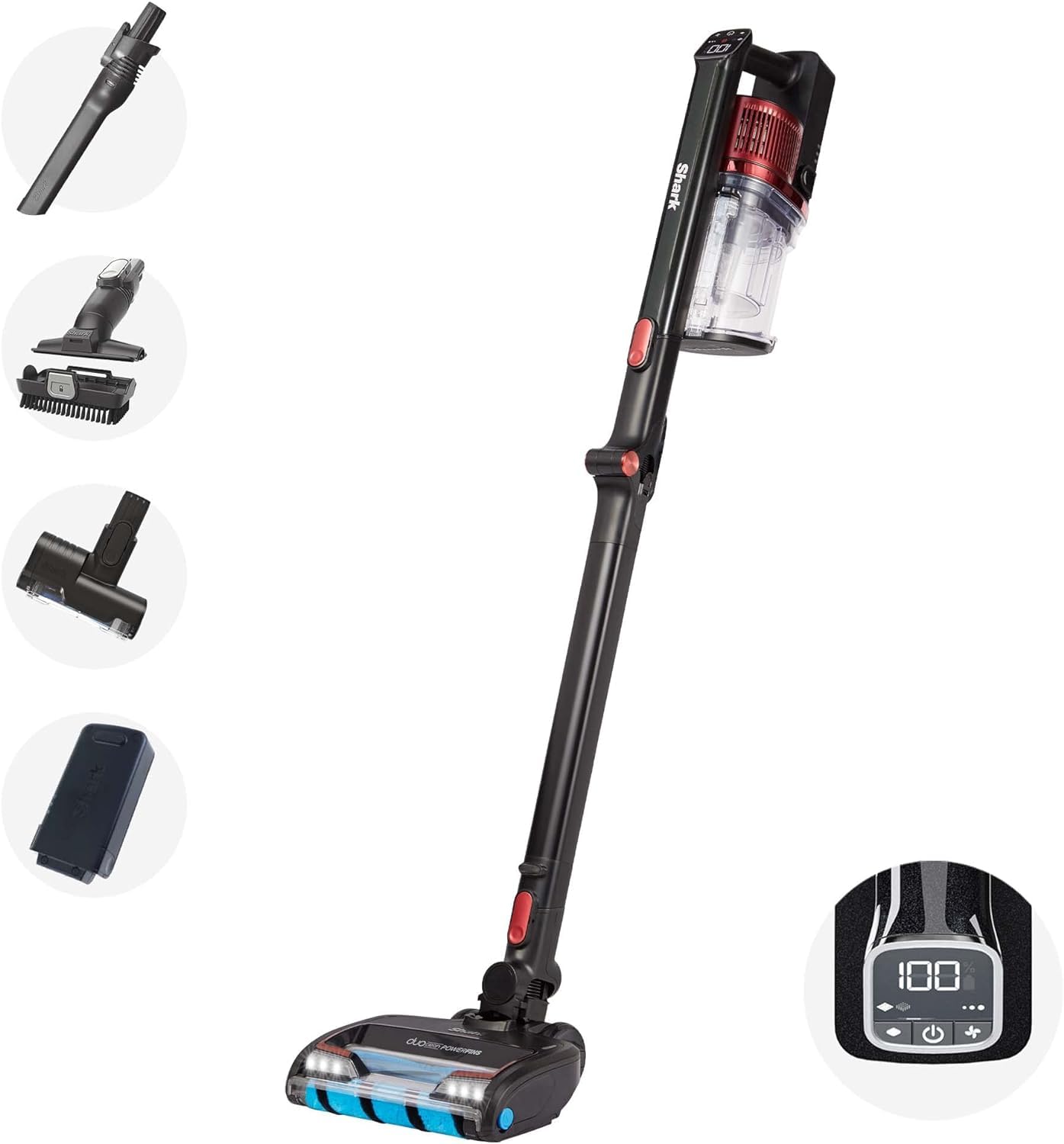
- Cordless Stick Vacuum Unit
- DuoClean Floorhead with Anti-Hair Wrap Technology
- 1 Lithium-ion Battery
- Battery Charger
- Motorized Pet Tool
- Crevice Tool
- Multi-Surface Tool
- User Manual
Setup and Assembly
Follow these steps to assemble your vacuum cleaner:
- Insert the wand into the floorhead until it clicks securely into place.
- Insert the handheld vacuum into the top of the wand until it clicks securely into place.
- Ensure all connections are firm before use.
Charging the Battery
The removable lithium-ion battery can be charged either while attached to the vacuum or separately. Connect the charger to the battery port and plug it into a wall outlet. The LED indicator lights on the battery will show the charging status.
Operating Your Vacuum Cleaner
Power and Suction Modes
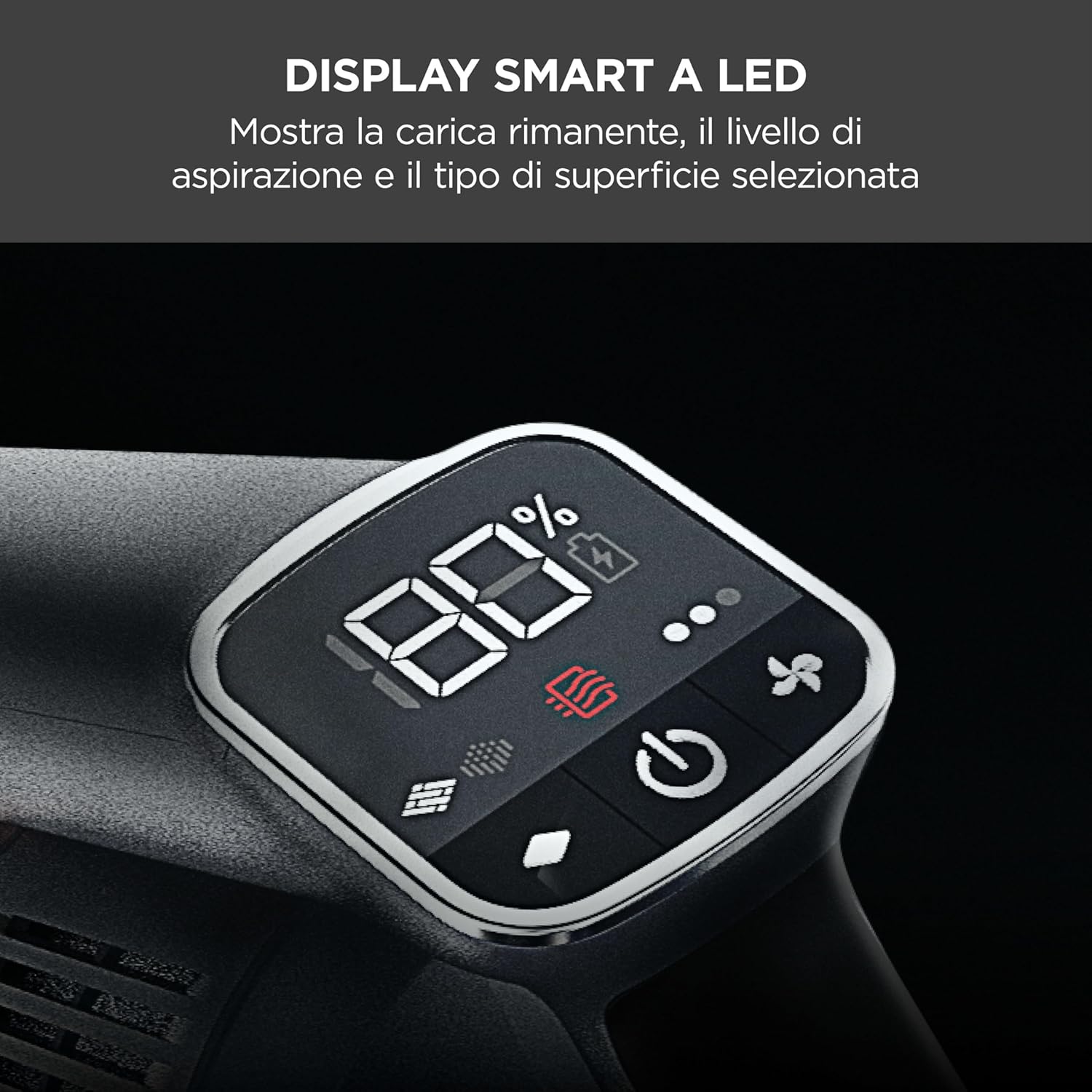
The vacuum features an intelligent LED display that shows battery life, suction level, and selected floor type. Press the power button to turn the vacuum on or off. Use the mode selection buttons to switch between Carpet and Hard Floor settings, and adjust suction power as needed.

DuoClean Floorhead with PowerFins
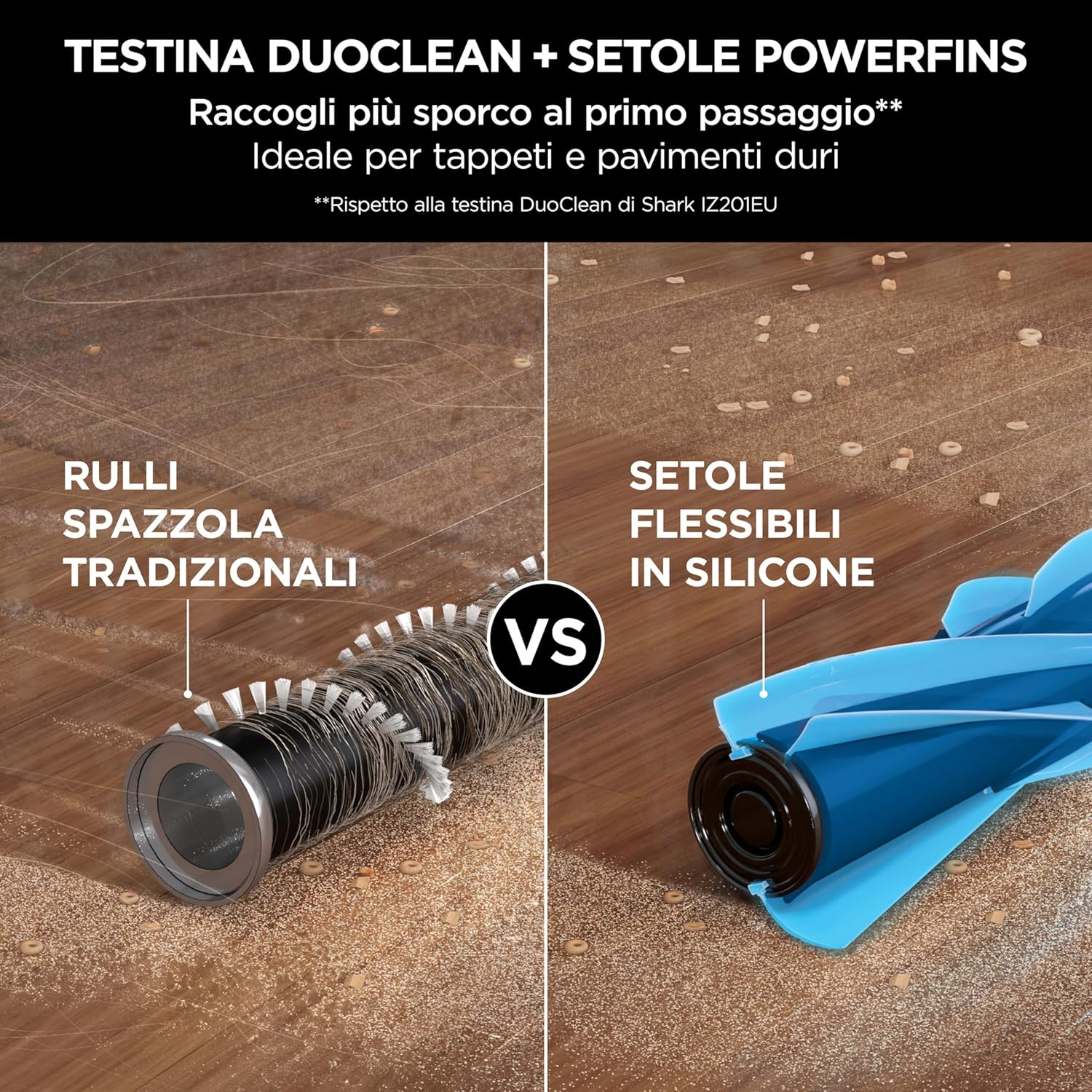
The DuoClean floorhead is designed to clean both carpets and hard floors without needing to switch attachments. PowerFins technology ensures continuous contact with the floor, digging deep into carpets to agitate dirt and directly engaging hard floors for a thorough clean.

Anti-Hair Wrap Technology
The Anti-Hair Wrap technology actively removes hair from the brush-roll as you clean, preventing tangles and ensuring consistent performance. This is particularly effective for long hair and pet hair.

Flexology Wand
The flexible Flexology wand bends to easily reach under furniture and appliances, making it simple to clean hard-to-reach areas without bending down. It also allows for compact storage.

Handheld Mode and Attachments
Transform your stick vacuum into a lightweight handheld vacuum for versatile cleaning. Simply detach the handheld unit from the wand. Use the included motorized pet tool, crevice tool, and multi-surface tool to clean stairs, upholstery, car interiors, and other above-floor areas.

Anti-Allergen Complete Seal
The Anti-Allergen Complete Seal system captures and traps 99.9% of dust and allergens inside the vacuum, preventing them from being released back into the air. This provides a cleaner environment, especially beneficial for allergy sufferers.

Maintenance
Regular maintenance ensures optimal performance of your Shark vacuum cleaner.
Emptying the Dust Cup
Empty the dust cup after each use or when debris reaches the MAX fill line. To empty, detach the handheld vacuum, position the dust cup over a trash bin, and press the release latch.
Cleaning Filters
Rinse the pre-motor filters (foam and felt) every month and the post-motor HEPA filter once a year. Wash with cold water only and allow them to air dry completely for at least 24 hours before reinstalling.
Brush-Roll Maintenance
While the Anti-Hair Wrap technology minimizes hair tangles, occasionally check the brush-rolls for any remaining debris or blockages. Remove any string, hair, or debris that may be wrapped around the brush-rolls.
Troubleshooting
If you encounter any issues with your vacuum, refer to the following common problems and solutions:
| Problem | Possible Cause | Solution |
|---|---|---|
| Vacuum not picking up debris | Dust cup full; filters clogged; blockage in nozzle, wand, or hose. | Empty dust cup; clean filters; check for and clear blockages. |
| Brush-roll not spinning | Brush-roll jammed; floorhead setting incorrect. | Clear any obstructions from brush-roll; ensure correct floor setting is selected. |
| Vacuum turns off on its own | Overheating; battery low. | Check for blockages and clean filters; allow vacuum to cool for 45 minutes; charge battery. |
Specifications
- Model Number: IZ300EUT
- Brand: Shark
- Color: Black & Red
- Product Dimensions (L x W x H): 26 x 24.5 x 118 cm
- Weight: 4.58 Kilograms
- Power: 59.22 Watt-hours
- Voltage: 25.2 Volts
- Noise Level: 80 Decibels
- Runtime: Up to 60 minutes (in ECO Power mode, with non-motorized tool)
- Special Features: Anti-tangle function, Lightweight, Cordless, Compact, Flexible, LED Duo Clean lights, Portable battery charger, Motorized pet brush
- Filter Type: Cartridge
- Surface Recommendation: Carpet, Hard floors, Indoor, Car, All floors
- Power Source: Battery Powered
- Battery: 1 Lithium-ion (included)
Warranty and Support
Your Shark IZ300EUT Cordless Stick Vacuum Cleaner comes with a 5-year warranty for the main unit and a 2-year warranty for the batteries, upon registration with Shark. For warranty claims, technical support, or to purchase replacement parts, please visit the official Shark website or contact their customer service. Please retain your proof of purchase.


