
Introduction
This manual provides comprehensive instructions for the setup, operation, maintenance, and troubleshooting of your HUAKUA Fitness Tracker. Designed for simplicity and ease of use, this fitness tracker operates independently without the need for a smartphone, Bluetooth connection, or dedicated application. It is an ideal device for individuals seeking a straightforward way to monitor their daily activity and sleep patterns.
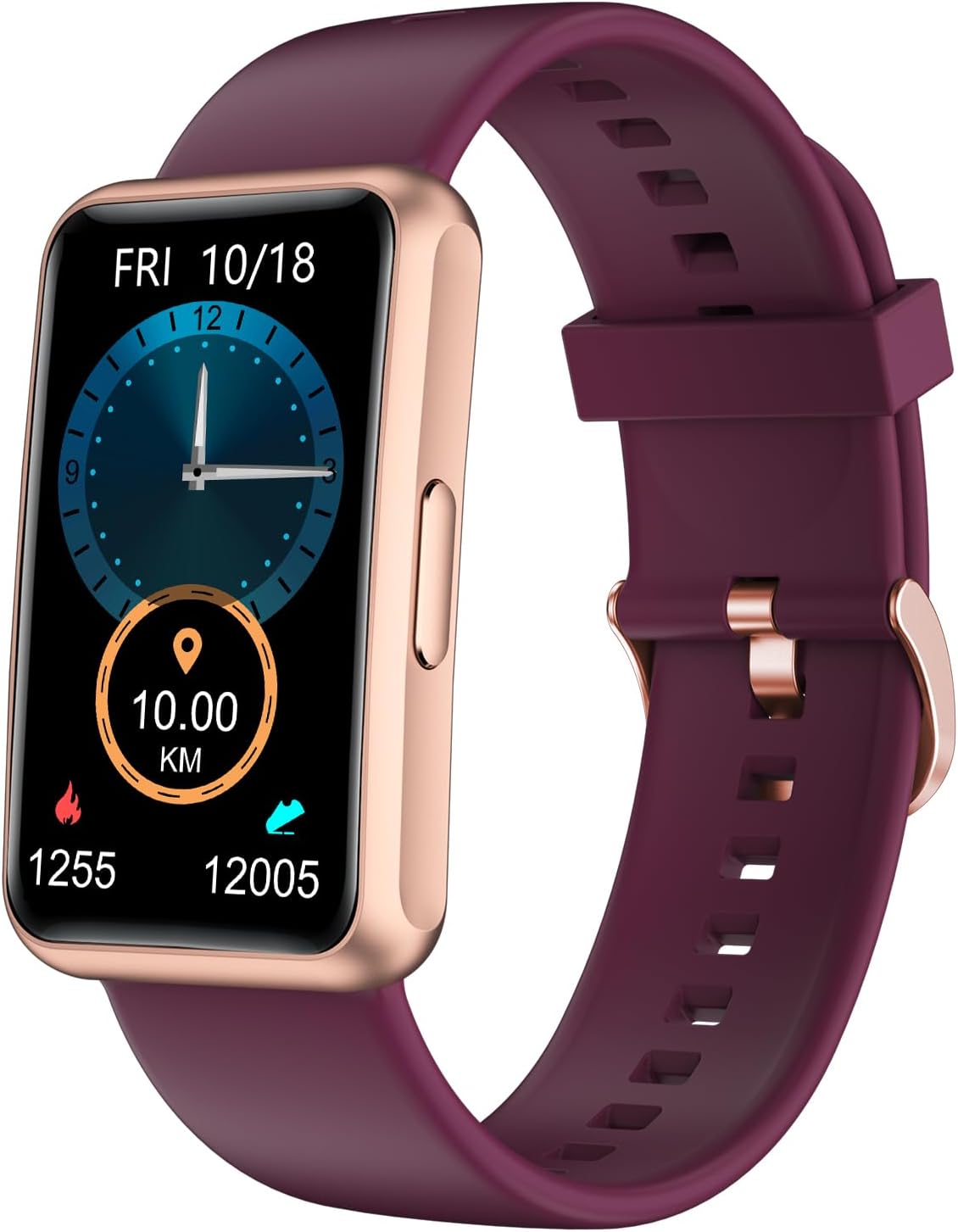
Figure 1: HUAKUA Fitness Tracker (Purple)
The HUAKUA Fitness Tracker features a vibrant display showing essential fitness metrics. Its design prioritizes user-friendliness, making it accessible for all ages.
1. Setup
1.1 Unboxing and Initial Inspection
Upon opening the package, verify that all components are present and undamaged.
The package should contain:
- One (1) HUAKUA Fitness Tracker
- One (1) Charging Cable
- One (1) User Manual (this document)
1.2 Charging the Device
Before first use, fully charge your fitness tracker. Connect the magnetic charging cable to the charging contacts on the back of the device and plug the USB end into a standard USB power adapter (not included) or a computer's USB port. A full charge typically takes approximately 2.5 hours.

Figure 2: Charging the Fitness Tracker
Ensure the magnetic charging cable is securely attached to the device's charging points for proper power transfer.
1.3 Initial Device Configuration
The fitness tracker operates independently, requiring no smartphone or app. All settings are configured directly on the device's touchscreen.
- Power On: The device will typically power on automatically when charged or by pressing and holding the side button (if present).
- Set Time and Date: Navigate through the menus using the full touch screen to set the current time and date.
- Personal Information: For accurate tracking of steps, calories, and distance, input your personal details such as gender, age, height, weight, and stride length. This information helps the device calibrate its sensors.

Figure 3: Accessing Device Settings
The intuitive touchscreen interface allows for easy navigation through various settings and functions.
2. Operating the Device
2.1 Navigating the Touchscreen
The HUAKUA Fitness Tracker features a 1.47-inch TFT full-touch color screen. Swipe left, right, up, or down to navigate between different screens and functions. Tap to select options or confirm actions.

Figure 4: Full-Touch Color Screen
The large, bright display ensures clear visibility of all information.
2.2 Activity Tracking
The device continuously tracks your daily activities, providing real-time data on:
- Steps: Counts the total number of steps taken throughout the day.
- Calories: Estimates calories burned based on your activity and personal information.
- Walking Distance: Calculates the distance covered in kilometers or miles.

Figure 5: All-Day Activity Tracking Display
Monitor your progress with clear, concise activity summaries directly on your wrist.
2.3 Sport Modes
The tracker includes two primary sport modes to specifically monitor your exercise sessions:
- Running: Tracks metrics specific to running activities.
- Walking: Tracks metrics specific to walking activities.
To start a sport mode, navigate to the sports menu and select your desired activity. The device will begin recording data for that session.
2.4 Sleep Monitoring
The fitness tracker automatically monitors your sleep duration. Wear the device while sleeping, and it will record the total time spent asleep, helping you understand your sleep patterns.

Figure 6: Sleep Monitoring and Alarm Function
Gain insights into your sleep duration to support a healthy lifestyle.
2.5 Additional Practical Functions
Your HUAKUA Fitness Tracker includes several useful built-in tools:
- Alarm Clocks: Set multiple alarms directly on the device.
- Respiratory Training: Guided breathing exercises.
- Stopwatch: For timing activities.
- Timer: A countdown timer for various uses.
- Drinking Water Reminder: Set reminders to stay hydrated.
- Adjustable Brightness: Customize screen brightness for optimal viewing.
- Stretch Reminder: Prompts you to stretch after periods of inactivity.
2.6 Changing Watch Dials
The device comes with 5 built-in watch dials. To change the watch face, navigate to the display settings or long-press the main screen (refer to specific on-screen prompts) and select your preferred design.

Figure 7: Multiple Watch Face Options
Personalize your fitness tracker with a variety of pre-installed watch faces.
3. Maintenance
3.1 Battery Life and Charging
The fitness tracker provides approximately 7 days of normal use on a single charge. When the battery is low, recharge it using the provided magnetic charging cable. Avoid overcharging by disconnecting the device once fully charged.

Figure 8: Device Dimensions and Battery Performance
The tracker offers extended battery life for continuous monitoring.
3.2 Water Resistance (IP68)
The device is rated IP68 waterproof, meaning it is resistant to dust and can withstand immersion in water up to 1.5 meters for up to 30 minutes. This makes it suitable for daily use, including showering, swimming, and during sweaty workouts. However, it is not recommended for diving or high-pressure water activities.

Figure 9: IP68 Waterproof Feature
The IP68 rating ensures durability against water exposure during various activities.
3.3 Cleaning and Care
To maintain your fitness tracker, regularly clean the device and strap with a soft, damp cloth. Avoid using harsh chemicals or abrasive materials, which can damage the screen or casing. Ensure the charging contacts are clean and dry before charging.
4. Troubleshooting
4.1 Device Not Powering On
- Ensure the device is fully charged. Connect it to the charger and wait a few minutes before attempting to power it on again.
- Check the charging cable and power source for proper connection and functionality.
4.2 Inaccurate Activity Tracking
- Verify that your personal information (height, weight, stride length) is accurately entered in the device settings. Incorrect data can lead to inaccurate step and distance calculations.
- Ensure the tracker is worn snugly on your wrist, typically about one finger's width above your wrist bone. Loose fit can affect sensor accuracy.
- Note that step counting relies on arm movement. Activities that do not involve typical arm swings (e.g., pushing a shopping cart) may result in undercounting.
4.3 Screen Unresponsive or Frozen
- Attempt a soft reset by pressing and holding the side button (if applicable) for approximately 10-15 seconds until the device restarts.
- Ensure the screen is clean and dry.
4.4 Charging Issues
- Check that the magnetic charging pins are clean and free of debris.
- Ensure the charging cable is not damaged and is securely connected to both the device and the power source.
- Try a different USB power adapter or USB port.
5. Specifications
| Feature | Detail |
|---|---|
| Model Number | S2 |
| Brand | HUAKUA |
| Product Dimensions | 6.42 x 2.95 x 0.67 inches |
| Item Weight | 1.02 ounces (29 Grams) |
| Screen Size | 1.47 Inches |
| Display Type | TFT Full-Touch Color Screen |
| Human Interface Input | Touchscreen |
| Waterproof Rating | IP68 |
| Battery Type | Lithium Polymer (1 required, included) |
| Battery Life (Normal Use) | Up to 7 days |
| Charging Time | Approx. 2.5 hours |
| Connectivity | Operates independently; no Bluetooth or smartphone app required for core functions. |
| GPS | No GPS |
| Special Features | Activity Tracker, Alarm Clock, Respiratory Training, Stopwatch, Timer, Drinking Water Reminder, Stretch Reminder, Adjustable Brightness |
| Color | Purple (as per current model) |
| Target Audience | Unisex Adult; Kids |
| Date First Available | January 4, 2022 |
Note: While some technical specifications may list "Bluetooth" as a general communication technology, this specific model (S2) is designed to function without requiring Bluetooth connectivity to a smartphone or app for its primary features.
6. Warranty and Support
Information regarding product warranty and customer support was not provided in the available product data. For details on warranty coverage, return policies, or technical assistance, please refer to the product packaging, any enclosed documentation, or visit the official HUAKUA website.
You may also contact the seller directly through the platform where the product was purchased for further assistance.


