
DOQAUS HM1
DOQAUS Indoor Thermometer Hygrometer HM1 User Manual
Model: HM1 | Brand: DOQAUS
Introduction
Thank you for choosing the DOQAUS Indoor Thermometer Hygrometer HM1. This device provides accurate and rapid measurements of indoor temperature and humidity, helping you maintain a comfortable and healthy environment. Its compact design and clear LCD display make it suitable for various indoor settings.
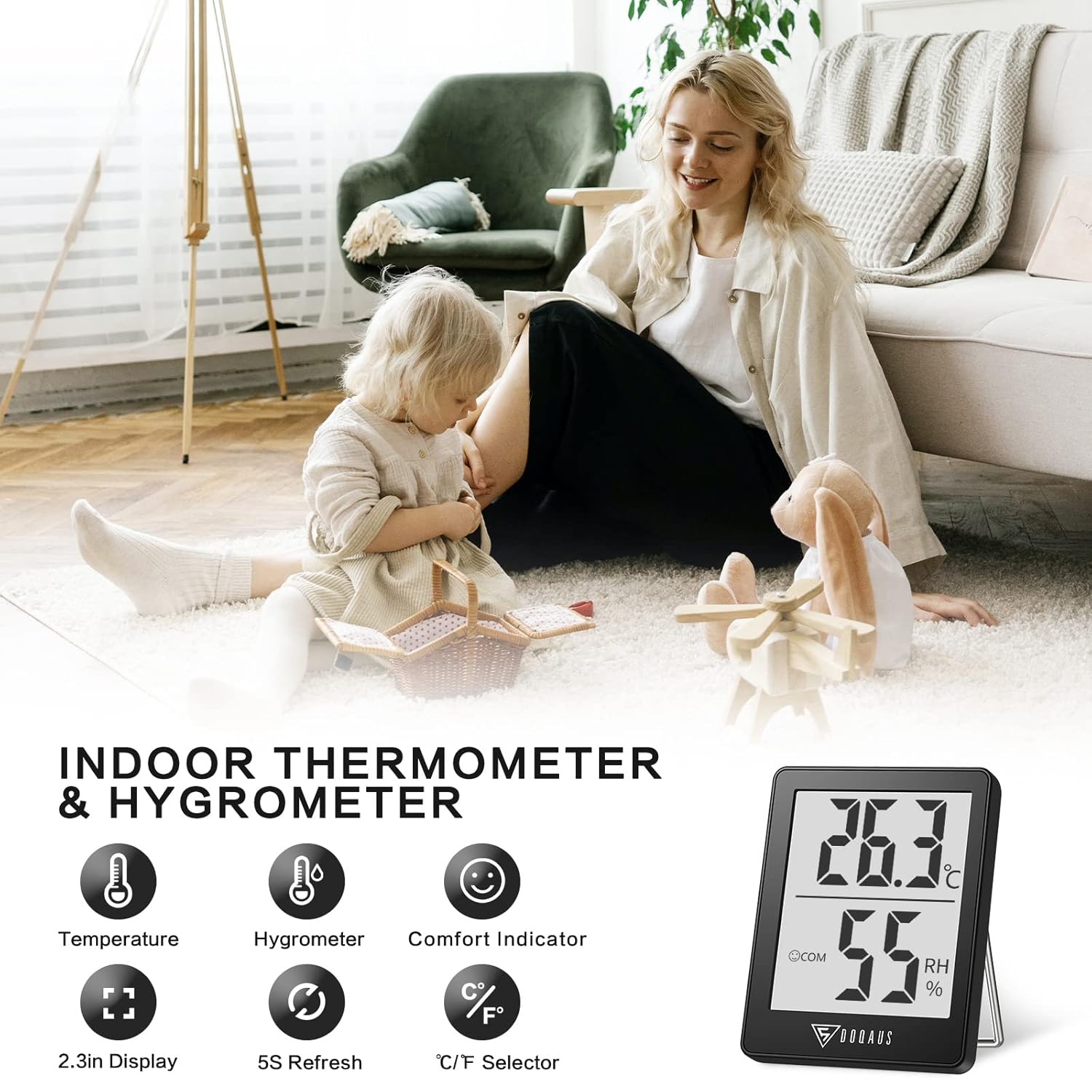
Image: The DOQAUS Indoor Thermometer Hygrometer HM1 displaying temperature and humidity readings on its screen.

Image: The DOQAUS HM1 thermometer hygrometer shown in diverse application environments, including a living room, school, office, and warehouse.
Key Features
- Fast Response & High Precision: Updates readings every 5 seconds for accurate temperature and humidity monitoring.
- Wide Measurement Range: Temperature range of -50°C to 70°C (-58°F to 158°F) and humidity range of 10%RH to 99%RH.
- Comfort Indicator: Displays DRY, COM (Comfort), or WET icons to quickly indicate ambient conditions.
- Switchable Units: Easily switch between Celsius (°C) and Fahrenheit (°F) with a single button.
- Clear LCD Display: Large, bright LCD screen for easy readability from a distance.
- Versatile Mounting Options: Features a table stand, wall-hanging hole, and magnetic back for flexible placement.
- Compact and Portable: Small and lightweight design for space-saving and easy transport.

Image: The comfort indicator feature on the DOQAUS HM1, illustrating DRY, COM, and WET icons based on humidity levels.

Image: A graph demonstrating the fast 5-second response time of the DOQAUS HM1 when measuring humidity changes.
Package Contents
Upon unpacking, please ensure all items are present:
- 1 x DOQAUS Indoor Thermometer Hygrometer HM1
- 1 x CR2032 Battery (pre-installed in the device)
- 1 x User Manual
Setup
1. Battery Installation
The DOQAUS HM1 comes with a CR2032 battery pre-installed. If the display is not active, or if you need to replace the battery:
- Locate the battery compartment on the back of the device.
- Use a small screwdriver to open the battery compartment cover.
- Insert a new CR2032 battery with the positive (+) side facing up.
- Close the battery compartment cover securely.
2. Placement Options
The device offers multiple placement options for your convenience:
- Table Stand: Extend the integrated stand on the back to place the device on any flat surface, such as a desk or shelf.
- Wall Hanging: Use the hanging hole on the back to mount the device on a wall using a nail or hook.
- Magnetic Attachment: The strong magnet on the back allows you to attach the device to metallic surfaces like refrigerators.

Image: Illustrations of the DOQAUS HM1's versatile mounting options, including a hanging hole, strong magnet, and a 45-degree table stand.
Operating Instructions
1. Power On
Once the battery is correctly installed, the device will automatically power on and begin displaying temperature and humidity readings. The indoor temperature will adjust automatically within 30 seconds after power-on.
2. Switching Temperature Units (°C/°F)
To switch between Celsius (°C) and Fahrenheit (°F), press the "°C/°F" button located on the back of the device. The display will instantly change to the selected unit.
3. Understanding the Comfort Indicator
The device features a comfort indicator with three icons to represent the current humidity level:
- DRY: Humidity is below 40%.
- COM (Comfort): Humidity is between 40% and 60%.
- WET: Humidity is above 60%.
This indicator provides a quick visual reference for indoor air quality.
Maintenance
- Cleaning: Regularly clean the product with a soft, dry cloth. Do not use abrasive cleaners or immerse the device in water.
- Battery Replacement: Replace the CR2032 battery when the display becomes dim or stops functioning. Refer to the "Battery Installation" section for instructions.
- Storage: If storing the device for an extended period, remove the battery to prevent leakage. Store in a cool, dry place.
Troubleshooting
| Problem | Possible Cause | Solution |
|---|---|---|
| No display or dim display | Battery is dead or incorrectly installed. | Replace the CR2032 battery or ensure it is installed correctly with the positive (+) side up. |
| Inaccurate readings | Device placed near heat/cold sources or in direct sunlight. | Relocate the device to a central area away from direct sunlight, vents, or extreme temperature sources. Allow 30 minutes for readings to stabilize. |
| Display flickering | Low battery or device malfunction. | Replace the battery. If the issue persists, contact customer support. |
Specifications
| Feature | Detail |
|---|---|
| Model Number | HM1 |
| Dimensions (L x W x H) | 4.5 x 1.8 x 5.8 cm (1.77 x 0.71 x 2.28 inches) |
| Weight | 40 grams (1.41 ounces) |
| Power Source | 1 x CR2032 Battery (DC 3V) |
| Temperature Range | -50°C to 70°C (-58°F to 158°F) |
| Temperature Accuracy | ±0.5°C (±1°F) for 10°C to 40°C (50°F to 104°F); ±1°C (±1.8°F) outside this range. |
| Temperature Resolution | 0.1°C (0.1°F) |
| Humidity Range | 10% RH to 99% RH |
| Humidity Accuracy | ±3% RH for 40% to 80% RH; ±5% RH outside this range (20%-40% RH or 80%-95% RH). |
| Humidity Resolution | 1% RH |
| Refresh Rate | Every 5 seconds |
| Display | LCD |

Image: Multiple DOQAUS HM1 units undergoing accuracy testing in a controlled environment, showing consistent readings.
Warranty and Support
DOQAUS products are designed for reliability and performance. For warranty information or technical support, please refer to the warranty card included with your product or visit the official DOQAUS website.
If you encounter any issues not covered in the troubleshooting section, please contact DOQAUS customer service for assistance.
Related documentsHM1


Ask a question about this manual
Ask about setup, troubleshooting, compatibility, parts, safety, or missing instructions. Manuals+ will review the question and use this page’s manual context to help answer it.