Deerma ST636W Humidifier Air Purifier User Manual
Model: ST636W
1. Introduction
Thank you for choosing the Deerma ST636W Humidifier Air Purifier. This device is designed to improve indoor air quality by maintaining optimal humidity levels and purifying the air. Please read this manual thoroughly before use to ensure safe and efficient operation. Keep this manual for future reference.
2. Important Safety Instructions
- Always place the humidifier on a firm, flat, waterproof surface at least 15 cm away from walls and appliances.
- Do not immerse the base unit in water or other liquids.
- Ensure the power cord is not damaged and is kept away from heated surfaces.
- Unplug the humidifier before filling, cleaning, or moving it.
- Do not add essential oils directly into the water tank. Use the designated aroma box.
- Keep out of reach of children and pets.
- Do not block the mist outlet.
- Use only clean, cool tap water. Distilled or demineralized water is recommended to prevent mineral buildup.
3. Package Contents
Verify that all items are present in the package:
- 1 x Deerma ST636W Humidifier
- 1 x User Manual
- 1 x Cleaning Brush (if included)
4. Product Components

Figure 4.1: Front view of the Deerma ST636W Humidifier, showing the digital display and control buttons.

Figure 4.2: Close-up of the aroma box, illustrating how to add essential oils.
The Deerma ST636W features a top-fill water tank, a digital display for humidity and settings, and an integrated control panel. It includes a 360° rotary mist nozzle for adjustable mist direction and an aroma box for essential oils.
5. Setup Instructions
- Unpack: Carefully remove all packaging materials and place the humidifier on a stable, flat surface.
- Fill Water Tank: The humidifier features a top-fill design. Open the top cover and pour clean, cool water directly into the 4.5-liter water tank. Do not exceed the maximum fill line.
- Add Essential Oils (Optional): If using essential oils, locate the aroma box (usually a small tray or compartment) and add a few drops of your preferred oil onto the pad. Do not add oils directly into the water tank.
- Connect Power: Plug the power cord into a suitable electrical outlet. The digital display will illuminate.

Figure 5.1: Easy-to-refill design for convenient water addition.
6. Operating Instructions
The Deerma ST636W offers multiple operating modes and features for customized humidification.
6.1. Control Panel Overview
The control panel typically includes buttons for Power, Mist/Baby Mode, Timer, and Humidity settings. The digital display shows current humidity, mist level, and other active settings.
6.2. Power On/Off
- Press the Power button to turn the humidifier on or off.
6.3. Mist Modes
The humidifier features 3 operating modes: standard, energy-saving, and maximum humidification.
- Press the Mist/Baby button repeatedly to cycle through different mist output levels.
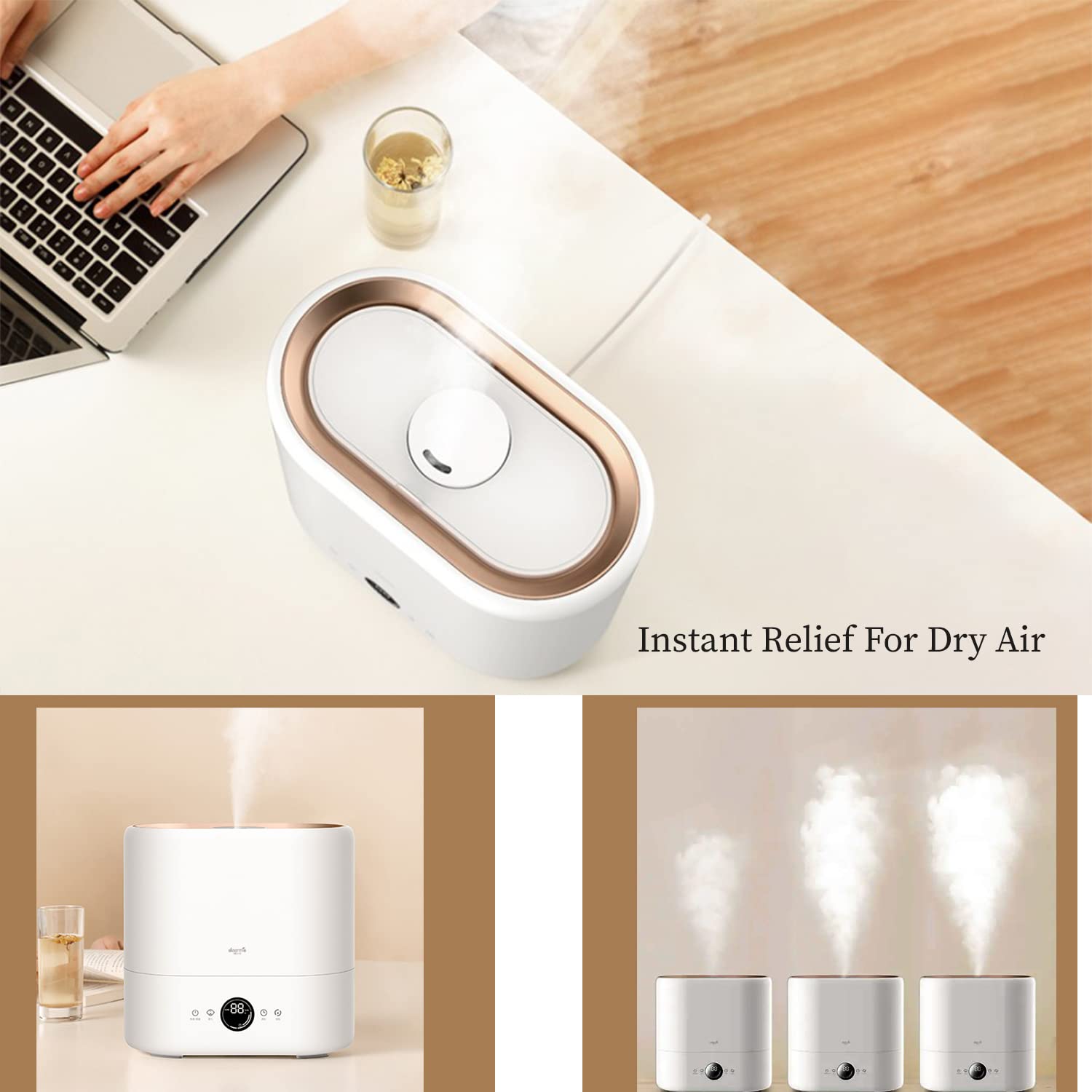
Figure 6.1: Visual representation of varying mist output levels from the humidifier.
6.4. Child Mode (Baby Sleep Mode)
When activated, the child mode automatically maintains the humidity level at approximately 65%, which is considered optimal for children and adults.
- Press and hold the Mist/Baby button to activate or deactivate Child Mode.

Figure 6.2: The humidifier providing a comfortable environment, ideal for a child's room.
6.5. Timer Function
- Press the Timer button to set an operating duration. The humidifier will automatically turn off after the set time.
6.6. Humidity Setting
- Press the Humidity button to set your desired humidity level. The unit will work to maintain this level.
7. Maintenance and Cleaning
Regular cleaning ensures optimal performance and extends the lifespan of your humidifier.
7.1. Daily Maintenance
- Empty and rinse the water tank daily.
- Wipe the inside of the tank with a soft cloth.
7.2. Weekly Cleaning
- Unplug the humidifier.
- Remove the top cover and water tank.
- Clean the water tank and base unit with a soft brush or cloth and mild detergent. Rinse thoroughly.
- The humidifier is equipped with a UV lamp for water purification and a washable activated carbon filter to remove dust and fine hair. Clean these components as per the instructions provided with the filter.
- For mineral deposits, fill the tank with a mixture of white vinegar and water (1:1 ratio) and let it soak for 30 minutes. Scrub with a brush and rinse well.
- Ensure all parts are completely dry before reassembling.

Figure 7.1: Illustration of the hassle-free cleaning process for the humidifier's interior.
8. Troubleshooting
| Problem | Possible Cause | Solution |
|---|
| No mist or low mist output | Lack of water; mineral buildup on transducer; mist outlet blocked. | Refill water tank; clean transducer with vinegar solution; clear mist outlet. |
| Unusual odor | Stagnant water; dirty water tank. | Empty and clean the water tank thoroughly. Use fresh water. |
| Water leakage | Water tank not properly seated; damaged tank. | Ensure the water tank is correctly placed; check for cracks or damage. |
| Unit not turning on | No power; power cord not connected. | Check power connection and outlet; ensure power button is pressed. |
9. Technical Specifications

4.5L Water Capacity

Balanced Humidity

Compact Size
| Feature | Detail |
|---|
| Brand | Deerma |
| Model Number | ST636W |
| Operation Mode | Ultrasonic |
| Water Tank Capacity | 4.5 Liters |
| Continuous Operation | Up to 16 hours (at 350 ml/hr) |
| Mist Output | 350 ml/hr |
| Special Features | Adjustable Humidity Control, Digital Display, UV Lamp, Washable Activated Carbon Filter, Top-Fill Design, Child Mode |
| Color | White |
| Product Dimensions | 21.6D x 21.6W x 19.1H Centimeters |
| Item Weight | 0.9 Kilograms |
| Wattage | 28 Watts |

Figure 9.1: Dimensions of the Deerma ST636W Humidifier.
10. Warranty and Customer Support
For warranty information and customer support, please refer to the warranty card included with your product or contact Deerma customer service directly. Keep your purchase receipt as proof of purchase.
Importer: ALLIN IMPEX SERVICES PVT LTD, C-38, SECTOR-63, NOIDA, UP, 201301, MOB: 9313132789, EMAIL: sales@allinexporters.com


