Introduction
The Govee H5100 Table Fan is a smart air circulator designed to provide efficient and quiet cooling for your home or office. Featuring multiple control options, diverse wind modes, and intelligent temperature-based adjustments, this fan enhances air circulation and comfort. This manual provides comprehensive instructions for setup, operation, maintenance, and troubleshooting to ensure optimal performance and longevity of your device.
Product Features
- Multiple Smart Control Options: Connects with Govee Home App, Alexa, or Google Home for hands-free control.
- Quiet Sleep Mode: Operates as low as 33 dB for whisper-quiet cooling, ideal for bedrooms.
- Whole Room Air Circulation: Aerodynamic turbine design maximizes airflow up to 21 feet for effective cooling and improved air quality.
- Three Diverse Wind Modes: Includes Sleep Mode, Nature Mode (simulates natural breeze), and Turbo Mode for rapid air circulation.
- Self-Reactive Auto Mode: Adjusts wind speed automatically based on ambient temperature when paired with a compatible Govee Hygrometer Thermometer.
- 24-Hour Timer & Schedule Function: Customize usage times for convenience and energy saving.
Package Contents
- Govee H5100 Air Circulator Fan
- User Manual
Setup Instructions
1. Unpacking and Placement
Carefully remove the Govee H5100 Table Fan from its packaging. Place the fan on a stable, flat surface in the desired location, ensuring adequate space around it for optimal airflow.
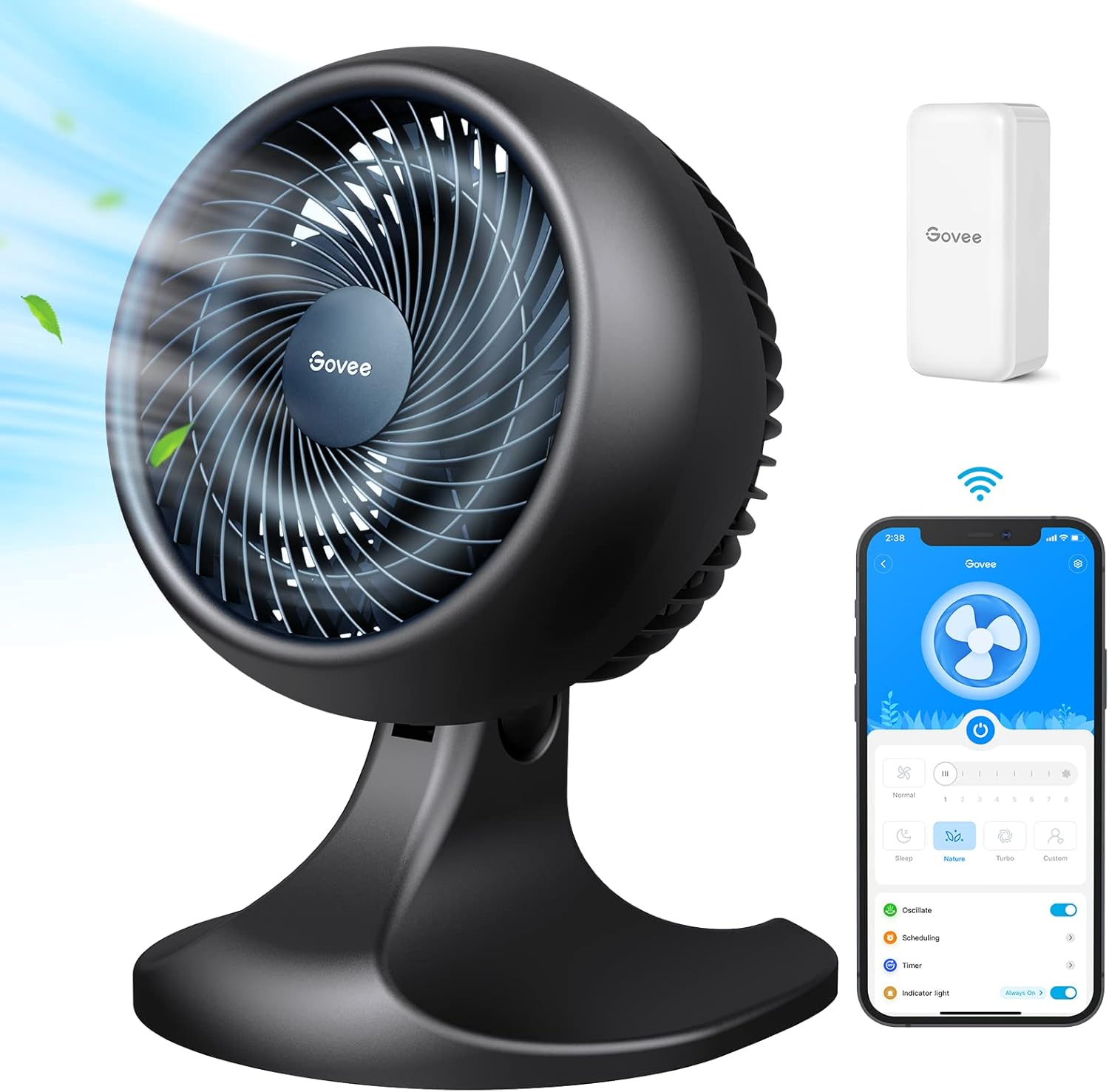
Govee H5100 Table Fan with remote control and Govee Home App interface.
2. Power Connection
Plug the fan's power cord into a standard AC electrical outlet (120 Volts).
3. Govee Home App Connection
For smart control features, download the Govee Home App from your smartphone's app store. Follow the in-app instructions to pair your Govee H5100 fan via Wi-Fi and Bluetooth. Ensure your app version is 4.8.0 or above for full functionality. If not, connect the fan to Wi-Fi, unplug it, plug it back in, and wait approximately 30 minutes for the app to update and display the pairing option for compatible Govee thermometers.

The Govee H5100 fan can be controlled via the Govee Home App, Alexa, or Google Home.
An overview of the Govee Smart TurboForce Air Circulator Fan H7111, showcasing its features and design.
Demonstration of the Govee Smart TurboForce Air Circulator's powerful airflow and smart capabilities.
Instructions on how to connect the Govee fan with a Govee Thermo-Hygrometer for automatic temperature-based speed adjustments.
Operating Instructions
Control Panel Operation
The fan features a touch control panel on its top for direct operation.

Close-up of the fan's intuitive touch control panel located on the top.
Wind Modes
The Govee H5100 offers three distinct wind modes:
- Sleep Mode: Provides a low-noise environment, ideal for undisturbed rest.
- Nature Mode: Simulates a natural breeze by varying wind speeds, offering a comfortable and dynamic airflow.
- Turbo Mode: Delivers powerful airflow for rapid whole-house air circulation.
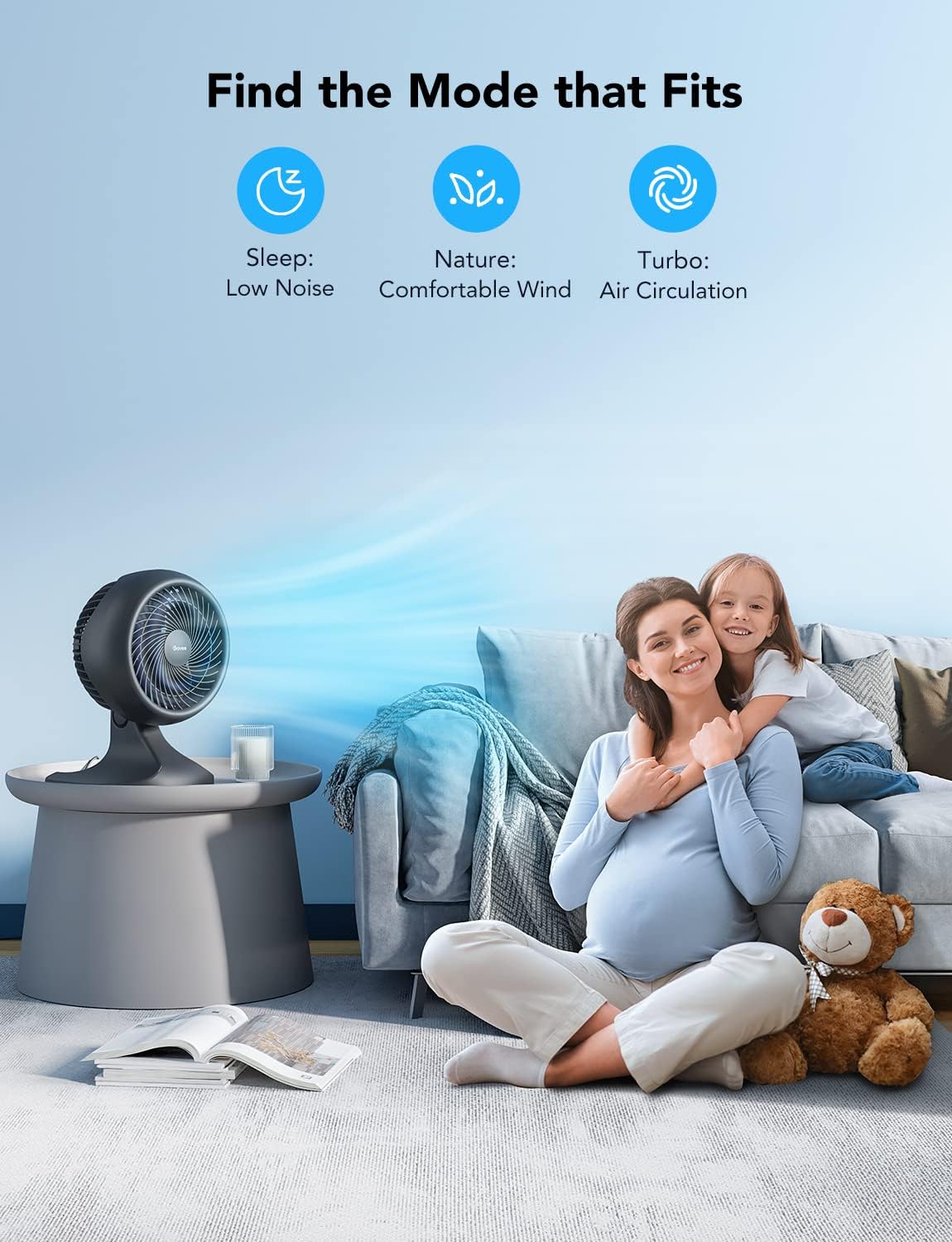
Visual representation of the fan's three primary modes: Sleep for low noise, Nature for comfortable wind, and Turbo for air circulation.

Visual demonstration of the fan's Sleep, Nature, and Turbo modes in various home environments.
Speed Settings
The fan offers 8 adjustable speed settings to suit your preference. Use the control panel or the Govee Home App to select your desired speed.
Oscillation
The fan can oscillate up and down to maximize airflow and cover a wider area. Adjust the oscillation settings via the Govee Home App.

The Govee H5100 fan offers adjustable oscillation for wide-range cooling, with 36-degree and 80-degree options.
Timer Function
Set a 24-hour timer or schedule specific operating times using the Govee Home App. This allows for automated operation and energy efficiency.
Auto Mode (with Govee Thermometer)
When paired with a compatible Govee Hygrometer Thermometer (models H5051, H5052, H5071, H5072, H5074, H5174, H5179, H5075, H5101, H5102, H5177, H5100, B5178), the fan's Auto Mode will automatically adjust its wind speed based on the ambient temperature detected by the thermometer. This ensures optimal comfort without manual adjustments.

The fan's Auto Mode adjusts speed based on ambient temperature when paired with a Govee thermometer. Dimensions: 10.04 inches wide, 14.17 inches high.
Maintenance
Cleaning the Fan
Regular cleaning helps maintain the fan's performance and extends its lifespan. Before cleaning, always unplug the fan from the power outlet.
- Use a soft, dry cloth to wipe the exterior surfaces of the fan.
- For dust accumulation on the fan blades or inside the grille, use a vacuum cleaner with a brush attachment or compressed air to gently remove debris.
- Do not use abrasive cleaners, solvents, or immerse the fan in water.
A step-by-step guide on how to clean the Govee Air Circulator Fan H7111 to maintain optimal performance.
Storage
If storing the fan for an extended period, ensure it is clean and dry. Store it in a cool, dry place, preferably in its original packaging, to protect it from dust and damage.
Troubleshooting
| Problem | Possible Cause | Solution |
|---|---|---|
| Fan does not turn on. | No power supply. | Ensure the power cord is securely plugged into a working electrical outlet. Check if the outlet has power. |
| Fan is noisy. | Dust accumulation or obstruction. | Clean the fan blades and grille as per the Maintenance section. Ensure no objects are obstructing the fan's movement. |
| App cannot connect to the fan. | Bluetooth/Wi-Fi issues or outdated app. | Ensure Bluetooth is enabled on your phone and the fan is within range. Check your Wi-Fi connection. Update the Govee Home App to the latest version. Restart both the fan and your phone. |
| Auto Mode not working with thermometer. | Thermometer not paired or incompatible. | Ensure the Govee thermometer is correctly paired with the Govee Home App and is a compatible model. Follow the pairing instructions in the app. |
Specifications
| Feature | Detail |
|---|---|
| Model Name | H7111111 (H5100 series) |
| Power Source | AC |
| Voltage | 120 Volts |
| Wattage | 45 watts |
| Noise Level | 33 dB (minimum) |
| Number of Speed Levels | 8 |
| Product Dimensions | 9.76"D x 10.16"W x 14.17"H |
| Item Weight | 5.39 pounds |
| Control Method | Remote (via App), Touch Panel, Voice Control (Alexa, Google Home) |
| Oscillation | Left and Right 80+/-5 degrees |
| Recommended Use | Air Circulation, Cooling |
| Indoor/Outdoor Usage | Indoor |
Warranty and Support
Govee products are designed with quality and reliability in mind. For specific warranty information, please refer to the warranty card included with your product or visit the official Govee website. For technical support, troubleshooting assistance, or any inquiries regarding your Govee H5100 Table Fan, please contact Govee customer service through the Govee Home App or their official support channels.
An official User Manual (PDF) is also available for download: Download User Manual (PDF)


