
1. Introduction
Thank you for choosing the FunKey DP-1088 Slim Digital Piano. This instrument is designed for beginners and experienced players alike, offering a compact design with the features of a traditional digital piano. It includes 88 velocity-sensitive keys, 20 high-quality sounds, and various effects to enhance your musical expression. This manual provides essential information for setup, operation, maintenance, and troubleshooting to ensure optimal performance and longevity of your instrument.
2. Safety Instructions
Please read and follow these safety instructions carefully before using your FunKey DP-1088 Digital Piano to prevent damage to the instrument or injury to yourself or others.
- Power Supply: Use only the specified power adapter. Ensure the voltage matches the requirements of your region. Disconnect the power cord during lightning storms or when not in use for extended periods.
- Placement: Place the piano on a stable, level surface. Avoid direct sunlight, heat sources, excessive dust, moisture, or vibrations. Do not block ventilation openings.
- Water and Moisture: Do not expose the instrument to rain, moisture, or spills. Do not place objects filled with liquids, such as vases, on the piano.
- Cleaning: Clean the instrument with a soft, dry cloth. Do not use abrasive cleaners, waxes, or solvents.
- Servicing: Do not attempt to service the instrument yourself. Refer all servicing to qualified service personnel.
- Children: Keep small parts out of reach of children. Ensure children are supervised when using the instrument.
3. Package Contents
Verify that all items are present in the package:
- FunKey DP-1088 Digital Piano Unit
- Triple Pedal Board
- Power Adapter
- Music Rest
- User Manual (this document)
- Assembly Hardware
4. Setup
Follow these steps to assemble and set up your FunKey DP-1088 Digital Piano.
4.1 Assembly
The FunKey DP-1088 requires minimal assembly. Refer to the included assembly guide for detailed instructions on attaching the stand and pedal unit to the main piano body. Ensure all screws are securely tightened.

Image: The FunKey DP-1088 Slim Digital Piano fully assembled, showcasing its elegant white finish and integrated pedal unit.
4.2 Power Connection
- Connect the power adapter to the DC IN jack on the rear panel of the piano.
- Plug the power adapter into a suitable wall outlet.
- Press the Power button to turn on the instrument.
4.3 Pedal Connection
Connect the cable from the triple pedal board to the PEDAL jack on the rear panel of the piano.
5. Operating Instructions
5.1 Basic Operation

Image: Close-up view of the FunKey DP-1088's control panel and keys, highlighting the intuitive layout for direct function access.
- Power On/Off: Press the POWER button located on the left side of the control panel to turn the piano on or off.
- Volume Control: Use the VOLUME knob to adjust the overall sound level.
- Sound Selection: The DP-1088 features 20 different sounds. To select a sound, press the FUNCTION button and then press the corresponding key on the keyboard as indicated above the keys.
5.2 Advanced Functions
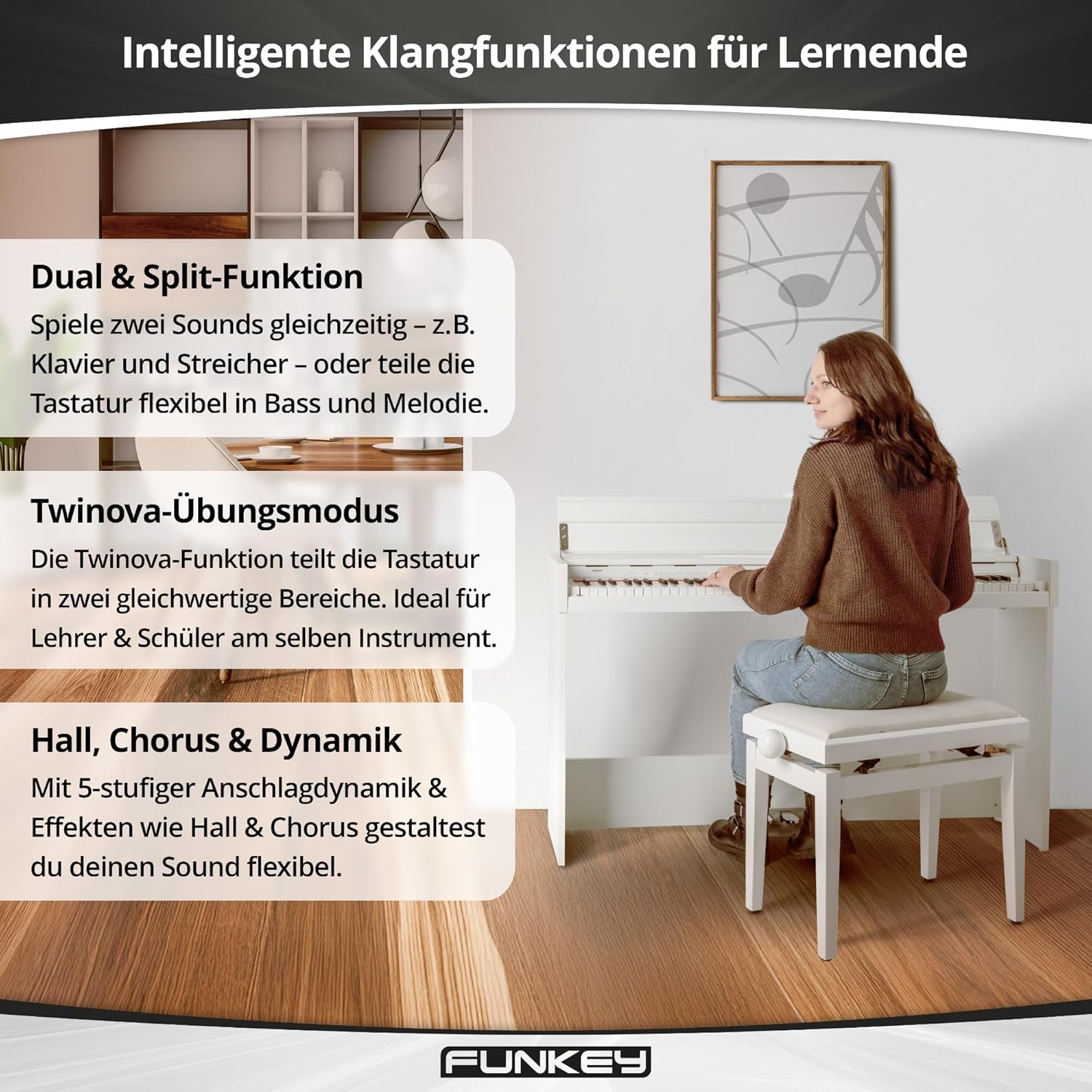
Image: Visual representation of the FunKey DP-1088's intelligent sound functions for learners, including Dual & Split, Twinova practice mode, and Hall, Chorus & Dynamic effects.
- Dual & Split Function:
The Dual function allows you to layer two sounds simultaneously (e.g., Piano and Strings). The Split function divides the keyboard into two sections, allowing you to play different sounds with your left and right hands (e.g., Bass in the left, Melody in the right). Activate these functions by pressing the FUNCTION button and the designated keys.
- Twinova Practice Mode:
Ideal for lessons, the Twinova function splits the 88-key keyboard into two identical 44-key sections. This allows a teacher and student to play simultaneously in the same octave range. Activate Twinova by pressing the FUNCTION button and the corresponding Twinova key.
- Effects (Reverb, Chorus, Dynamic Percussion):
Enhance your sound with built-in effects. The DP-1088 includes Reverb and Chorus effects. Dynamic percussion offers 5 levels of touch sensitivity. Access and adjust these effects via the FUNCTION button and specific keys.
- Metronome:
The built-in metronome helps with rhythm practice. Activate and adjust the tempo using the FUNCTION button and designated keys.
6. Connections
The FunKey DP-1088 offers various connectivity options for expanded use.

Image: Rear panel connections of the FunKey DP-1088, showing USB to Host, AUX OUT, AUX IN, and 12V DC IN ports for versatile connectivity.
- Headphone Jacks (2 x 6.35 mm): Connect up to two pairs of standard stereo headphones for private practice. The internal speakers are automatically muted when headphones are connected.
- USB to Host: Connect the piano to a computer using a USB cable for MIDI data transfer. This allows you to use the piano as a MIDI controller with music software.
- Line Out (6.35 mm): Connect to external audio systems, amplifiers, or recording devices.
- Line In (6.35 mm): Connect external audio players (e.g., smartphone, MP3 player) to play along with your favorite music through the piano's speakers.
- Pedal Connector: For connecting the included triple pedal unit.
7. Maintenance
Proper care will ensure your FunKey DP-1088 remains in excellent condition for years to come.
- Cleaning: Wipe the surface of the piano with a soft, dry, lint-free cloth. For stubborn dirt, slightly dampen the cloth with water and mild soap, then wipe dry immediately. Avoid harsh chemicals or abrasive materials.
- Key Cleaning: Use a soft cloth to gently wipe the keys. For white keys, a slightly damp cloth can be used. For black keys, use a dry cloth.
- Storage: When not in use for extended periods, cover the piano with a dust cover to protect it from dust and debris. Store in a cool, dry place away from extreme temperatures.
- Avoid Heavy Objects: Do not place heavy objects on the keyboard or the piano's surface, as this can cause damage.
8. Troubleshooting
If you encounter any issues with your FunKey DP-1088, refer to the following common problems and solutions:
| Problem | Possible Cause | Solution |
|---|---|---|
| No sound |
|
|
| Keys are not responding |
|
|
| Pedals not working |
|
|
| Distorted sound |
|
|
If the problem persists after trying these solutions, please contact customer support.
9. Specifications
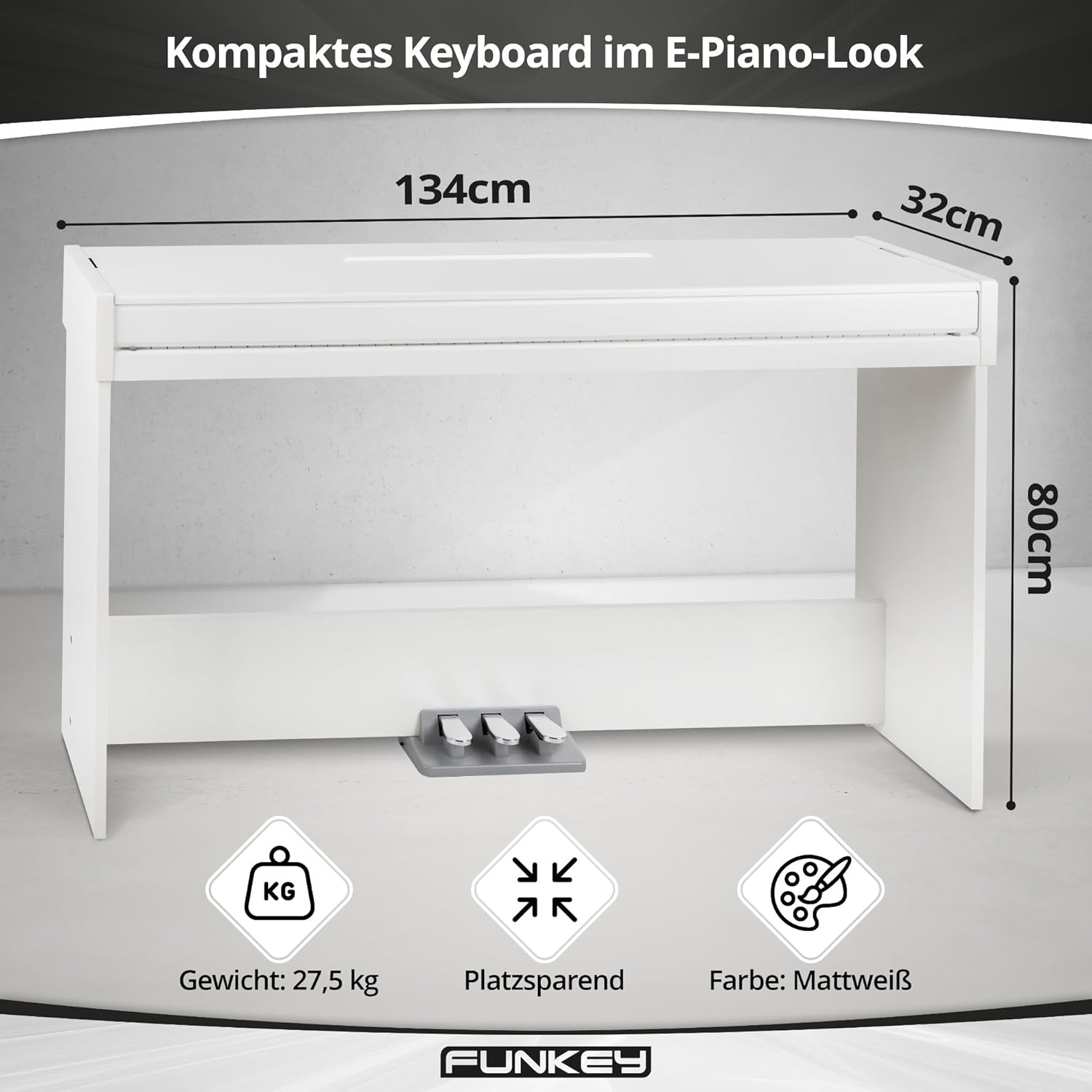
Image: Key specifications of the FunKey DP-1088, including its compact dimensions (134 cm width, 32 cm depth, 80 cm height) and weight (27.5 kg).
| Feature | Description |
|---|---|
| Model | DP-1088 |
| Keys | 88 velocity-sensitive keys |
| Sounds | 20 high-quality sounds |
| Polyphony | 128 voices |
| Pedals | Triple pedal board (Sustain, Sostenuto, Soft) |
| Functions | Split, Dual, Twinova, Dynamic Percussion (5 levels, off), Metronome |
| Effects | Reverb, Chorus |
| Speakers | Built-in stereo speakers (2x 15 Watts output, total 30 Watts) |
| Connections | 2 x 6.35 mm Headphone Jacks, USB to Host, 6.35 mm Line Out, 6.35 mm Line In, Pedal Connector, DC 12V In |
| Dimensions (WxDxH) | 134.4 x 32.7 x 79.4 cm (52.9 x 12.9 x 31.3 inches) |
| Weight | 27.5 kg (60.6 lbs) |
| Color | Matt White |
| Power Source | Corded Electric (DC 12V) |
10. Warranty Information
FunKey products are manufactured to high-quality standards. This product comes with a standard manufacturer's warranty against defects in materials and workmanship. The specific terms and duration of the warranty may vary by region. Please retain your proof of purchase for warranty claims.
The warranty does not cover:
- Damage caused by improper installation, use, or maintenance.
- Damage caused by accident, abuse, or natural disaster.
- Damage caused by unauthorized modifications or repairs.
- Normal wear and tear.
For detailed warranty information, please refer to the warranty card included with your product or contact FunKey customer support.
11. Support
If you require further assistance or have questions not covered in this manual, please contact FunKey customer support. You can typically find contact information on the manufacturer's website or on the product packaging.
When contacting support, please have the following information ready:
- Product Model: FunKey DP-1088
- Serial Number (if applicable, usually found on the back or bottom of the unit)
- Date of Purchase
- A clear description of the issue you are experiencing
