1. Introduction
The Audizio Trento is a versatile digital radio tuner designed to enhance your audio experience. It integrates seamlessly into existing home hi-fi systems, offering access to a vast array of internet radio stations, DAB+ and FM broadcasts, Bluetooth streaming, and network media playback. This manual provides detailed instructions for setup, operation, and maintenance of your Trento unit.
2. Safety Information
- Read all instructions carefully before use.
- Keep the unit away from water, moisture, and extreme temperatures.
- Do not block ventilation openings.
- Use only the provided power adapter.
- Do not attempt to repair the unit yourself. Refer all servicing to qualified personnel.
- Disconnect the power plug during lightning storms or when unused for long periods.
3. Package Contents
Verify that all items are present in the box:
- Audizio Trento Internet Radio Unit
- Remote Control
- Power Adapter (5V)
- RCA Audio Cable
- External Antenna
- Instruction Manual (this document)

Image: Audizio Trento unit and included accessories.
4. Product Overview
4.1 Front Panel

Image: Front view of the Audizio Trento unit with its remote control. The unit features a central display, control buttons, and a rotary knob.
- Power Button: Turns the unit on or off.
- Display: 2.4" TFT color display for navigation and information.
- Headphone Jack: 6.3mm output for private listening.
- Navigation Buttons: For menu navigation.
- Rotary Knob (Tune/Select): For scrolling through menus and confirming selections.
4.2 Rear Panel Connections

Image: Rear panel of the Audizio Trento, highlighting various input and output ports with labels.
- LAN Port (RJ45): For wired internet connection.
- Antenna Input: For connecting the external Wi-Fi/DAB/FM antenna.
- Digital Output (Optical/Toslink): For connecting to an amplifier or DAC with an optical input.
- Digital Output (Coaxial): For connecting to an amplifier or DAC with a coaxial input.
- Line Out (RCA L/R): Analog audio output for connecting to an amplifier or active speakers.
- DC IN (5V): Power input for the included adapter.
- On/Off Switch: Main power switch.
4.3 Remote Control
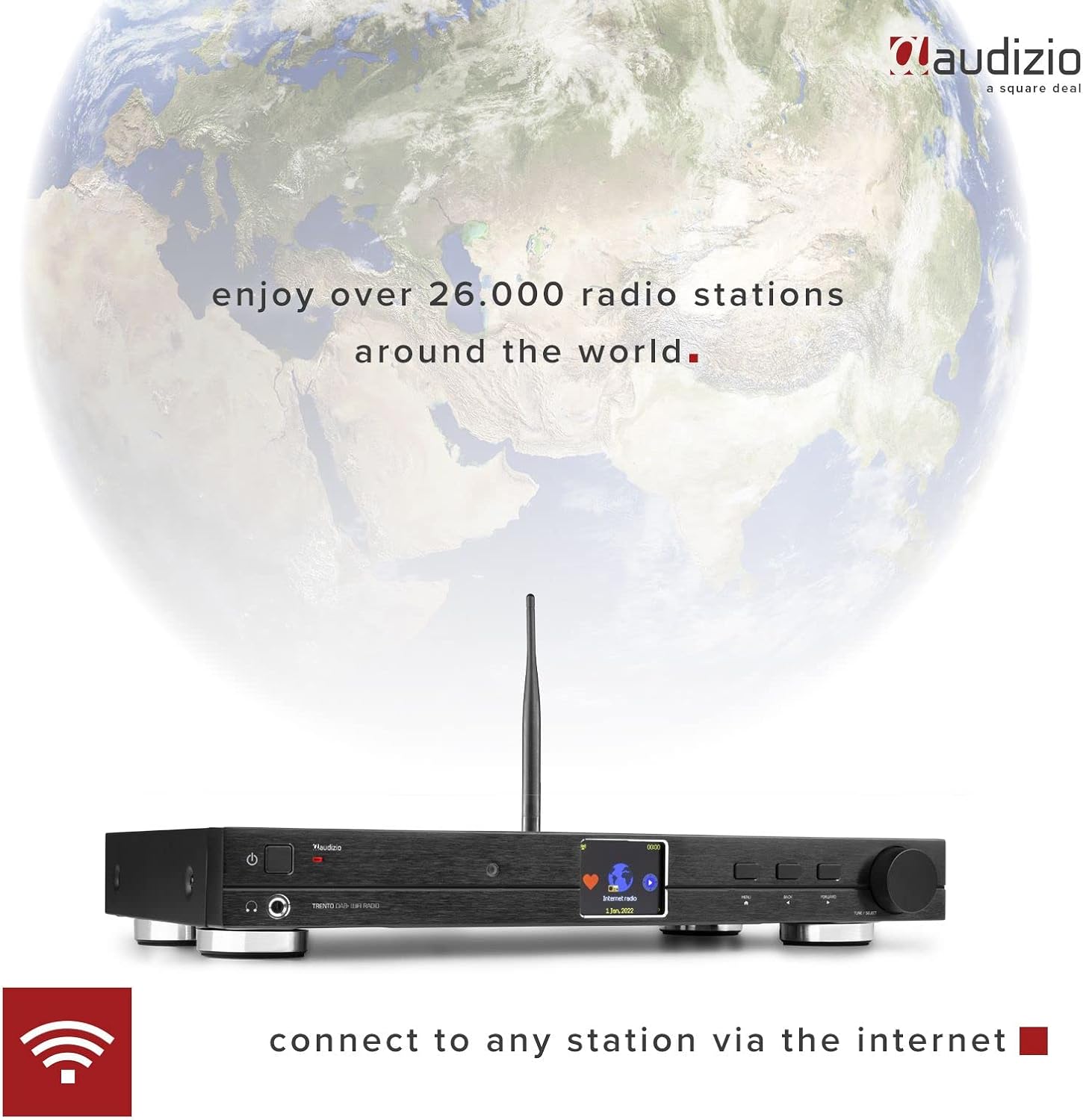
Image: Detailed view of the Audizio Trento remote control, showing various buttons for power, navigation, mode selection, and volume.
The remote control provides full functionality for operating the Trento unit. Insert 2x AAA batteries (not included) into the remote before first use. Familiarize yourself with the buttons for power, volume, navigation, mode selection, and direct access functions.
5. Setup
5.1 Connecting the Antenna
Screw the provided external antenna into the "ANTENNA" connector on the rear panel. Position the antenna for optimal reception of DAB+ and FM signals.

Image: Close-up of the rear panel showing the external antenna connected, indicating its role in extending signal range.
5.2 Power Connection
Connect the power adapter to the "DC IN 5V" port on the rear of the unit, then plug the adapter into a wall outlet. Ensure the main power switch on the rear is in the "ON" position.
5.3 Audio Output Connections
Choose one of the following methods to connect the Trento to your audio system:
- RCA Analog Output: Use the supplied RCA cable to connect the "LINE OUT (L/R)" ports on the Trento to the analog input (e.g., "AUX IN") of your amplifier or active speakers.
- Optical (Toslink) Digital Output: Use an optical cable (not supplied) to connect the "OPTICAL" port on the Trento to an optical input on your amplifier or DAC.
- Coaxial Digital Output: Use a coaxial cable (not supplied) to connect the "COAXIAL" port on the Trento to a coaxial input on your amplifier or DAC.
5.4 Network Connection (Wi-Fi / Ethernet)
The Trento requires an internet connection for Internet Radio and media streaming features.
- Wi-Fi Connection:
- Power on the unit.
- Navigate to "Settings" > "Network" > "Wi-Fi Network".
- Select "Scan" to find available networks.
- Choose your Wi-Fi network and enter the password using the rotary knob and navigation buttons.
- Confirm the connection.
- Ethernet Connection:
Connect an Ethernet cable (not supplied) from your router to the "LAN" port on the rear of the Trento. The unit will automatically detect and connect to the wired network.
6. Operating Instructions
6.1 Basic Operation
- Power On/Off: Press the power button on the front panel or remote control.
- Volume Control: Use the "Volume" buttons on the remote or the rotary knob on the unit.
- Mode Selection: Press the "MODE" button on the remote or navigate through the main menu to select between Internet Radio, DAB+, FM, Bluetooth, and Media Player.
6.2 Internet Radio
Access over 26,000 internet radio stations worldwide.

Image: The Audizio Trento's 2.4-inch full-color display showing the "Internet radio" option, indicating the unit's capability to connect to global stations.
- Select "Internet Radio" from the main menu.
- Browse stations by location, genre, or search by name.
- Select a station to begin playback.
- To save a station as a preset, refer to the "Presets" section in the full manual.
6.3 DAB+ Radio
Enjoy high-quality digital audio broadcasts.
- Select "DAB+ Radio" from the main menu.
- The unit will perform a scan for available DAB+ stations.
- Use the navigation buttons or rotary knob to select a station.
6.4 FM Radio
Tune into traditional analog FM broadcasts.
- Select "FM Radio" from the main menu.
- Use the navigation buttons to manually tune or perform an auto-scan for stations.
6.5 Bluetooth Streaming
Stream audio wirelessly from your Bluetooth-enabled devices.
- Select "Bluetooth" mode on the Trento. The unit will enter pairing mode.
- On your smartphone or other Bluetooth device, search for "Audizio Trento" in the Bluetooth settings.
- Select the Trento to pair. Once connected, you can play audio from your device through the Trento.
6.6 Media Player (UPnP/DLNA)
Play music files from network-connected devices (e.g., PC, NAS) via UPnP/DLNA.
- Ensure your media server is set up and accessible on the same network as the Trento.
- Select "Media Player" from the main menu.
- Browse your media server's content and select files for playback.
6.7 Alarm Clock and Sleep Timer
The Trento features dual alarms and a programmable sleep timer.
- Alarm: Access "Alarm" in the settings menu to set up two independent alarms with customizable sources (buzzer, internet radio, DAB+, FM) and schedules.
- Sleep Timer: Access "Sleep Timer" in the settings menu to set a countdown (15 to 180 minutes) after which the unit will automatically turn off.
7. Maintenance
- Cleaning: Wipe the unit with a soft, dry cloth. Do not use abrasive cleaners or solvents.
- Software Updates: Periodically check for firmware updates via the "Settings" > "Software Update" menu to ensure optimal performance and access to new features.
8. Troubleshooting
| Problem | Possible Cause | Solution |
|---|---|---|
| No power | Power adapter not connected; main switch off. | Check power connections; ensure main switch is ON. |
| No sound | Volume too low; incorrect audio output selected; amplifier off. | Increase volume; check audio cable connections; ensure external amplifier is on and set to correct input. |
| Cannot connect to Wi-Fi | Incorrect password; out of range; network issue. | Re-enter password; move unit closer to router; check router status. |
| Internet Radio buffering/disconnecting | Weak Wi-Fi signal; slow internet connection. | Improve Wi-Fi signal (e.g., use Ethernet); check internet speed. |
| Poor DAB+/FM reception | Antenna not properly connected or positioned. | Adjust antenna position; ensure secure connection. |
| Bluetooth pairing issues | Device not in pairing mode; too far from unit. | Ensure Trento is in Bluetooth mode; place devices closer; restart both devices. |
9. Specifications
| Feature | Detail |
|---|---|
| Brand | Audizio |
| Model Number | 102.236 |
| Connectivity | Wi-Fi (802.11b/g/n), Ethernet (RJ45), Bluetooth |
| Tuner Technology | DAB+, FM |
| Display | 2.4" TFT Color LCD with adjustable brightness |
| Audio Outputs | RCA Analog, Optical (Toslink), Coaxial, 6.3mm Headphone Jack |
| Network Protocols | UPnP, DLNA |
| Security Protocols | WEP/WPA/WPA2 |
| Special Features | Dual Alarm Clock, Programmable Sleep Timer, Remote Control |
| Power Supply | 100-240VAC 50/60Hz (5V adapter) |
| Dimensions (L x W x H) | 430 x 260 x 62 mm (approx. 16.9 x 10.2 x 2.4 inches) |
| Weight | 2.5 kg (approx. 5.5 lbs) |
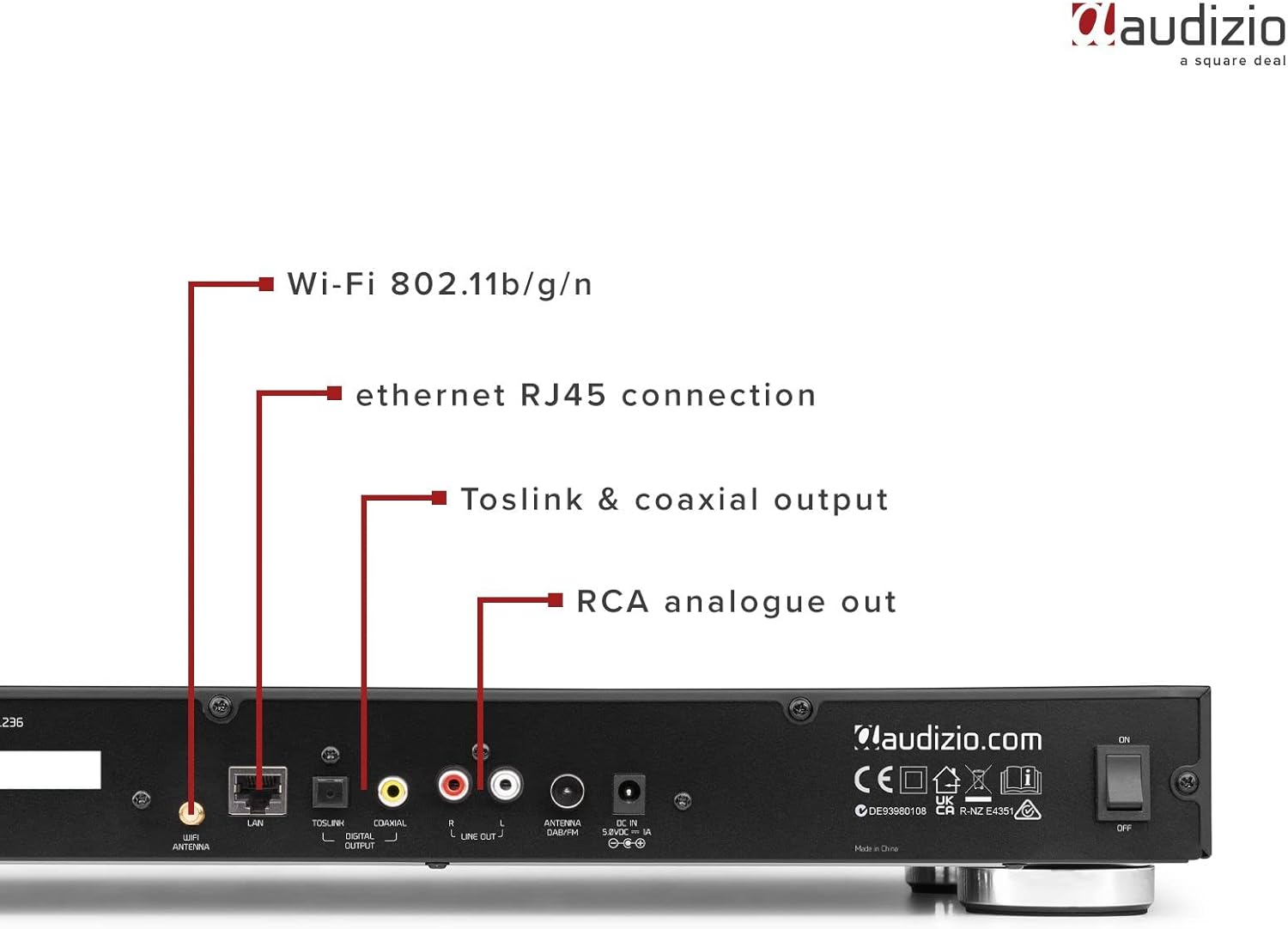
Image: Audizio Trento unit with remote control, showing approximate dimensions of 260mm length and 62mm height.
10. Warranty and Support
Audizio products are designed and manufactured to the highest standards. For detailed warranty information, please refer to the warranty card included with your product or visit the official Audizio website. For technical support or service inquiries, please contact your retailer or the Audizio customer service department.
Keep your proof of purchase for warranty claims.


