
Introduction
The THAW Rechargeable Hand Warmer is designed to provide portable warmth and convenient power on the go. This dual-purpose device features a rechargeable lithium-ion battery that not only heats your hands but also functions as a power bank to charge your electronic devices. Its compact and ergonomic design makes it an ideal companion for various outdoor activities, ensuring comfort in cold conditions.

Figure 1: THAW Rechargeable Hand Warmer (Small)
Setup
Charging the Device
Before first use, fully charge your THAW Hand Warmer. Use the provided USB-C cable to connect the device to a compatible USB power source (e.g., wall adapter, computer USB port). The blue LED indicators will illuminate to show the charging progress. All three blue LEDs will light up when fully charged.
- Recharge Time: Approximately 3 hours at 2.0A, 6 hours at 1.0A, or 12 hours at 0.5A.

Figure 2: USB-C Charging Port and Cable
Operating Instructions
Power On/Off and Mode Selection
To turn on your THAW Hand Warmer, press and hold the power button for 3 seconds. The device will light up red to indicate the heating mode. To cycle through temperature modes (High, Medium, Low), press the power button briefly. When the lights are off, release the button to turn it off.
Temperature Modes and Run Times
| Mode | Temperature | Run Time (Small Model) |
|---|---|---|
| High | 60 °C / 140 °F | Up to 5 hours |
| Medium | 53 °C / 127 °F | Up to 7 hours |
| Low | 46 °C / 114 °F | Up to 10 hours |
Note: The heating feature and power bank cannot be used simultaneously.

Figure 3: Temperature Modes and Performance
Power Bank Functionality
The THAW Hand Warmer can also serve as a power bank with a 5,200mAh capacity. Connect your device to the USB-C port on the hand warmer using your device's charging cable. The hand warmer will automatically begin charging your device. The battery/charging indicator LEDs will show the remaining power level.
- Smart Power Control: When the battery level reaches 33% or less, the product will automatically switch to the next lower mode to ensure the longest run time possible.
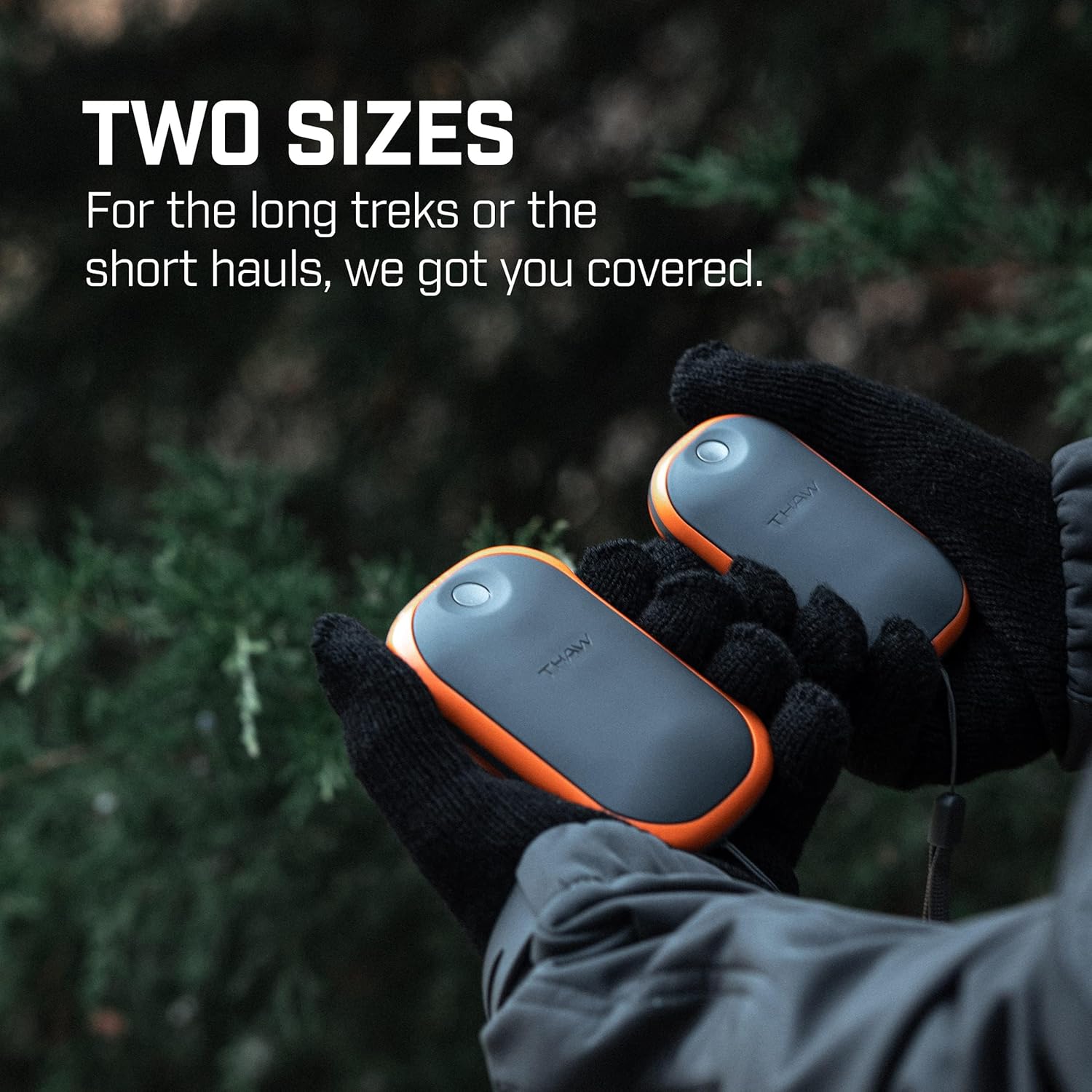
Figure 4: THAW Hand Warmer in use, showing two available sizes.
Maintenance
To ensure the longevity and optimal performance of your THAW Hand Warmer, follow these maintenance guidelines:
- Cleaning: Wipe the device with a soft, damp cloth. Do not use harsh chemicals or abrasive cleaners.
- Storage: Store the hand warmer in a cool, dry place when not in use. Avoid extreme temperatures.
- Battery Care: For best battery life, charge the device fully at least once every three months, even if not in regular use. The battery is not user-replaceable.
Troubleshooting
If you encounter issues with your THAW Hand Warmer, refer to the following common solutions:
- Device not turning on: Ensure the device is fully charged. Press and hold the power button for 3 seconds.
- Not heating: Check the battery level. If low, recharge the device. Ensure you are in a heating mode (red indicator).
- Not charging external devices: Confirm the hand warmer has sufficient charge. Ensure the charging cable is securely connected to both the hand warmer and your external device. Remember, the heating function must be off to use the power bank.
- Short run time: Ensure the device is fully charged before use. Run time varies by temperature mode; lower modes provide longer duration.
If problems persist, contact customer support.
Specifications
| Feature | Detail |
|---|---|
| Model Name | Dual Purpose Power Bank and Small Rechargeable Hand Warmer |
| Model Number | THA-HND-0017 |
| Size | Small (3.86" H x 2.17" W x 1.18" D) |
| Color | Orange and Gray |
| Material | Nylon |
| Battery Type | Rechargeable Lithium-Ion |
| Battery Capacity | 5,200 mAh | 7.4V Total |
| Charging Time | Approx. 3-12 hours (depending on adapter) |
| Output | 5V-2A (max) |
| Temperature Modes | High (60°C/140°F), Medium (53°C/127°F), Low (46°C/114°F) |
| Included Components | Hand Warmer, USB-C Charging Cable |
| UPC | 645397002826 |
Warranty and Support
Your THAW Rechargeable Hand Warmer is covered by a 1 Year Manufacturer Warranty.
For product support, warranty claims, or additional information, please visit the official THAW Store or contact their customer service directly.
THAW Store: https://www.amazon.com/stores/THAW/page/93A8AC6E-D60E-4D09-A21B-9371098C1E69

