
Eureka NEM100
Eureka Multifunctional Steam Mop NEM100 User Manual
Model: NEM100
1. Introduction
This manual provides essential information for the safe and effective use of your Eureka Multifunctional Steam Mop NEM100. Please read all instructions carefully before assembly and use. Keep this manual for future reference.
Safety Warning: Steam coming out of the steam mop is very hot and may cause scalding. Please use caution when using the steam mop.
2. What's in the Box
Verify that all components are present before beginning assembly.
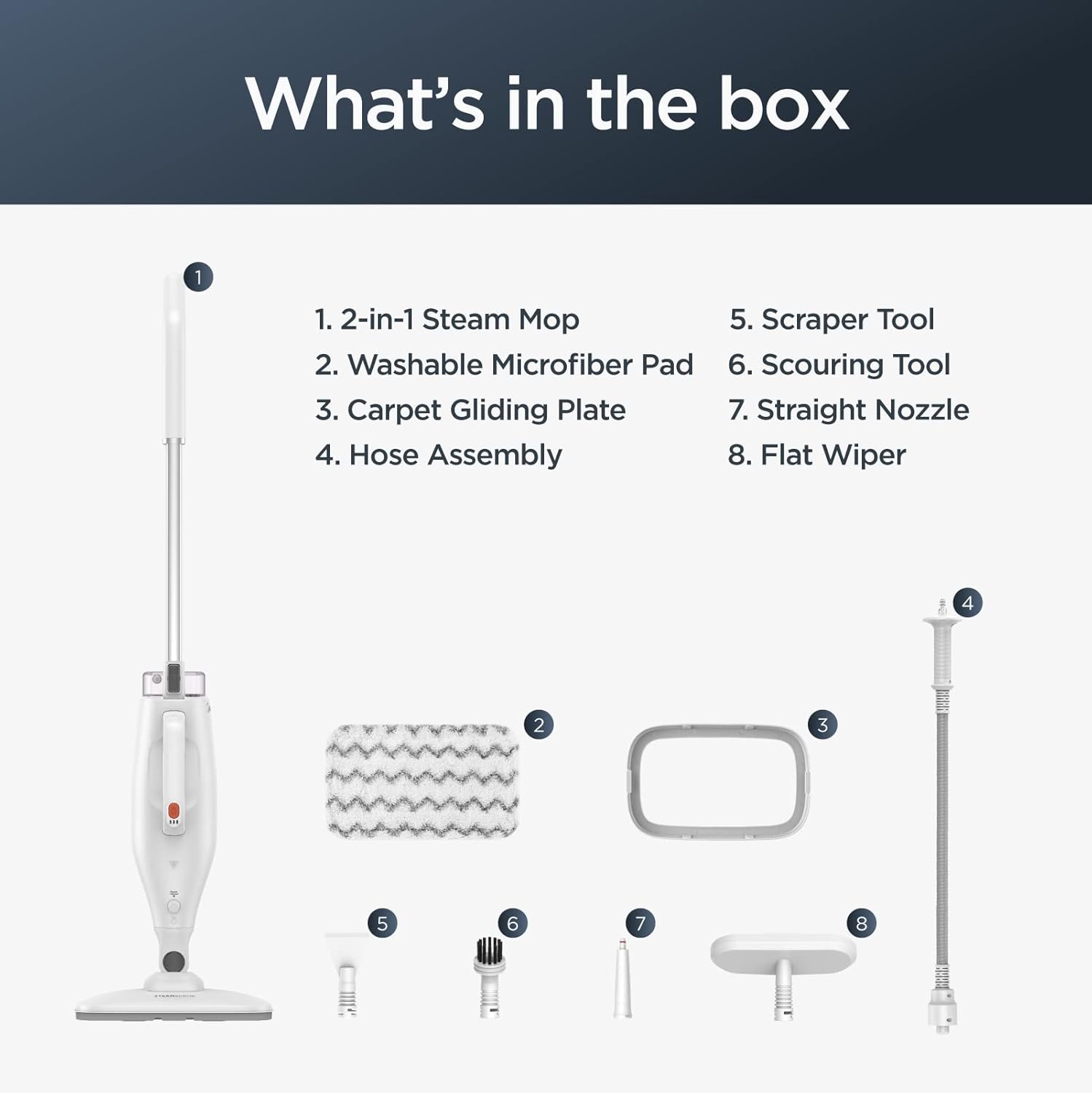
Image: The Eureka NEM100 Steam Mop with its various attachments laid out, including the main unit, microfiber pad, carpet gliding plate, hose assembly, straight nozzle, flat wiper, scraper tool, and bristle brush tool.
- 2-in-1 Steam Mop Main Unit
- Washable Microfiber Pad
- Carpet Gliding Plate
- Hose Assembly
- Straight Nozzle
- Flat Wiper
- Scraper Tool
- Bristle Brush Tool
3. Setup
3.1 Attaching the Microfiber Pad
- Ensure the steam mop is unplugged and cool.
- Align the washable microfiber pad with the bottom of the steam mop head.
- Press the mop head firmly onto the pad to secure it using the Velcro strips.
3.2 Filling the Water Tank
- Locate the water tank on the main unit.
- Open the water tank cap.
- Fill the tank with clean tap water. Do not overfill. The tank capacity is 370 ml / 12.5 oz.
- Securely close the water tank cap.
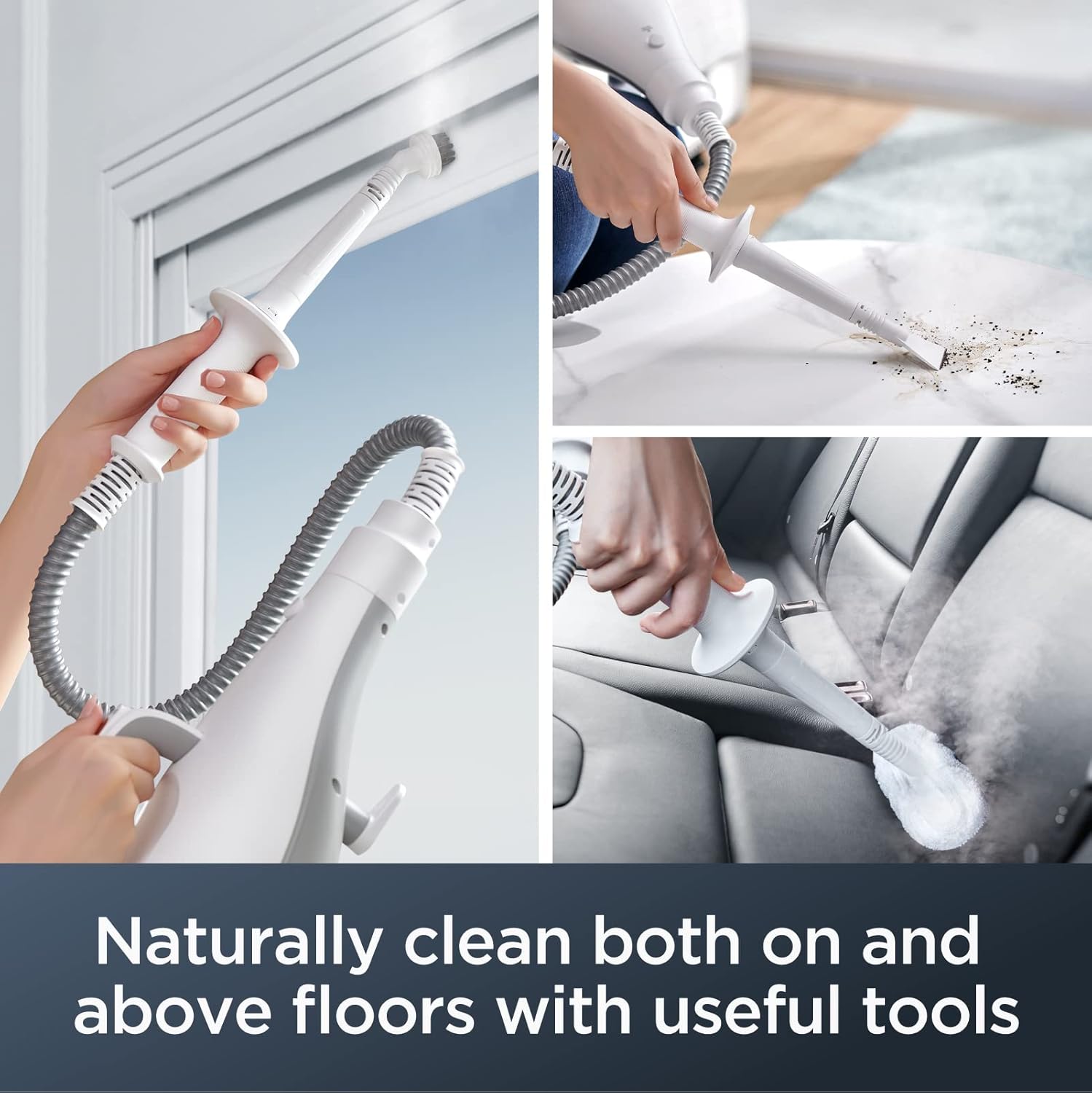
Image: A person filling the transparent water tank of the Eureka Steam Mop under a kitchen faucet.
4. Operating Instructions
4.1 Steam Mop Mode (for Hard Floors and Rugs)
- Ensure the microfiber pad is attached and the water tank is filled.
- Plug the steam mop into a power outlet. The indicator lights will illuminate.
- Wait approximately 15 seconds for the unit to heat up and produce steam.
- For rug refreshing, attach the carpet gliding plate over the microfiber pad.
- Select your desired steam level (low or high) using the steam control button.
- Begin cleaning by moving the mop slowly and steadily over the floor surface.

Image: The Eureka Steam Mop being used on a wooden floor, showing steam being released and cleaning a spill.

Image: A graphic illustrating the Eureka Steam Mop's compatibility with multiple flooring types including granite, marble, ceramic, tile, hardwood, and linoleum.
4.2 Detachable Handheld Unit Mode
- To convert to handheld mode, press the release button on the main unit and detach the handheld steamer.
- Attach the desired accessory (e.g., straight nozzle, flat wiper, scraper tool, or bristle brush tool) to the handheld unit.
- Use the handheld steamer to clean tile grout, countertops, stovetops, bathrooms, and other above-floor surfaces.
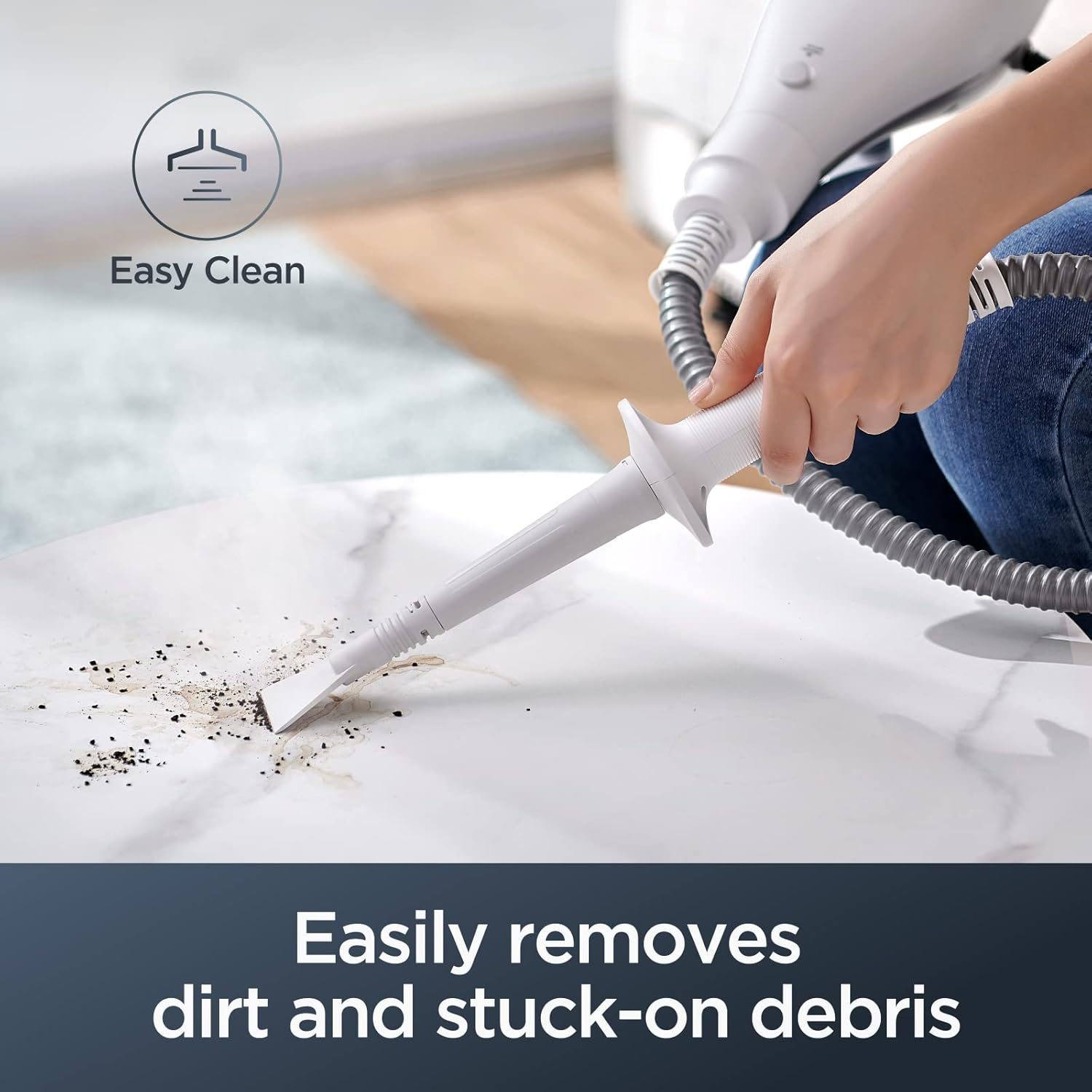
Image: The detachable handheld unit of the Eureka Steam Mop being used with a scraper tool to remove dirt and debris from a countertop.

Image: A collage showing the handheld unit with different attachments: cleaning window blinds with a brush, steaming a car seat with a flat wiper, and cleaning a sofa with a straight nozzle.
4.3 Official Product Video: Eureka Multifunctional Steam Mop NEM100
Video: An official demonstration of the Eureka Multifunctional Steam Mop NEM100, showcasing its assembly, water filling, floor cleaning, and use of various handheld attachments for different surfaces.
5. Maintenance
5.1 Cleaning the Microfiber Pad
- The microfiber pad is washable and reusable.
- Remove the pad from the mop head after each use.
- Machine wash the pad with mild detergent. Do not use bleach or fabric softeners.
- Air dry the pad completely before reattaching or storing.
- Replace the mopping pad at least every 3 months following normal use. Replacement pads can be found by searching for B09LLSC9J8 on Amazon.
5.2 Storing the Steam Mop
- Ensure the water tank is empty before storing.
- Allow the unit to cool completely.
- Wrap the power cord neatly around the cord hooks.
- Store the steam mop in an upright position in a dry, cool place.
6. Troubleshooting
If you encounter issues with your Eureka NEM100 Steam Mop, please refer to the following common solutions:
- No Steam Production:
- Check if the unit is properly plugged into a working outlet.
- Ensure the water tank is filled.
- Allow sufficient time (approx. 15 seconds) for the unit to heat up.
- Verify that the steam control button is pressed or set to the desired level.
- Low Steam Output:
- Check the water level in the tank.
- Ensure the microfiber pad is not overly saturated or clogged.
- Clean any mineral buildup in the nozzle if applicable (refer to full manual for descaling instructions).
- Water Leaking:
- Ensure the water tank cap is securely closed.
- Check that all attachments are properly secured.
- Avoid overfilling the water tank.
For more detailed troubleshooting or persistent issues, please contact Eureka customer support.
7. Specifications
| Feature | Detail |
|---|---|
| Brand | Eureka |
| Model Name | Eureka Steam Mop (NEM100) |
| Special Features | Efficient Cleaning, Lightweight, Multifunctional, Wet/Dry, for Hard Floors and Rugs |
| Surface Recommendation | Hard Floor and Rugs |
| Included Components | 2-in-1 Steam Mop, Washable Microfiber Pad, Carpet Gliding Plate, Hose Assembly, Straight Nozzle, Flat Wiper, Scraper Tool, and Bristle Brush Tool. |
| Wattage | 1500 watts |
| Voltage | 120 |
| Item Weight | 6 Pounds |
| Tank Volume | 370 Milliliters / 12.5 oz. |
| Item Dimensions (D x W x H) | 12.2"D x 7.8"W x 42.5"H |
| Color | White |
| UPC | 810040946660 |
8. Warranty & Support
8.1 Warranty Information
The Eureka Multifunctional Steam Mop NEM100 comes with a Eureka 1-year limited warranty. Please retain your proof of purchase for warranty claims.
8.2 Customer Support
For product support, troubleshooting assistance, or to purchase replacement parts, please visit the official Eureka website or contact their customer service department. You can also find more information and replacement parts on Amazon by searching for the model number or specific part ASIN (e.g., B09LLSC9J8 for replacement pads).
Visit the Eureka Store on Amazon for more products and information.
Related documentsNEM100


Ask a question about this manual
Ask about setup, troubleshooting, compatibility, parts, safety, or missing instructions. Manuals+ will review the question and use this page’s manual context to help answer it.