
Nulaxy KM28
Nulaxy KM28 Bluetooth FM Transmitter User Manual
Wireless Car Bluetooth V5.0 Adapter with Big Color Screen
1. Introduction
Thank you for choosing the Nulaxy KM28 Bluetooth FM Transmitter. This device allows you to stream music and make hands-free calls through your car's FM radio. It features a large color screen, fast charging capabilities, and multiple audio input options to enhance your driving experience.
2. Package Contents
- Nulaxy KM28 Bluetooth FM Transmitter
- Air Vent Clip
- User Manual
- 3.5mm AUX Cable
3. Product Overview

Figure 3.1: Nulaxy KM28 Bluetooth FM Transmitter and accessories.

Figure 3.2: The large color screen provides essential information at a glance, and the air vent clip allows for optimal viewing.
Component Identification:
- Large Color Screen: Displays FM frequency, track information, incoming calls, and car battery voltage.
- Multi-function Knob: Controls volume, changes frequency, answers/ends calls, and activates voice assistant.
- CH+/CH- Buttons: Adjusts FM frequency.
- Previous/Next Track Buttons: Navigates music tracks.
- Power Button: Turns the device on/off.
- BASS Button: Activates Bass booster mode.
- TRE Button: Activates Treble booster mode.
- Light Button: Changes LED backlight modes.
- QC3.0 USB Port: For fast charging compatible devices.
- 2.4A USB Port: For standard charging.
- TF Card Slot: For playing music from a MicroSD card (up to 64GB).
- AUX Output: 3.5mm audio output for connecting to car's AUX input.
- Microphone: For hands-free calling.
4. Setup
4.1 Installation
- Insert the KM28's power plug into your car's cigarette lighter socket.
- Attach the KM28 main unit to your car's air vent using the provided air vent clip. Adjust the angle for optimal viewing.
- The device will power on automatically and display the car battery voltage.
4.2 FM Frequency Setup
- Tune your car's FM radio to an empty frequency (one with static, no strong broadcast signal).
- On the KM28, press the 'CH+' or 'CH-' buttons to match the FM frequency of your car radio. Long press to quickly adjust.
- A clear static-free connection indicates a successful match.
4.3 Bluetooth Pairing
- The KM28 will automatically enter Bluetooth pairing mode when powered on. The Bluetooth icon on the screen will flash.
- On your mobile device, enable Bluetooth and search for available devices.
- Select "KM28" from the list of devices to pair.
- Once paired, the Bluetooth icon on the KM28 screen will become solid, and you will hear a confirmation tone.
5. Operating Instructions
5.1 Music Playback

Figure 5.1: The KM28 supports multiple music sources including Bluetooth, USB drive, and TF card.
- Bluetooth: After successful pairing, play music from your phone's music player. Use the Previous/Next buttons on the KM28 to control tracks.
- USB Drive: Insert a USB flash drive (up to 64GB) containing MP3/WMA/WAV/FLAC files into the USB port. The device will automatically detect and play music.
- TF Card: Insert a TF (MicroSD) card (up to 64GB) with music files into the TF card slot. The device will automatically detect and play music.
- AUX Output: Connect the KM28 to your car's AUX input using the provided 3.5mm audio cable for direct audio transmission.
5.2 Hands-Free Calling

Figure 5.2: Easily manage calls with the multi-function knob for a safer driving experience.
- Answer Call: Press the multi-function knob once.
- End Call: Press the multi-function knob once during a call.
- Reject Call: Long press the multi-function knob.
- Redial Last Number: Double press the multi-function knob.
5.3 Audio Enhancement (BASS & TRE Booster)

Figure 5.3: Fine-tune your audio with dedicated Bass and Treble boost functions.
- Press the BASS button to activate or deactivate the Bass booster mode.
- Press the TRE button to activate or deactivate the Treble booster mode.
5.4 Colorful LED Backlight Modes
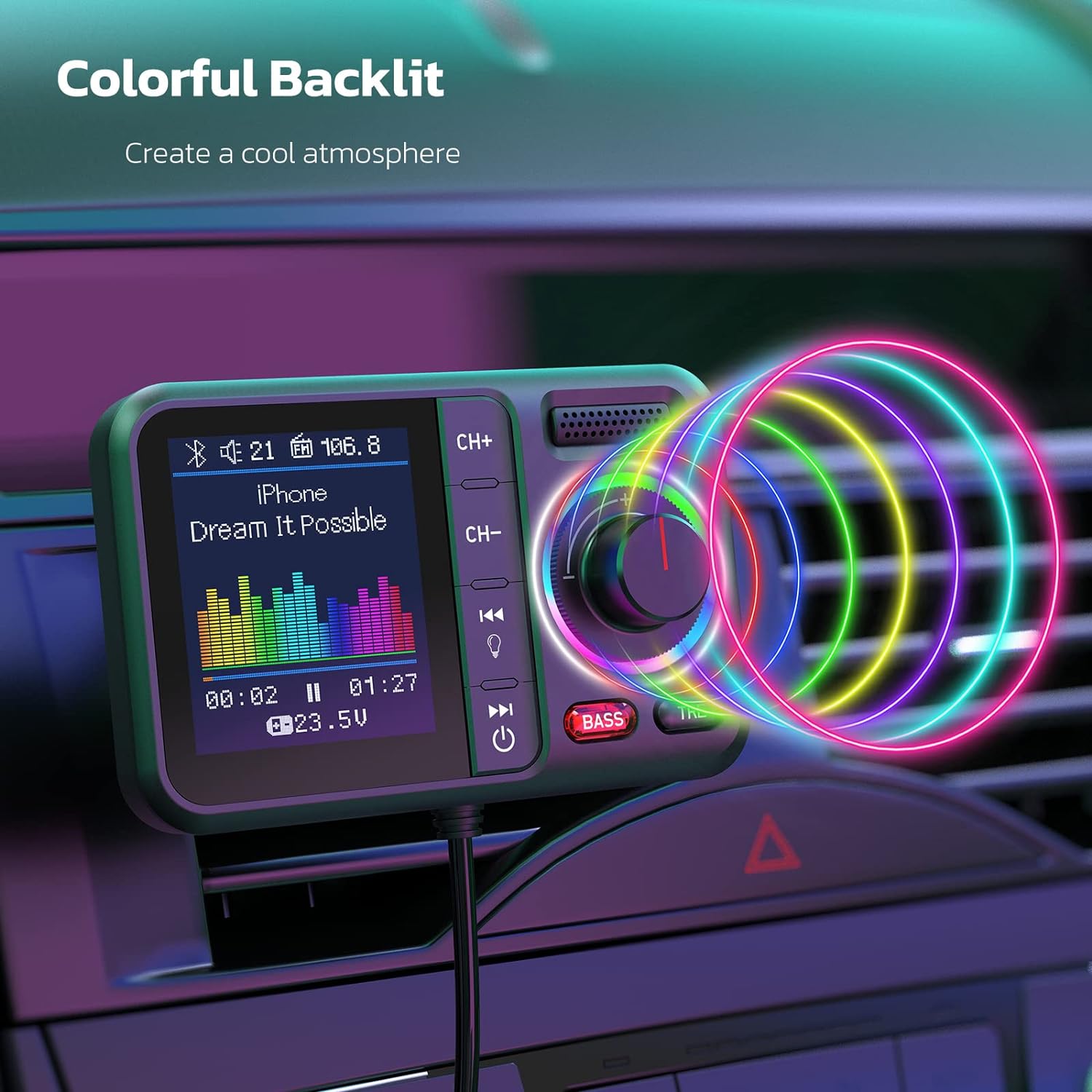
Figure 5.4: Customize your car's ambiance with various LED backlight options.
- Long press the Light button to enter the light change mode.
- Short press the Light button to cycle through 7 mono color modes or a dynamic color-changing mode.
5.5 Charging Devices

Figure 5.5: The KM28 features a QC3.0 port for rapid charging and a 2.4A port for standard charging.
- Connect your device's USB charging cable to the QC3.0 port for fast charging (up to 4x faster for compatible devices).
- Use the 2.4A USB port for standard charging of other devices.
5.6 Voice Assistant
- Press and hold the multi-function knob to activate your phone's voice assistant (Siri, Google Assistant, etc.).
6. Troubleshooting
| Problem | Solution |
|---|---|
| Static or poor audio quality | Ensure the KM28's FM frequency matches an empty frequency on your car radio. Try different frequencies. Adjust volume on both the KM28 and your car radio. |
| Device not powering on | Check if the cigarette lighter socket has power. Ensure the device is fully inserted. Check car battery voltage on the screen. |
| Cannot pair with Bluetooth | Ensure Bluetooth is enabled on your phone. Restart both the KM28 and your phone. Forget previous pairings on your phone and try again. |
| USB/TF card not playing | Ensure music files are in supported formats (MP3/WMA/WAV/FLAC). Check if the card/drive is properly inserted. Try a different USB drive or TF card. |
| Charging is slow or not working | Ensure your charging cable is functional. For QC3.0, ensure your device supports fast charging. |
7. Specifications
| Feature | Detail |
|---|---|
| Model Number | KM28 |
| Bluetooth Version | V5.0 |
| Input Voltage | DC 12-24V |
| QC3.0 Output | 5V/3A, 9V/2A, 12V/1.5A |
| USB 2.4A Output | 5V/2.4A |
| FM Frequency Range | 87.5-108.0 MHz |
| TF Card/USB Drive Capacity | Up to 64GB |
| Supported Audio Formats | MP3, WMA, WAV, FLAC |
| Product Dimensions | 3.23 x 2.05 x 1.69 inches |
| Item Weight | 8.8 ounces |
| Material | Plastic |
8. Maintenance and Safety Information
Maintenance:
- Clean the device with a soft, dry cloth. Do not use harsh chemicals or abrasive cleaners.
- Keep the device dry. Moisture can damage internal circuits.
- Store in a cool, dry place when not in use.
Safety Information:
- Do not disassemble or modify the device. This may void the warranty and cause damage.
- Avoid extreme temperatures, direct sunlight, and humid environments.
- Do not drop or subject the device to strong impacts.
- Keep out of reach of children.
- Ensure the device is securely installed and does not obstruct your view or interfere with driving controls.
9. Warranty and Support
Nulaxy products are designed for reliability and performance. For any questions, technical support, or warranty inquiries, please contact Nulaxy customer service through the official Nulaxy website or your purchase platform. Please have your model number (KM28) and purchase details ready.
Visit the Nulaxy Store: Nulaxy Official Store
Related documentsKM28


Ask a question about this manual
Ask about setup, troubleshooting, compatibility, parts, safety, or missing instructions. Manuals+ will review the question and use this page’s manual context to help answer it.