
Introduction
Thank you for choosing the Marathon Adanac 3000 Digital Stopwatch Timer. This high-precision instrument is designed for accurate timekeeping in various activities, from sports coaching to personal training. Its durable, water, dust, and shock-resistant design ensures reliability in diverse environments. This manual provides detailed instructions to help you get the most out of your stopwatch.

The Marathon Adanac 3000 Digital Stopwatch Timer, featuring a clear display and an attached lanyard.
Product Overview
The Adanac 3000 is a compact, palm-sized digital stopwatch with an easy-to-read display and intuitive button layout. It includes a 46-inch lanyard for convenient wear and quick access.
Key Components:
- Display: Shows minutes, seconds, 1/100th seconds, time, date, and day of the week.
- SPLIT/RESET Button: Used to record split times and reset the stopwatch.
- MODE Button: Cycles through different operating modes (Stopwatch, Time/Calendar).
- START/STOP Button: Initiates and pauses the stopwatch function.
- Lanyard: 46-inch adjustable cord for wearing around the neck.

Visual representation of the stopwatch's durability, multiple modes, and sleek design.
Setup
Battery Installation:
The Marathon Adanac 3000 requires 2 LR44 batteries. The stopwatch typically comes with pre-installed batteries. If the display is faint or off, the batteries may need to be re-seated or replaced. To access the battery compartment, carefully remove the screws on the back of the unit.
Setting Time and Date:
- From the stopwatch mode, press the MODE button repeatedly until the Time/Calendar display appears.
- Press and hold the MODE button until the digits begin to flash, indicating setting mode.
- Use the START/STOP button to adjust the flashing digit (hours, minutes, seconds, month, day, year).
- Use the SPLIT/RESET button to move to the next digit or setting.
- Once all settings are complete, press the MODE button to exit setting mode.
Operating Instructions
Stopwatch Mode:
- Ensure the stopwatch is in stopwatch mode (indicated by 0:00:00 on the display). If not, press the MODE button until it appears.
- Press the START/STOP button to begin timing.
- Press the START/STOP button again to pause the timer.
- Press the SPLIT/RESET button to reset the timer to zero.
Split Mode (Lap Timing):
Split Mode allows you to record intermediate times (laps) while the main timer continues to run in the background.
- In stopwatch mode, press the START/STOP button to begin timing.
- To record a split time, press the SPLIT/RESET button. The display will momentarily show the split time, while the main timer continues to run.
- Press the SPLIT/RESET button again to return to the running total time display.
- Repeat step 2 and 3 for additional split times.
- Press the START/STOP button to stop the main timer.
- Press the SPLIT/RESET button to reset the stopwatch.

Detailed view of the stopwatch's dynamic display, showing time and calendar functions.
Maintenance
Cleaning:
Wipe the stopwatch with a soft, damp cloth. Do not use harsh chemicals or abrasive cleaners, as these can damage the display or casing.
Battery Replacement:
When the display becomes dim or unresponsive, it's time to replace the batteries. Use 2 LR44 batteries. Open the battery compartment on the back of the stopwatch using a small screwdriver. Ensure correct polarity when inserting new batteries. Close the compartment securely to maintain water resistance.
Water, Dust & Shock Resistance:
The Adanac 3000 is designed to be water, dust, and shock resistant. While it can withstand splashes and brief immersion, it is not intended for prolonged underwater use. Ensure the battery compartment is properly sealed after replacement to maintain water resistance. Avoid dropping the stopwatch from significant heights to prevent damage.

The stopwatch is built to withstand various conditions, making it suitable for active use.
Troubleshooting
| Problem | Possible Cause | Solution |
|---|---|---|
| Display is faint or blank. | Low battery or improperly seated battery. | Replace or re-seat the 2 LR44 batteries. Ensure correct polarity. |
| Buttons are unresponsive or sticky. | Dirt or debris under buttons; internal malfunction. | Clean around the buttons with a soft, dry cloth. If problem persists, contact customer support. |
| Stopwatch not timing accurately. | Internal issue or extreme environmental conditions. | Ensure the stopwatch is used within its specified operating temperature range. If accuracy issues persist, contact customer support. |
| Alarm sounds at the wrong time. | Incorrect alarm setting. | To turn off the alarm, depress the upper-left (SPLIT/RESET) and upper-right (START/STOP) buttons simultaneously while in normal time mode until it beeps and the alarm icon disappears. Re-set the alarm if desired. |
Specifications
| Feature | Detail |
|---|---|
| Brand | MARATHON |
| Model Number | ADANAC 3000 |
| Color | Black |
| Material | Plastic |
| Dimensions (DxWxH) | 0.79"D x 2.17"W x 2.44"H |
| Item Weight | 2.4 ounces |
| Accuracy | 1/100th Seconds |
| Water Resistance | Water, Dust & Shock Resistant |
| Lanyard Length | 46 inches |
| Batteries | 2 LR44 batteries required |
| First Available Date | February 26, 2013 |
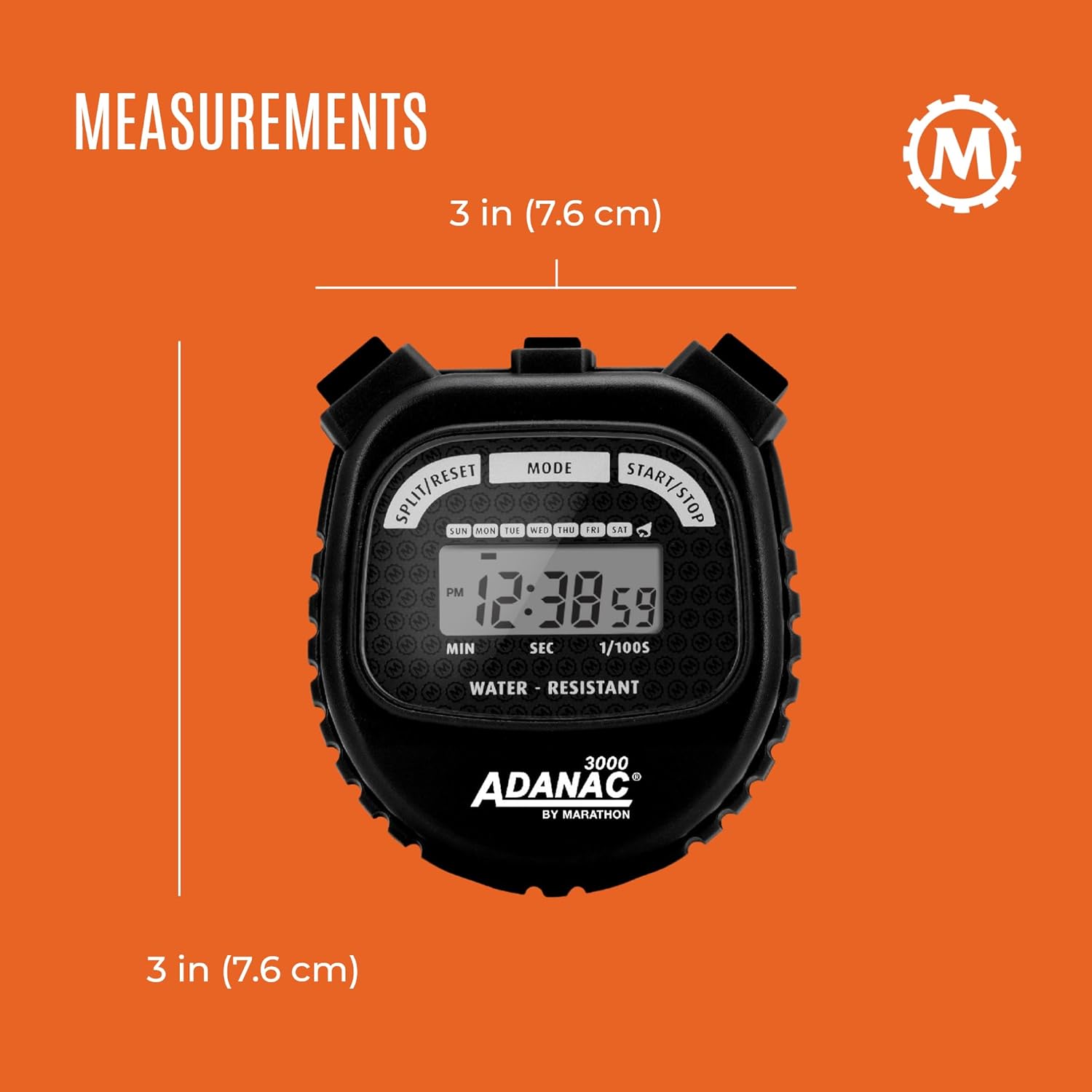
Physical dimensions of the stopwatch.
Warranty and Support
MARATHON has been manufacturing precision timing instruments since 1941, building on a legacy of quality and craftsmanship since 1939. The company is family-owned and operated, committed to producing high-quality products with modern design sensibility and Swiss engineering.
For warranty claims, technical support, or further assistance, please refer to the contact information provided with your product packaging or visit the official MARATHON website. Keep your proof of purchase for any warranty-related inquiries.

A brief history of Marathon's commitment to precision timing instruments.

