
Introduction
The Portronics Decibel 1 is a 10W wireless soundbar designed to enhance your audio experience. It features Bluetooth 5.0 connectivity, True Wireless Stereo (TWS) support, a built-in clock and alarm function, and offers up to 6 hours of playtime. This manual provides detailed instructions for setting up, operating, and maintaining your soundbar.
Key Features
- 10W Powerful Sound: Delivers clear and robust audio output.
- True Wireless Stereo (TWS): Connect two Decibel 1 soundbars for an enhanced stereo experience.
- Bluetooth 5.0: Ensures stable and efficient wireless connectivity with compatible devices.
- Multiple Connectivity Options: Supports Bluetooth, USB, and Micro SD card playback.
- Integrated Clock & Alarm: Features a digital clock display and an alarm function for convenience.
- Long Playtime: Equipped with a 2200mAh battery providing up to 6 hours of music playback.
- Lightweight Design: Weighs 772 grams, making it portable.
Product Overview

Front view of the Portronics Decibel 1 Wireless Soundbar, showcasing its sleek black design and digital display.

Side view of the soundbar highlighting the control panel and various ports for USB, Micro SD, and charging.
Audio Performance
The Decibel 1 soundbar delivers 10 Watts of audio power, providing a clear and immersive sound experience for music, movies, and calls.

Illustration demonstrating the 10W powerful sound output from the soundbar's internal speakers.
Battery and Playtime
Equipped with a 2200mAh battery, the soundbar offers up to 6 hours of continuous playtime on a single charge, ensuring extended entertainment.

An internal diagram illustrating the 2200mAh battery, responsible for the soundbar's long playtime.
Clock and Alarm Functionality
The soundbar features a clear digital clock display on its side panel and includes an alarm function, making it a versatile addition to any room.

A close-up image of the soundbar's digital clock display, showing the time and battery indicator.

The soundbar positioned on a bedside table, illustrating its alarm feature for daily use.
Setup Instructions
1. Charging the Soundbar
Before first use, fully charge the soundbar using the provided charging cable. Connect the cable to the DC/5V port on the soundbar and a compatible USB power adapter (not included). The battery indicator on the display will show charging status.
2. Powering On/Off
Press and hold the power button (usually marked with ⏻) on the control panel to turn the soundbar on or off.
3. Bluetooth Pairing
- Turn on the soundbar. It will automatically enter Bluetooth pairing mode, indicated by a flashing 'BT' on the display.
- Enable Bluetooth on your device (smartphone, tablet, etc.).
- Search for 'Portronics Decibel 1' in the list of available Bluetooth devices.
- Select it to connect. A confirmation tone will sound, and 'BT' will stop flashing once connected.
4. True Wireless Stereo (TWS) Connection
To connect two Decibel 1 soundbars for TWS:
- Ensure both soundbars are powered on and not connected to any other Bluetooth device.
- On one soundbar, press and hold the 'M' (Mode) button until you hear a pairing tone. This soundbar will be the primary unit.
- The two soundbars will automatically search and pair with each other. A confirmation tone will indicate successful TWS pairing.
- Once paired, connect your device to the primary soundbar via Bluetooth as described in step 3. Audio will now play through both soundbars in stereo.
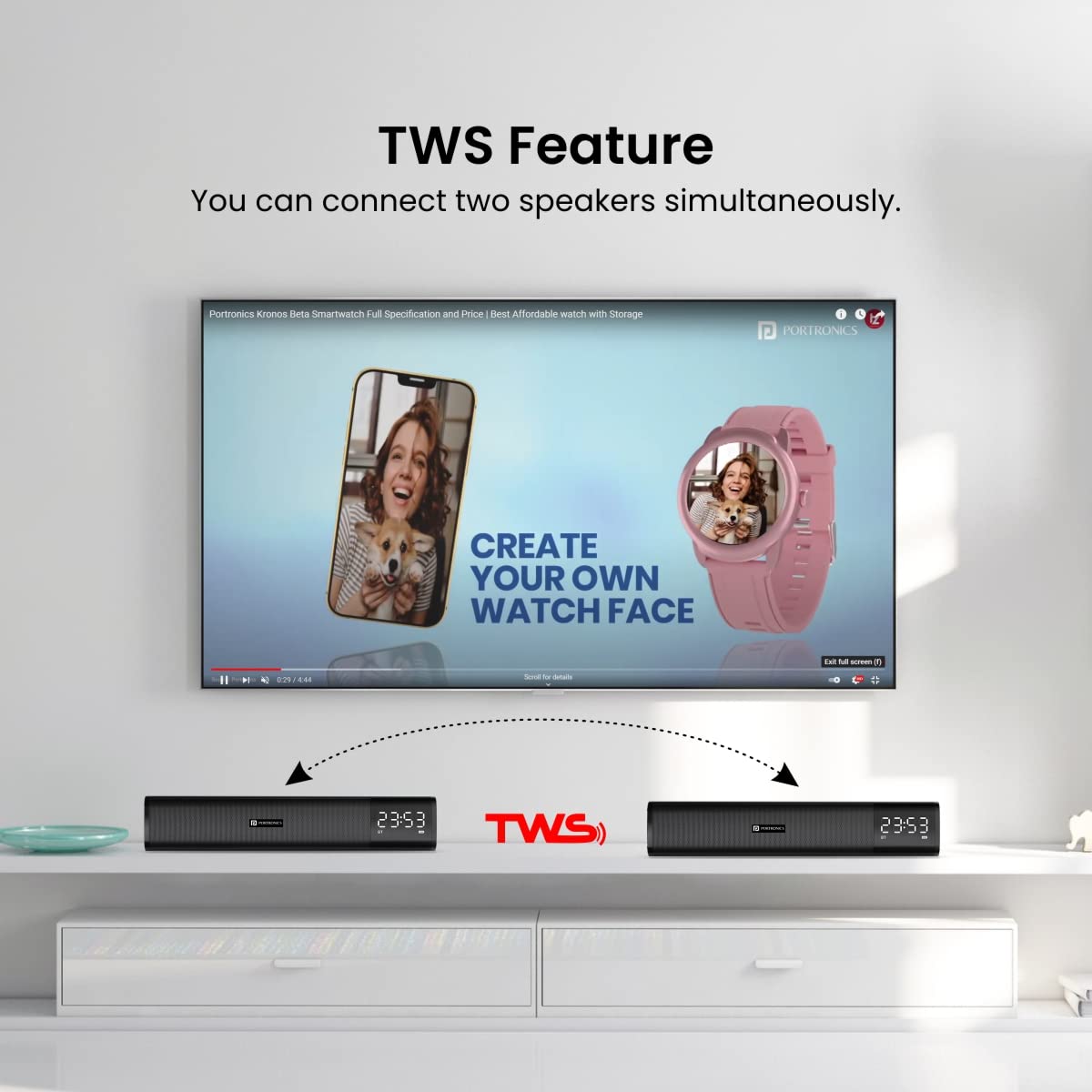
Visual representation of two Portronics Decibel 1 soundbars wirelessly connected using the TWS feature.
Operating Instructions
Control Panel Functions
- Power Button (⏻): Press and hold to power on/off. Short press to change modes (Bluetooth, USB, Micro SD, AUX).
- Play/Pause (⏸): Short press to play or pause music.
- Volume Up (+): Short press to increase volume. Long press for next track.
- Volume Down (-): Short press to decrease volume. Long press for previous track.
- Mode Button (M): Short press to switch between input modes. Long press to initiate TWS pairing (when not connected to Bluetooth).
Using USB/Micro SD Card
Insert a USB drive or Micro SD card into the respective port. The soundbar will automatically switch to the corresponding mode and begin playing audio files.
Setting the Clock and Alarm
Refer to the detailed instructions in the included user manual for specific steps on setting the clock and alarm, as these functions may vary slightly.
Maintenance
- Cleaning: Use a soft, dry cloth to clean the soundbar. Do not use abrasive cleaners or solvents.
- Storage: Store the soundbar in a cool, dry place away from direct sunlight and extreme temperatures when not in use for extended periods.
- Water Exposure: The product is indicated as waterproof. However, avoid submerging it in water or exposing it to heavy rain to prevent damage.
Troubleshooting
| Problem | Possible Cause | Solution |
|---|---|---|
| Soundbar does not power on. | Low battery or no power. | Charge the soundbar fully. Ensure the charging cable is properly connected. |
| No sound from the soundbar. | Volume too low, incorrect mode, or device not connected. | Increase volume on both soundbar and connected device. Check if the correct input mode is selected. Re-pair Bluetooth device. |
| Bluetooth connection fails. | Soundbar not in pairing mode, device too far, or interference. | Ensure soundbar is in pairing mode. Move device closer to soundbar. Clear previous Bluetooth connections on your device and try again. |
| TWS pairing unsuccessful. | One or both soundbars already connected to another device. | Disconnect both soundbars from any other Bluetooth devices before attempting TWS pairing. |
Specifications
| Feature | Detail |
|---|---|
| Model Name | Decibel I |
| Model Number | POR-1379 |
| Speaker Type | Soundbar |
| Audio Wattage | 10 Watts |
| Wireless Communication Technology | Bluetooth 5.0 |
| Connectivity Technology | Bluetooth, USB, Micro SD |
| Power Source | Battery Powered |
| Battery Capacity | 2200mAh Lithium Polymer |
| Battery Average Life | 6 Hours |
| Control Method | Touch |
| Material | Metal & ABS Plastic |
| Item Weight | 772 Grams |
| Product Dimensions (LxWxH) | 31 x 6.1 x 6.2 cm |
| Special Features | TWS Connectivity, Clock & Alarm |
| Is Waterproof | Yes |
What's in the Box
- 1N Wireless Soundbar (Portronics Decibel 1)
- 1N Charging Cable
- 1N User Manual
Official Product Video
This video provides a visual overview of the Portronics Decibel 1 Wireless Soundbar, demonstrating its features such as 10W sound, multiple connectivity options, clock display, alarm function, and TWS capability.
Warranty and Support
The Portronics Decibel 1 Wireless Soundbar comes with a 12-month warranty from the date of purchase. For warranty claims, technical support, or any product-related inquiries, please contact Portronics customer service.
Manufacturer: Portronics Digital Pvt Ltd., B-76, 1st & 2nd Floor, Wazirpur Industrial Area, New Delhi-110052
For further information, you may visit the official Portronics Brand Store on Amazon.