
1. Introduction
Welcome to the LIGE Smart Watch BW272 user manual. This guide provides essential information for setting up, operating, and maintaining your smartwatch. Please read these instructions carefully to ensure proper use and to fully utilize all features of your device. The LIGE Smart Watch BW272 is compatible with smartphones running iOS 8.0+ or Android 4.4+.
Important Notice: This product is not a medical device. Measured values for heart rate, blood pressure, and blood oxygen are for reference only and should not be used as medical data. Do not wear the smartwatch during baths, hot springs, or saunas. High water temperatures produce significant water vapor, which can infiltrate the watch's internal components and cause damage.
2. Product Overview
The LIGE Smart Watch BW272 is a versatile activity tracker designed for daily use and fitness monitoring. It features a 1.32-inch HD colorful touch screen with a resolution of 360x360 pixels, offering clear visual enjoyment. The watch is equipped with Bluetooth 5.0 for stable connectivity and supports various health and fitness functions.
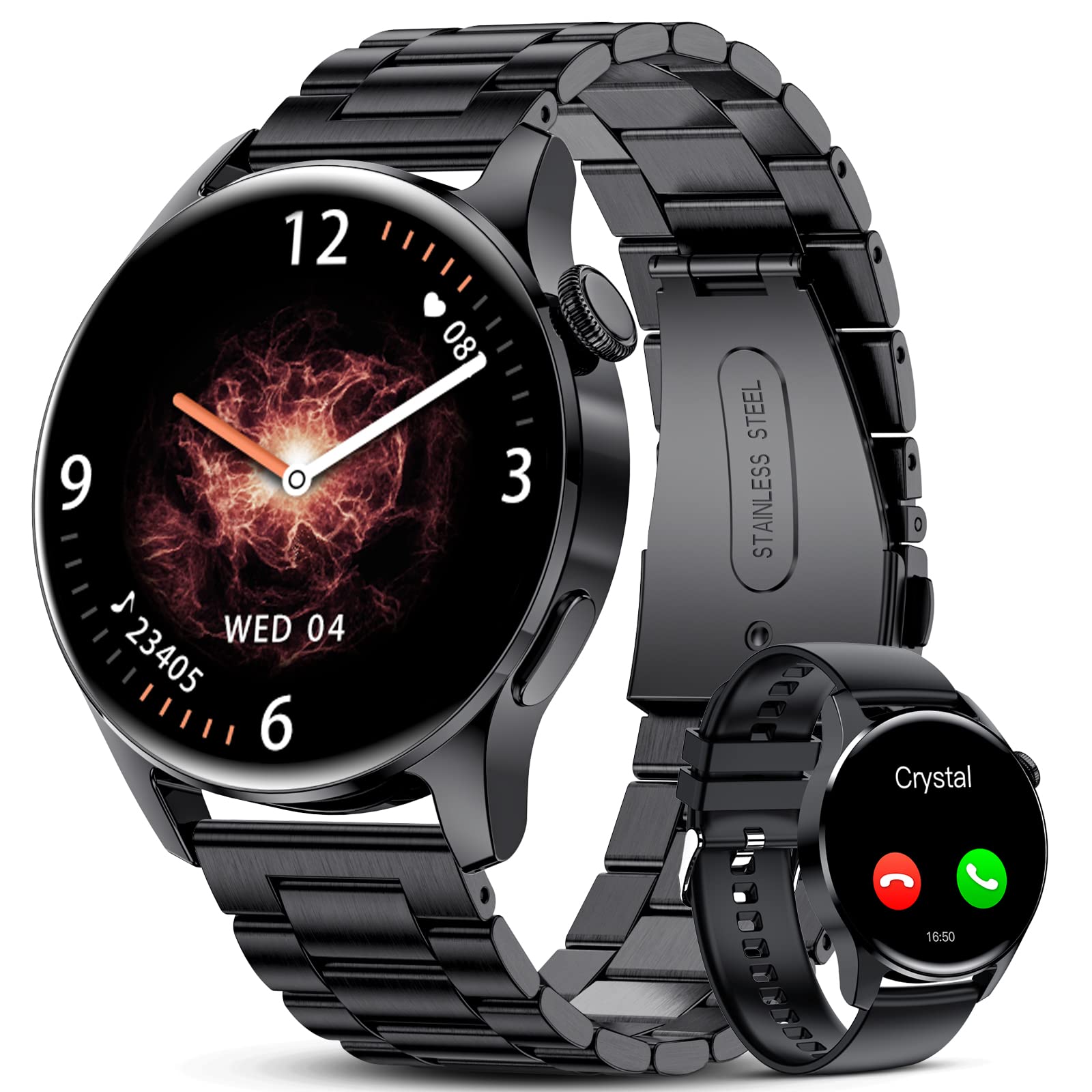
Image: The LIGE Smart Watch BW272, showcasing its round display and black strap.
Key Features:
- Bluetooth Calling with noise reduction
- 24/7 Heart Rate, Blood Pressure, and Blood Oxygen Monitoring
- Scientific Sleep Monitoring (deep sleep, shallow sleep, awakening)
- 123 Sports Modes (20 built-in, expandable)
- Pedometer, Calorie Consumption, Distance Tracking
- Call, Message, and App Notification Reminders
- Music Control and Remote Camera Function
- Sedentary and Drink Water Reminders
- Customizable Watch Faces
- IP67 Waterproof Rating
3. Setup
3.1 Initial Charging
Upon receiving your LIGE Smart Watch BW272, it is recommended to fully charge the device before its first use. The watch may have a low battery due to prolonged storage and transit. Connect the magnetic charging cable to the charging points on the back of the watch and plug the USB end into a compatible power source. A full charge typically takes approximately 2-3 hours.
3.2 App Download and Pairing
To unlock the full potential of your smartwatch, download the companion application. Scan the QR code provided in the physical instruction manual with your smartphone to download the 'Dafit' app. Once installed, open the app and follow the on-screen instructions to connect your LIGE Smart Watch BW272 via Bluetooth. Ensure Bluetooth is enabled on your smartphone during the pairing process.
4. Operating Instructions
The LIGE Smart Watch BW272 features a full touch control screen and a side button for navigation. The watch interface is designed for intuitive use.
4.1 Basic Navigation
- Swipe Up/Down: Scroll through menus and notifications.
- Swipe Left/Right: Access quick functions like daily activity, heart rate, weather, and music control.
- Tap: Select an item or confirm an action.
- Press Side Button: Return to the main watch face or turn the screen on/off.
4.2 Display and Menu Overview
The following video demonstrates the basic navigation and various menu options available on the LIGE Smart Watch BW272, including accessing different features and settings.
Video: A demonstration of navigating the LIGE Smart Watch BW272 interface, showing how to swipe through different screens and access various functions like training, status, heart rate, and settings.
5. Health Monitoring
The LIGE Smart Watch BW272 offers comprehensive health monitoring features to help you track your well-being.
- Heart Rate Monitoring: The watch supports 24/7 continuous heart rate monitoring. View your real-time heart rate on the watch or in the 'Dafit' app for detailed historical data.
- Blood Pressure & Blood Oxygen (SpO2) Monitoring: Measure your blood pressure and blood oxygen levels directly from your wrist. Remember, these readings are for reference and not for medical diagnosis.
- Sleep Monitoring: Automatically tracks your sleep patterns, including deep sleep, light sleep, and awake times. The 'Dafit' app provides a comprehensive analysis of your sleep quality.
- Sedentary Reminder: Receive alerts when you've been inactive for too long, encouraging you to move and maintain an active lifestyle.
- Drink Water Reminder: Set reminders to ensure you stay hydrated throughout the day.
- Female Health Records: Track and receive reminders for menstrual periods, pregnancy preparations, and pregnancy periods through the app.
6. Sports Modes
The smartwatch is equipped with a wide range of sports modes to accurately record your exercise data.
- Multiple Sports Modes: Choose from 20 built-in regular motion modes, which can be expanded to 123 different sports activities via the 'Dafit' app.
- Activity Tracking: Records essential exercise data such as steps taken, distance covered, calories burned, and heart rate during workouts.
- GPS Motion Track: When connected to the 'Dafit' app on your phone, you can utilize GPS tracking to map your outdoor exercise routes and analyze your workout performance.
7. Bluetooth Calling
Stay connected directly from your wrist with the LIGE Smart Watch BW272's Bluetooth calling feature.
- High-Quality Calls: Equipped with noise reduction and acoustic algorithms for clear call quality.
- Incoming Call Reminders: Receive ringtone reminders for incoming calls directly on your watch.
- Contact Management: Add up to 10 frequently used contacts to your watch for quick dialing.
- Notifications: Receive real-time notifications for calls, messages, and popular apps like Facebook and WhatsApp, ensuring you don't miss important information.
8. Customization
Personalize your LIGE Smart Watch BW272 to match your style and preferences.
8.1 Watch Faces
The smartwatch offers 9 pre-installed watch faces. You can explore and download many more options through the 'Dafit' app to refresh your watch's appearance.
8.2 Custom Dials
Make your watch truly unique by setting a custom dial. The 'Dafit' app allows you to upload your favorite photos, such as pictures of family or pets, to use as your watch face background.
The following video illustrates how to customize the dial interface using the 'Dafit' app, including selecting an image and syncing it to your smartwatch.
Video: A demonstration of customizing the watch face on the LIGE Smart Watch BW272 using the 'Dafit' app. The video shows selecting an image from a phone's gallery and applying it as a custom dial.
8.3 Watch Straps
The smartwatch comes with both mesh and silicone watch straps, allowing you to choose the most suitable option for different occasions and comfort.
9. Maintenance
Proper care and maintenance will extend the lifespan of your LIGE Smart Watch BW272.
- Cleaning: Regularly wipe the watch screen and strap with a soft, dry cloth. If necessary, use a slightly damp cloth for the strap, ensuring it is completely dry before wearing.
- Water Resistance: The watch has an IP67 waterproof rating, meaning it is resistant to splashes and brief immersion in water. However, it is not suitable for swimming, diving, or exposure to hot water. Avoid wearing the watch in baths, hot springs, or saunas, as steam can penetrate and damage internal components.
- Storage: Store the watch in a cool, dry place away from direct sunlight and extreme temperatures.
10. Troubleshooting
If you encounter any issues with your LIGE Smart Watch BW272, please refer to the following common solutions:
- Watch not turning on: Ensure the watch is fully charged. Connect it to the charger and wait a few minutes before attempting to turn it on again.
- Unable to pair with phone: Check that Bluetooth is enabled on your phone and the watch. Ensure the 'Dafit' app is installed and running. Try restarting both your phone and the watch.
- Inaccurate health data: Ensure the watch is worn snugly on your wrist, not too tight or too loose. Clean the sensor on the back of the watch. Remember that readings are for reference only.
- Notifications not received: Verify that notification permissions are enabled for the 'Dafit' app in your phone's settings. Also, check the notification settings within the 'Dafit' app itself.
- Short battery life: Reduce screen brightness, disable unnecessary features, and ensure the watch is fully charged before use.
11. Specifications
| Feature | Specification |
|---|---|
| Model Number | BW272 |
| Screen Size | 1.32 inches |
| Resolution | 360*360 px |
| Battery Capacity | 270mA Polymer Lithium Battery |
| Working Time | 3-5 days |
| Standby Time | Up to 20 days |
| Charging Time | About 2-3 hours |
| Waterproof Rate | IP67 Waterproof |
| Bluetooth Version | 5.0 |
| Compatibility | IOS 8.0+ / Android 4.4+ |
| Product Dimensions | 6 x 2 x 3 inches |
| Item Weight | 5.3 ounces |
| Manufacturer | LIGE |
12. Warranty and Support
Your LIGE Smart Watch BW272 comes with a 6-month warranty from the date of purchase. This warranty covers manufacturing defects under normal use.
For any questions, technical assistance, or warranty claims, please contact our customer support. We are committed to providing a response within 24 hours to address your concerns and resolve any issues you may encounter.


