
Veezoom B09L85LP9Z
VEEZOOM PoE Camera (Pack of 2)
User Manual
1. Introduction
This manual provides detailed instructions for the installation, operation, and maintenance of your VEEZOOM PoE Camera (Pack of 2). These 5MP IP cameras are designed for outdoor use, featuring AI human detection, support for up to a 256GB SD card, and come with 59ft Ethernet cables for Power over Ethernet (PoE) connectivity.

Image: Two VEEZOOM PoE Cameras, white bullet-style cameras with mounting bases.
The cameras offer 5-megapixel resolution (2560x1920 pixels) for clear video and a 2.8mm lens providing a 95° wide-angle view. Night vision extends up to 100ft. With an IP66 weatherproof rating, they are suitable for outdoor environments, operating in temperatures from -35°C to 55°C (-31°F to 131°F).

Image: Overview of VEEZOOM 5MP Ultra HD PoE Outdoor Security Camera features, including Smart Human & Motion Detection, Audio Recording, PoE, and IP66 Weatherproof rating.
2. Package Contents
Please verify that all items listed below are included in your package. If any items are missing or damaged, please contact customer support.

Image: A visual representation of the package contents, including two IP cameras, two 18m/59ft network cables, two mounting kits, two waterproof lids, two mounting hole templates, and a user manual.
- VEEZOOM IP Camera (x2)
- 18m/59ft Ethernet Cable (x2)
- Mounting Kits (x2)
- Waterproof Lid (x2)
- Mounting Hole Template (x2)
- Quick Start Guide / User Manual
3. Setup and Installation
The VEEZOOM PoE cameras utilize Power over Ethernet (PoE) technology, allowing both power and data transmission through a single Ethernet cable. This simplifies installation by eliminating the need for separate power outlets near the camera.
3.1. Connection Options
Your VEEZOOM camera can be connected in several ways:
- PoE NVR: Connect the camera directly to a PoE Network Video Recorder (NVR) using an Ethernet cable. The NVR provides both power and data.
- PoE Switch/Injector: Connect the camera to a PoE switch or injector, which then connects to your router. This provides power and data over the Ethernet cable.
- DC12V Power Adapter & Router: If PoE is not available, connect the camera to a standard router for data and use a separate DC12V power adapter (not included) for power.

Image: Three connection diagrams illustrating how to connect the camera to a PoE NVR, a DC12V power adapter and router, or a PoE switch/injector and router.
3.2. Physical Installation
Use the provided mounting kits and template to securely attach the camera to a wall or ceiling. Ensure the camera is positioned to cover the desired surveillance area. The IP66 weatherproof housing allows for both indoor and outdoor installation.
3.3. Initial Configuration
After physical installation and connection, download the VEEZOOM application to your smartphone or access the camera via PC/laptop for initial setup. Follow the on-screen instructions to connect the camera to your network and configure basic settings.
4. Operation
4.1. AI Human & Motion Detection
The camera features advanced AI human detection, which can differentiate between human movement and other sources of motion like animals, vehicles, or environmental factors. This helps reduce false alarms. You can customize detection areas and sensitivity settings within the VEEZOOM NVR or application.
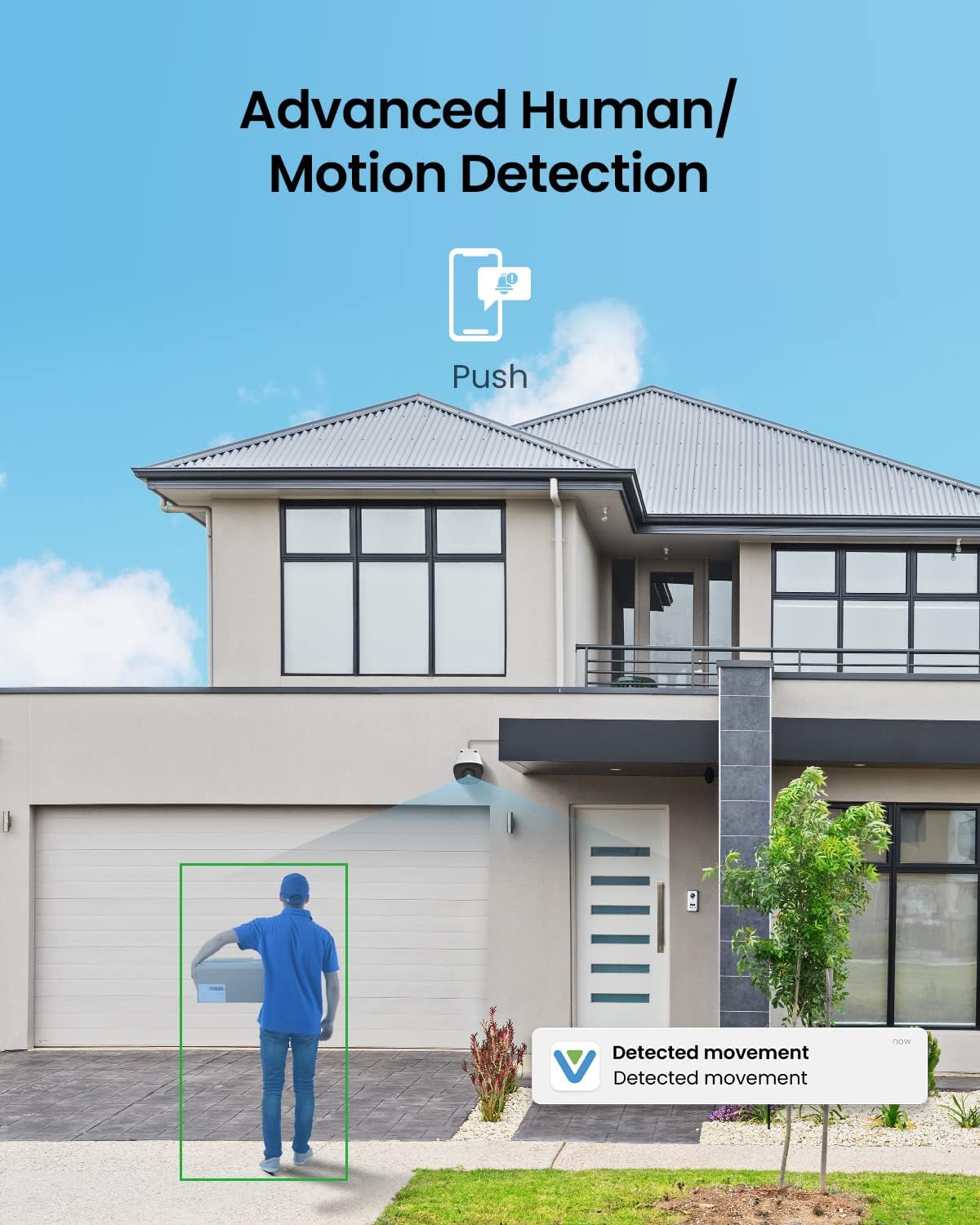
Image: A VEEZOOM camera mounted on a house, showing a green box highlighting a person detected by the AI human detection feature, with a 'Detected movement' notification on a phone.

Image: A graphic illustrating the camera's intelligent detection, showing a human being correctly identified while bugs, leaves, and shadows are not, reducing false alerts.
4.2. Remote Access and Alerts
Access your camera's live feed and recorded footage remotely via the VEEZOOM application on your smartphone, PC, or laptop. The system can send instant alerts to your device when motion or human detection is triggered, allowing for 24/7 surveillance.

Image: A person viewing live camera footage on a smartphone, with other devices like tablets, monitors, and laptops also displaying camera feeds, demonstrating remote access capabilities.
4.3. Recording Options
The camera offers multiple recording solutions:
- Micro SD Card: A built-in SD card slot supports up to 256GB Micro SD cards (not included) for local storage.
- Cloud Storage: Cloud storage options may be available (subscription may be required).
- VEEZOOM NVR: Integrate with a VEEZOOM NVR for continuous recording and centralized management.
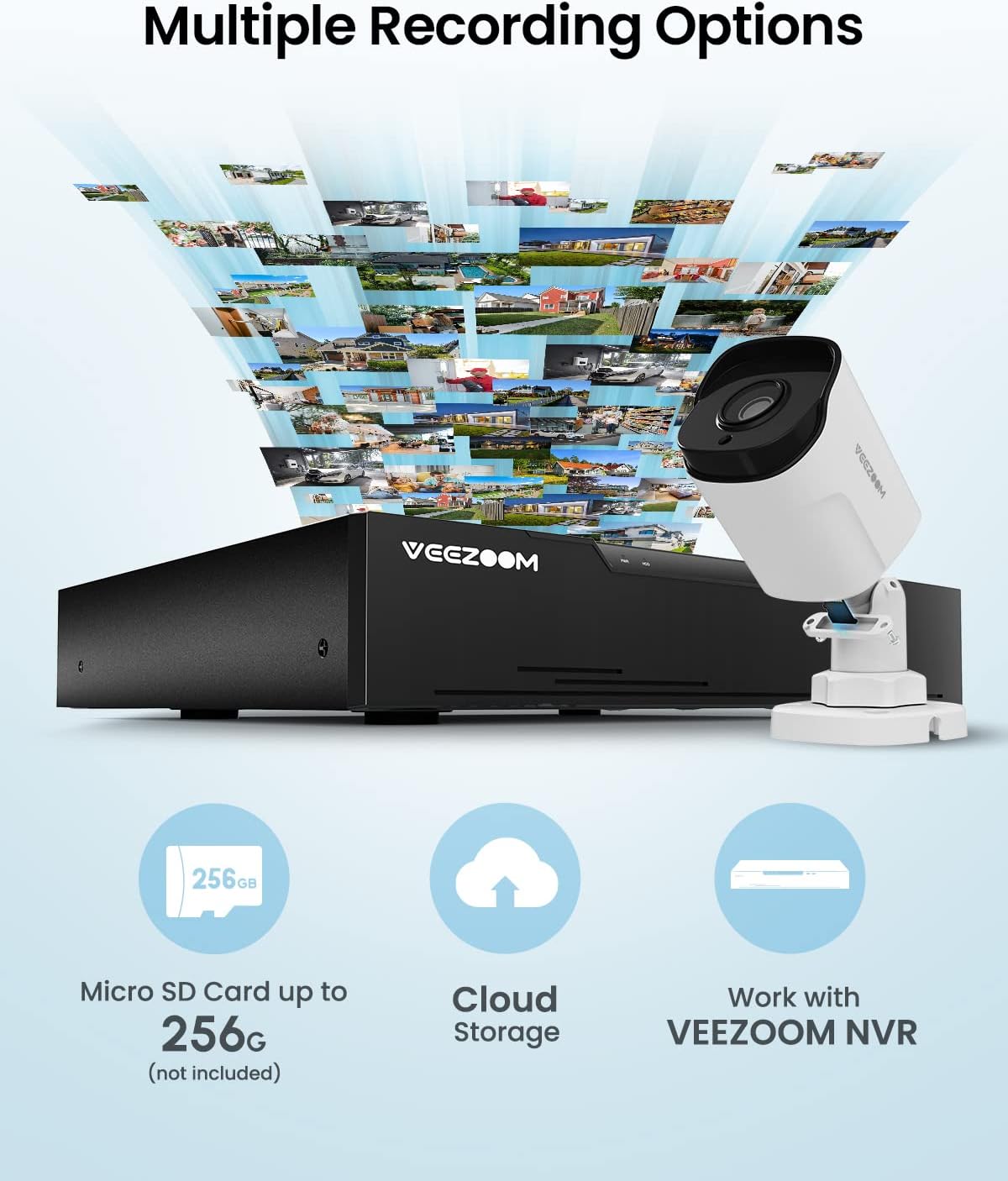
Image: A VEEZOOM camera and NVR, with icons representing Micro SD card storage (up to 256GB), Cloud Storage, and working with VEEZOOM NVR for multiple recording options.
4.4. Audio Recording
Equipped with a built-in microphone, the camera captures both audio and video, ensuring no important details are missed during surveillance.

Image: A close-up of the VEEZOOM camera, with sound waves emanating from it, indicating its built-in microphone and audio recording capability.
5. Maintenance
5.1. Cleaning
To ensure optimal performance, periodically clean the camera lens and housing. Use a soft, damp cloth to wipe away dust and dirt. Avoid abrasive cleaners or solvents that could damage the camera's finish or lens coating.
5.2. Environmental Considerations
The camera is rated IP66 weatherproof, protecting it from dust and strong jets of water. It is designed to operate in temperatures ranging from -35°C to 55°C (-31°F to 131°F). Ensure the camera is installed within these environmental limits for reliable operation.

Image: Three scenes depicting the VEEZOOM camera's resilience in various weather conditions: extreme cold (-35°C/-31°F), extreme heat (55°C/131°F), and heavy rain (IP66 Weatherproof).
5.3. Firmware Updates
Regularly check for and install any available firmware updates for your camera. Firmware updates often include performance improvements, bug fixes, and enhanced security features. Refer to the VEEZOOM application or website for update instructions.
6. Troubleshooting
This section addresses common issues you might encounter with your VEEZOOM PoE Camera.
| Problem | Possible Cause | Solution |
|---|---|---|
| No image/video feed | No power, network cable issue, NVR/router problem. | Check power connection (PoE or DC12V adapter). Ensure Ethernet cable is securely connected and not damaged. Verify NVR/router is functioning correctly. Try restarting the camera and NVR/router. |
| Frequent false alarms | High motion sensitivity, environmental factors (e.g., moving branches, shadows, insects). | Adjust motion detection sensitivity settings in the VEEZOOM application or NVR. Define specific detection zones to exclude areas with frequent non-human movement. |
| Poor video quality | Dirty lens, network bandwidth issues, incorrect resolution settings. | Clean the camera lens. Ensure sufficient network bandwidth. Check video resolution settings in the application/NVR and adjust if necessary. |
| Remote access not working | Network connectivity issues, incorrect app settings, firewall restrictions. | Verify your camera and viewing device are connected to the internet. Check app settings for correct login and device pairing. Ensure no firewall rules are blocking access. |
| Camera stops working in cold weather | Operating outside specified temperature range. | Ensure the camera is installed within its specified operating temperature range (-35°C to 55°C). If consistently failing in cold, consider additional weather protection or relocation. |
7. Specifications
Below are the technical specifications for the VEEZOOM PoE Camera (Model: B09L85LP9Z).

Image: An exploded diagram of the VEEZOOM camera, highlighting its 2.8mm lens, 100ft IR Night Vision, Built-in Mic, SD Card Slot (up to 256GB), and IP66 Weatherproof Housing.
| Feature | Detail |
|---|---|
| Effective Video Resolution | 5 MP (2560*1920 Pixels) |
| Lens | 2.8mm |
| Wide Angle | 95° |
| Night Vision Range | 100 Feet |
| International Protection Rating | IP66 (Weatherproof) |
| Operating Temperature | -35°C to 55°C (-31°F to 131°F) |
| Connectivity Technology | Ethernet (PoE) |
| SD Card Support | Up to 256GB Micro SD Card (not included) |
| Audio | Built-in Microphone |
| Special Features | AI Human Detection, Motion Sensor, Night Vision |
| Power Source | PoE (Power over Ethernet) or DC12V (adapter not included) |
| Material | Metal |
| Form Factor | Bullet |
| Item Weight | 3.45 pounds (for the pack) |
8. Warranty and Customer Support
8.1. Warranty Information
VEEZOOM products are covered by a manufacturer's warranty. Please refer to the warranty card included in your package or visit the official VEEZOOM website for detailed warranty terms and conditions. Keep your proof of purchase for warranty claims.
8.2. Customer Support
For technical assistance, troubleshooting, or any questions regarding your VEEZOOM PoE Camera, please contact VEEZOOM customer support. Contact information can typically be found in the Quick Start Guide, on the product packaging, or on the official VEEZOOM website. You can also visit the VEEZOOM Store on Amazon for more information.
Related documentsB09L85LP9Z


Ask a question about this manual
Ask about setup, troubleshooting, compatibility, parts, safety, or missing instructions. Manuals+ will review the question and use this page’s manual context to help answer it.