Introduction
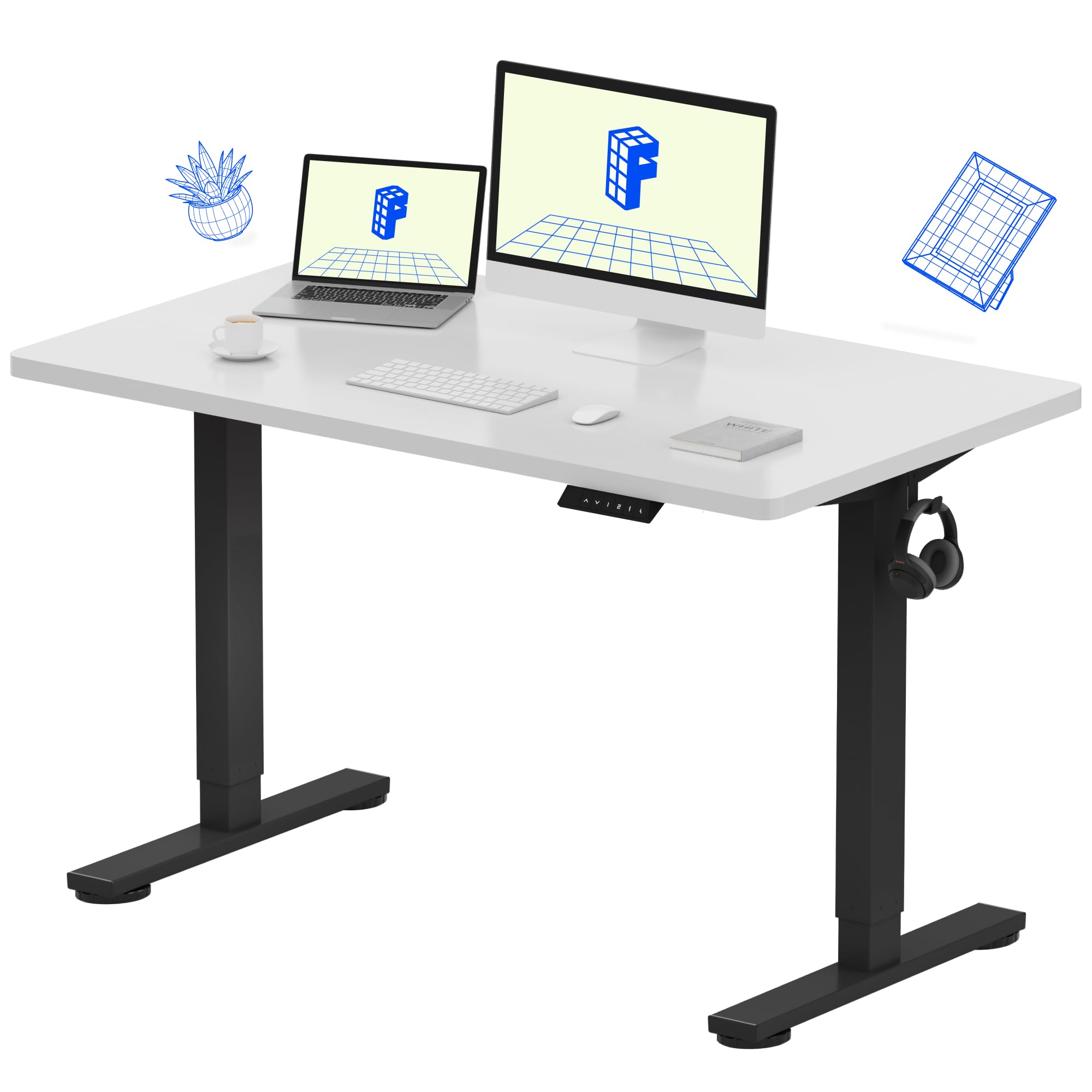
Thank you for choosing the FLEXISPOT EN1 Electric Height Adjustable Standing Desk. This manual provides essential information for the safe assembly, operation, and maintenance of your new desk. Designed for home offices and multi-device workstations, the EN1 desk features a durable one-piece desktop and smooth electric height adjustment to enhance your productivity and comfort.
Safety Information
- Do not exceed the maximum weight recommendation of 187 pounds (85 kg).
- Ensure proper anchoring and secure assembly for stability. Improper use may result in hazards.
- Keep children and pets away from the desk during operation.
- Ensure no obstacles are in the path of the desk's movement (up or down).
- Only use the desk for its intended purpose as a workstation.
- Disconnect power before cleaning or maintenance.
Product Features
- One-Piece Desktop: A seamless, rock-solid desktop built for home offices, creative studios, and multi-monitor setups.
- 1-Inch Thick Desktop: Dense, durable, and sag-resistant, ideal for professionals using drawing tablets, dual screens, or heavy equipment.
- Spacious Workspace: Ample room for laptops, monitors, and accessories, promoting organization and focus.
- Electric Height Adjustment: Smooth electric height adjustment (28.1"–45.7") with 4 memory presets for comfortable sitting or standing positions.
- Quick & Easy Assembly: Simplified setup with fewer steps and less lifting for a hassle-free start.
Desktop Quality
The EN1 desk features a robust 1-inch thick desktop, providing superior durability and stability compared to thinner, two-piece alternatives. This design minimizes wobble and ensures a reliable surface for all your work essentials.

Height Adjustment System
Equipped with a quiet electric motor, the desk offers continuous height adjustment from 28.1 inches to 45.7 inches. The control panel includes four programmable memory presets, allowing you to save and recall your preferred sitting and standing heights with a single touch.

Design and Materials
The desk features a sturdy alloy steel frame with dual-stage legs, ensuring robust support and smooth transitions. The white desktop provides a clean, modern aesthetic suitable for various home and office environments.

Setup and Assembly
The FLEXISPOT EN1 desk is designed for quick and easy assembly. While some steps may require two people due to the weight of components, the process is straightforward.

Step-by-Step Assembly Overview
- Unpack Components: Carefully remove all parts from the packaging. Verify all components are present against the parts list in your included manual.
- Attach Legs to Desktop: Position the desktop upside down on a soft, clean surface. Attach the lifting columns (legs) to the pre-drilled holes on the desktop using the provided screws.
- Connect Control Panel and Motor Cables: Connect the control panel cable and motor cables to the control box, ensuring secure connections.
- Secure Cable Management: Use the provided cable ties or management system to organize and secure all cables neatly under the desk.
- Flip Desk Upright: With assistance, carefully flip the assembled desk upright and place it in your desired location.
- Plug In: Connect the power cord to a wall outlet.
Operating Instructions
Basic Height Adjustment
- Use the Up (^) and Down (v) arrow buttons on the control panel to manually adjust the desk height.
- Release the button when the desk reaches your desired height.
Memory Presets
The desk features four programmable memory presets to quickly switch between your favorite heights.
- Set a Preset: Adjust the desk to your desired height using the Up/Down buttons. Press the 'M' button, then press one of the number buttons (1, 2, 3, or 4) within 3 seconds to save the current height to that preset.
- Recall a Preset: Simply press the corresponding number button (1, 2, 3, or 4) to automatically move the desk to the saved height.
Maintenance
- Cleaning: Wipe the desktop and frame with a soft, damp cloth. Avoid harsh chemicals or abrasive cleaners.
- Cable Management: Periodically check and re-secure cables to prevent tangling or damage.
- Connection Check: Ensure all electrical connections are secure and undamaged.
Troubleshooting
- Desk Not Moving: Check all cable connections to ensure they are firmly plugged in. Verify the power cord is securely connected to the wall outlet.
- Error Message on Display: If an error message appears, try unplugging the desk from the power source for 10-15 seconds, then plug it back in. This often resolves minor electronic glitches.
- Uneven Movement: Ensure the desk is not overloaded beyond its weight capacity. Check for any obstructions under or around the desk.
Specifications
| Feature | Detail |
|---|---|
| Brand | FLEXISPOT |
| Model Number | MAH0002197 |
| Desktop Dimensions | 48"W x 24"D |
| Tabletop Thickness | 1 Inch |
| Height Adjustment Range | 28.1" - 45.7" |
| Maximum Weight Recommendation | 187 Pounds |
| Base Material | Alloy Steel |
| Top Material Type | Wood |
| Color | White |
| Special Feature | 48x24" One-Piece Desktop, Adjustable Height |

Warranty and Support
The FLEXISPOT EN1 Standing Desk comes with a Limited Warranty. For specific details regarding your warranty coverage, please refer to the documentation included with your product or contact FLEXISPOT customer support.
Return Policy: This product is eligible for a 30-day easy return policy. Please refer to your purchase platform for full return details.
For customer support, please visit the official FLEXISPOT website or contact their customer service directly.
Product Media
Images