
1. Introduction
This manual provides essential instructions for the safe and efficient operation of your AKIYO Z9 Mini DLP Projector. Please read this manual thoroughly before using the product and retain it for future reference.

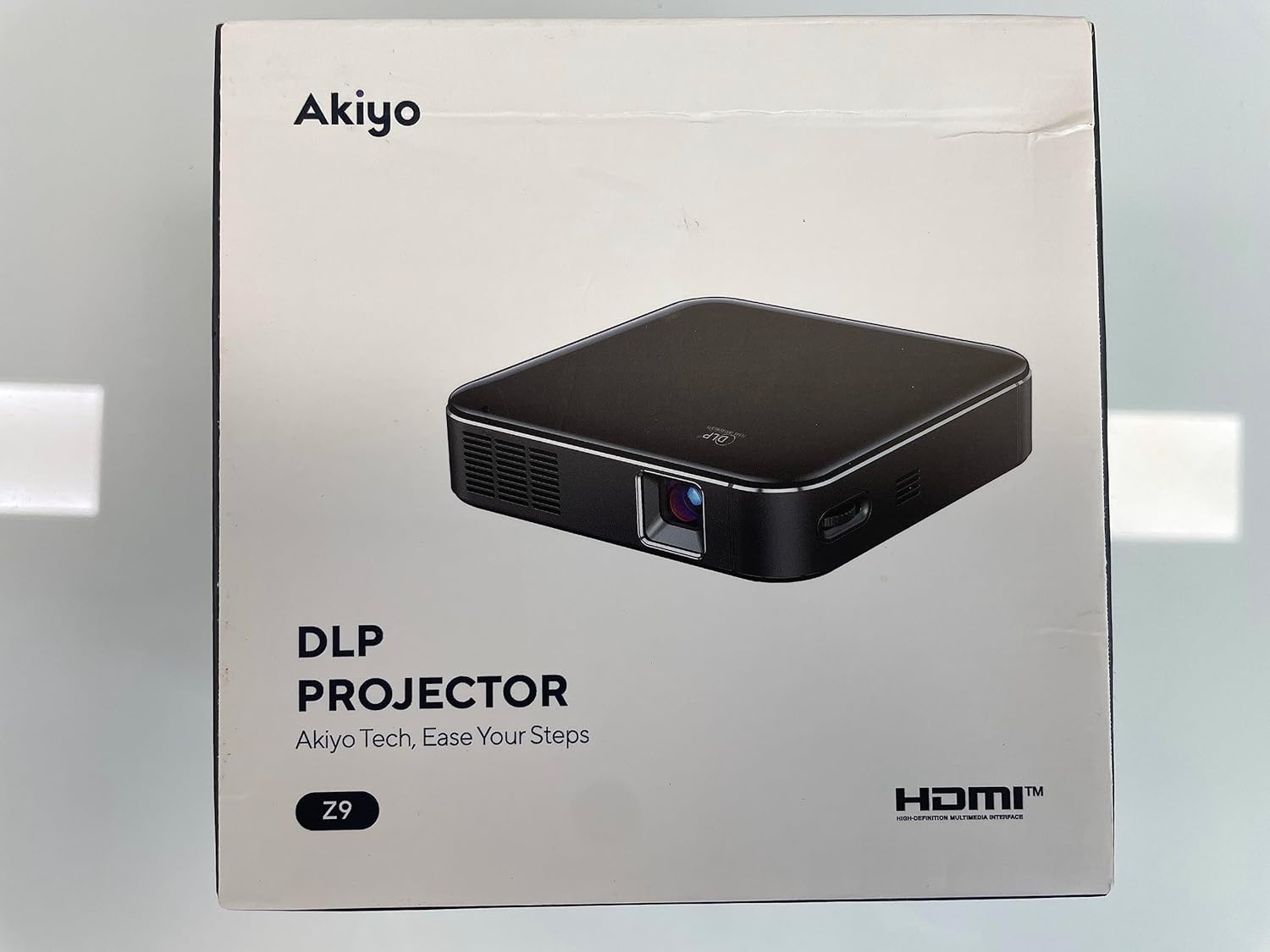
The compact design of the AKIYO Z9 allows for easy portability.
2. Safety Information
Observe the following safety precautions to prevent damage to the projector or injury to yourself.
- Do not expose the projector to rain or moisture.
- Do not open the projector casing. Refer all servicing to qualified personnel.
- Ensure proper ventilation. Do not block ventilation openings.
- Use only the provided power adapter (5V/3A) for charging.
- Avoid direct eye exposure to the projector lens when the device is operating.
- This projector is designed for front projection only.
- For optimal performance and to prevent battery issues, charge the projector when the power level is below 30%.
3. Package Contents
Verify that all items are present in the package:
- AKIYO Z9 Mini DLP Projector
- HDMI Cable
- Type-C Charging Cable
- 5V/3A Power Adapter
- Mini Tripod
- User Manual (this document)
4. Product Overview
Familiarize yourself with the projector's components and interfaces.
Front and side view of the AKIYO Z9 Projector with labeled ports and controls.
Key Components:
- Projection Lens: Emits the image.
- Touchpad: For navigation and control.
- USB-C Charging Port: For charging the projector.
- HDMI Port: For connecting external video sources.
- USB Out Port: For charging external devices (e.g., smartphones). Note: This port does not support reading or writing data from USB drives.
- Audio Out Port: For connecting external speakers or headphones.
- Keystone Correction: Adjusts image distortion.
- Volume Controls: Adjusts audio output level.
- Focus Adjustment: Sharpens the projected image.
- Brightness Adjustment: Three-stage adjustment for image luminosity.
- Power Button: Turns the projector on/off.
5. Setup
5.1 Charging the Projector
- Connect the provided Type-C charging cable to the projector's USB-C port.
- Connect the other end of the cable to the 5V/3A power adapter.
- Plug the power adapter into a wall outlet.
- The projector can also be charged using a compatible power bank (5V/3A) for outdoor use.

Charging the projector with a power bank for extended outdoor use.
5.2 Powering On/Off
- To power on, press and hold the Power button until the indicator light illuminates.
- To power off, press and hold the Power button until the projector shuts down.
5.3 Adjusting Focus and Keystone
- Focus: Use the focus adjustment control on the projector to achieve a clear image.
- Keystone Correction: The projector features ±40° vertical keystone correction. Adjust this setting via the touchpad to correct trapezoidal image distortion, ensuring a rectangular projection.

Adjusting vertical keystone correction via the touchpad.
5.4 Projector Placement
The AKIYO Z9 has a short throw ratio of 0.98:1, allowing for a large image from a short distance. For example, a 60-inch projection can be achieved from approximately 7 feet (2.1 meters) away. Place the projector on a stable, flat surface or use the included mini tripod.

Example of outdoor projection with the AKIYO Z9, demonstrating its short throw capability.
6. Operating Instructions
6.1 Connecting to Devices
The projector supports various input sources:
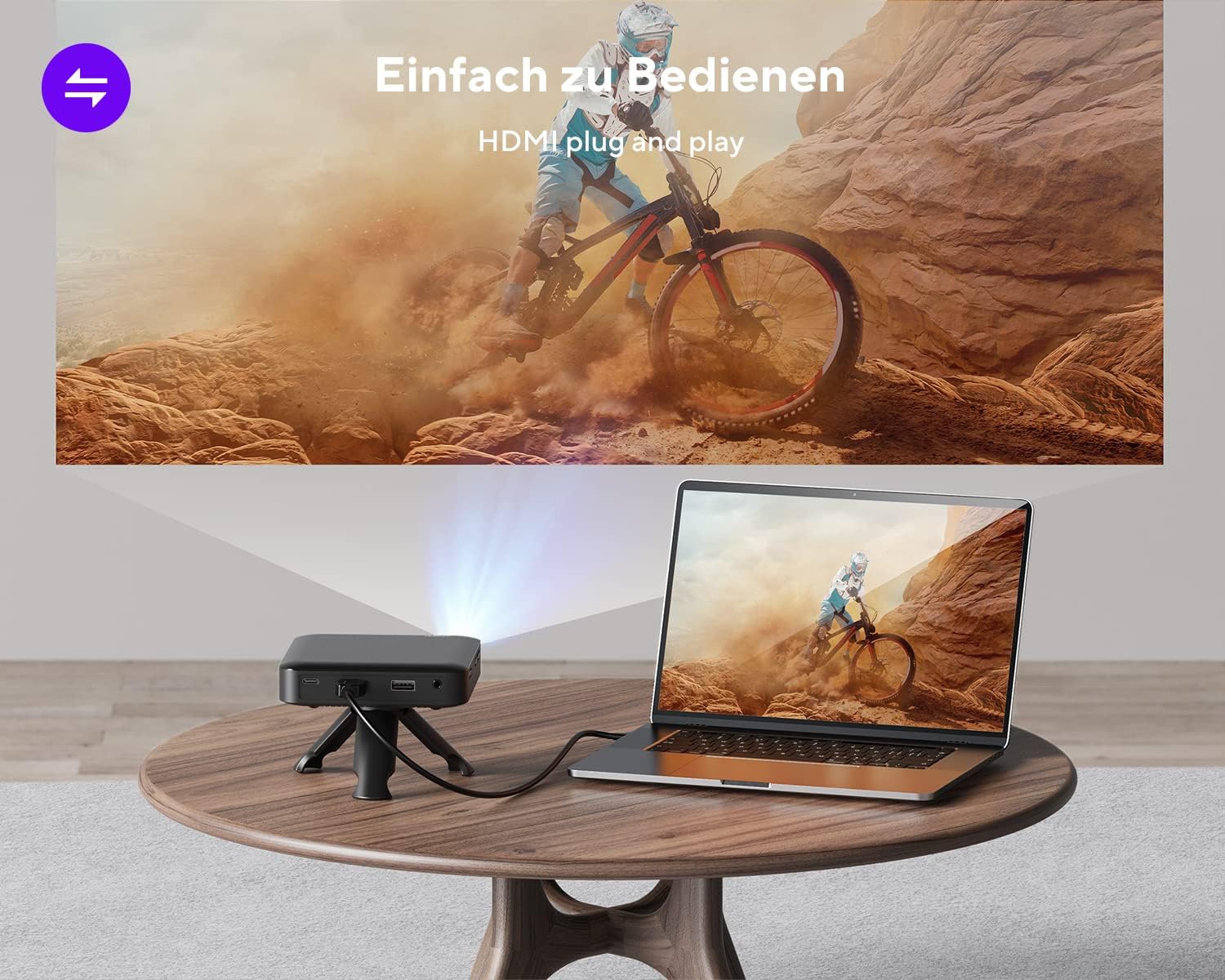
- HDMI Connection: Use the included HDMI cable to connect to laptops, game consoles (e.g., PS4), TV boxes, or streaming sticks (e.g., Fire TV Stick, ROKU). This is a plug-and-play connection.

Connecting the projector to a laptop via HDMI for video playback.
- Smartphones (Android): Requires an additional MHL cable adapter, HDMI to USB-C cable, or Miracast device (not included).
- Smartphones (iPhone): Requires an additional Apple Lightning Digital AV Adapter (not included).
- External Speakers: Connect external speakers or headphones to the Audio Out port for enhanced sound.
6.2 Adjusting Brightness
The projector offers three levels of brightness adjustment. Use the dedicated brightness control or menu options to select the desired level. For best image clarity, especially with 120 ANSI lumens, it is recommended to use the projector in a dark environment.
6.3 Using as a Power Bank
The projector's built-in battery can be used to charge other devices, such as smartphones, via the USB Out port. Connect your device's charging cable to the projector's USB Out port.
The projector can function as a power bank to charge your smartphone.
7. Maintenance
7.1 Cleaning
- Use a soft, dry cloth to clean the exterior of the projector.
- For the lens, use a lens cleaning cloth and specialized lens cleaning solution. Do not use abrasive materials.
- Keep the ventilation openings clear of dust and debris.
7.2 Battery Care
- To prolong battery life, avoid fully discharging the projector frequently.
- Charge the projector when the battery level is low (below 30%).
- If storing the projector for an extended period, charge it to approximately 50-70% and recharge every few months.
8. Troubleshooting
- No Power: Ensure the projector is charged. If the battery is very low, the projector may not turn on or may enter sleep mode. Connect to the power adapter.
- No Image/Signal: Check all cable connections (HDMI, adapters). Ensure the correct input source is selected on the projector.
- Blurry Image: Adjust the focus wheel. Ensure the projection surface is flat and the projector is stable. Use keystone correction if the image is trapezoidal.
- Image Too Dim: Ensure the projector is in a dark environment. Adjust the brightness setting.
- No Sound: Check the projector's volume settings and the volume of the connected source device. If using external speakers, ensure they are properly connected and powered on.
- Netflix/Streaming Issues: Some streaming services (e.g., Netflix) may have digital rights management (DRM) that prevents playback on external displays like projectors. This is a content protection feature and not a projector malfunction.
- USB Port Not Reading Data: The USB port on the AKIYO Z9 is for charging external devices only and does not support reading or writing data from USB drives.
9. Specifications
| Feature | Specification |
|---|---|
| Model Number | Z9 |
| Display Technology | DLP (Digital Light Processing) |
| Native Resolution | 854 x 480 pixels |
| Supported Resolution | Up to 1080P Full HD |
| Brightness | 120 ANSI Lumens (3-stage adjustable) |
| Projection Size | 30-120 inches |
| Throw Ratio | 0.98:1 |
| Keystone Correction | Vertical ±40° |
| Connectivity | HDMI, Audio Out, USB (charging only) |
| Built-in Speaker | 1.5W HiFi dual speakers |
| Battery Life | Up to 90 minutes (on full charge) |
| Charging Input | 5V/3A (USB-C) |
| Dimensions | 4.13 x 4.13 x 0.98 inches (10.5 x 10.5 x 2.5 cm) |
| Weight | 9.9 ounces (280g) |
| Color | Grey |
10. Warranty and Support
10.1 Warranty Information
The AKIYO Z9 Mini DLP Projector comes with a 2-year manufacturer's warranty. Please refer to your purchase documentation for specific terms and conditions. Extended protection plans may be available for purchase separately.
10.2 Customer Support
For technical assistance, warranty claims, or any product-related inquiries, please contact AKIYO customer support:
- Email: support.dp@akiyo.co
- AKIYO offers lifetime technical and customer support.
- Expect a quick reply within 24 hours.


