
OLIGHT O-I1R2PRO-BK#US-FBA
OLIGHT I1R 2 Pro Eos Keychain Flashlight User Manual
Brand: OLIGHT | Model: O-I1R2PRO-BK#US-FBA
1. Product Overview
The OLIGHT I1R 2 Pro Eos is a high-performance EDC (Everyday Carry) rechargeable keychain flashlight. It features a CSP LED paired with a TIR optic lens, delivering a maximum output of 180 lumens and a beam distance of 48 meters. Designed for convenience, it is lightweight, small, and incorporates a modern USB-C charging port for easy and fast recharging.

Figure 1: OLIGHT I1R 2 Pro Eos Keychain Flashlight
2. What's in the Box
- OLIGHT I1R 2 Pro Eos Flashlight (with built-in battery)
- USB A-C Charging Cable x 1
- User Manual x 1
3. Setup and Charging
3.1 Initial Charge
Before first use, fully charge the flashlight. The I1R 2 Pro Eos features a built-in rechargeable battery and a convenient USB-C charging port.
- Locate the USB-C charging port by twisting the head of the flashlight to expose it.
- Connect the provided USB A-C charging cable to the flashlight's USB-C port and to a compatible USB power source (e.g., computer, wall adapter).
- The indicator light on the flashlight will show red during charging and turn green when fully charged. A full charge typically takes approximately 100 minutes.
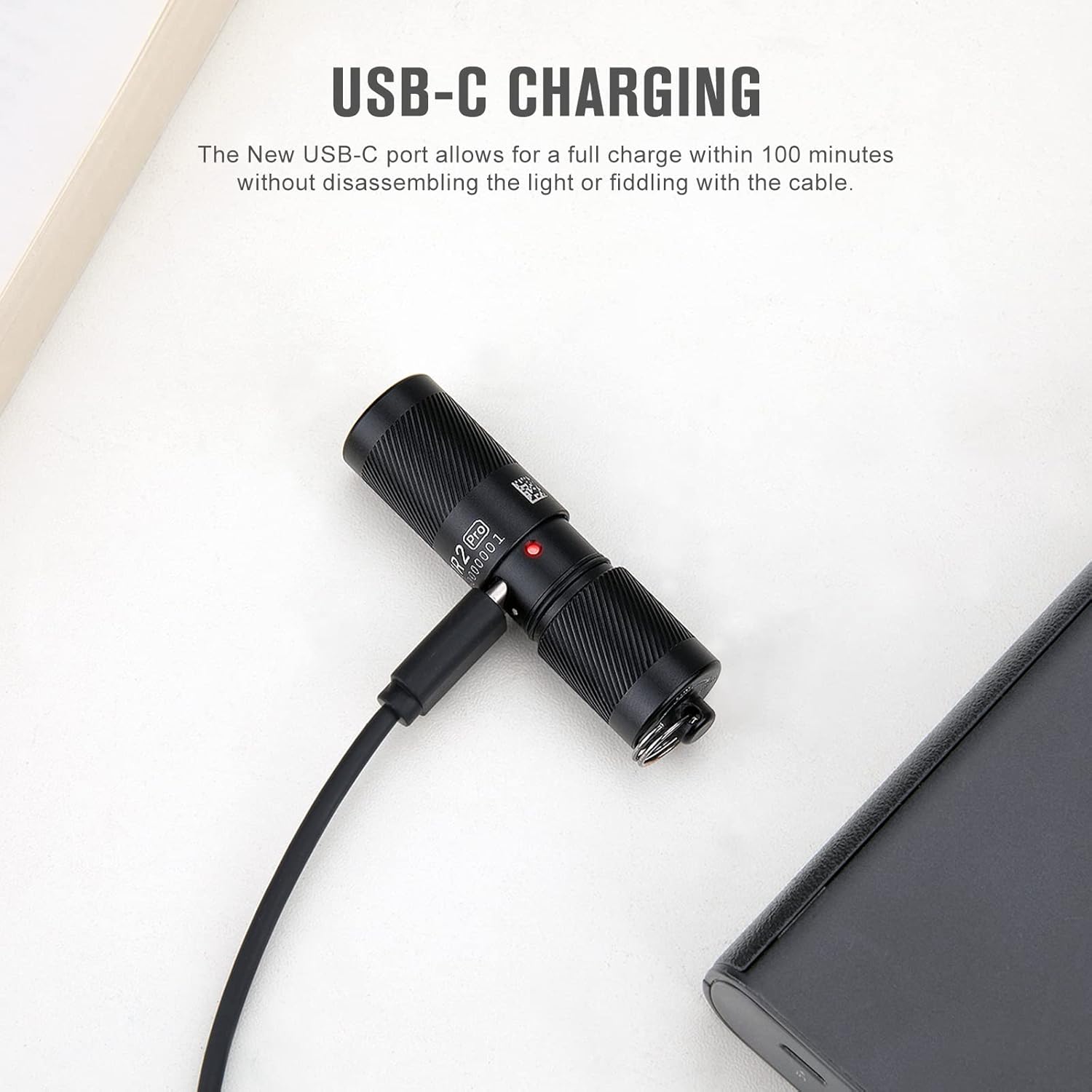
Figure 2: Connecting the USB-C Charging Cable
The new USB-C port allows for a full charge within 100 minutes without disassembling the light or fiddling with the cable.
4. Operating Instructions
The I1R 2 Pro Eos is designed for simple and intuitive operation using a twist switch mechanism.
4.1 Turning On/Off and Mode Selection
- Low Mode (5 Lumens): Twist the head of the flashlight slightly clockwise to turn it on in low mode. This mode is suitable for close-range illumination and extends battery life.
- High Mode (180 Lumens): Continue twisting the head clockwise a bit more to activate the high mode. This provides maximum brightness for broader illumination.
- Turning Off: Twist the head counter-clockwise until the light turns off.
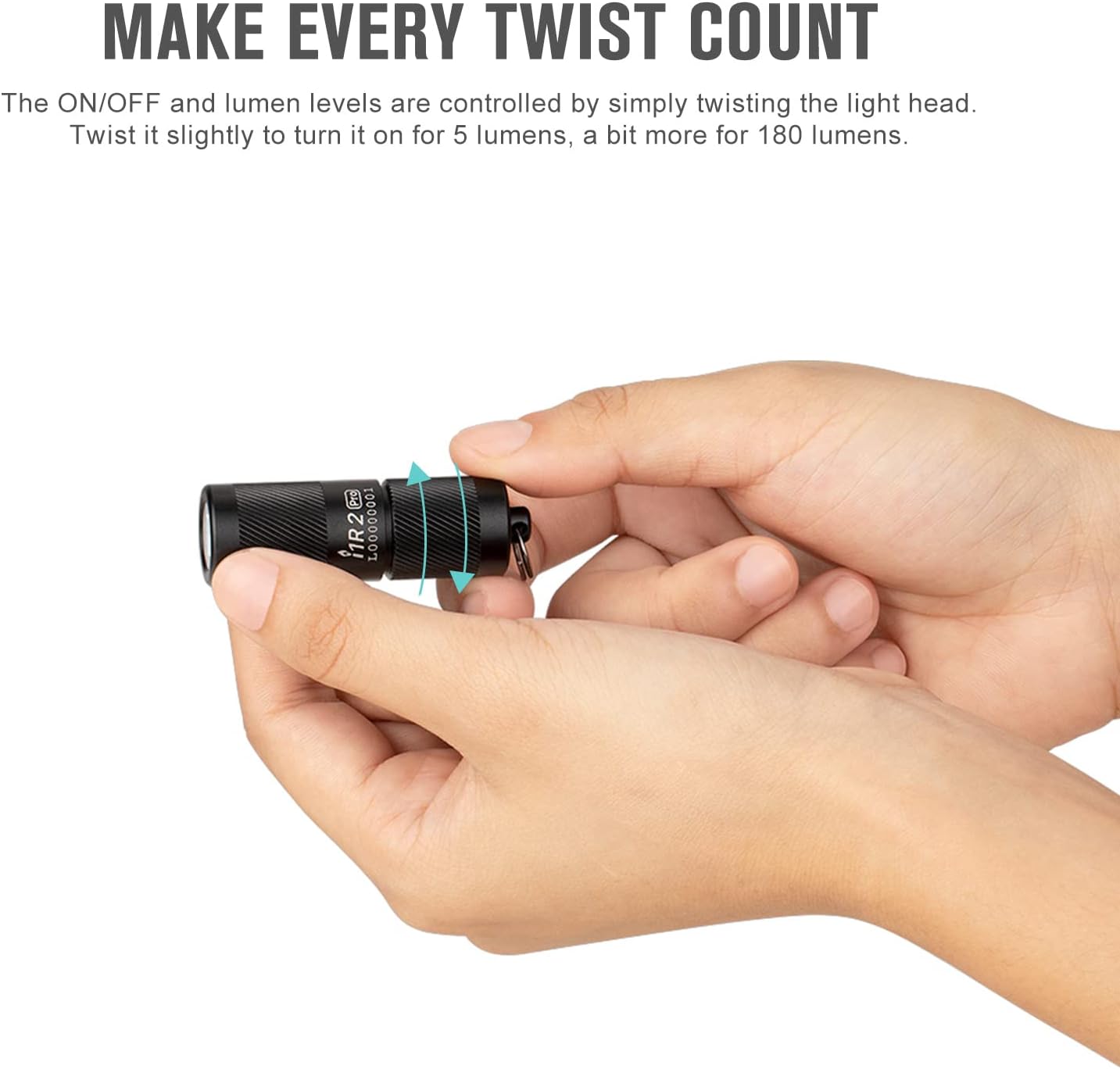
Figure 3: Simple Twist Operation for On/Off and Mode Switching
Switching between modes is done with a simple twist of its head. Twist it slightly to turn it on for 5 lumens, a bit more for 180 lumens.
5. Specifications
Detailed specifications for the OLIGHT I1R 2 Pro Eos flashlight:
| Feature | High Mode | Low Mode |
|---|---|---|
| Max Output | 180 Lumens | 5 Lumens |
| Max Runtime | 23 minutes | 12 hours |
| Max Throw | 48 meters | 10 meters |
| Peak Beam Intensity | 580 cd | 25 cd |
| Battery | 3.7V 130mAh Lithium-Ion Battery (Built-in) | |
| Charging Type | USB-C | |
| Water Resistance | IPX8 (Waterproof) | |
| Drop Test | 1.5 meters | |
| Dimensions | 2.02" (Length) x 0.64" (Diameter) | |
| Weight | 0.78 oz (22g) | |
| Material | Aluminum Alloy | |

Figure 4: Detailed Specifications of the Flashlight
6. Maintenance
- Cleaning: Use a soft, clean cloth to wipe the flashlight. Avoid using harsh chemicals or abrasive materials.
- Charging: Recharge the battery regularly to maintain optimal performance, especially if the flashlight has not been used for an extended period.
- Storage: Store the flashlight in a cool, dry place away from direct sunlight and extreme temperatures.
- Water Resistance: The flashlight is IPX8 waterproof, meaning it can be submerged in water up to 2 meters for 30 minutes. Ensure the head is fully twisted and sealed before exposing it to water.
7. Troubleshooting
- Light not turning on:
- Ensure the head is twisted fully clockwise to engage the light.
- Check if the battery is charged. Connect the flashlight to the USB-C charger and observe the indicator light.
- Dim light or short runtime:
- The battery may be low. Fully charge the flashlight.
- Ensure the charging cable and port are clean and free of debris.
- Charging issues:
- Verify the USB-C cable is properly connected to both the flashlight and the power source.
- Try a different USB power source or cable to rule out external issues.
If problems persist, please refer to the warranty and support section for further assistance.
8. Warranty and Support
The OLIGHT I1R 2 Pro Eos Keychain Flashlight comes with a Limited Warranty (5 years) from the date of purchase. For detailed warranty terms and conditions, please refer to the official OLIGHT website or the user manual included in the product packaging.
For technical support, troubleshooting assistance, or warranty claims, please contact OLIGHT customer service through their official channels. You can also visit the OLIGHT Store on Amazon for more information.
An official User Manual (PDF) is also available for download: Download User Manual (PDF)
Related documentsO-I1R2PRO-BK#US-FBA


Ask a question about this manual
Ask about setup, troubleshooting, compatibility, parts, safety, or missing instructions. Manuals+ will review the question and use this page’s manual context to help answer it.