
1. Important Safety Information
Please read all safety and operating instructions carefully before using this television. Keep this manual for future reference. Always follow basic safety precautions to reduce the risk of fire, electric shock, and injury.
- Do not expose this appliance to rain or moisture.
- Do not block any ventilation openings. Install in accordance with the manufacturer's instructions.
- Do not install near any heat sources such as radiators, heat registers, stoves, or other apparatus (including amplifiers) that produce heat.
- Protect the power cord from being walked on or pinched, particularly at plugs, convenience receptacles, and the point where they exit from the appliance.
- Only use attachments/accessories specified by the manufacturer.
- Refer all servicing to qualified service personnel. Servicing is required when the apparatus has been damaged in any way.
2. What's in the Box
Carefully unpack your new Sansui TV and ensure all items listed below are present.
- 1 x Sansui 4K Ultra HD Android LED TV (JSW50ASUHD)
- 2 x Table Stand Base
- 1 x Wall Mounting Set
- 4 x Screws for stand/mount
- 1 x User Manual
- 1 x Warranty Card
- 1 x Remote Control
- 2 x AAA Batteries (for remote)
- 1 x Power Cord
- 1 x Mini AV Cable
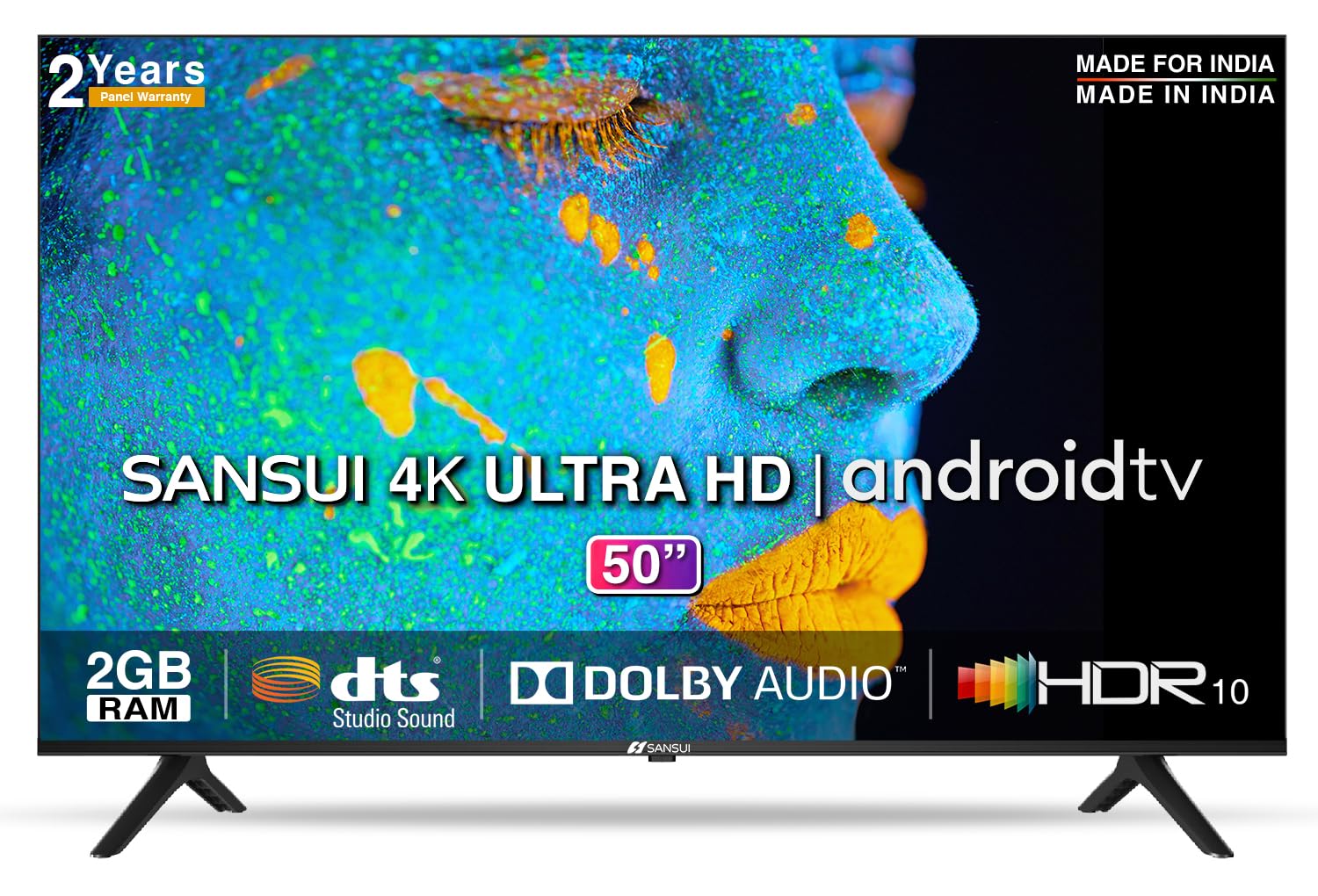
Image: Sansui 50-inch 4K Ultra HD Android LED TV with its table stand.
3. Product Overview
3.1. Key Features
- Display: 4K Ultra HD (3840x2160) resolution, 60Hz refresh rate, Wide Viewing Angle, A+ Grade Panel, Wide Colour Gamut, HDR 10, Crystal Clear Display, High Brightness, Bezel-less Design.
- Audio: Dolby Audio, DTS Studio Sound, 20 Watts Audio Output.
- Smart TV Features: Android 10.0 (Certified by Google), Google Assistant, Alexa Enabled Support, Built-in Chromecast, CA53 Quad Core Processor, 2GB RAM, 8GB ROM.
- Supported Apps: Prime Video, Netflix, Disney + Hotstar, YouTube, Google Play.
- Connectivity: 3 HDMI ports, 2 USB ports, 3.5mm audio jack, Bluetooth, Wi-Fi, RJ45 (Ethernet), Antenna.

Image: Visual representation of the TV's main features and capabilities.
3.2. Dimensions
The TV features a 50-inch screen (127 cm diagonal) with a bezel-less design for an immersive viewing experience.

Image: Detailed dimensions of the Sansui 50-inch TV, including width, height, and depth with and without the stand.
4. Setup
4.1. Installing the Table Stand
- Place the TV screen-down on a soft, flat surface to prevent damage.
- Align the table stand bases with the corresponding slots at the bottom of the TV.
- Secure the bases using the provided screws. Ensure they are tightened firmly.
4.2. Wall Mounting (Optional)
If you choose to wall mount your TV, please use the provided wall mounting set and screws. The VESA mount standard is 800 x 400 mm. It is recommended to seek professional assistance for wall mounting to ensure proper and safe installation.
4.3. Connecting Devices
The TV offers various connectivity options for your external devices.
- Power: Connect the power cord to the TV's power input and then to a wall outlet.
- HDMI: Use HDMI cables to connect devices like set-top boxes, gaming consoles, or Blu-ray players to the 3 HDMI ports.
- USB: Connect USB drives or other USB devices to the 2 USB ports for media playback.
- Audio Out: Use the 3.5mm jack to connect headphones or external audio systems.
- Ethernet (RJ45): For a stable internet connection, connect an Ethernet cable from your router to the RJ45 port.
- Antenna: Connect your antenna cable to the RF input for terrestrial broadcasting.
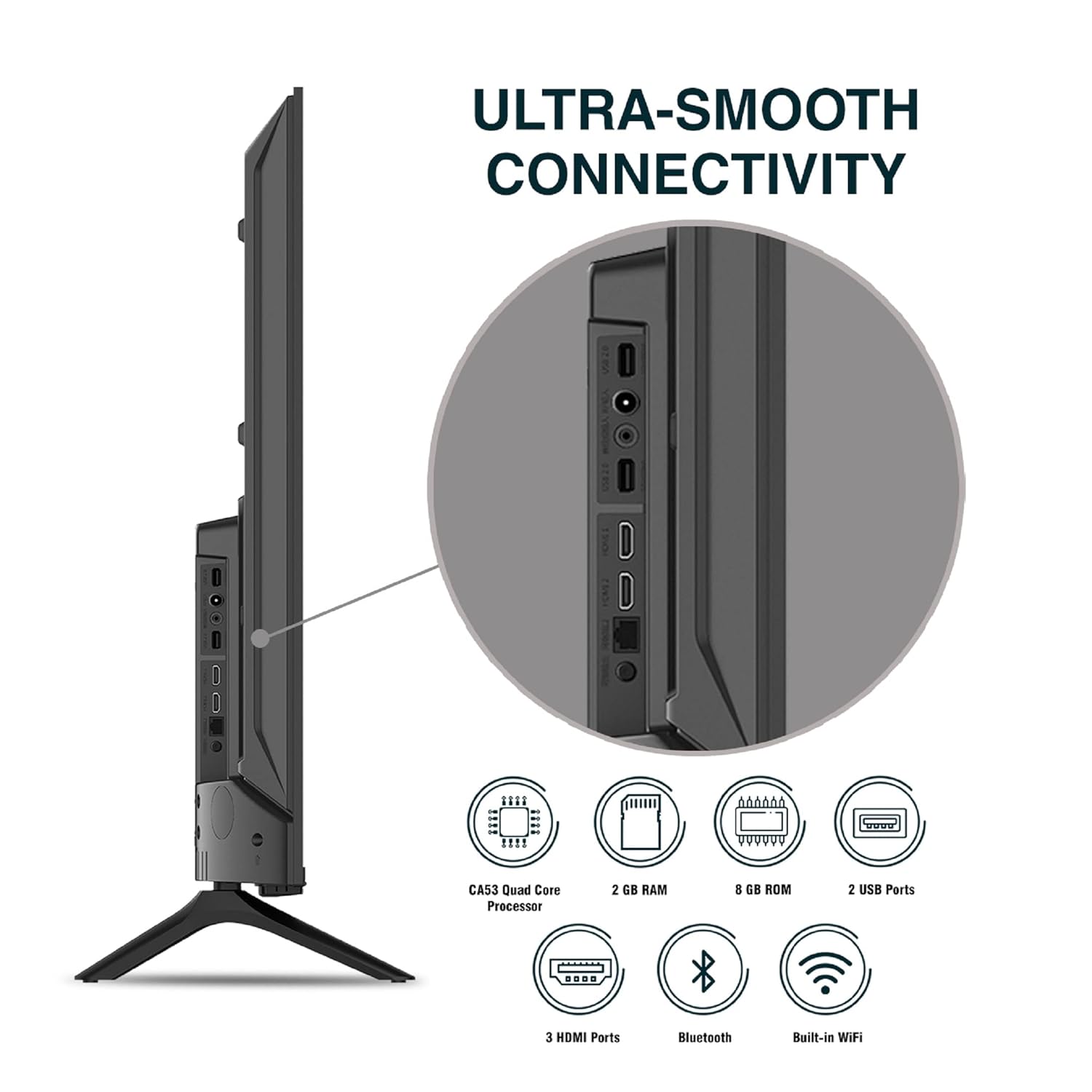
Image: Detailed view of the TV's connectivity ports.
5. Operating Instructions
5.1. Basic Operation
- Power On/Off: Press the power button on the remote control or on the TV to turn it on or off.
- Initial Setup: Upon first power-on, follow the on-screen instructions to set up language, network connection, and Google account.
- Input Source: Press the 'Input' button on the remote to select between HDMI, AV, TV, or other connected sources.
- Volume Control: Use the Volume Up/Down buttons on the remote.
5.2. Using the Smart Remote
The included remote control features voice control and dedicated hotkeys for quick access to popular streaming services.
- Voice Control: Press the Google Assistant button (microphone icon) and speak your commands to search for content, control smart home devices, or ask questions.
- Hotkeys: Directly launch Netflix, Prime Video, YouTube, and Google Play with a single press.
- Navigation: Use the directional pad and 'OK' button to navigate the Android TV interface.

Image: Sansui Smart Remote Control with voice control and app hotkeys.
5.3. Android TV Interface and Smart Features
Your Sansui TV runs on Android 10.0, providing access to a wide range of apps and smart functionalities.
- Home Screen: The home screen displays your favorite apps, recommended content, and input sources.
- Google Play Store: Download and install additional apps, games, and content from the Google Play Store.
- Built-in Chromecast: Cast content (videos, photos, music) from your smartphone, tablet, or computer directly to the TV.
- Google Assistant/Alexa: Use voice commands via the remote or a compatible Alexa device to control your TV and other smart home devices.

Image: Android TV home screen showing available applications.
6. Maintenance
Proper care and maintenance will extend the life of your TV.
- Cleaning the Screen: Gently wipe the screen with a soft, lint-free cloth. For stubborn marks, use a screen cleaner specifically designed for TVs, applied to the cloth, not directly to the screen.
- Cleaning the Cabinet: Use a soft, dry cloth to wipe the TV cabinet. Do not use abrasive cleaners or solvents.
- Ventilation: Ensure the ventilation openings are clear of dust and debris to prevent overheating.
- Power Cord: Regularly check the power cord for any damage. If damaged, replace it with an authorized part.
7. Troubleshooting
If you encounter any issues, refer to the following common problems and solutions.
| Problem | Possible Cause | Solution |
|---|---|---|
| No Power | Power cord disconnected; Power outlet issue | Check power cord connection; Test outlet with another device. |
| No Picture, Only Sound | Incorrect input source; External device issue | Select correct input source; Check external device connection and power. |
| No Sound, Only Picture | Volume muted/low; External audio system issue | Unmute or increase volume; Check external audio system connections. |
| Remote Control Not Working | Batteries depleted; Obstruction between remote and TV | Replace batteries; Remove any obstructions. |
| Wi-Fi Connection Issues | Incorrect password; Router issues; Signal interference | Re-enter password; Restart router; Move TV closer to router or use Ethernet. |
If the problem persists after trying these solutions, please contact customer support.
8. Specifications
Detailed technical specifications for the Sansui JSW50ASUHD TV.
| Feature | Description |
|---|---|
| Model Name | SANSUI LED - JSW50ASUHD |
| Screen Size | 50 Inches (127 cm) |
| Display Technology | LED |
| Resolution | 4K Ultra HD (3840x2160) |
| Refresh Rate | 60 Hz |
| Operating System | Android 10.0 (Certified by Google) |
| Processor | CA53 Quad Core |
| RAM | 2 GB |
| ROM (Storage) | 8 GB |
| Audio Output | 20 Watts |
| Sound Technology | Dolby Audio, DTS Studio Sound |
| HDMI Ports | 3 |
| USB Ports | 2 |
| Wireless Connectivity | Wi-Fi, Bluetooth |
| Other Connectivity | Ethernet (RJ45), 3.5mm Audio Jack, Antenna |
| HDR Support | HDR10 |
| Mounting Type | Wall Mount & Table Mount |
| VESA Mount Standard | 800 x 400 mm |
| Power Consumption | 120 Watts |
| Item Weight | 9650 Grams |
| Color | Mystique Black |
9. Warranty and Support
Your Sansui TV comes with a comprehensive warranty and dedicated customer support.
- Warranty: 1 year comprehensive warranty and 1 year additional on panel from the date of purchase.
- Warranty Support: For warranty-related queries, please contact Sansui Toll Free No.: 1800-419-3777.
- Importer Contact: Jaina India Pvt Ltd., D170, Okhla Industrial Area, Phase-1, New Delhi-110020 INDIA | Email: sansuicare@jainaindia.com.
Please retain your purchase receipt for warranty claims.


