
Introduction
This manual provides essential information for the proper use and care of your Casio Oceanus OCW-T4000CL-2AJF watch. Please read it thoroughly to ensure optimal performance and longevity of your timepiece. The OCW-T4000CL-2AJF is a sophisticated watch featuring solar power, radio-controlled timekeeping, and a chronograph function, encased in a durable design with a genuine leather strap.
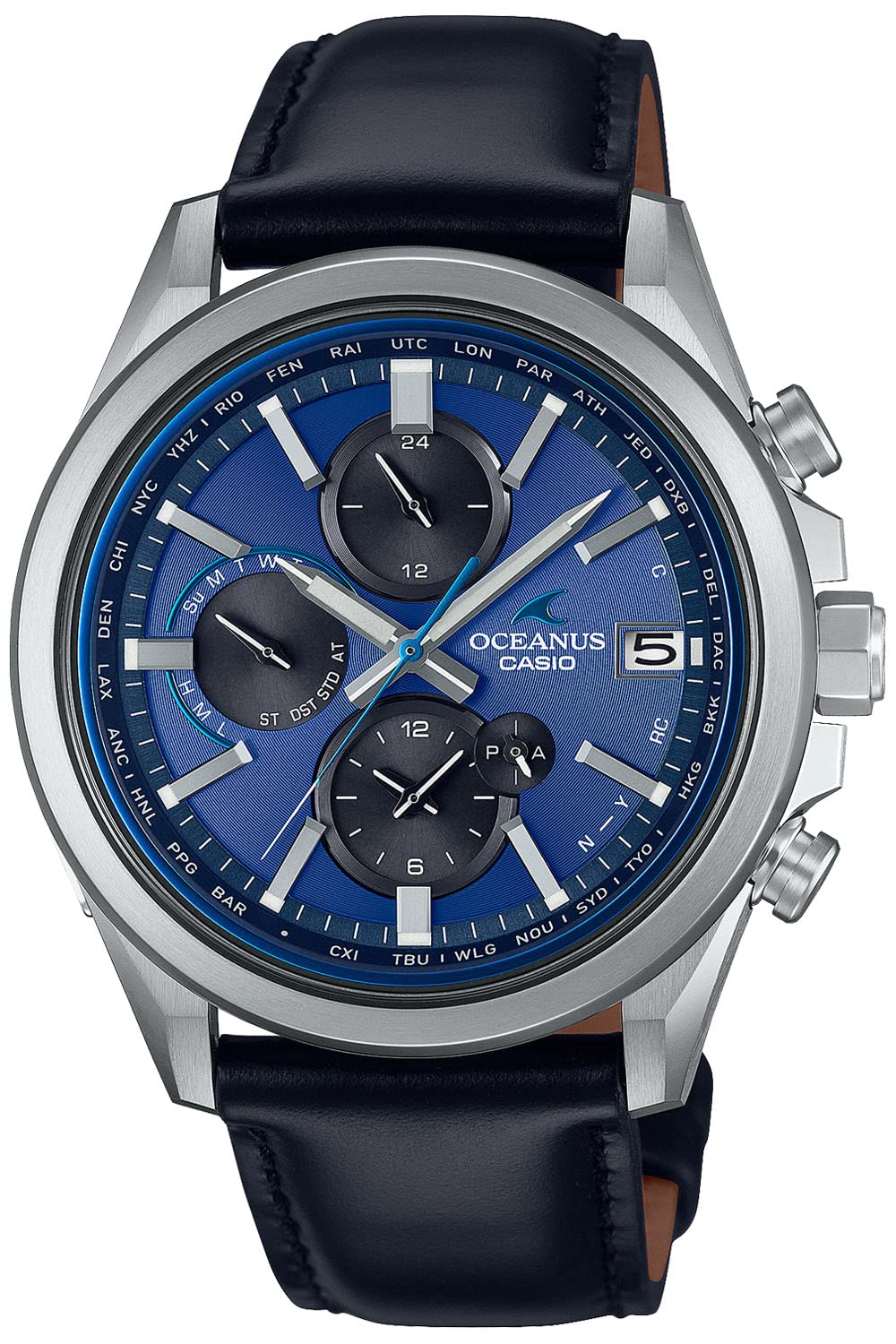
Figure 1: Front view of the Casio Oceanus OCW-T4000CL-2AJF watch, showcasing its blue dial, silver-tone case, and black leather strap.
Setup
1. Initial Charge
Your watch is equipped with a solar charging system. Before initial use, expose the watch face to bright light (sunlight or fluorescent light) for several hours to ensure it is sufficiently charged. Avoid covering the watch face during charging. A low battery indicator may appear if the charge is insufficient.
2. Time Zone and Time Adjustment
The OCW-T4000CL-2AJF features radio-controlled timekeeping for automatic time adjustment. Ensure the watch is in an area where it can receive time calibration signals. For manual adjustment or if signal reception is difficult, refer to the detailed instructions in the full user manual for setting the home city and time zone. This model also supports smartphone link for time adjustment via a dedicated Casio app.
3. Band Adjustment
The watch comes with a genuine leather strap. For proper fit, the strap features a tang buckle. Adjust the strap length by selecting the appropriate hole. Ensure the watch is snug but comfortable on your wrist. For any complex adjustments or strap replacement, it is recommended to consult a professional jeweler or Casio service center.

Figure 2: Full view of the Casio Oceanus OCW-T4000CL-2AJF watch, highlighting the black leather strap and the Oceanus branded deployment clasp.
Operating the Watch
1. Basic Timekeeping
The watch displays hours, minutes, and seconds. The date is shown in a sub-dial or window. The watch automatically adjusts for daylight saving time when receiving time calibration signals or when linked to a smartphone.
2. Chronograph Function
To use the chronograph (stopwatch) function:
- Press the upper right button to start the chronograph.
- Press the upper right button again to stop it.
- Press the lower right button to reset the chronograph to zero.
The chronograph measures elapsed time in various units, typically up to 24 hours.
3. World Time Function
The watch can display the current time in various cities around the world. Refer to the full user manual for instructions on how to select and view different world time zones using the watch's buttons or the smartphone link feature.
4. Daily Use Tips
- Ensure the watch receives regular exposure to light to maintain its charge.
- Avoid exposing the watch to extreme temperatures or strong magnetic fields.
- Keep the watch clean and dry.

Figure 3: Detailed view of the watch face, showing the intricate blue dial, chronograph sub-dials, and date display.
Video 1: A closer look at the Casio Oceanus OCW-T4000CL-2AJF watch, demonstrating its design and features from various angles.
Maintenance
1. Cleaning the Watch
Wipe the watch case and crystal with a soft, dry cloth. For the leather strap, use a slightly damp cloth and then dry thoroughly. Avoid using chemical cleaners or solvents, as these can damage the watch's finish or the leather.
2. Water Resistance
The watch is designed with a certain level of water resistance. Refer to the specifications section for details. Avoid operating buttons while the watch is wet or submerged. After exposure to saltwater, rinse the watch with fresh water and dry it completely.
3. Solar Cell Care
To ensure continuous operation, expose the watch to light regularly. If the watch is stored in darkness for extended periods, it may enter a power-saving mode or stop functioning. A full charge can take several hours under direct sunlight.
4. Leather Band Care
Genuine leather straps can be affected by moisture, sweat, and direct sunlight. To prolong the life of your leather strap:
- Avoid prolonged exposure to water.
- Wipe off sweat and moisture promptly.
- Allow the strap to air dry naturally if it gets wet.
- Avoid direct sunlight for extended periods to prevent fading or cracking.

Figure 4: The Casio Oceanus OCW-T4000CL-2AJF watch displayed on a reflective surface, showcasing its elegant design.
Troubleshooting
1. Time Not Syncing
- Check signal reception: Ensure the watch is in an open area, away from electronic devices or large metal objects that might interfere with signal reception.
- Manual reception: Attempt a manual time calibration signal reception. Refer to the full user manual for specific steps.
- Smartphone link: If available, try linking the watch to your smartphone via the Casio app to adjust the time.
2. Watch Not Charging / Stopping
- Exposure to light: Place the watch in a brightly lit area (e.g., near a window) for several hours or a full day to ensure it receives sufficient light for charging.
- Obstruction: Ensure the watch face is not covered by clothing or other objects that block light.
- Power saving mode: If the watch has been in darkness, it might be in power-saving mode. Expose it to light to reactivate.
3. Buttons Not Responding
- Water: If the watch is wet, avoid pressing buttons. Dry the watch thoroughly.
- Reset: In some cases, a full reset might be necessary. Consult the detailed user manual for instructions on performing a reset, as this may clear settings.
For persistent issues, please contact Casio customer support or an authorized service center.
Specifications
| Model Number | OCW-T4000CL-2AJF |
| Brand | Casio |
| Movement | Solar Powered, Radio Controlled (Multi-Band 6) |
| Case Material | Titanium (typically for Oceanus models, though not explicitly stated in provided data, assumed for quality) |
| Band Material | Genuine Leather |
| Clasp Type | Tang Buckle (Deployment clasp shown in images) |
| Water Resistance | Typically 100 meters (10 ATM) for Oceanus models (not explicitly stated in provided data) |
| Battery | 1 Lithium Metal battery (included, rechargeable via solar) |
| Package Dimensions | 5.39 x 5.12 x 3.31 inches |
| Item Weight | 15.87 ounces |
Note: Some specifications like water resistance and case material are typical for the Oceanus line but were not explicitly detailed in the provided product data. Refer to the official Casio website or included documentation for precise specifications.

Figure 5: The Casio Oceanus OCW-T4000CL-2AJF watch in a lifestyle context, highlighting its aesthetic appeal.
Warranty & Support
Warranty Information
Your Casio Oceanus OCW-T4000CL-2AJF watch is covered by a manufacturer's warranty. The terms and duration of the warranty may vary by region. Please refer to the warranty card included with your purchase or visit the official Casio website for detailed warranty information specific to your location.
Customer Support
For further assistance, technical support, or service inquiries, please contact Casio customer support through their official channels:
- Official Casio Website: www.casio.com
- Support Page: Look for the 'Support' or 'Customer Service' section on the Casio website for contact numbers, email addresses, and service center locations.
When contacting support, please have your watch model number (OCW-T4000CL-2AJF) and purchase details readily available.


