Introduction
This manual provides essential information for the installation, operation, and maintenance of your AlveyTech B-ZK1218D1-LD 12-volt control module. This module is designed as a direct replacement for the original control unit in compatible Razor MX125 Dirt Rocket dirt bikes and Pocket Mod Petite scooters. Please read these instructions carefully before proceeding with installation or use to ensure proper function and safety.
Safety Information
Always prioritize safety when working with electrical components. Failure to follow these safety guidelines may result in injury or damage to the product.
- Disconnect Power: Before beginning any installation or maintenance, ensure the vehicle's battery is completely disconnected to prevent electrical shock or short circuits.
- Professional Installation: If you are unsure about any step, seek assistance from a qualified technician.
- Use Correct Tools: Use appropriate tools for the task to avoid damaging components.
- Inspect Wiring: Regularly check all wiring and connectors for signs of wear, damage, or corrosion. Replace damaged components immediately.
- Keep Dry: Ensure the control module and all electrical connections remain dry to prevent malfunction.
Product Overview
The AlveyTech B-ZK1218D1-LD control module is a 12-volt electrical controller featuring 7 distinct connectors for various vehicle functions. It serves as the central processing unit for the electric scooter or dirt bike's electrical system.

Figure 1: AlveyTech B-ZK1218D1-LD 12V Control Module. This image displays the compact black control module with numerous colored wires extending from it, terminating in various white plastic connectors, indicating its role in managing multiple electrical circuits.

Figure 2: Close-up view of the control module's label. The label clearly shows 'Razor Electrical Controller', 'Rating Voltage: 12V', 'Maximum Current: 15A', 'Under Voltage: 10V', 'Model No: B-ZK1218D1', and a barcode with the number 20070901100000, confirming the module's specifications and identification.
The module features various connectors for components such as the throttle, brake, motor, battery, and charging port. Each connector is designed for a specific function and is typically color-coded or uniquely shaped to prevent incorrect connections.
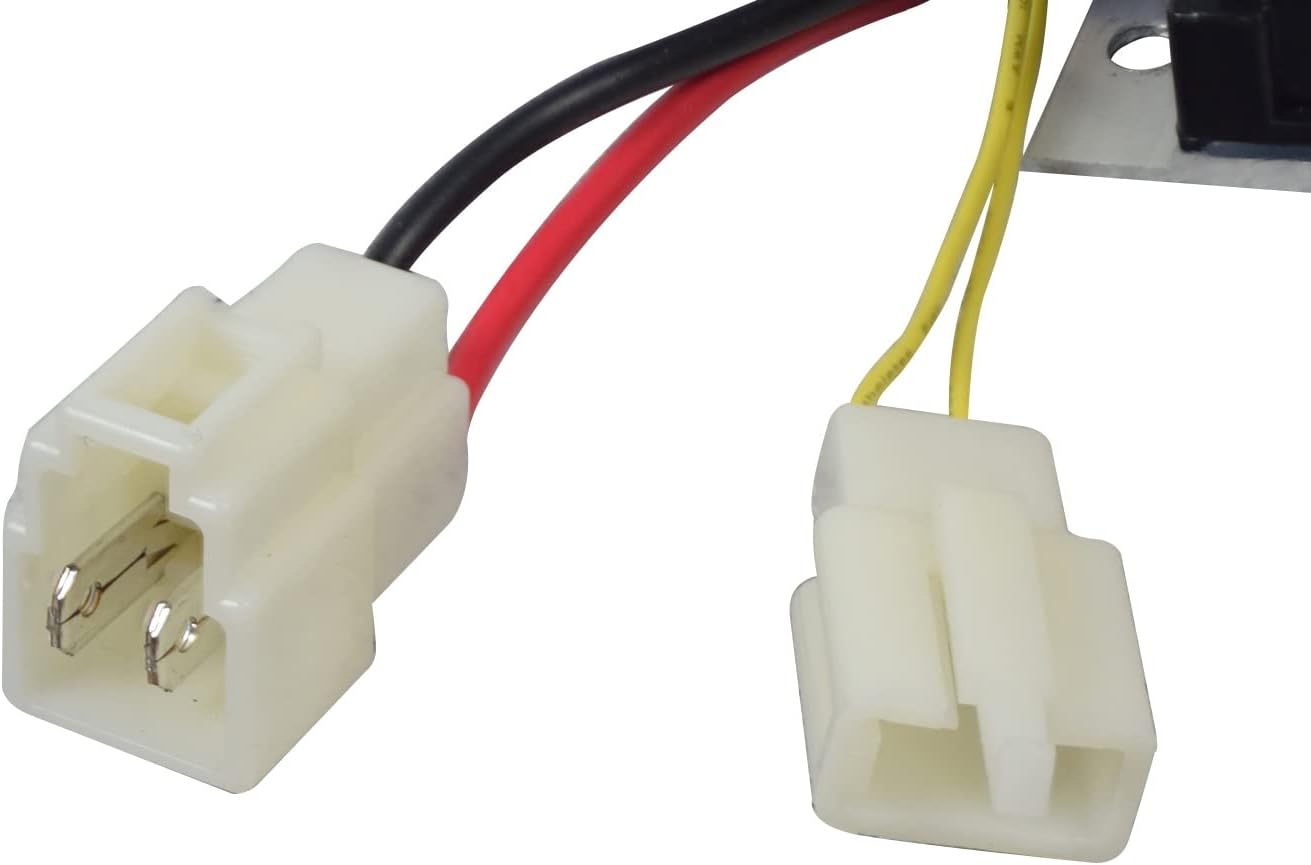
Figure 3: Example of two common white electrical connectors with red and black wires, typically used for power or accessory connections.
Compatibility
This AlveyTech B-ZK1218D1-LD control module is specifically designed for the following models:
- Razor MX125 Dirt Rocket Dirt Bike
- Razor Pocket Mod Petite Scooter
Ensure your vehicle's model matches one of the listed compatible models before attempting installation.
Installation
Follow these steps to replace your existing control module with the AlveyTech B-ZK1218D1-LD.
- Prepare the Vehicle: Park the dirt bike or scooter on a stable, flat surface. Ensure the power is off and disconnect the battery to prevent accidental activation or electrical hazards.
- Locate the Old Module: Identify the existing control module. It is typically housed in a protective casing or compartment.
- Disconnect Wires: Carefully disconnect all wires from the old control module. Note the position and color of each wire and its corresponding connector. Taking photos can be helpful for reassembly.
- Remove Old Module: Unmount the old control module from its position. This aftermarket replacement item does not include a metal mounting plate, so you may need to reuse the existing one or secure the new module appropriately.
- Install New Module: Position the new AlveyTech B-ZK1218D1-LD control module in the same location.
- Connect Wires: Connect the wires from the vehicle to the new control module, matching each connector to its appropriate port. Ensure all connections are secure and fully seated.
- Secure Module: Secure the new module in place.
- Reconnect Battery: Once all connections are made and secured, reconnect the vehicle's battery.
- Test Functionality: Turn on the vehicle and test all functions (throttle, brakes, lights if applicable) to ensure the new module is operating correctly.
Operation
The control module is a core electrical component that manages the power distribution and motor control of your Razor MX125 Dirt Rocket or Pocket Mod Petite Scooter. It is not directly operated by the user. Its proper function is integral to the vehicle's overall performance, including speed regulation and power delivery. Once installed, the module operates automatically as part of the vehicle's electrical system.
Maintenance
To ensure the longevity and reliable performance of your control module, consider the following maintenance tips:
- Regular Inspection: Periodically inspect the module and its connections for any signs of physical damage, loose wires, or corrosion.
- Keep Clean: Keep the area around the control module clean and free from dirt, dust, and moisture.
- Avoid Overheating: Ensure the module has adequate ventilation if applicable, and avoid operating the vehicle in conditions that could lead to excessive heat buildup.
- Proper Storage: If the vehicle is stored for an extended period, ensure it is in a dry environment and the battery is maintained according to the manufacturer's recommendations.
Troubleshooting
If you experience issues after installing the control module, consider these common troubleshooting steps:
- No Power: Check battery connections and ensure the battery is fully charged. Verify all module connections are secure.
- Intermittent Operation: Inspect all wiring for loose connections or damaged insulation. Ensure connectors are fully seated.
- Motor Not Responding: Confirm the throttle is correctly connected and functioning. Check motor connections.
- Module Overheating: Ensure the module is not obstructed and has proper airflow. Verify the vehicle is not being overloaded beyond its specifications.
- Incorrect Wiring: Double-check all wire connections against the vehicle's wiring diagram (if available) or the photos taken during disassembly.
If problems persist after troubleshooting, consult a qualified technician.
Specifications
| Brand | AlveyTech |
| Model Number | B-ZK1218D1-LD |
| Rating Voltage | 12 Volts |
| Maximum Current | 15A |
| Under Voltage | 10V |
| Number of Connectors | 7 |
| Product Dimensions | 5 x 8 x 1.25 inches |
| Item Weight | 4 ounces |
| UPC | 810070312107 |
| Manufacturer | AlveyTech |
Official Product Videos
No official product videos directly relevant to the AlveyTech B-ZK1218D1-LD 12V Control Module were found in the provided data. Videos for related products or different voltage systems are not included to maintain relevance and accuracy for this specific model.
Warranty and Support
Specific warranty information for the AlveyTech B-ZK1218D1-LD control module is not provided in this manual. For details regarding warranty coverage, returns, or technical support, please refer to the original purchase documentation or contact AlveyTech customer service directly. You may also visit the AlveyTech Store on Amazon for more information.