
LAMAX BCool
LAMAX BCool Smart Watch User Manual
Model: BCool
Introduction
Thank you for choosing the LAMAX BCool Smart Watch. This manual provides essential information for setting up, operating, and maintaining your device. Please read it thoroughly to ensure proper use and to maximize the watch's features.

Image: The LAMAX BCool Smart Watch, featuring a black body and a blue patterned strap, displays the current time and step count on its screen.
Package Contents
- LAMAX BCool Smart Watch
- Multi-coloured strap (pre-attached or included)
- Single-colour strap (matching watch body)
- Charging cable (magnetic)
- User Manual (this document)

Image: An illustrative diagram highlighting key features of the LAMAX BCool Smart Watch, including notifications, touch display, pedometer, educational games, music control, interchangeable straps, long battery life, heart rate monitoring, sports tracking, and IP68 water resistance.
Setup
1. Charging the Device
Before first use, fully charge your LAMAX BCool Smart Watch.
- Connect the magnetic charging cable to the charging points on the back of the watch.
- Plug the USB end of the cable into a standard USB power adapter (not included) or a computer's USB port.
- The watch display will indicate charging status. A full charge typically takes a few hours.

Image: A detailed view of the LAMAX BCool Smart Watch, showing its front and back. Callouts indicate features such as its light weight (34g), app connectivity, customizable watch faces, durable glass, multi-function crown, slim design, magnetic charging connector, and use of phthalate-free materials.
2. Pairing with Your Smartphone
The LAMAX BCool Smart Watch is compatible with both Android and iOS devices.
- Download the official LAMAX BCool app from your smartphone's app store (Google Play Store for Android, Apple App Store for iOS).
- Ensure Bluetooth is enabled on your smartphone.
- Open the LAMAX BCool app and follow the on-screen instructions to create an account or log in.
- Select "Add Device" or similar option within the app and choose the LAMAX BCool from the list of available devices.
- Confirm the pairing request on both your watch and smartphone.
Once paired, the watch will synchronize time and data with your smartphone.
Operating Instructions
Basic Navigation
- Touch Display: Swipe left/right or up/down to navigate through menus and features. Tap to select an option.
- Side Button: Press to wake the screen, return to the home screen, or go back in menus.
Key Features Overview
Notifications
Receive alerts for incoming calls, SMS messages, and app notifications (e.g., TikTok) directly on your watch. The watch will vibrate to alert you.
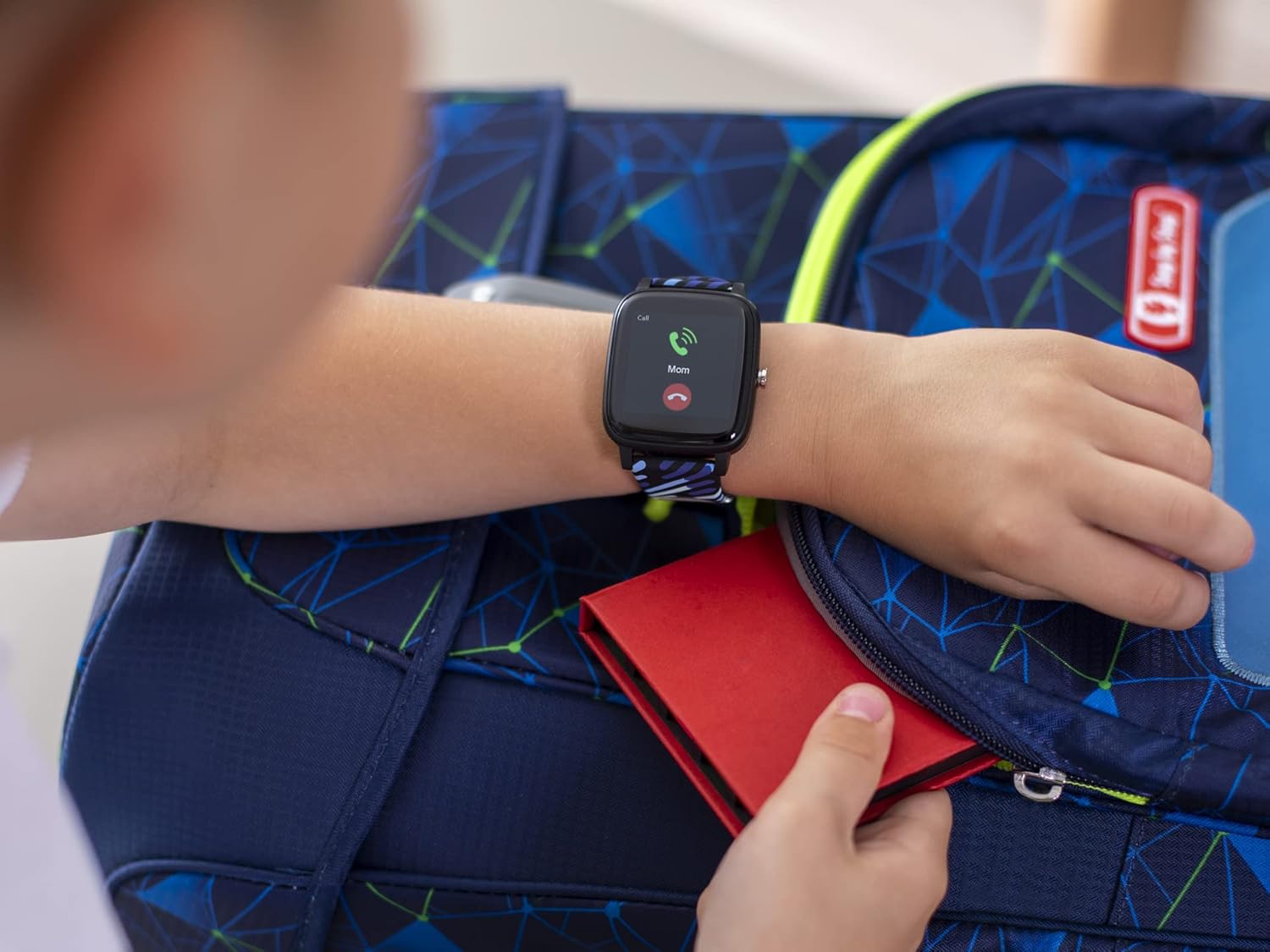
Image: A child's hand wearing the LAMAX BCool Smart Watch, which is displaying an incoming call notification from "Mom". A backpack is visible in the background.
Activity Tracking
The watch automatically tracks steps, distance, and calories burned. It also monitors heart rate throughout the day and sleep quality at night.
- Steps: View your daily step count on the main watch face or in the activity menu.
- Heart Rate: Access the heart rate monitor from the watch menu to see your current heart rate.
- Sleep Analysis: Wear the watch to bed for automatic sleep tracking. Detailed sleep data is available in the companion app.

Image: The LAMAX BCool Smart Watch displaying an incoming call, positioned next to a smartphone screen that shows the companion app's dashboard with daily steps (7,830), sleep duration (8:40), heart rate (89 BPM), and current weather (29°C).
Sports Modes
Select from various sports modes to track specific activities like cycling, hiking, or running.
- Navigate to the "Sports" menu on the watch.
- Select your desired activity.
- The watch will begin tracking duration, distance, and other relevant metrics.

Image: Two LAMAX BCool Smart Watches. One watch displays a menu of sports activities including Basketball, Tourism, and Cycling. The other watch shows active tracking data, including elapsed time (00:58:30), distance (0.750 Km), calories burned (483 Kcal), and heart rate (68 BPM).
Educational Games
The watch includes four educational games designed to hone logic, math, and perception skills.
- Access the "Games" menu from the watch.
- Select the game you wish to play.

Image: A screenshot of one of the educational games available on the LAMAX BCool Smart Watch, featuring a grid-based puzzle with numbers.
Customization
Change watch faces to personalize your device. The watch comes with numerous pre-installed watch faces.
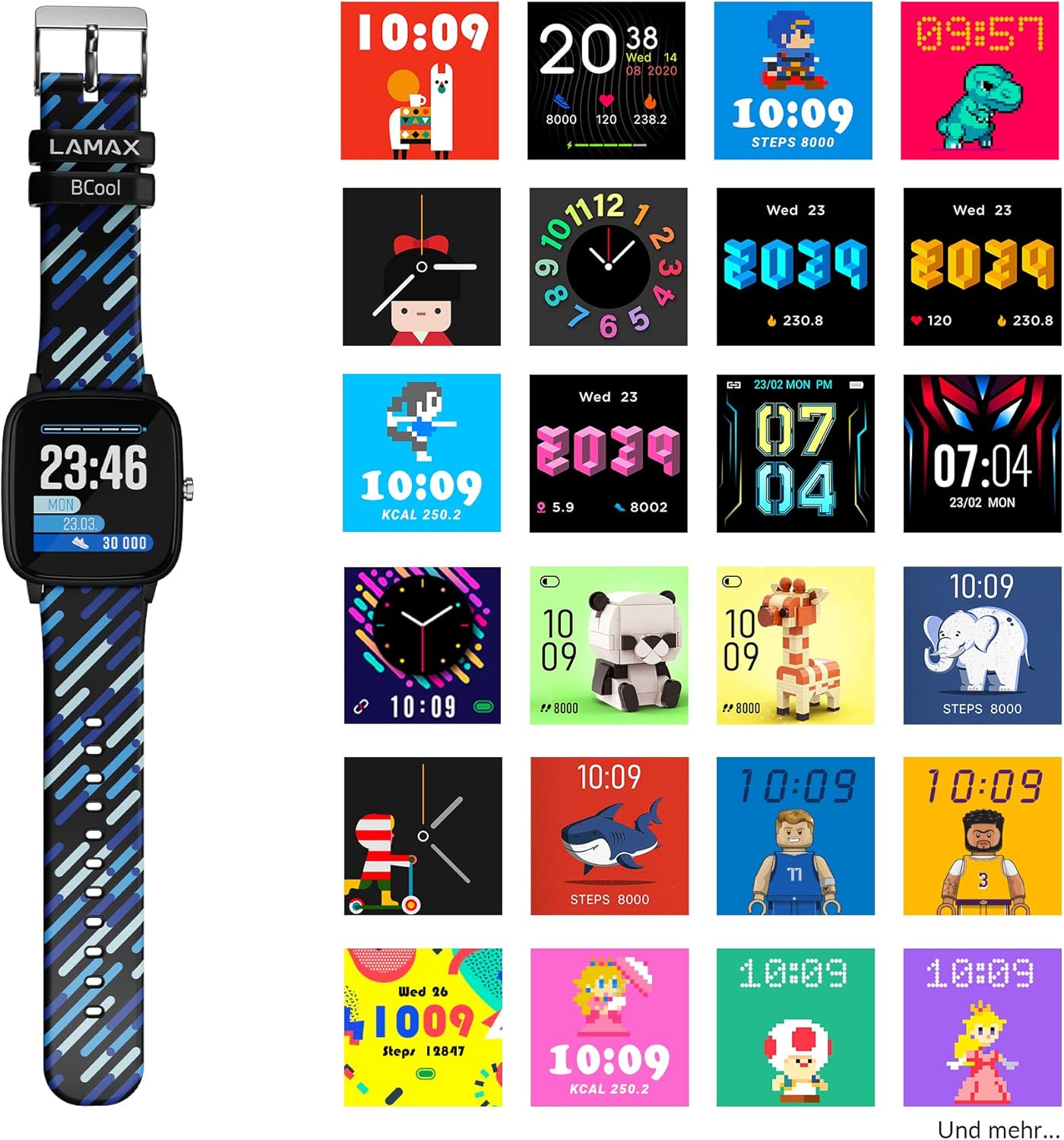
Image: The LAMAX BCool Smart Watch positioned next to a grid of various digital and analog watch face designs, showcasing the customization options available.
Maintenance
Cleaning
- Wipe the watch and straps with a soft, damp cloth.
- Do not use harsh chemicals or abrasive cleaners.
- Ensure the charging contacts are clean and dry before charging.
Water Resistance (IP68)
The LAMAX BCool Smart Watch has an IP68 rating, meaning it is resistant to dust and can withstand immersion in water up to 1.5 meters for up to 30 minutes.
- It is suitable for everyday use, including hand washing and light rain.
- Avoid prolonged immersion, hot water, or exposure to high-pressure water jets.
- Do not press buttons while the watch is submerged.
Strap Replacement
The watch comes with two interchangeable straps. To replace a strap:
- Locate the quick-release pins on the underside of the strap where it connects to the watch body.
- Slide the pin inwards to detach the strap.
- Align the new strap with the watch body and insert one end of the pin into the lug hole.
- Slide the quick-release pin inwards and guide the other end into the opposite lug hole. Release the pin to secure the strap.
Troubleshooting
| Problem | Possible Cause | Solution |
|---|---|---|
| Watch not turning on | Low battery | Charge the watch for at least 30 minutes. |
| Watch not pairing with phone | Bluetooth off, app issue, watch not discoverable | Ensure Bluetooth is on. Restart both watch and phone. Reinstall the app. |
| Notifications not appearing | App permissions, notification settings | Check app notification permissions on your phone. Ensure notifications are enabled in the LAMAX BCool app. |
| Inaccurate activity data | Improper wear, software glitch | Ensure the watch is worn snugly on the wrist. Restart the watch. |
| Short battery life | Frequent use of features, old battery | Reduce screen brightness. Limit continuous heart rate monitoring. Ensure full charge cycles. |
Specifications
| Feature | Detail |
|---|---|
| Model Name | BCool |
| Brand | LAMAX |
| Display | 1.4-inch Touch Display |
| Battery Life | Up to 5-7 days (typical usage) |
| Water Resistance | IP68 (up to 1.5m for 30 minutes) |
| Connectivity | Bluetooth (Android & iOS compatible) |
| Sensors | Heart Rate Monitor, Pedometer |
| Educational Games | 4 pre-installed games |
| Dimensions | 22.3 x 3.65 x 1.1 cm |
| Weight | 34 g |
| Battery Type | 1 Lithium Ion battery |
Warranty and Support
LAMAX products are covered by a manufacturer's warranty. For detailed warranty information, please refer to the warranty card included in your product packaging or visit the official LAMAX website.
For technical support, troubleshooting assistance, or to inquire about replacement parts, please contact LAMAX customer service through their official website or the contact information provided in your product documentation.
Official LAMAX Website: www.lamax.eu
Related documentsBCool


Ask a question about this manual
Ask about setup, troubleshooting, compatibility, parts, safety, or missing instructions. Manuals+ will review the question and use this page’s manual context to help answer it.