
VGR V-299
VGR V-299 Professional Rechargeable Hair Clipper User Manual
Model: V-299
Important Safety Information
Please read all instructions carefully before using the VGR V-299 Hair Clipper. Keep this manual for future reference.
- Use with caution around sensitive areas such as ears and neck.
- Avoid using the clipper on wet hair.
- Keep the device away from water sources and do not immerse it in water.
- Always unplug the clipper before cleaning and allow it to cool down.
- Do not use this product on infants.
- Ensure the power adapter is compatible with your local voltage.
- Do not attempt to repair or disassemble the clipper yourself. Contact qualified personnel for service.
Product Overview
The VGR V-299 is a professional rechargeable hair clipper designed for efficient and precise hair trimming. It features a durable stainless steel blade and a powerful motor for consistent performance.
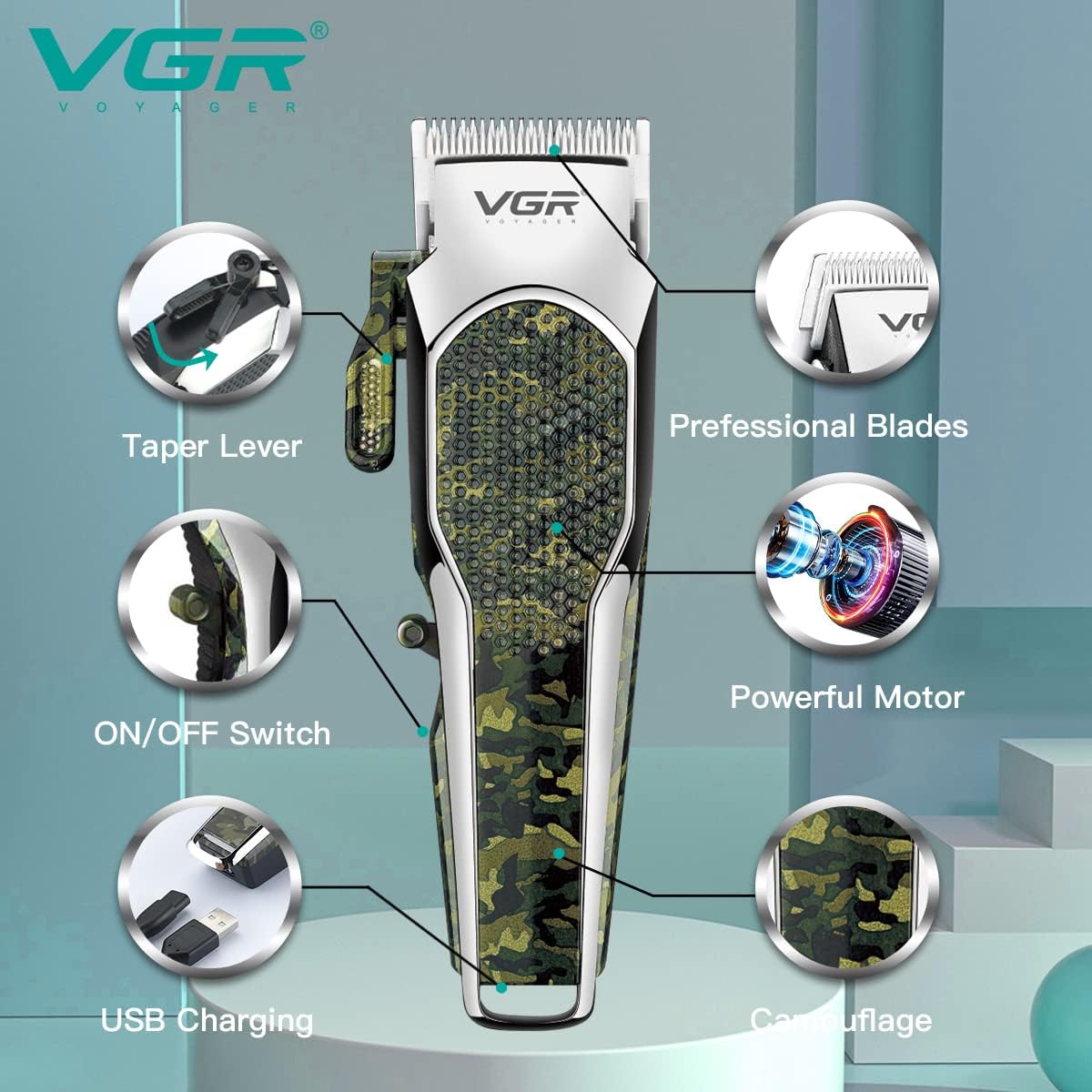
Figure 1: Key Components of the VGR V-299 Hair Clipper. This image highlights the main parts of the clipper, including the adjustable taper lever, professional stainless steel blades, powerful internal motor, ON/OFF switch, USB charging capability, and the distinctive camouflage pattern on its body.
Package Contents
- VGR V-299 Hair Clipper
- 4 Guide Combs (3mm, 6mm, 9mm, 12mm)
- USB Charging Cable
- Cleaning Brush
- Lubricating Oil
- User Manual
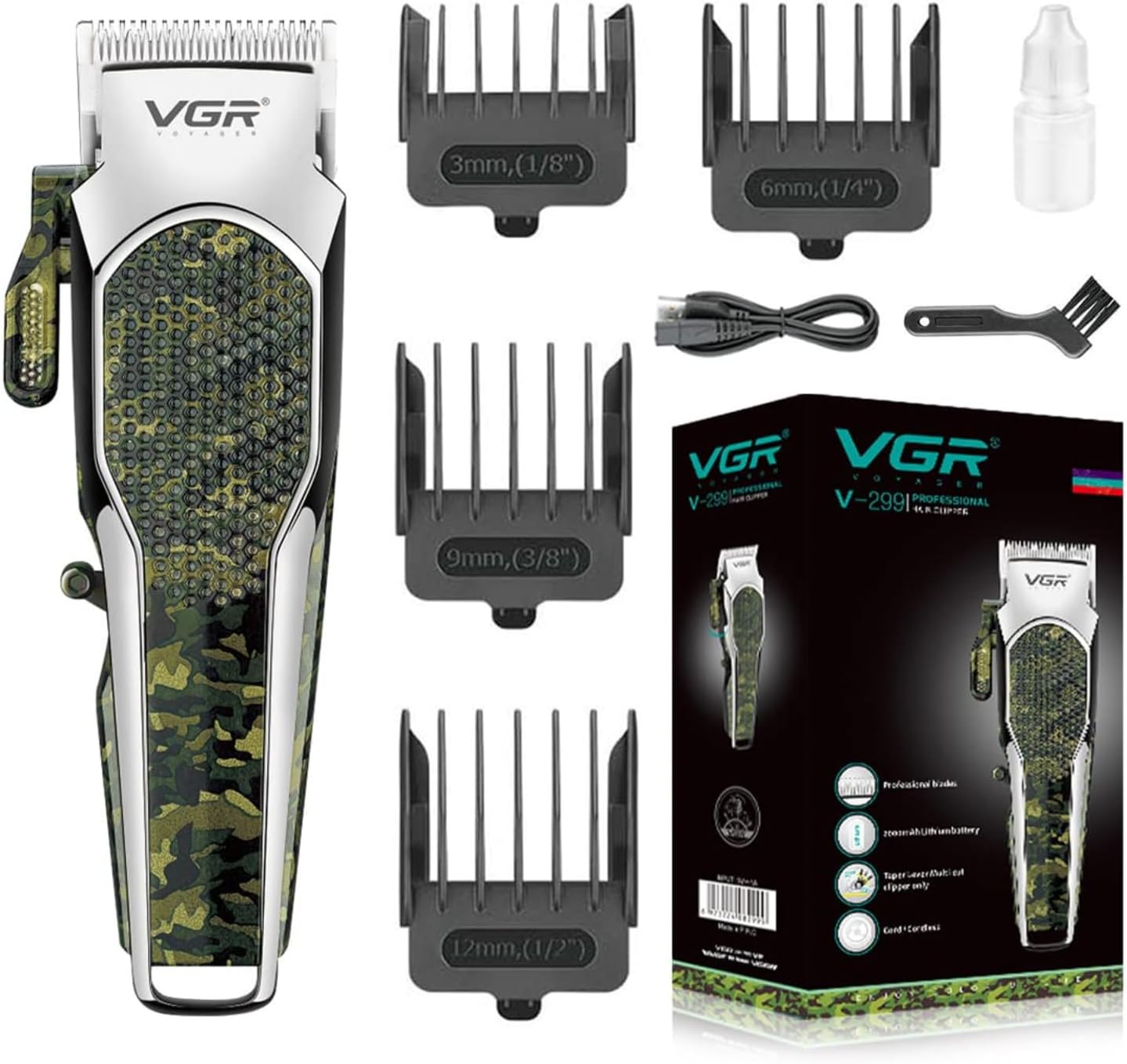
Figure 2: VGR V-299 Hair Clipper and Included Accessories. This image displays the complete set of items provided with the VGR V-299, including the clipper itself, four attachment combs for varying hair lengths, the charging cable, a cleaning brush, and blade oil.
Setup
Charging the Clipper
Before first use, fully charge the clipper for approximately 3 hours. A full charge provides up to 150 minutes of cordless operation.
- Ensure the clipper is switched off.
- Connect the USB charging cable to the clipper's charging port.
- Plug the other end of the USB cable into a compatible USB power source (e.g., computer, laptop, USB charger, power bank).
- The charging indicator light will illuminate during charging. It may change color or turn off when fully charged (refer to specific model indicator behavior if available).
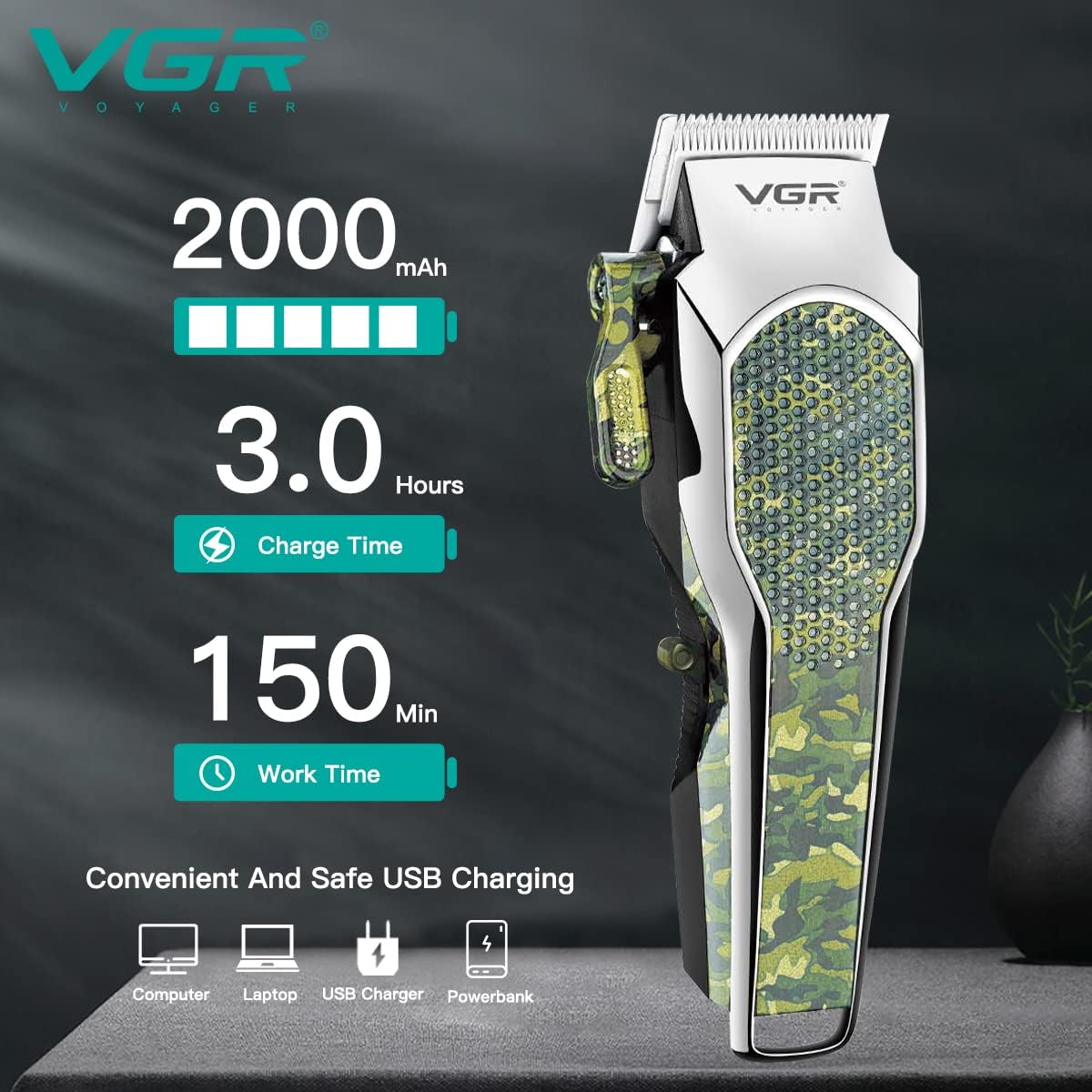
Figure 3: Charging and Battery Information. This image details the clipper's battery capacity (2000mAh), charging duration (3 hours), and operational time (150 minutes), along with various compatible USB charging sources.
Attaching Guide Combs
The VGR V-299 comes with four guide combs to achieve different hair lengths.
- Select the desired guide comb (3mm, 6mm, 9mm, or 12mm).
- Align the comb with the clipper blade and push it firmly until it clicks into place.
- To remove, gently pull the comb away from the blade.

Figure 4: Guide Comb Sizes. This image displays the four available guide combs and their corresponding cutting lengths, ranging from 3mm to 12mm, demonstrating how they attach to the clipper.
Operating Instructions
General Hair Trimming
- Ensure hair is clean and dry before trimming.
- Attach the desired guide comb.
- Switch on the clipper using the ON/OFF switch.
- Hold the clipper with the blade teeth pointing upwards.
- Begin trimming from the bottom of the neck, moving upwards against the direction of hair growth.
- Use smooth, even strokes.
- For a consistent cut, ensure the guide comb remains flat against the scalp.
Using the Taper Lever
The taper lever allows for fine adjustment of cutting length without changing guide combs, ideal for blending and fading.
- Move the taper lever upwards for a shorter cut (0.8mm).
- Move the taper lever downwards for a longer cut (2.0mm).
- Adjust the lever incrementally to achieve desired blending effects.

Figure 5: Taper Lever Adjustment. This image demonstrates the function of the taper lever, which allows for precise adjustment of the blade's cutting length between 0.8mm and 2mm for detailed styling and blending.
Maintenance
Cleaning the Blades
Regular cleaning ensures optimal performance and extends the life of your clipper.
- Switch off the clipper and unplug it from the power source.
- Remove any attached guide comb.
- Use the provided cleaning brush to remove loose hairs from the blades and the clipper body.
- For thorough cleaning, the blade set can be detached (refer to specific instructions if blade removal is supported and safe).
Lubricating the Blades
Apply a few drops of the provided lubricating oil to the blades after every few uses, or if the clipper sounds sluggish.
- Ensure the blades are clean and dry.
- Apply 1-2 drops of lubricating oil evenly across the top of the blades.
- Turn on the clipper for a few seconds to allow the oil to distribute.
- Wipe off any excess oil with a soft cloth.

Figure 6: Stainless Steel Blades. This image provides a detailed view of the clipper's professional stainless steel blades, emphasizing their design for efficient and safe cutting.
Storage
Store the clipper in a cool, dry place, away from direct sunlight and moisture. Keep it out of reach of children.
Troubleshooting
| Problem | Possible Cause | Solution |
|---|---|---|
| Clipper does not turn on. | Battery is depleted. | Charge the clipper for 3 hours. |
| Clipper runs slowly or pulls hair. | Blades are dirty or not lubricated. | Clean the blades and apply lubricating oil. |
| Clipper is making unusual noise. | Blades may be misaligned or damaged. | Ensure blades are properly seated. If noise persists or blades are damaged, discontinue use and contact support. |
| Battery runtime is shorter than expected. | Battery degradation over time or incomplete charging. | Ensure full charge cycle. If issue persists, battery may need replacement (contact support). |
Specifications
| Model Number | V-299 |
| Brand | VGR |
| Blade Material | Stainless Steel |
| Power Source | Battery Powered (Rechargeable) |
| Battery Type | Lithium Ion |
| Charging Time | Approximately 3 hours |
| Operating Time | Up to 150 minutes |
| Guide Comb Lengths | 3mm, 6mm, 9mm, 12mm |
| Adjustable Taper Lever | 0.8mm - 2.0mm |
| Product Dimensions | 18 x 5 x 4 cm |
| Item Weight | 100 g |
| Material Composition | ABS Plastic |
Warranty and Support
For warranty information or technical support, please refer to the warranty card included with your product or contact VGR customer service.
Please retain your proof of purchase for any warranty claims.
For further assistance, visit the official VGR website or contact your local distributor.
Related documentsV-299


Ask a question about this manual
Ask about setup, troubleshooting, compatibility, parts, safety, or missing instructions. Manuals+ will review the question and use this page’s manual context to help answer it.