
BLAUX 30888
BLX Earbuds - Wireless Bluetooth 5.1 Earbuds User Manual
Model: 30888 | Brand: BLAUX
1. Introduction
Thank you for choosing BLX Earbuds. These True Wireless Stereo (TWS) earbuds are designed to provide a seamless and high-quality audio experience with the convenience of Bluetooth 5.1 technology. This manual will guide you through the setup, operation, and maintenance of your new earbuds to ensure optimal performance and longevity.
2. What's in the Box
Please check the package contents to ensure all items are present:
- BLX Wireless Earbuds (Left and Right)
- Wireless Charging Case
- Micro USB Charging Cable
- Silicone Ear Tips (Small, Medium, Large)
- User Manual
3. Product Overview
The BLX Earbuds offer a compact and ergonomic design for comfortable, all-day wear. The included charging case provides extended battery life and convenient storage.
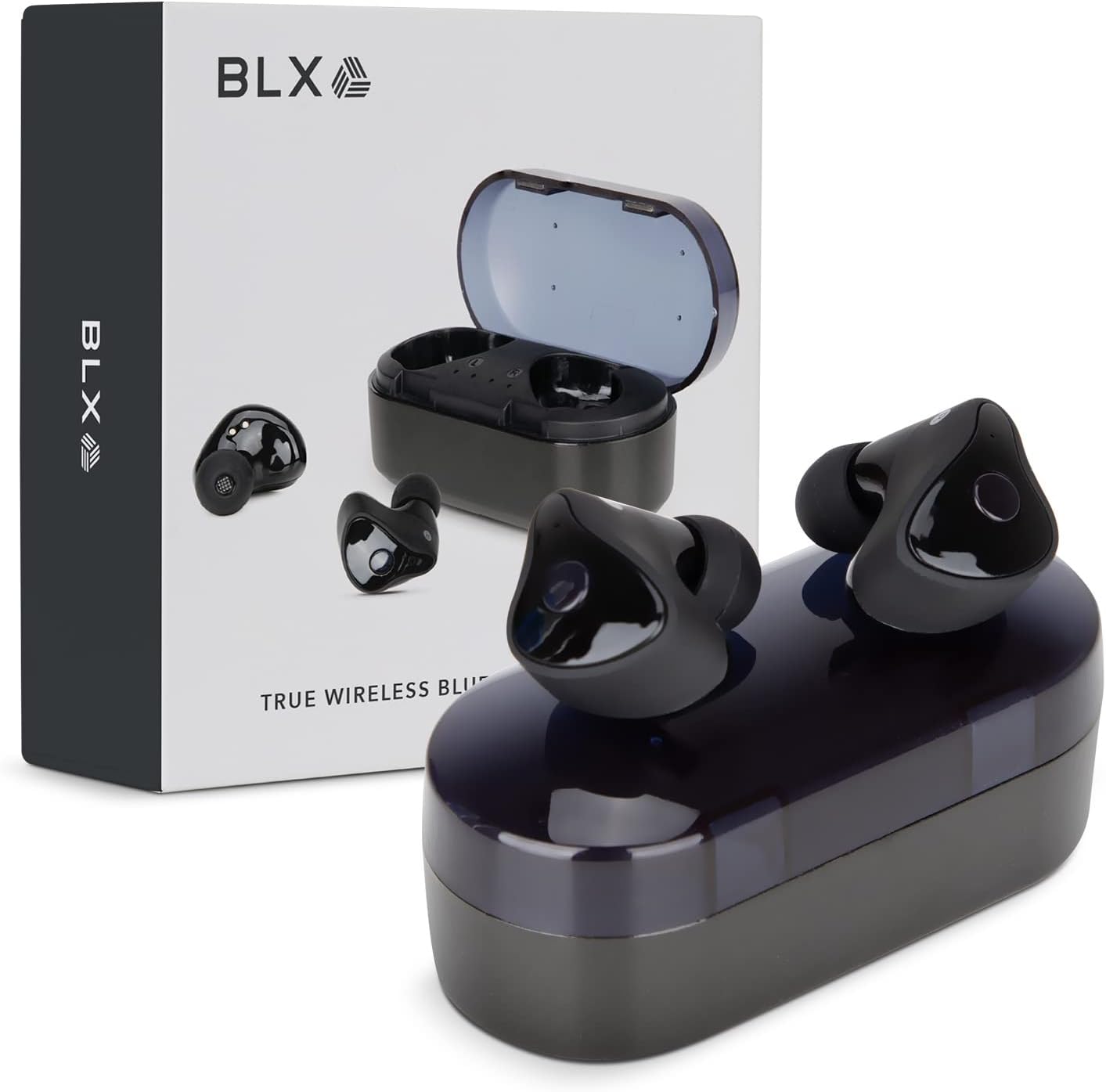
Image: BLX Earbuds, charging case, and product packaging.
3.1 Key Features
- True Wireless Stereo (TWS): Enjoy a completely wireless audio experience with independent earbuds.
- Bluetooth 5.1 Technology: Provides a stable and efficient wireless connection with a range of up to 10 meters.
- Fast Pairing: Earbuds automatically connect to your device once removed from the charging case.
- Intuitive Touch Controls: Manage music playback, calls, and voice assistants with simple taps.
- IPX4 Water Resistance: Designed to withstand sweat and splashes, making them suitable for workouts and outdoor activities.
- Built-in Microphone: Enables hands-free calling and voice assistant interaction.

Image: BLX Earbuds demonstrating true wireless freedom with Bluetooth 5.1, fast pairing, and a 10-meter range.

Image: Detailed view of a BLX Earbud highlighting its smart touch control capabilities for various functions.

Image: A person running while wearing BLX Earbuds, emphasizing their IPX4 water resistance for sweat and splashes, and the portability of the compact charging case.

Image: A woman wearing a BLX Earbud, with an illustration of the three included silicone ear tip sizes (11mm, 12mm, 13mm) to help users find their perfect fit.

Image: A woman enjoying music with BLX Earbuds, illustrating the battery performance: 4.5 hours of listening time, up to 18 hours with the charging case, and a 1-hour full charge time for the case.

Image: A close-up of a BLX Earbud, emphasizing its clear immersive audio quality with a frequency response range of 20Hz to 20KHz.

Image: BLX Earbuds depicted with icons for Google Assistant and Siri, along with a built-in microphone icon, indicating hands-free voice assistant capabilities.
4. Setup
4.1 Charging the Earbuds and Case
Before first use, fully charge the BLX Earbuds and their charging case.
- Place the earbuds into the charging case. Ensure they are correctly seated in their respective slots (L for left, R for right).
- Connect the Micro USB charging cable to the charging port on the case and the other end to a USB power source (e.g., computer, wall adapter).
- The indicator lights on the charging case will illuminate to show charging status. A full charge for the case takes approximately 1 hour.
- Once fully charged, disconnect the charging cable. The earbuds will charge automatically when placed in the powered case.
4.2 Pairing with Your Device
BLX Earbuds feature auto-pairing technology for quick and easy connection.
- Ensure the charging case is charged and your device's Bluetooth is enabled.
- Open the charging case. The earbuds will automatically power on and enter pairing mode.
- On your device (smartphone, tablet, laptop), go to the Bluetooth settings and search for available devices.
- Select "BLX Earbuds" from the list of found devices.
- Once connected, your device will confirm the pairing, and the earbuds will be ready for use.
- For subsequent uses, the earbuds will automatically connect to the last paired device when removed from the case.
4.3 Finding the Perfect Fit
A proper fit is crucial for sound quality and comfort. Experiment with the included silicone ear tips (Small, Medium, Large) to find the size that best seals your ear canal.
- Gently insert the earbud into your ear canal.
- Twist slightly to secure it in place. The earbud should feel snug and comfortable without causing pressure.
- If the sound quality is poor or the earbuds feel loose, try a different size ear tip.
5. Operating Your BLX Earbuds
The BLX Earbuds utilize touch controls for easy management of audio and calls.
5.1 Power On/Off
- Power On: Open the charging case, and the earbuds will automatically power on.
- Power Off: Place the earbuds back into the charging case and close the lid. They will automatically power off and begin charging.
5.2 Music Playback
| Action | Control |
|---|---|
| Play/Pause | Single tap on either earbud |
| Next Track | Double tap on the Right earbud |
| Previous Track | Double tap on the Left earbud |
5.3 Call Management
| Action | Control |
|---|---|
| Answer/End Call | Single tap on either earbud |
| Reject Call | Press and hold either earbud for 2 seconds |
5.4 Voice Assistant
| Action | Control |
|---|---|
| Activate Voice Assistant (Siri, Google Assistant, etc.) | Triple tap on either earbud |
5.5 Volume Control
Volume control is managed directly through your connected device (phone, tablet, laptop).
6. Maintenance
Proper care and maintenance will extend the life of your BLX Earbuds.
6.1 Cleaning
- Use a soft, dry, lint-free cloth to clean the earbuds and charging case.
- For ear tips, remove them from the earbuds and clean with a mild soap solution if necessary, then rinse thoroughly and dry completely before reattaching.
- Do not use abrasive cleaners, alcohol, or chemical solvents.
- Ensure charging contacts on both earbuds and case are clean and free of debris.
6.2 Storage
When not in use, always store the earbuds in their charging case to protect them from dust, damage, and to keep them charged.
6.3 Water Resistance (IPX4)
Your BLX Earbuds are rated IPX4, meaning they are resistant to splashing water from any direction. This makes them suitable for:
- Sweaty workouts
- Light rain or splashes
Important Note:
- IPX4 rating does NOT mean the earbuds are waterproof. Do not submerge them in water.
- Do not wear them while swimming, showering, or in heavy rain.
- If the earbuds get wet, wipe them dry immediately before placing them back in the charging case.
7. Troubleshooting
If you encounter issues with your BLX Earbuds, try the following solutions:
7.1 Earbuds Not Pairing or Connecting
- Ensure both earbuds are charged.
- Make sure Bluetooth is enabled on your device.
- Place the earbuds back in the case, close the lid, wait a few seconds, then open the lid again to re-enter pairing mode.
- Forget/delete "BLX Earbuds" from your device's Bluetooth list and try pairing again.
- Move the earbuds closer to your device (within 10 meters).
7.2 No Sound or Low Volume
- Check the volume level on your connected device.
- Ensure the earbuds are properly connected to your device.
- Clean any debris from the earbud speaker mesh.
- Try playing audio from a different application or source.
7.3 One Earbud Not Working
- Place both earbuds back into the charging case, close the lid, and then open it again.
- Ensure both earbuds are charged.
- Try resetting the earbuds (refer to manufacturer's website or support for specific reset instructions if needed).
7.4 Charging Case Not Charging
- Ensure the charging cable is securely connected to both the case and the power source.
- Try a different USB port or wall adapter.
- Ensure the charging cable is not damaged.
8. Specifications
| Feature | Detail |
|---|---|
| Model Name | 30888 |
| Connectivity Technology | Wireless (Bluetooth 5.1) |
| Wireless Range | Up to 10 meters |
| Frequency Response | 20 Hz - 20,000 Hz |
| Battery Life (Earbuds) | Approx. 4.5 Hours (listening time) |
| Battery Life (with Charging Case) | Approx. 18 Hours total |
| Charging Time (Case) | Approx. 1 Hour |
| Water Resistance Level | IPX4 (Water Resistant) |
| Microphone | Built-In, Bidirectional |
| Control Type | Touch Control |
| Compatible Devices | Cellphones, Tablets, Laptops (iOS, Android, PC) |
| Material | Plastic |
| Item Weight | 44 Grams |
| Product Dimensions | 9.9 x 9.9 x 3.8 cm |
9. Warranty & Support
BLAUX products are manufactured to high standards and undergo rigorous testing. For information regarding warranty coverage, technical support, or service inquiries, please visit the official BLAUX website or contact their customer service directly.
You can find more information and support at the BLAUX Store on Amazon.
Related documents30888


Ask a question about this manual
Ask about setup, troubleshooting, compatibility, parts, safety, or missing instructions. Manuals+ will review the question and use this page’s manual context to help answer it.