Introduction
This manual provides detailed instructions for the setup, operation, and maintenance of your 3Dconnexion Keyboard Pro with Numpad. Designed for professionals, this full-sized keyboard features a detached numpad, offering enhanced flexibility and customization for various applications, particularly in CAD and 3D design environments.
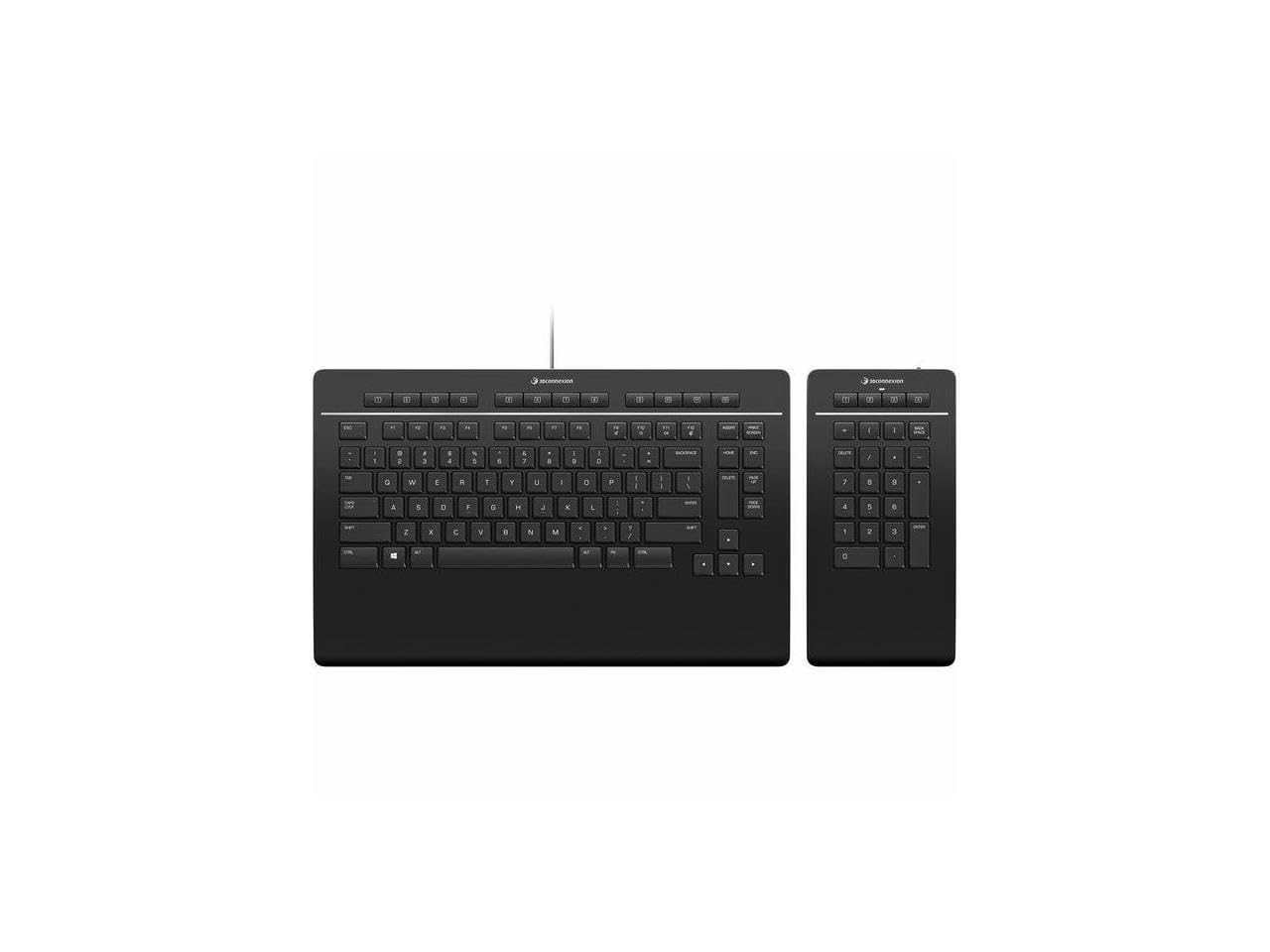
Image: The 3Dconnexion Keyboard Pro, a full-sized black keyboard, is shown alongside its detached black numpad. Both components feature a sleek, minimalist design.
Setup Guide
Package Contents
Before proceeding with the setup, please ensure all components are present in the package:
- Keyboard Pro
- Numpad Pro
- USB-A / USB-C Cable (1.5m)
Connection
- Connect the Keyboard Pro to your computer using the provided USB-A / USB-C cable. Insert the USB-C end into the keyboard and the USB-A end into an available USB port on your computer.
- The Numpad Pro connects wirelessly to the Keyboard Pro. Ensure the Numpad Pro is charged or has sufficient battery. The Keyboard Pro acts as a receiver for the Numpad Pro and other compatible 3Dconnexion wireless devices.
- Your operating system should automatically detect the keyboard.
Software Installation
For full functionality, including customization of programmable keys and application-specific settings, it is recommended to install the latest 3Dconnexion drivers and software. Visit the official 3Dconnexion website (www.3dconnexion.com) to download the appropriate software for your operating system.
Operating Instructions
Basic Keyboard Use
The Keyboard Pro functions as a standard full-sized QWERTY keyboard. All standard alphanumeric, function, and navigation keys operate as expected. The integrated wrist rest provides ergonomic support during extended use.
Detached Numpad Pro
The Numpad Pro offers a dedicated numeric keypad experience. Its wireless design allows for flexible placement, enabling you to optimize your workspace for comfort and efficiency, especially when using a 3D mouse or other peripherals.
Programmable Keys
Both the Keyboard Pro and Numpad Pro feature programmable keys. These keys can be customized using the 3Dconnexion software to execute commands, macros, or launch applications. The software allows for application-specific key assignments, meaning the function of a key can change depending on the active application.

Image: A top-down view of the 3Dconnexion Keyboard Pro and Numpad Pro. The image clearly shows the QWERTY layout of the main keyboard and the numeric layout of the detached numpad, along with the row of programmable function keys above the main keyboard.
Integrated Receiver Functionality
The Keyboard Pro includes an integrated receiver that can connect to other 3Dconnexion wireless devices, such as SpaceMouse or CadMouse. This feature helps reduce the number of USB dongles required for your setup.
Maintenance
Cleaning
To clean your 3Dconnexion Keyboard Pro and Numpad Pro, use a soft, lint-free cloth slightly dampened with water or a mild, non-abrasive cleaning solution. Avoid using harsh chemicals, solvents, or abrasive materials, as these can damage the surface. Ensure the devices are disconnected from power before cleaning.
Storage
When not in use for extended periods, store the keyboard and numpad in a dry, cool environment, away from direct sunlight and extreme temperatures. Protect them from dust and spills.
Troubleshooting
| Issue | Possible Solution |
|---|---|
| Keyboard/Numpad not responding |
|
| Programmable keys not working |
|
| Numpad disconnects frequently |
|
If you encounter issues not listed here or if the suggested solutions do not resolve the problem, please refer to the official 3Dconnexion support resources or contact their customer service.
Specifications
- Model Number: 3DX-700090
- Product Dimensions: 19.9 x 10.7 x 1.1 inches (Keyboard and Numpad combined, approximate)
- Item Weight: 1.94 pounds
- Connectivity: Wired (Keyboard Pro via USB-C), Wireless (Numpad Pro)
- Layout: US (QWERTY)
- Manufacturer: 3Dconnexion
- Date First Available: October 5, 2021
Warranty Information
For detailed information regarding the product warranty, including terms, conditions, and registration, please visit the official 3Dconnexion website or refer to the warranty card included with your product. Warranty coverage typically protects against defects in materials and workmanship under normal use.
Customer Support
Should you require further assistance, technical support, or have questions about your 3Dconnexion Keyboard Pro with Numpad, please contact 3Dconnexion customer support through their official website:
You may also find helpful resources, FAQs, and driver downloads on their support pages.


