
Introduction
This manual provides detailed instructions for the safe and effective use of your VGR V-079 Professional Cordless Beard and Hair Trimmer. This device is designed for personal grooming, offering precise trimming for beards and hair. It features a powerful motor, durable stainless steel blades, and a rechargeable lithium-ion battery for cordless operation. Please read this manual thoroughly before first use and retain it for future reference.
Important Safety Information
To reduce the risk of electric shock, injury, or fire, always observe the following safety precautions:
- Always keep the trimmer away from water sources. Do not use it near bathtubs, showers, basins, or other vessels containing water.
- Avoid direct contact of the blades with sensitive skin areas or eyes.
- Do not use this appliance on infants or young children.
- Always unplug the trimmer from the power source before cleaning or performing any maintenance.
- Ensure that children and inexperienced users are supervised when operating the trimmer.
- Do not operate the trimmer if it has a damaged cord or plug, if it is not working properly, or if it has been dropped or damaged.
- Use only the charger supplied with the appliance.
- Do not disassemble the appliance. For service or repair, contact qualified personnel.
Package Contents
Verify that all items are present in your package:
- VGR V-079 Hair Trimmer
- 4 Guide Combs (1mm, 1.5mm, 2mm, 3mm)
- Cleaning Brush
- USB Charging Cord
- User Manual (this document)

Image: VGR V-079 Trimmer with its included accessories.
Initial Setup
- Unpack: Carefully remove all components from the packaging.
- Inspect: Check the trimmer and all accessories for any signs of damage. Do not use if damaged.
- Initial Charge: Before first use, fully charge the trimmer for approximately 2.5 hours. Refer to the "Charging the Trimmer" section for details.
Charging the Trimmer
The VGR V-079 trimmer is equipped with a 1400mAh Li-ion battery, providing up to 300 minutes of runtime on a full charge.
- Ensure the trimmer is switched off.
- Insert the small end of the USB charging cord into the charging port at the bottom of the trimmer.
- Connect the larger end of the USB charging cord to a compatible USB power source (e.g., computer, laptop, USB charger, power bank).
- The indicator light on the trimmer will illuminate to show that it is charging.
- A full charge takes approximately 2.5 hours. Once fully charged, the indicator light may change color or turn off, depending on the model.
- Disconnect the charging cord once charging is complete.

Image: Charging and battery specifications for the VGR V-079 trimmer.
Operating Instructions
Turning On/Off
- To turn on the trimmer, locate the ON/OFF switch (typically at the bottom or side of the trimmer body) and slide it to the "ON" position.
- To turn off the trimmer, slide the switch back to the "OFF" position.
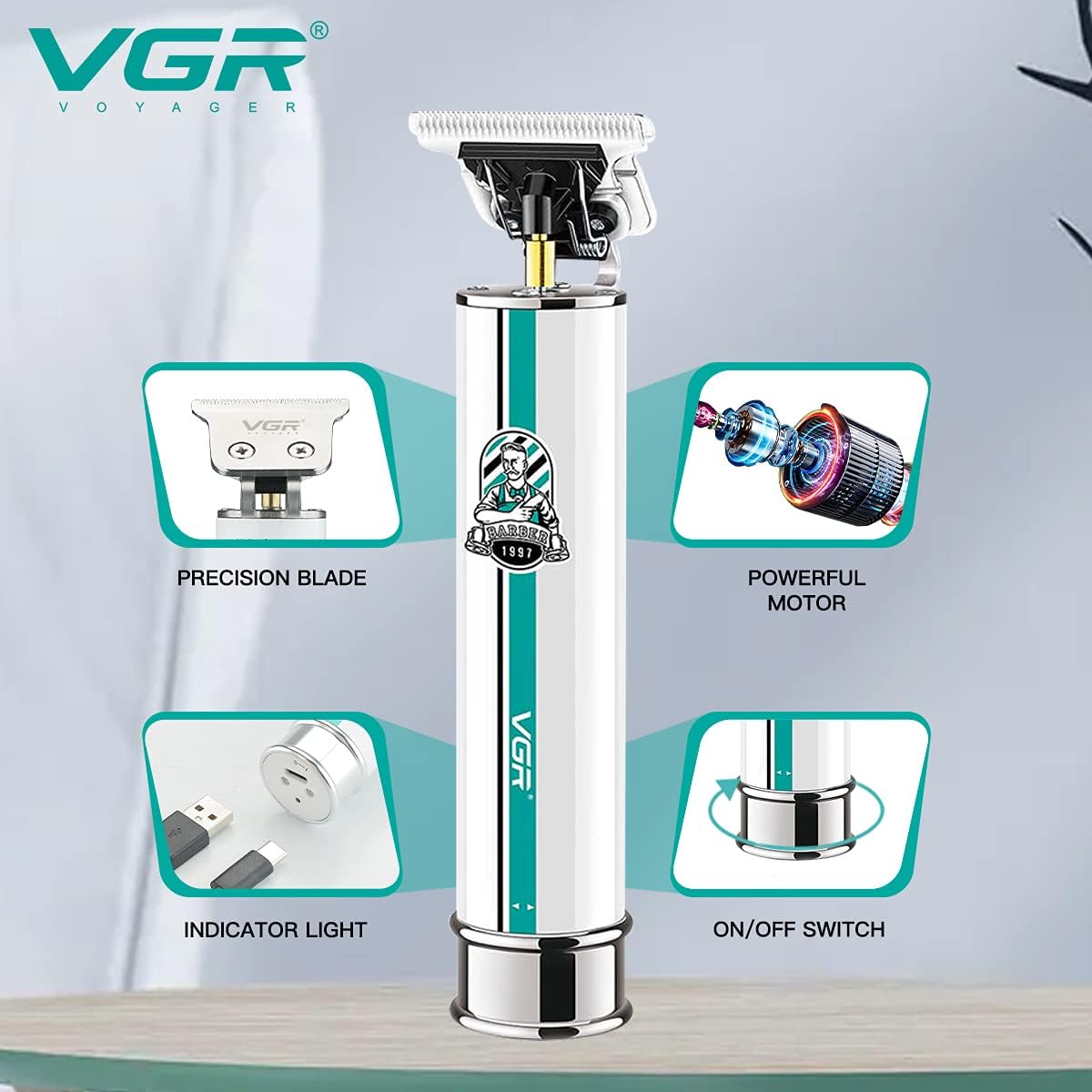
Image: Key features of the VGR V-079 trimmer, including the on/off switch.
Attaching Guide Combs
The VGR V-079 comes with 4 guide combs to achieve different trimming lengths: 1mm, 1.5mm, 2mm, and 3mm.
- Ensure the trimmer is switched off before attaching or removing guide combs.
- Select the desired guide comb.
- Align the comb with the trimmer blade and push it firmly until it clicks into place.
- To remove, gently pull the comb away from the blade.
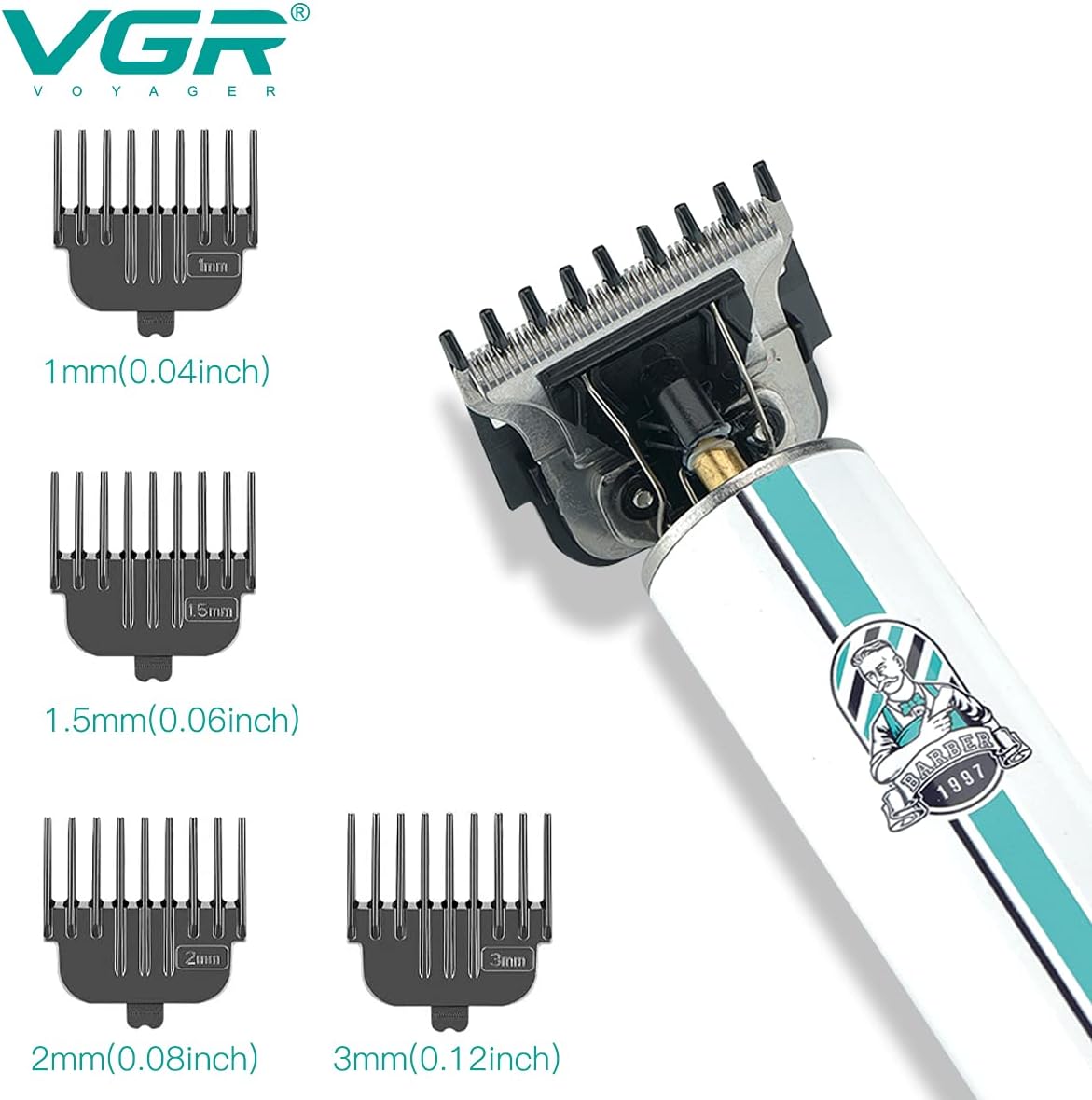
Image: Available guide comb lengths for the VGR V-079 trimmer.
Trimming Techniques
- For best results, use the trimmer on clean, dry hair.
- Always start with a longer guide comb setting and gradually reduce the length if desired.
- Hold the trimmer with the blades flat against the skin.
- Move the trimmer slowly against the direction of hair growth.
- For detailing or precise lines, remove the guide comb and use the bare blade. The zero-gapped blades are designed for extra thin and sharp lines, with R-angle processing to protect the skin.

Image: Detail of the VGR V-079 trimmer's stainless steel blades, highlighting precision and skin protection features.

Image: Example of the VGR V-079 trimmer in use for personal grooming.
Maintenance
Cleaning the Trimmer
Regular cleaning ensures optimal performance and extends the life of your trimmer.
- Ensure the trimmer is switched off and unplugged from any power source.
- Remove any attached guide comb.
- Use the provided cleaning brush to brush away loose hairs from the blades and the trimmer head.
- For a more thorough clean, the blades can be carefully detached (refer to specific blade removal instructions if provided, otherwise proceed with caution). Rinse the blades under running water. Do not rinse the main body of the trimmer under water.
- Allow the blades to air dry completely before reattaching them to the trimmer body.
Blade Care
To maintain the sharpness and longevity of the stainless steel blades:
- After each cleaning, apply a small drop of clipper oil (not included, but commonly available) to the blades. Turn the trimmer on for a few seconds to distribute the oil evenly.
- Store the trimmer in a dry place, away from direct sunlight and moisture.
Troubleshooting
| Problem | Possible Cause | Solution |
|---|---|---|
| Trimmer does not turn on. | Battery is depleted. | Charge the trimmer fully (approx. 2.5 hours). |
| Trimmer cuts poorly or pulls hair. | Blades are dirty or dull. | Clean the blades thoroughly. Apply clipper oil. If blades are dull, consider replacement (contact support). |
| Trimmer makes unusual noise. | Blades are not properly aligned or lubricated. | Ensure blades are clean and oiled. Check for any obstructions. |
| Trimmer does not charge. | Faulty charging cable or power source. | Try a different USB cable or power adapter. Ensure connections are secure. |
Specifications
| Model Number | V-079 |
| Brand | VGR |
| Power Source | Battery Powered (Rechargeable) |
| Battery Type | 1400mAh Lithium Ion |
| Charging Time | Approx. 2.5 hours |
| Runtime | Up to 300 minutes |
| Blade Material | Stainless Steel |
| Guide Comb Sizes | 1mm, 1.5mm, 2mm, 3mm |
| Product Dimensions | 6.7 x 9.9 x 20.1 cm |
| Item Weight | 460 g |
| Special Features | Cordless, Portable, Rechargeable, Zero-gapped blades, R-angle processing |
Warranty and Support
The VGR V-079 trimmer comes with a 12-month quality warranty against defects in materials and workmanship from the date of original purchase. This warranty does not cover intentional or unintentional damage caused by the user.
To initiate a warranty claim or for any product support, please contact VGR customer service.
- Warranty Contact: WARRANTY@VGRINDIA.CO.IN
- When contacting support, please provide a clear description of the problem, any associated pictures, and a copy of your original purchase invoice.
Upon verification of a valid claim, the company will, at its discretion, either repair or replace the product. Customers are responsible for the cost of transporting the product to the service center, while the company will cover the return shipping cost if a repair or replacement is issued.