
1. Introduction
The Bowers & Wilkins Zeppelin is a wireless speaker designed for high-fidelity audio streaming. It integrates various connectivity options including AirPlay 2, aptX Adaptive Bluetooth, and Spotify Connect. The speaker features built-in Amazon Alexa voice control and supports multi-room audio capabilities, allowing for a connected listening experience with other compatible Bowers & Wilkins products.

Figure 1: The Bowers & Wilkins Zeppelin Wireless Speaker in Charcoal finish.
2. What's in the Box
Carefully unpack the contents of the box. Ensure all items are present before proceeding with setup.
- Bowers & Wilkins Zeppelin Wireless Speaker
- 2m (6.5') Power Cable
- Literature Pack (including safety and warranty information)
3. Product Overview
The Zeppelin speaker features a distinctive elliptical design, housing five premium drive units for room-filling stereo sound. These include two 1-inch Double Dome Tweeters, two 3.5-inch Fixed Suspension Transducers (FST) Midrange drivers, and one 6-inch Subwoofer, powered by 5 channels of amplification.
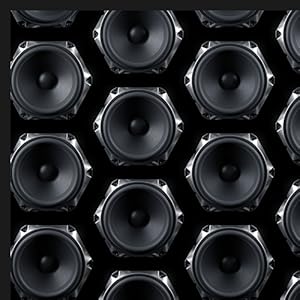
Figure 2: Internal driver layout, highlighting the subwoofer, midrange drivers, and tweeters.
The speaker's dimensions are approximately 7 inches deep, 26 inches wide, and 7 inches tall, with a weight of 16.1 pounds. It is constructed from cloth, metal, plastic, and rubber materials.

Figure 3: Side view of the Zeppelin speaker with approximate dimensions.
4. Setup
- Placement: Position the Zeppelin speaker on a stable, flat surface. Ensure adequate space around the speaker for optimal sound dispersion.
- Power Connection: Connect the provided power cable to the speaker's power input and then to a suitable wall outlet. The speaker will automatically power on.
- Initial Setup: Download the Bowers & Wilkins Music App from your device's app store. Follow the in-app instructions to connect your Zeppelin to your Wi-Fi network and configure initial settings, including Amazon Alexa.
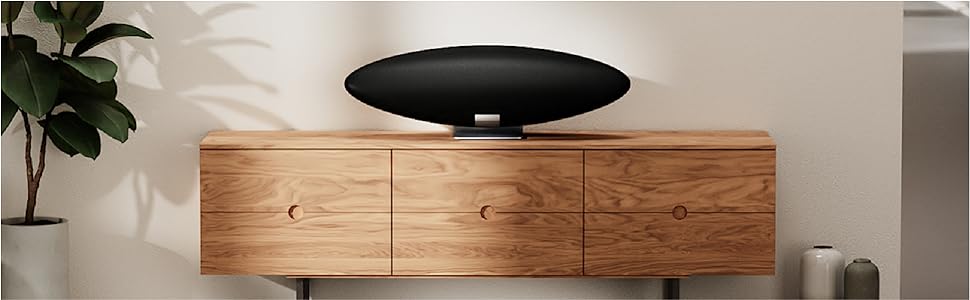
Figure 4: Example placement of the Zeppelin speaker on furniture.
5. Operating Instructions
5.1. Connectivity Options
The Zeppelin offers multiple ways to stream audio:
- Bluetooth (aptX Adaptive): For direct wireless connection from your smartphone or tablet. Press the Bluetooth pairing button on the speaker to enter pairing mode.
- Apple AirPlay 2: Stream audio from Apple devices over your Wi-Fi network.
- Spotify Connect: Control music playback directly from the Spotify app.
- Bowers & Wilkins Music App: Access various streaming services, podcasts, and radio stations.

Figure 5: Connectivity options supported by the Zeppelin speaker.
5.2. Amazon Alexa Voice Control
With Amazon Alexa built-in, you can control your music and smart home devices using voice commands. Ensure Alexa is enabled and configured through the Bowers & Wilkins Music App.
5.3. Multi-room Capability
The Zeppelin supports multi-room audio, allowing you to synchronize music playback with other compatible Bowers & Wilkins digitally-enabled products. This feature is managed through the Bowers & Wilkins Music App.
Video 1: Official product video demonstrating the features and design of the Bowers & Wilkins Zeppelin speaker.
6. Maintenance
To maintain the appearance and performance of your Zeppelin speaker:
- Cleaning: Use a soft, dry cloth to gently wipe the speaker's surfaces. Avoid abrasive cleaners or solvents.
- Dust: Regularly dust the fabric grille with a soft brush or vacuum cleaner with a brush attachment.
- Environment: Keep the speaker away from direct sunlight, heat sources, and excessive moisture.
7. Troubleshooting
If you encounter issues with your Zeppelin speaker, refer to the following common solutions:
- No Power: Ensure the power cable is securely connected to both the speaker and the power outlet. Try a different outlet.
- No Sound: Check the volume level on both the speaker and your source device. Verify that the correct input source is selected.
- Connectivity Issues (Bluetooth/Wi-Fi): Restart the speaker and your source device. For Bluetooth, ensure the speaker is in pairing mode. For Wi-Fi, check your network connection and re-run the setup process in the Bowers & Wilkins Music App.
- Alexa Not Responding: Ensure the microphone is not muted (if applicable) and that the speaker has an active internet connection. Re-link your Alexa account in the app if necessary.
For further assistance, consult the full user manual available via the Bowers & Wilkins Music App or the official Bowers & Wilkins support website.
8. Specifications
| Feature | Specification |
|---|---|
| Model Name | Zeppelin |
| Model Number | FP41947 |
| Speaker Type | Bluetooth, Wi-Fi |
| Connectivity Technology | Bluetooth, Wi-Fi |
| Wireless Communication Technology | Bluetooth |
| Bluetooth Range | 10 Meters |
| Maximum Range | 15 Meters |
| Audio Output Mode | Stereo |
| Speaker Maximum Output Power | 130 Watts |
| Subwoofer Diameter | 6 Inches |
| Tweeter Diameter | 1 Inches |
| Audio Driver Type | Dynamic Driver |
| Control Method | Voice |
| Power Source | Corded Electric |
| Product Dimensions (D x W x H) | 7"D x 26"W x 7"H |
| Item Weight | 16.1 Pounds |
| Material | Cloth, Metal, Plastic, Rubber |
| Color | Charcoal |
| Mounting Type | Tabletop Mount |
| Date First Available | October 12, 2021 |
9. Warranty and Support
The Bowers & Wilkins Zeppelin speaker comes with a limited warranty. Please refer to the literature pack included in your product box for detailed warranty terms and conditions. For technical support, product registration, or to access additional resources, visit the official Bowers & Wilkins website or contact their customer service.
Online Support: www.bowerswilkins.com/support