
Introduction
This manual provides essential information for setting up, operating, and maintaining your Apple Watch Series 7 GPS 41mm. The Apple Watch Series 7 features an Always-On Retina display, advanced health sensors for blood oxygen and ECG measurements, and comprehensive fitness tracking capabilities. It is designed for daily use and is water resistant.
What's in the Box
Upon opening your Apple Watch Series 7 packaging, you will find the following items:
- Apple Watch Series 7 Case
- Sport Band (includes two sizes)
- USB-C Magnetic Fast Charging Cable

Image: The Apple Watch Series 7 box contains the watch case, a sport band, and a USB-C magnetic fast charging cable.
Setup
- Charge Your Apple Watch: Connect the USB-C Magnetic Fast Charging Cable to your Apple Watch and a compatible USB-C power adapter (sold separately). Ensure the watch is charging before proceeding.
- Pair with iPhone: Ensure your iPhone is updated to the latest iOS version (iPhone 6s or later required). Open the Apple Watch app on your iPhone and follow the on-screen instructions to pair your watch.
- Customize Settings: During setup, you can customize various settings such as watch face, notifications, and health preferences.
Operating Your Apple Watch Series 7
Display and Interaction
The Apple Watch Series 7 features a larger, Always-On Retina display, providing more screen area for content and easier readability. Interact with the watch using touch gestures, the Digital Crown, and the Side Button.

Image: A close-up view of the Apple Watch Series 7 display, highlighting the larger screen and the Digital Crown on the side.
Health Monitoring
Your Apple Watch Series 7 includes advanced sensors for comprehensive health monitoring:
- Blood Oxygen App: Measure your blood oxygen levels directly from your wrist. This feature is for general fitness and wellness purposes and not intended for medical use.
- ECG App: Take an electrocardiogram (ECG) to check for signs of atrial fibrillation. The ECG app is available on Apple Watch Series 4 and later (excluding Apple Watch SE) with the latest iOS and watchOS. Consult a medical professional for any health concerns.
- Heart Rate Monitoring: Continuously track your heart rate and receive notifications for irregular heart rhythms.
- Sleep Tracking: Monitor your sleep patterns and duration.

Image: The Apple Watch Series 7 screen showing results from the ECG app, Blood Oxygen app (95%), and current heart rate (68 BPM).
Fitness Tracking
The Apple Watch is an ultimate fitness partner, tracking your activity and workouts:
- Activity Rings: Track your daily movement, exercise, and stand goals.
- Workout App: Measure various workouts with advanced sensors.
- Apple Fitness+: Access guided workouts (subscription required after initial free period).

Image: An Apple Watch Series 7 showing workout data (time, heart rate, calories) next to an iPhone displaying an Apple Fitness+ workout session.
Connectivity and Safety
Stay connected and secure with your Apple Watch:
- Calls and Texts: Make and receive calls and send messages directly from your wrist when connected to your iPhone or Wi-Fi.
- Emergency SOS: In case of an emergency, the watch can automatically call emergency services or allow you to do so manually. Fall detection can also trigger an Emergency SOS call if a hard fall is detected and you are unresponsive.
- Siri: Use voice commands for various tasks.
Maintenance
Durability
The Apple Watch Series 7 is built for durability:
- Crack Resistant: Features a more crack-resistant front crystal.
- Dust Resistant: Rated IP6X for dust resistance.
- Water Resistant: Has a water resistance rating of 50 meters under ISO standard 22810-2010. Suitable for shallow-water activities like swimming. Not recommended for scuba diving, waterskiing, or other high-velocity water activities.
Charging
The Apple Watch Series 7 charges faster than previous models. Use the provided USB-C Magnetic Fast Charging Cable for optimal charging speed. A full charge can last up to 18 hours with typical use.
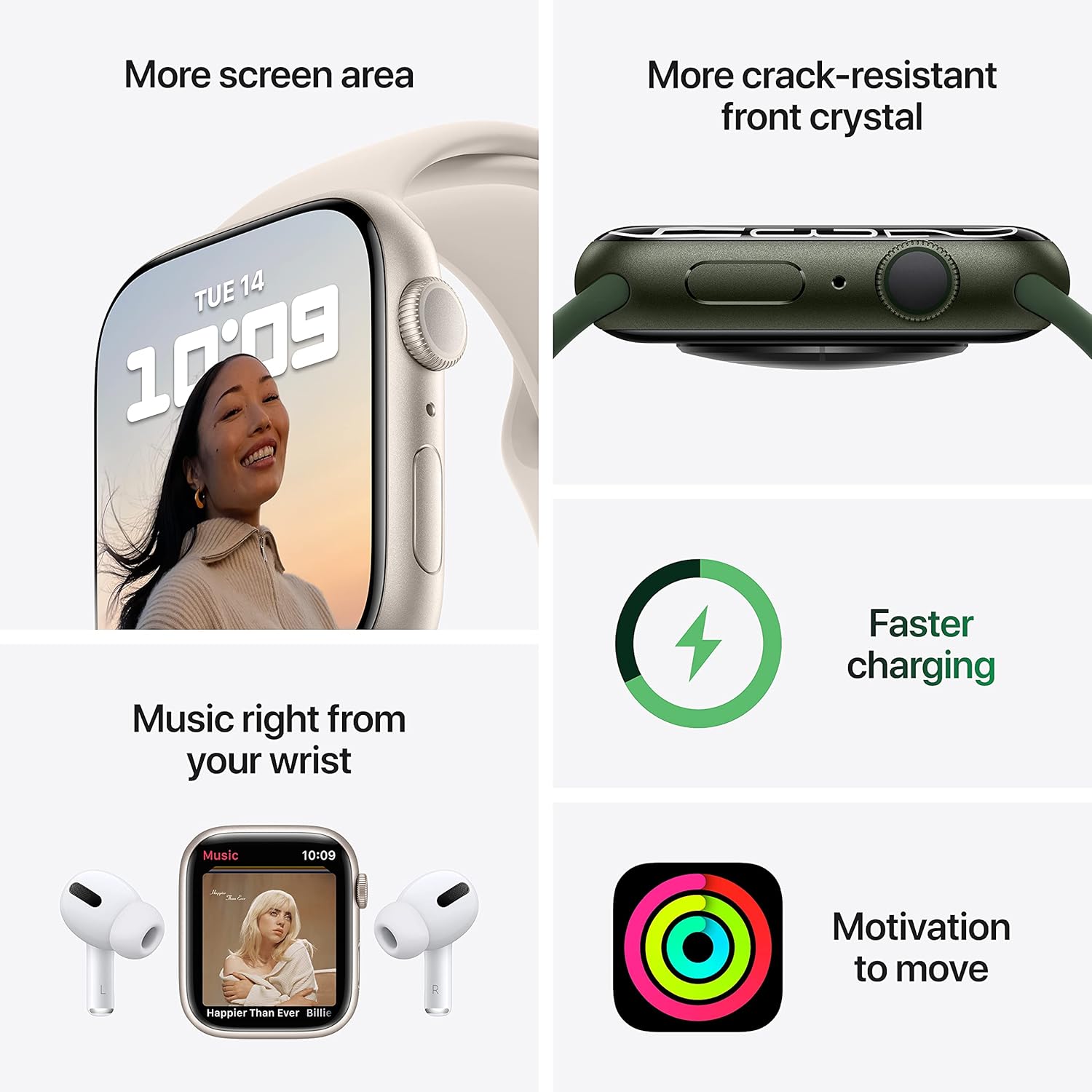
Image: A collage showing the Apple Watch Series 7's larger screen, its crack-resistant front crystal, a charging icon indicating faster charging, and the activity rings icon for motivation.
Troubleshooting
- Watch Not Turning On: Ensure the watch is fully charged. Connect it to the charging cable and a power source for at least 30 minutes.
- Pairing Issues: Verify your iPhone is running the latest iOS and is within Bluetooth range. Restart both your iPhone and Apple Watch.
- App Functionality: If an app is not working correctly, try restarting the app or the Apple Watch. Ensure the app is updated to its latest version.
- Compatibility: Apple Watch Series 7 requires an iPhone 6s or later with the latest iOS version.
Specifications
| Model Name | Apple Watch Series 7 |
| Brand | Apple |
| Screen Size | 41 Millimeters |
| Shape | Square |
| GPS | True |
| Battery Cell Composition | Lithium Ion |
| Wireless Communication Standard | 2.4 GHz Radio Frequency, 5 GHz Radio Frequency, 802.11bgn, Bluetooth |
| Connectivity Technology | Bluetooth, USB |
| Special Features | Activity Tracker, Heart Rate Monitor, Sleep Monitor, Blood Oxygen, Fall detector, Always-On Retina Display, Always-On Altimeter |
| Operating System | WatchOS |
| Item Model Number | MKMY3LL/A |
| Item Weight | 13.7 ounces |
| Product Dimensions | 11.65 x 2.99 x 1.42 inches |
Warranty and Support
Every Apple Watch comes with a one-year limited hardware repair warranty and up to 90 days of complimentary technical support. For extended coverage and reduced repair costs, AppleCare+ is available for purchase.
For further assistance, visit the official Apple Support website or contact Apple customer service.
Product Overview Video
Video: An official overview of the Apple Watch Series 7, showcasing its larger screen, durability, health features (blood oxygen, ECG), fitness tracking, and connectivity options like calls and Emergency SOS. It also highlights faster charging.


