Product Overview
The VENTS-US TT 150 is a 6-inch inline duct fan designed for high static pressure applications, suitable for both supply and exhaust ventilation in residential and commercial settings. This fan features a durable plastic casing and a powerful motor, offering efficient air movement with two selectable speeds.

Image: The VENTS-US TT 150 inline fan, showing its compact design and duct connections.
Key Features
- 6" In-line duct fan: Provides a maximum airflow of 252 CFM on high speed and 167 CFM on low speed.
- Two Speed Options: Features a built-in toggle switch for selecting High or Low speed.
- Quiet Operation: Engineered for low noise, ranging from 3.5 sones at 10ft to 1.5 sones at 10ft.
- Easy Installation: Designed for simple mounting and connection to ducting.
- Durable and Safe: ETL listed and HVI certified, ensuring reliability and safety.
- Removable Body: Facilitates easy cleaning and maintenance of the motor and impeller.
- Integrated Mounting Bracket: Allows for secure attachment to walls or ceilings.
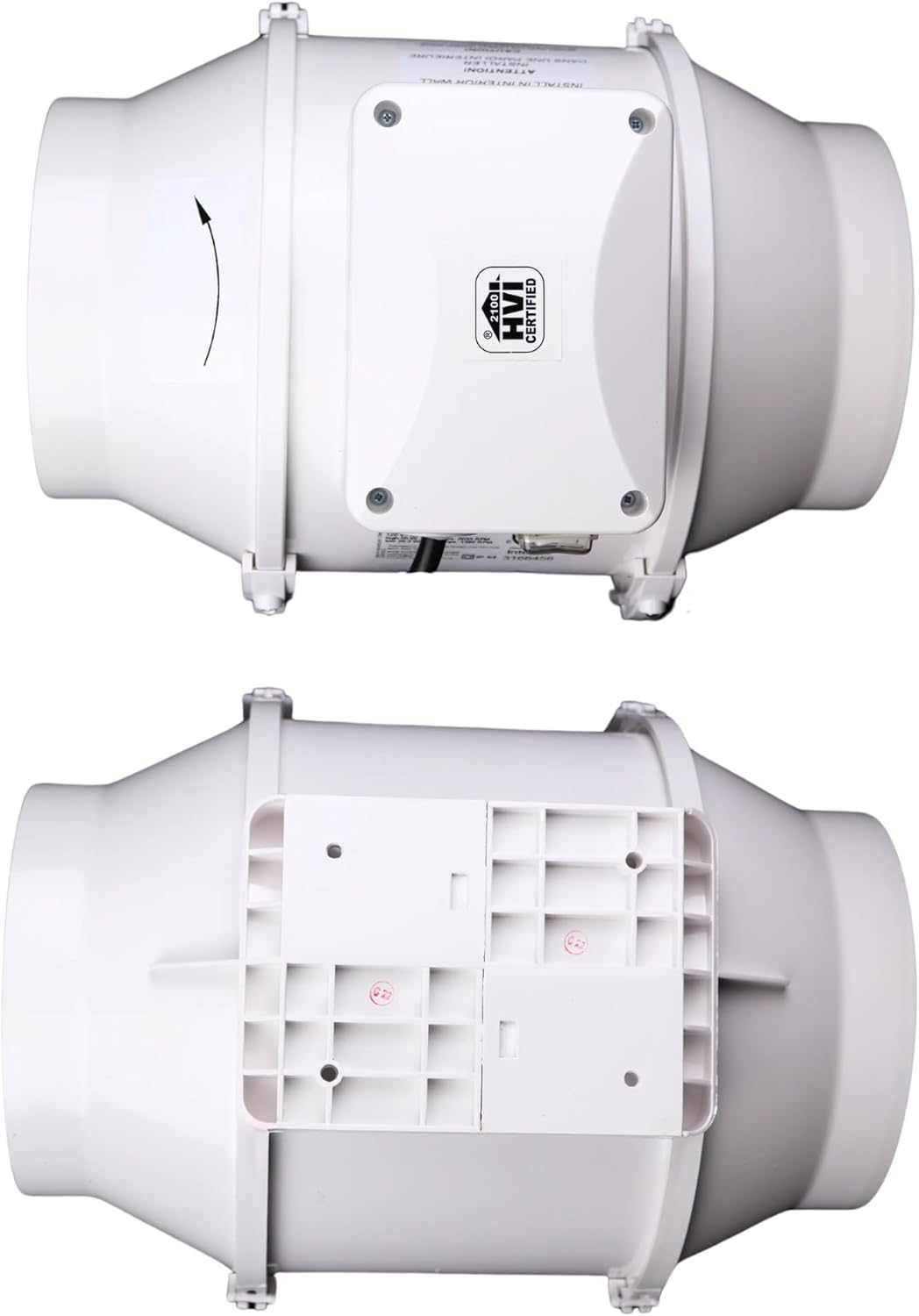
Image: Built-in speed control switch with High, Off, and Low settings.

Image: The fan's integrated mounting bracket for wall or ceiling attachment.
Setup and Installation
Proper installation is crucial for the optimal performance and longevity of your VENTS-US TT 150 inline fan. Follow these steps carefully:

Image: Visual guide demonstrating the four steps for fan installation.
- Step 1: Drill the fan mounting plate. Securely drill the fan mounting plate onto a flat, stable surface where the fan will be installed. Ensure the surface can support the fan's weight.
- Step 2: Install the removable body. Once the mounting plate is fixed, carefully insert the fan's removable body (which contains the motor and impeller) into the installed mounting plate.
- Step 3: Lock the removable body. Secure the removable body by engaging the clamps or latches on the side of the fan casing. Ensure they are firmly closed to prevent movement.
- Step 4: Secure the latches. Use screws to further secure the latches, providing a robust and stable connection between the fan body and the mounting plate.
After mounting, connect the fan to your ducting using appropriate clamps or tape to ensure a secure and airtight airflow path. Ensure all electrical connections are made by a qualified professional and comply with local electrical codes.
Operating Instructions
The VENTS-US TT 150 fan is equipped with a simple two-speed control for easy operation.
- Speed Control Switch: Locate the toggle switch on the fan's casing. This switch allows you to select between two operational speeds:
- High Speed: Provides maximum airflow (252 CFM) for situations requiring rapid ventilation.
- Low Speed: Offers reduced airflow (167 CFM) for quieter operation and less intensive ventilation needs.
- Off: Position the switch to the center to turn the fan off.
- Power Connection: Ensure the fan is properly connected to a power source (119.99 Volts AC) before operation.
Image: The manual speed control switch on the fan, indicating High, Off, and Low settings.
Maintenance and Cleaning
Regular maintenance ensures the efficiency and extends the lifespan of your VENTS-US TT 150 fan. The removable body design makes cleaning straightforward.

Image: The fan with its motor and impeller assembly removed from the casing, illustrating ease of cleaning.
- Disassembly for Cleaning: To clean the fan, first disconnect it from the power supply. Unlatch and remove the central motor and impeller assembly from the fan casing. This allows for easy access to internal components.
- Cleaning Impeller and Casing: Use a soft cloth, brush, or vacuum cleaner to remove dust and debris from the impeller blades and the interior of the fan casing. For stubborn dirt, a damp cloth with mild detergent can be used, ensuring all parts are completely dry before reassembly.
- Reassembly: Once clean and dry, carefully reinsert the motor and impeller assembly into the casing, ensuring it aligns correctly. Secure the latches firmly.
- Frequency: The frequency of cleaning depends on the operating environment. In dusty or high-particulate environments, more frequent cleaning may be necessary to maintain optimal airflow and prevent motor strain.
Troubleshooting
If you encounter issues with your VENTS-US TT 150 fan, refer to the following common troubleshooting steps:
| Problem | Possible Cause | Solution |
|---|---|---|
| Fan does not turn on. | No power supply; Speed switch is in 'Off' position; Loose wiring. | Check power outlet and circuit breaker. Ensure the speed switch is set to 'High' or 'Low'. Verify all electrical connections are secure. |
| Reduced airflow. | Ducting obstruction; Dirty impeller/casing; Fan set to 'Low' speed. | Inspect ducting for blockages. Clean the impeller and fan casing as per maintenance instructions. Switch the fan to 'High' speed. |
| Unusual noise or vibration. | Loose mounting; Debris in impeller; Damaged impeller. | Ensure the fan is securely mounted. Disconnect power and check for debris around the impeller. If noise persists, contact customer support. |
If the problem persists after attempting these solutions, please contact VENTS-US customer support for further assistance.
Specifications
| Attribute | Detail |
|---|---|
| Brand | VENTS |
| Model Name | TT 150 |
| Product Dimensions | 11.63"D x 8.75"W x 9.81"H |
| Item Weight | 8.38 pounds |
| Material | Plastic |
| Color | White |
| Power Source | AC |
| Voltage | 119.99 Volts |
| Wattage | 55 watts |
| Air Flow Capacity | 252 Cubic Feet Per Minute (High Speed) / 167 Cubic Feet Per Minute (Low Speed) |
| Noise Level | 3.5 Sones (High Speed) / 1.5 Sones (Low Speed) |
| Control Type | Two Speed Manual Control |
| Number of Power Levels | 2 |
| Recommended Uses | Ventilating (Bathroom, Bedroom, Dining Room, Home Office, Kids Room, Kitchen, Living Room, Nursery) |
| Indoor/Outdoor Usage | Indoor |
| Certifications | ETL, HVI Certified |
| Manufacturer | VENTS-US |
Warranty and Support
VENTS-US stands behind the quality of its products. For specific warranty details, please refer to the documentation included with your purchase or visit the official VENTS-US website.
For technical support, troubleshooting assistance beyond this manual, or warranty claims, please contact VENTS-US customer service. You can often find contact information on the manufacturer's official website or through the retailer where you purchased the product.
You can also visit the official VENTS Store on Amazon for more information and product offerings: VENTS Store


