
1. Introduction
This manual provides detailed instructions for the installation and operation of your YuYue Electronic Bluetooth Receiver Car Kit. This device allows you to stream audio wirelessly from your Bluetooth-enabled smartphone or tablet to your vehicle's audio system via the AMI (Audi Music Interface) or MDI (Media Device Interface) port.
Important Note: This product is designed for Bluetooth audio playback only. It does not support call functions (microphone), steering wheel controls, or display track information on the car's MMI screen.
2. Safety Information
Always ensure the device is powered correctly. For optimal and safe operation, the USB connector must be connected to a cigarette lighter adapter for power. The AMI port alone may not provide sufficient power, especially in 2G MMI systems.
3. Package Contents
- 1x YuYue Electronic Bluetooth Receiver Car Kit (with integrated AMI/MDI connector and USB power cable)

Image 1: The YuYue Electronic Bluetooth Receiver Car Kit, showing the main unit, AMI/MDI connector, and USB power cable.

Image 2: A close-up view of the Bluetooth receiver unit and its connected cables.
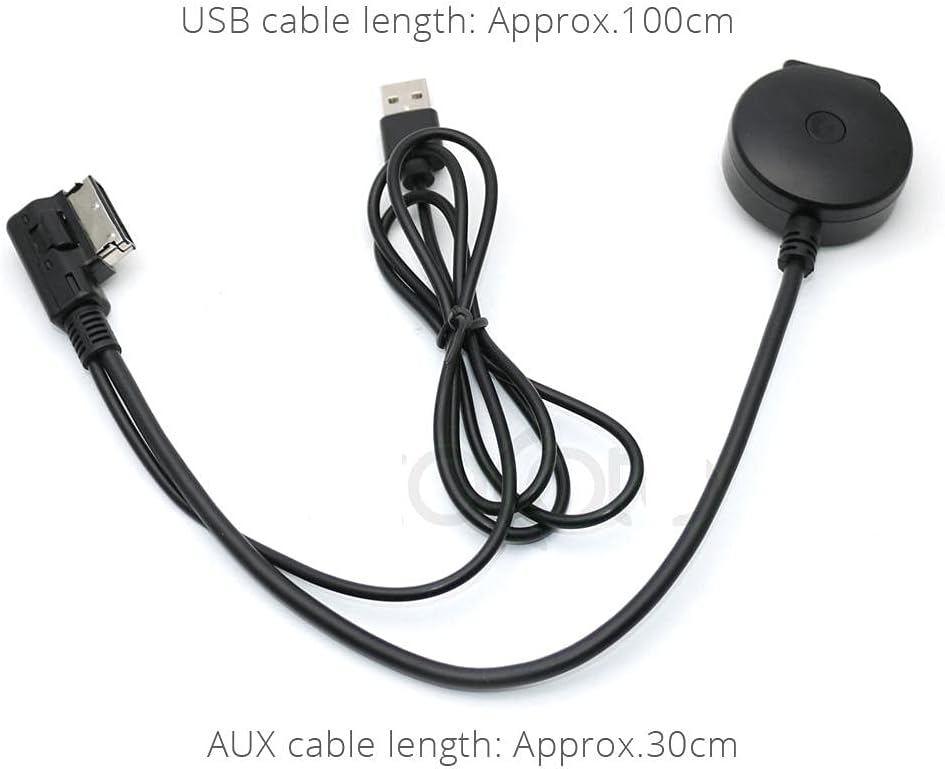
Image 3: The Bluetooth receiver kit with approximate cable lengths: USB cable approx. 100cm, AUX cable approx. 30cm.
4. Compatibility
This Bluetooth receiver is compatible with Audi and VW group cars equipped with an AMI or MDI port and 2G+ AMI MMI systems, including Concert and Navigation Plug models. It supports various Audi models:
- Audi A3, A4, A5, A6, A7, S3, S4, Q3, Q5, Q7
The car must be from before 2009 years for Audi MMI / VW System type that needs regular USB charger for a cigarette lighter port since 2G systems do not deliver power to the AMI port.

Image 4: Illustration of typical AMI/MDI interface locations in Audi and Volkswagen vehicles. Examples include AMI in the front of the glove box (Old, 13 models), A4L only movement with the interface, A6L in the box, A7 in the central box, A8L in the box, Q3 in the box, Q5 in the right side of the glove box, and Q7 in the central box.
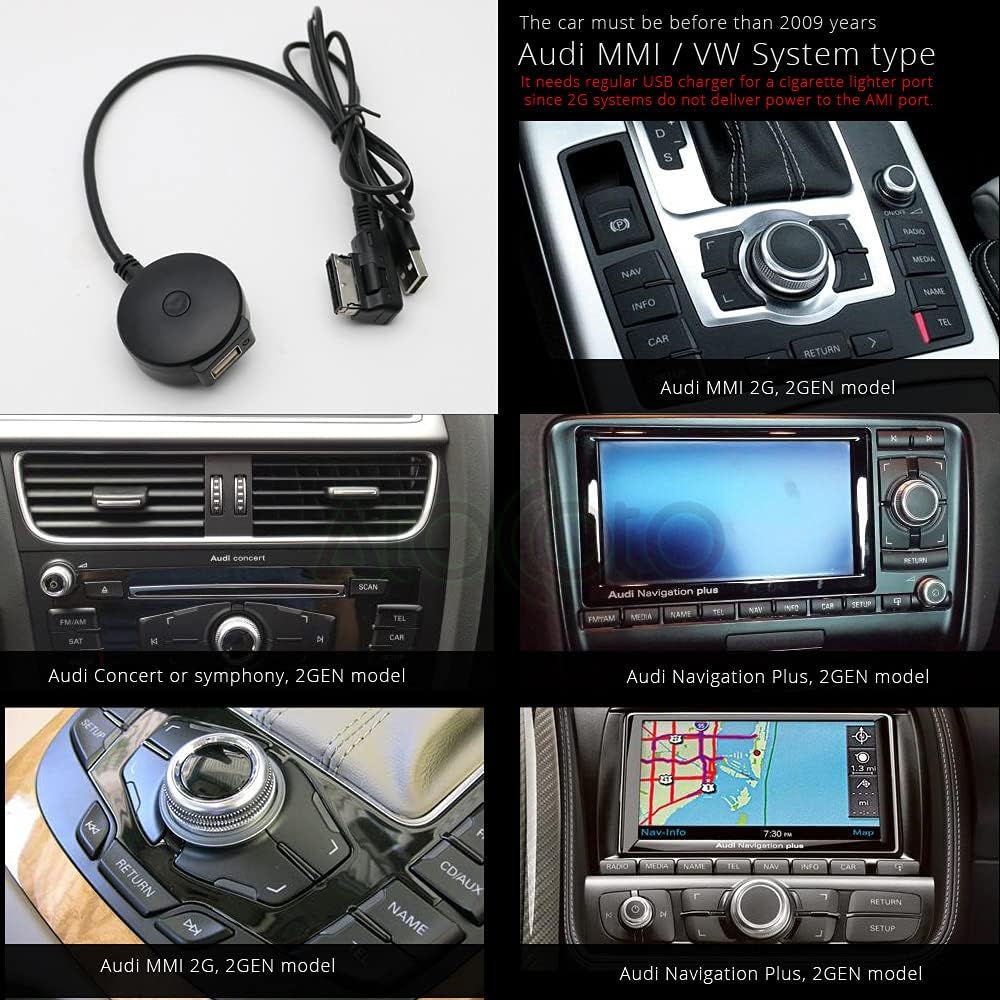
Image 5: Examples of compatible Audi MMI 2G, Concert, Symphony, and Navigation Plus 2GEN models. A note indicates that cars before 2009 with these systems require a separate USB charger for power as the AMI port may not supply it.
5. Setup & Installation
- Locate the AMI/MDI Port: Identify the AMI or MDI port in your vehicle. Refer to Image 4 for common locations in various Audi models.
- Connect the AMI/MDI Connector: Plug the AMI/MDI connector of the Bluetooth receiver into your car's AMI/MDI port.
- Provide Power: Connect the USB power cable from the Bluetooth receiver to a cigarette lighter USB adapter. This step is crucial for the device to power on, especially for 2G MMI systems which may not provide power through the AMI port. The USB lead is approximately 3 feet long, allowing it to reach the cigarette lighter port and be discreetly routed.
- Activate AUX Mode: Turn on your car's ignition. Access your MMI system and activate the AUX mode.
- Identify MMI System Version (Optional but Recommended): To confirm your MMI system type, enter the car menu by pressing the CAR button, then press SETUP or MENU. Select the "Version" submenu and read the value from the line marked with "SW" for MMI 2G or "BNav"/"HNav" for MMI 3G. Refer to Image 6 for visual guidance.

Image 6: Screenshots illustrating how to navigate the MMI system to identify whether it is an MMI 2G or MMI 3G system by checking the software version information.

Image 7: The Bluetooth receiver connected to the AMI port inside a glove box, with its USB cable routed to a cigarette lighter for power. This setup is necessary as 2G systems do not provide power to the AMI port.
6. Operating Instructions
- Power On: Once the device is correctly installed and powered via the USB cigarette lighter adapter, a blue indicator light on the receiver will illuminate, indicating it is active and ready for pairing.
- Pairing:
- On your smartphone or Bluetooth-enabled device, go to the Bluetooth settings.
- Search for available devices. The receiver will typically appear as "Bluetooth Name" or a similar identifier.
- Select the device to pair. Once paired, your phone will confirm the connection.
- Audio Playback: With your device paired and the car's MMI system set to AUX mode, you can now play music from your smartphone. The audio will be transmitted wirelessly to your car's speakers.
- Limitations:
- Music control (e.g., changing tracks, volume) must be done directly from your smartphone. The MMI system or steering wheel controls will not function for music playback with this adapter.
- The playlist or track information will not be displayed on the car's MMI screen.
- This device does not support hands-free calling functionality.
7. Troubleshooting
- Device Not Powering On: Ensure the USB connector is securely plugged into a functioning cigarette lighter USB adapter. The AMI port alone may not provide power, especially in older 2G MMI systems.
- No Bluetooth Connection:
- Verify the device is powered (blue light on).
- Ensure your phone's Bluetooth is enabled and in pairing mode.
- Try unpairing and re-pairing the device from your phone's Bluetooth settings.
- No Audio Output:
- Confirm the car's MMI system is set to AUX mode.
- Check the volume levels on both your smartphone and the car's audio system.
- Ensure your phone is actively playing audio.
- Frequent Disconnections / Requires Reconnection After Engine Start: Some users report needing to reconnect or re-plug the device after each engine start. This behavior can vary by vehicle and MMI system. Ensure a stable power supply from the cigarette lighter.
8. Specifications
| Feature | Detail |
|---|---|
| Model Number | 200810C03 |
| Connectivity Technology | Bluetooth, Auxiliary, USB |
| Special Feature | Bluetooth Receiver |
| Power Source | Corded Electric (via USB) |
| Item Weight | 1.76 ounces (0.05 Kilograms) |
| Package Dimensions | 6.81 x 3.46 x 0.83 inches |
9. Maintenance
The Bluetooth receiver requires minimal maintenance. Keep the device clean and dry. Avoid exposing it to extreme temperatures, moisture, or direct sunlight. Do not attempt to disassemble or repair the device yourself, as this will void any potential warranty.
10. Warranty and Support
For warranty information or technical support, please refer to the seller's policies on the platform where the product was purchased or contact YuYue Electronic directly. Keep your purchase receipt as proof of purchase.