
1. Introduction
The 01 Entry Alert Chime is a battery-operated wireless motion sensor doorbell system designed to provide security and convenience for various environments such as homes, apartments, offices, and stores. It consists of a motion sensor (detector) and a receiver unit. When motion is detected by the sensor, it wirelessly transmits a signal to the receiver, which then emits an audible chime to alert you.
This manual provides detailed instructions for the proper setup, operation, and maintenance of your Entry Alert Chime. Please read it thoroughly before use.
2. Package Contents
Please verify that all items listed below are included in your package:
- 1 x Motion Sensor (Wireless Detector)
- 1 x Receiver Unit
- 1 x Mounting Bracket for Sensor
- 1 x User Manual (This Document)
3. Product Overview
Familiarize yourself with the components of your Entry Alert Chime system:

Figure 3.1: The motion sensor (left) and receiver unit (right).
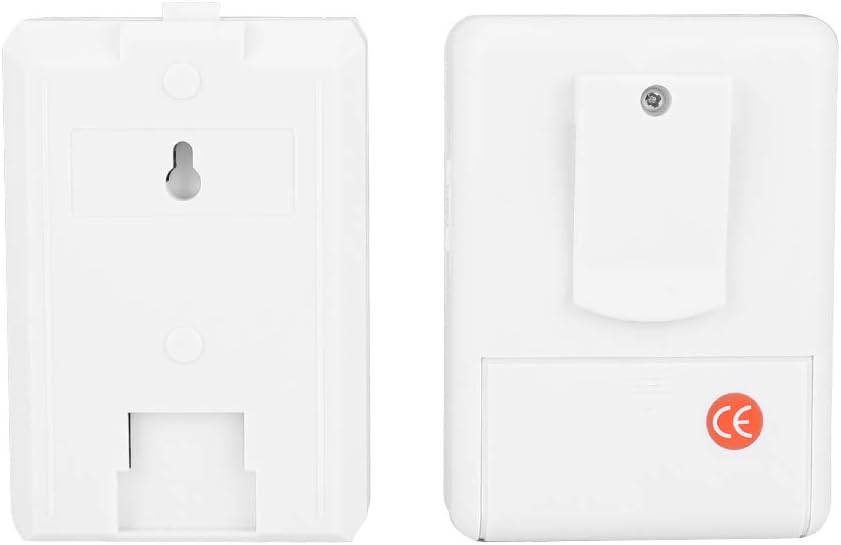
Figure 3.2: Rear view of the motion sensor (left) and receiver unit (right).
3.1 Motion Sensor (Detector)
This unit detects movement within its infrared sensing range. It is battery-operated and designed for wireless communication with the receiver.

Figure 3.3: Back of the motion sensor with mounting bracket.
3.2 Receiver Unit
The receiver unit produces an audible chime when it receives a signal from the motion sensor. It is also battery-operated.
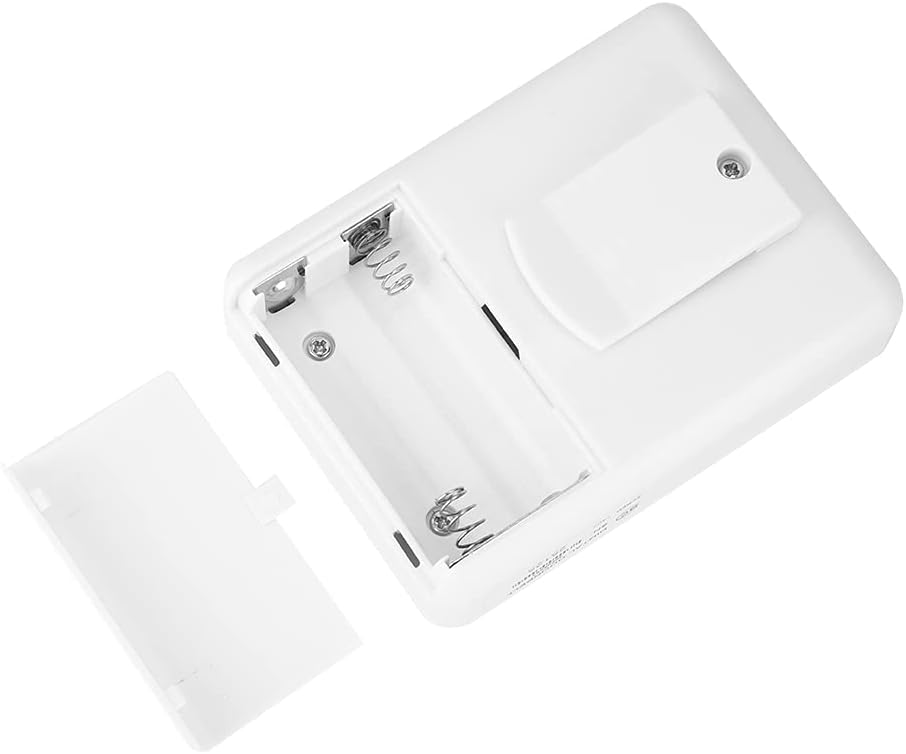
Figure 3.4: Receiver unit with battery compartment open.
4. Specifications
| Feature | Specification |
|---|---|
| Brand | 01 |
| Model Number | 01cf8rge4usz250 |
| Material | ABS |
| Power Source | Battery Powered |
| Sensor Battery Type | 1 x 9V Battery (Not Included) |
| Receiver Battery Type | 2 x AA Batteries (Not Included) |
| Wireless Working Range | Up to 100 meters (328.1 ft) in open outdoor areas |
| Infrared Sensing Distance | 3-7 meters (9.8-23 ft) |
| Sensor Dimensions (L x W x H) | Approx. 8.9 x 6.2 x 4.8 cm (3.5 x 2.4 x 1.9 in) |
| Receiver Dimensions (L x W x H) | Approx. 9.3 x 6.8 x 3.7 cm (3.7 x 2.7 x 1.5 in) |
| Total Weight | Approx. 180g (6.3 oz) |
| Chime Sound | Classic 'Alice' melody |
| Mounting Type | Wall Mount |

Figure 4.1: Dimensions of the motion sensor and receiver units.
5. Setup
5.1 Battery Installation
Batteries are not included and must be purchased separately.
- For the Motion Sensor:
- Carefully open the back cover of the motion sensor unit.
- Insert one (1) 9V battery, ensuring correct polarity (+/-).
- Locate the small black power switch inside the battery compartment. Turn this switch to the 'ON' position.
- Replace the back cover securely.
- For the Receiver Unit:
- Open the battery compartment cover on the back of the receiver unit.
- Insert two (2) AA batteries, ensuring correct polarity (+/-).
- Replace the battery compartment cover securely.
5.2 Mounting and Placement
Optimal placement is crucial for effective operation.
- Motion Sensor Placement:
- Mount the motion sensor using the provided bracket on a wall, post, or other stable surface. Ensure it is positioned to cover the desired detection area, such as an entryway, driveway, or walkway.
- The infrared sensing distance is 3-7 meters (9.8-23 ft). Position the sensor so that the expected path of movement falls within this range.
- Avoid placing the sensor directly facing heat sources, direct sunlight, or areas with rapid temperature changes, as this may cause false alarms.
- Ensure the sensor has a clear line of sight to the area you wish to monitor.
- Receiver Unit Placement:
- Place the receiver unit in a location where the chime can be clearly heard.
- The wireless working range is up to 100 meters (328.1 ft) in open outdoor areas. Walls and other obstructions will reduce this range. Test the range after placement to ensure reliable communication between the sensor and receiver.

Figure 5.1: Example of motion sensor placement and detection in an entryway.

Figure 5.2: Sensor and receiver units in a typical installation setting.
6. Operation
Once batteries are installed and the units are positioned, the system is ready for operation:
- Ensure the power switch on the motion sensor (inside the battery compartment) is in the 'ON' position.
- When the motion sensor detects movement within its sensing range, it will send a wireless signal to the receiver.
- Upon receiving the signal, the receiver unit will play the 'Alice' chime melody to alert you.
- The system is designed for continuous operation as long as batteries have sufficient power.

Figure 6.1: The motion sensor actively detecting movement.
7. Maintenance
7.1 Battery Replacement
Replace batteries when the chime becomes faint or the system fails to respond:
- Motion Sensor: Replace the 9V battery following the steps in Section 5.1. Remember to turn the internal switch back to 'ON'.
- Receiver Unit: Replace the two AA batteries following the steps in Section 5.1.
- Always use fresh, high-quality batteries for optimal performance.
7.2 Cleaning
To maintain optimal performance, periodically clean the units:
- Wipe the exterior of both units with a soft, dry cloth.
- Do not use abrasive cleaners, solvents, or immerse the units in water.
- Ensure the sensor lens on the motion detector is free from dust or obstructions.
8. Troubleshooting
If you encounter issues with your Entry Alert Chime, refer to the following troubleshooting guide:
| Problem | Possible Cause | Solution |
|---|---|---|
| No chime when motion is detected. | 1. Sensor or receiver batteries are dead or low. 2. Sensor's internal power switch is OFF. 3. Units are out of range or obstructed. 4. Incorrect battery polarity. | 1. Replace batteries in both units (see Section 7.1). 2. Open sensor, locate the small black switch, and turn it ON. 3. Move receiver closer to the sensor. Reduce obstructions between units. 4. Reinstall batteries with correct polarity. |
| Chime sounds continuously or falsely. | 1. Sensor is detecting unintended motion. 2. Sensor is exposed to heat sources or direct sunlight. | 1. Adjust sensor angle or relocate to avoid detecting pets, moving foliage, or traffic. 2. Reposition sensor away from heat vents, direct sun, or reflective surfaces. |
| Chime is too faint. | Low batteries in the receiver unit. | Replace the AA batteries in the receiver unit. |
9. Safety Information
- Do not mix old and new batteries.
- Do not mix alkaline, standard (carbon-zinc), or rechargeable (nickel-cadmium) batteries.
- Dispose of used batteries properly according to local regulations.
- Do not expose the units to extreme temperatures, humidity, or direct water.
- Keep out of reach of children and pets.
- Do not attempt to disassemble or repair the units yourself. Contact support if service is required.
10. Warranty and Support
This product is covered by a standard manufacturer's warranty. For specific warranty details, please refer to the product packaging or contact your retailer.
If you have any questions, require technical assistance, or need to report an issue, please contact customer support through your purchase platform or the manufacturer's official website.