
DEKCO DC5L
DEKCO 2K WiFi Surveillance Security Camera User Manual
Model: DC5L
Introduction
Thank you for choosing the DEKCO 2K WiFi Surveillance Security Camera. This manual provides comprehensive instructions for the installation, operation, and maintenance of your new security camera. Designed for outdoor and home use, this camera offers advanced features such as Pan-Tilt 360° View, 3MP resolution, motion detection with siren, two-way audio, full-color night vision, and IP66 waterproofing. Please read this manual thoroughly before use to ensure proper functionality and safety.
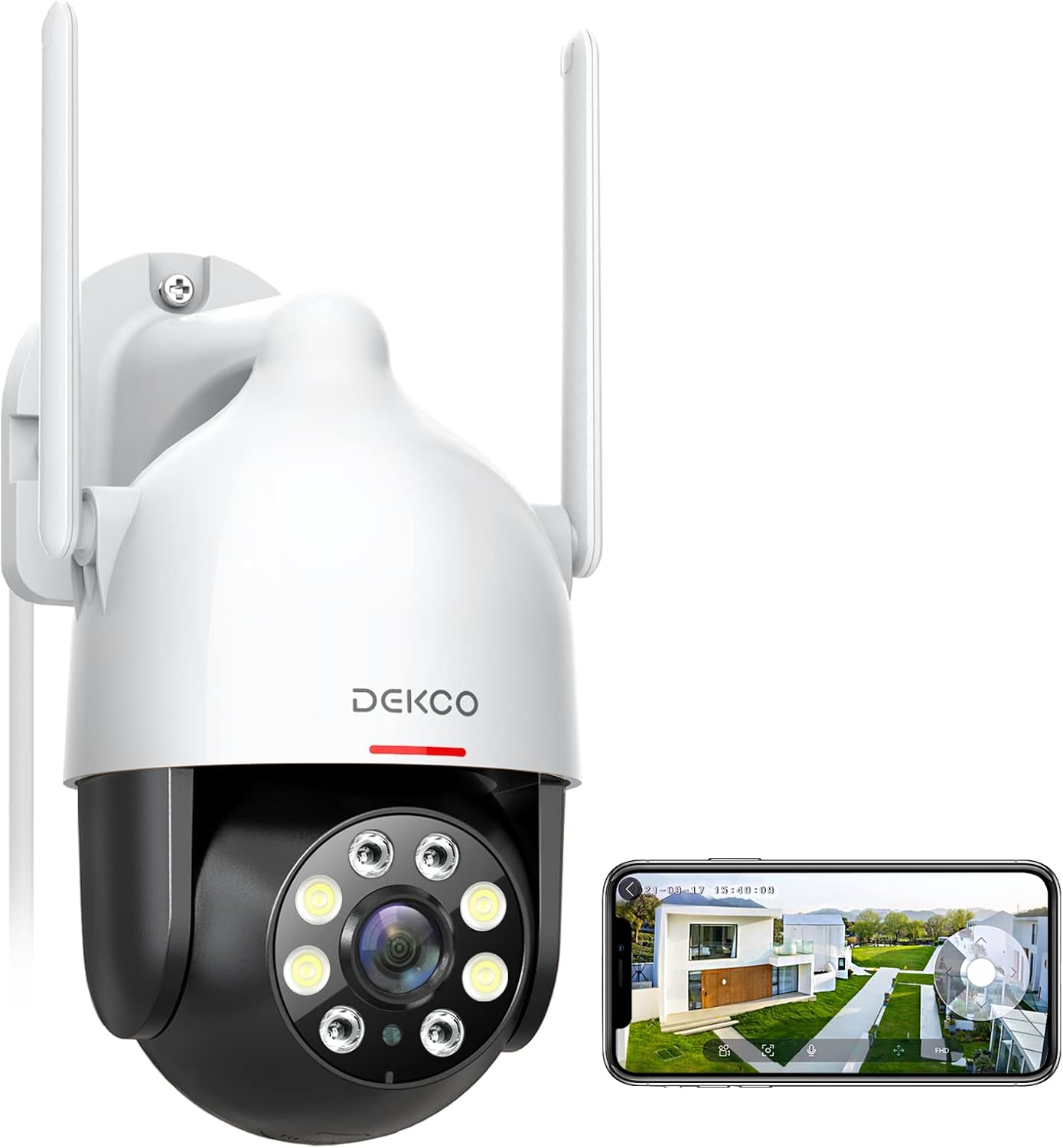
Image: The DEKCO 2K WiFi Surveillance Security Camera, a white and black dome-shaped camera with two antennas, shown next to a smartphone displaying its live feed.
Safety Information
- Ensure the power adapter is suitable for your local power supply and is properly grounded.
- Do not expose the camera to extreme temperatures, humidity, or corrosive environments.
- Avoid placing the camera near strong electromagnetic fields.
- Do not attempt to disassemble or modify the camera. Refer all servicing to qualified personnel.
- Keep the camera and its accessories out of reach of children.
- Clean the camera with a soft, dry cloth. Do not use harsh chemicals or abrasive cleaners.
- Ensure the mounting surface is strong enough to support the camera's weight.
What's in the Box
The DEKCO 2K WiFi Surveillance Security Camera package includes the following components:
- DEKCO 2K WiFi Surveillance Security Camera (Wired Camera)
- Power Cord & Adapter for Supply-Powered
- Installation Screw Package
- User Manual (this document)
Video: An overview of the DEKCO Outdoor Security Camera DC5L, demonstrating its features and components. This video is provided by the seller, DEKCO-US.
Setup
1. Physical Installation
Choose a suitable location for your camera, ensuring it has a clear view of the area you wish to monitor and is within range of your 2.4GHz WiFi network. Use the provided installation screw package to securely mount the camera to a wall or other stable surface. Ensure the camera is positioned to allow for optimal pan and tilt movement.

Image: A diagram illustrating the optimal placement of the DEKCO camera to cover a wide area including a garage, front door, and yard, demonstrating its 360-degree viewing capability.
2. Power Connection
Connect the provided power adapter to the camera and plug it into a power outlet. The camera is corded electric and requires continuous power. It is not battery-operated.
3. App Download and Initial Setup
Download the free "DEKCO" app from your mobile phone's app store (available for iOS/Android). Follow the in-app instructions to add your camera. Ensure your mobile device is connected to a 2.4GHz WiFi network during the setup process, as the camera does not support 5GHz WiFi.
4. Micro SD Card Installation (Optional)
The camera supports a micro SD card (not included) up to 128GB for local storage. Locate the SD card slot on the camera (refer to the product diagram or app instructions for exact location) and insert the card with the contacts facing down. This allows for 24/7 recording and playback without cloud subscription.

Image: The DEKCO camera showing its micro SD card slot, alongside a smartphone screen displaying a timeline of recorded video, indicating 24/7 recording capability.
Operating Instructions
1. Live View and Pan-Tilt Control
Open the DEKCO app to access the live view of your camera. Use the on-screen controls to remotely pan the camera horizontally up to 350 degrees and tilt vertically up to 90 degrees, providing comprehensive coverage without blind spots.
2. Smart Motion Tracking and Alerts
Enable motion tracking in the app settings. The camera will automatically detect and track moving objects, recording the activity. You will receive instant alerts directly to your mobile device when motion is detected. Customize sensitivity settings to minimize false alarms.

Image: A child and a dog in a grassy area, with a green box highlighting the child, demonstrating the camera's humanoid tracking feature.
3. Night Vision Modes
The camera offers multiple night vision options:
- Infrared Mode: Provides clear black and white images in complete darkness.
- Full-Color Mode: Utilizes built-in floodlights to display full-color images at night.
- Auto (Smart) Mode: Automatically switches between infrared and full-color based on detected motion or light conditions.

Image: A split image showing a scene at night, with the top half demonstrating full-color night vision (spotlight ON) and the bottom half showing infrared night vision (spotlight OFF).
4. Two-Way Audio
The integrated microphone and speaker allow for real-time two-way communication. Use this feature to speak with visitors or deter unwanted individuals directly through the app.

Image: A woman holding a smartphone, displaying the DEKCO app interface with options for instant alerts and voice-changing function, illustrating the two-way audio feature.
5. Video Quality and Digital Zoom
The camera records in 2K resolution, providing clear and detailed images. While there is no optical zoom, you can digitally zoom up to 4X within the app to view finer details in the live feed or recorded footage.

Image: A father and son playing soccer in a park, with "2K QHD" overlay, emphasizing the clear video details captured by the camera.

Image: A young boy smiling with two husky puppies in a grassy area, with "2K QHD" overlay, highlighting the camera's ability to capture clear details.
6. Smart Assistant Integration
The DEKCO camera is compatible with popular smart home platforms like Amazon Alexa and Google Assistant. You can integrate the camera to view live feeds on compatible smart displays using voice commands.
Maintenance
- Cleaning: Periodically clean the camera lens and housing with a soft, lint-free cloth to ensure optimal image clarity. Do not use abrasive materials or chemical cleaners.
- Weather Protection: The camera has an IP66 weatherproof rating, meaning it is protected against dust and powerful water jets. While designed for outdoor use, extreme weather conditions (e.g., prolonged heavy rain, snow, or direct sunlight) may affect performance over time. Ensure proper installation to prevent water ingress.
- Firmware Updates: Check the DEKCO app regularly for available firmware updates. Keeping your camera's firmware up-to-date ensures optimal performance, security, and access to new features.
Troubleshooting
| Problem | Possible Cause | Solution |
|---|---|---|
| Camera offline/Cannot connect to WiFi | Incorrect WiFi password; Camera too far from router; 5GHz WiFi network used; Weak WiFi signal. | Ensure correct 2.4GHz WiFi password. Move camera closer to router or use a WiFi extender. Re-add camera to app. |
| Frequent false motion alerts | High motion detection sensitivity; Moving branches/objects in view; Insects attracted to IR lights. | Adjust motion detection sensitivity in the app. Reposition camera to avoid irrelevant motion sources. |
| Poor video resolution/quality | Weak WiFi signal; Dirty lens. | Improve WiFi signal strength. Clean the camera lens. |
| Pan/Tilt mechanism not responding or stuck | Power interruption; Mechanical obstruction; Motor wear. | Restart the camera by unplugging and replugging. Check for physical obstructions. If issue persists, contact support. |
| No recording to SD card | SD card not inserted correctly; SD card full or corrupted; Incorrect recording settings. | Reinsert SD card. Format SD card via app. Check recording settings in app. Ensure SD card is up to 128GB. |
Specifications
| Feature | Detail |
|---|---|
| Model Number | DC5L |
| Video Capture Resolution | 2K (3MP) |
| Connectivity Technology | Wi-Fi (2.4GHz only) |
| Pan Angle | 350 Degrees |
| Tilt Angle | 90 Degrees |
| Night Vision | Full-Color, Infrared, Auto (Smart) |
| Audio | Two-Way Audio (Built-in Microphone & Speaker) |
| Storage Options | Micro SD Card (up to 128GB, not included), Encrypted Cloud Storage |
| Weather Resistance | IP66 (Waterproof) |
| Power Source | Corded Electric (12 Volts, 3 watts) |
| Control Method | Mobile App (DEKCO App) |
| Compatible Devices | Smartphone (iOS/Android) |
| Smart Home Integration | Works with Alexa, Hey Google |
| Item Weight | 1.37 pounds |
| Cable Length | 3 Meters |
Warranty and Support
DEKCO provides lifetime support for DEKCO brand products. If you encounter any issues or have questions regarding your DEKCO 2K WiFi Surveillance Security Camera, please contact the "DekcoCare" Online Support Team. Refer to the product packaging or the DEKCO official website for contact information.
Related documentsDC5L


Ask a question about this manual
Ask about setup, troubleshooting, compatibility, parts, safety, or missing instructions. Manuals+ will review the question and use this page’s manual context to help answer it.