
Introduction
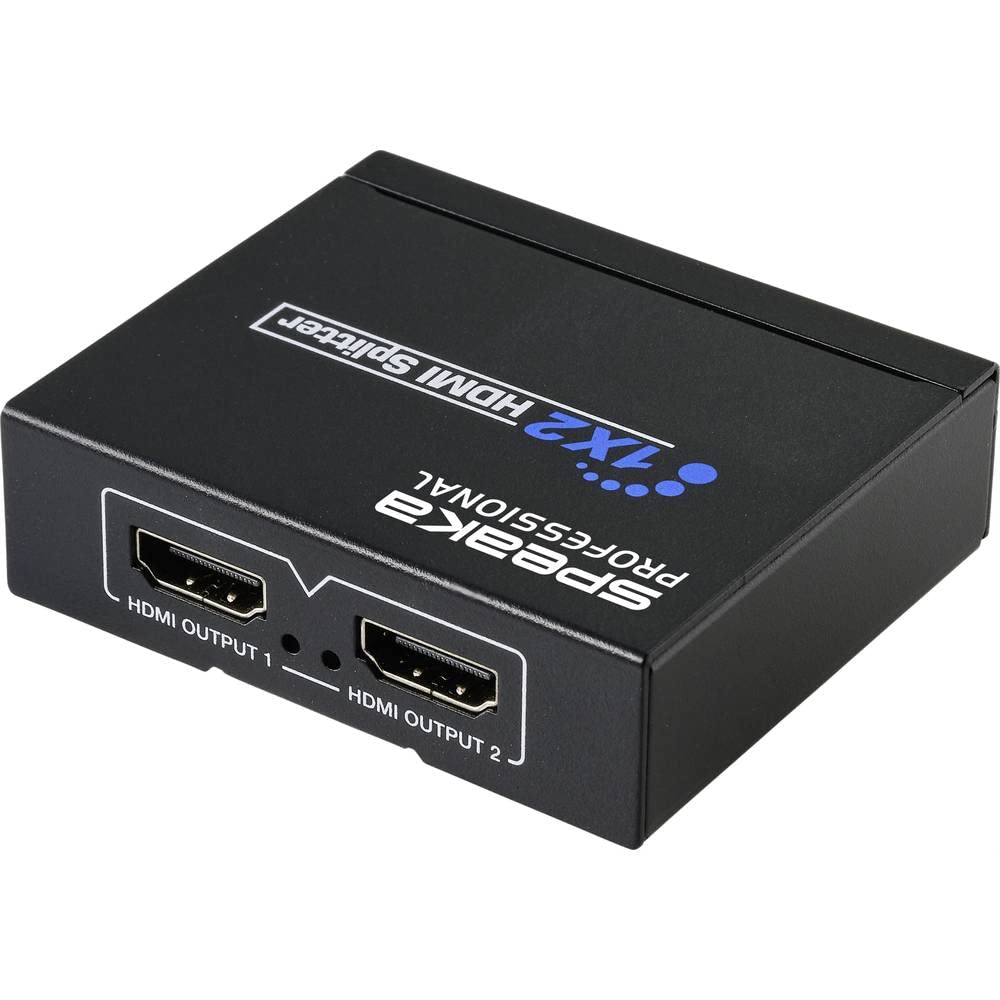
This manual provides detailed instructions for the installation, operation, and maintenance of your SpeaKa Professional SP-HDS-110 1x2 HDMI Splitter. This device is designed to distribute a single HDMI input signal to two HDMI output displays simultaneously. It supports video resolutions up to 4K (3840 x 2160 pixels), ensuring high-quality video transmission.
Please read this manual thoroughly before using the product to ensure proper setup and to prevent damage.
Important Safety Instructions
- Do not expose this device to water, moisture, or excessive humidity.
- Do not attempt to open or modify the device. This may result in electric shock or damage and will void the warranty.
- Use only the provided power adapter or a compatible USB power source.
- Ensure proper ventilation around the device to prevent overheating.
- Keep the device away from heat sources, direct sunlight, and strong magnetic fields.
- Clean the device with a soft, dry cloth. Do not use liquid or aerosol cleaners.
- If the device malfunctions, disconnect it from the power source and contact customer support.
Package Contents
Please check the package contents upon unpacking. If any items are missing or damaged, contact your retailer.
- SpeaKa Professional SP-HDS-110 1x2 HDMI Splitter
- USB Power Cable
- User Manual (this document)
Product Features
- Distributes 1 HDMI input signal to 2 HDMI displays simultaneously.
- Supports video resolutions up to 4K (3840 x 2160 pixels).
- Compact design for easy and flexible installation.
- Powered via USB cable.
- Supports HDMI 1.4b.
- Supports 3D video format.
- Supports HDCP 1.4.
Product Overview


Setup Instructions
- Connect HDMI Source: Connect an HDMI cable from your source device (e.g., Blu-ray player, game console, PC) to the HDMI INPUT port on the SpeaKa Professional SP-HDS-110 splitter (refer to Figure 2).
- Connect HDMI Displays: Connect HDMI cables from your two display devices (e.g., TV, monitor, projector) to the HDMI OUTPUT 1 and HDMI OUTPUT 2 ports on the splitter (refer to Figure 3).
- Connect Power: Connect the provided USB power cable to the DC 5V power input port on the splitter (refer to Figure 2). Plug the other end of the USB cable into a suitable USB power source (e.g., a USB wall adapter, a USB port on a TV or PC). The splitter requires 5V DC power for operation.
- Power On Devices: Power on your HDMI source device and both HDMI display devices.
- Select Input: Ensure your display devices are set to the correct HDMI input channel.
- EDID Management (COPY/AUTO-POWER Switch):
- AUTO: In this mode, the splitter automatically detects the optimal EDID (Extended Display Identification Data) from the connected displays and sends it to the source device. This is the recommended setting for most setups.
- COPY: In this mode, the splitter copies the EDID from the display connected to HDMI OUTPUT 1 and sends it to the source device. Use this if you encounter display issues in AUTO mode, especially if one display has specific resolution or audio requirements.
The splitter should now be operational, displaying the source content on both connected screens.
Operating Instructions
The SpeaKa Professional SP-HDS-110 HDMI Splitter is a plug-and-play device. Once all connections are made and power is supplied, it will automatically distribute the HDMI signal from your source to both connected displays.
- Ensure all HDMI cables are securely connected to prevent signal loss.
- The splitter does not require any additional software or drivers.
- If you experience issues with resolution or audio, try adjusting the "COPY/AUTO-POWER" switch as described in the Setup section.
Maintenance
- Keep the device clean and free from dust. Use a soft, dry cloth for cleaning.
- Avoid placing heavy objects on the splitter.
- Store the device in a cool, dry place when not in use for extended periods.
Troubleshooting
| Problem | Possible Cause | Solution |
|---|---|---|
| No picture on display(s). |
|
|
| Picture but no sound. |
|
|
| Poor picture quality or flickering. |
|
|
Specifications
| Model Number | SP-HDS-110 (SP-9493352) |
| Input Ports | 1 x HDMI |
| Output Ports | 2 x HDMI |
| Supported Resolutions | Up to 4K (3840 x 2160 pixels) |
| HDMI Version | HDMI 1.4b |
| HDCP Version | HDCP 1.4 |
| 3D Support | Yes |
| Power Supply | DC 5V via USB |
| Dimensions (L x W x H) | 12 x 11 x 7 cm (approx. 4.7 x 4.3 x 2.8 inches) |
| Weight | 120 g (approx. 0.26 lbs) |
| Color | Black |
Warranty and Support
SpeaKa Professional products are designed for reliability and performance. This product comes with a minimum 2-year warranty from the date of purchase.
If you encounter any issues or require technical assistance, please contact your retailer or SpeaKa Professional customer support. Please have your model number (SP-HDS-110 or SP-9493352) and proof of purchase ready.