1. Introduction
This manual provides essential information for the safe installation, operation, and maintenance of your EGLO Connect.Z Fueva-Z Smart-Home LED Ceiling Light. Please read these instructions carefully before installation and retain them for future reference.
Product Overview
The EGLO Connect.Z Fueva-Z is a square Smart-Home LED ceiling light designed for bathrooms, featuring a nickel-matte metal frame and a plastic lighting surface. It offers advanced control options through Bluetooth, ZigBee 3.0, and compatible voice assistants.

Figure 1: EGLO Connect.Z Fueva-Z Smart-Home LED Ceiling Light
Key Features
- Smart Control: Bluetooth, ZigBee 3.0, AwoX Home Control app, EGLO Connect.Z remote control (EGLO 99099, sold separately), and voice assistants (e.g., Amazon Echo, Echo Plus).
- Adjustable Lighting: Dimmable and adjustable color temperature from warm white (2700K) to cold white (6500K).
- Easy Installation: Special ceiling bracket for straightforward mounting, no side screw connections required.
- Versatile Placement: Installation height less than 30 mm allows use as a wall lamp.
- Integrated LED: 16.5 Watt, 2100 lumens for pleasant illumination.
- Durable Design: Metal construction with IP44 rating, suitable for bathrooms.
- Dimensions: 21 cm (Length) x 21 cm (Width) x 2.8 cm (Height).
2. Safety Instructions
Please observe the following safety precautions to prevent injury or damage:
- Electrical Safety: Installation must be performed by a qualified electrician in accordance with local wiring regulations. Always switch off the main power supply before installation, maintenance, or cleaning.
- Voltage: Ensure the supply voltage matches the product's specified voltage (220-240V~50/60Hz).
- IP44 Rating: This product is rated IP44, meaning it is protected against solid objects over 1mm and splashing water from any direction. It is suitable for bathroom zones 2 and outside zones. Do not install in areas where it will be directly exposed to water jets.
- Heat: Do not cover the light fixture with insulating material. Ensure adequate ventilation.
- Cleaning: Use a soft, dry cloth for cleaning. Do not use abrasive cleaners or solvents.
- Light Source: The LED light source is integrated and not user-replaceable.
3. Package Contents
Verify that all components are present before beginning installation:
- EGLO Connect.Z Fueva-Z LED Ceiling Light
- Installation Instructions
- Mounting Bracket
- Screws and Wall Plugs (if applicable)

Figure 2: Mounting bracket and hardware
4. Setup and Installation
Follow these steps for proper installation:
- Turn Off Power: Before starting any electrical work, ensure the main power supply to the installation area is switched off at the circuit breaker.
- Mark Drilling Points: Position the mounting bracket on the ceiling at the desired location. Use a pencil to mark the drilling points for the screws.
- Drill Holes: Drill holes at the marked points. Insert appropriate wall plugs if necessary.
- Attach Mounting Bracket: Secure the mounting bracket to the ceiling using the provided screws.
- Electrical Connection: Connect the household electrical wires to the terminal block inside the light fixture. Ensure correct polarity (Live, Neutral, Earth) according to local wiring standards.
- Mount the Light Fixture: Carefully align the light fixture with the mounting bracket. The special design allows for easy attachment without external screws. Secure the fixture to the bracket.
- Restore Power: Once the light is securely installed and all connections are checked, restore power at the circuit breaker.

Figure 3: Product dimensions

Figure 4: Installation diagram
5. Operating Instructions
Your EGLO Connect.Z Fueva-Z light offers multiple control methods.
5.1. AwoX Home Control App
The free AwoX Home Control app provides comprehensive control over your light. It is available for iOS 13 and above, and Android 8 and above.
- Download App: Search for "AwoX Home Control" in your device's app store and install it.
- Pairing: Follow the in-app instructions to pair your EGLO Connect.Z light. Ensure Bluetooth is enabled on your device.
- Control Functions: Once paired, you can:
- Dim the light intensity.
- Change the color temperature (warm white to cold white, 2700K - 6500K).
- Save favorite light settings.
- Create and manage light groups.
- Utilize timer functions (night light, twilight simulation, luminous alarm clock, presence simulation, disco function).
5.2. EGLO Connect.Z Remote Control (Optional)
The EGLO Connect.Z remote control (model 99099, sold separately) can also be used to control your light. Refer to the remote control's manual for pairing and operation instructions.
5.3. Voice Control
For voice control, you will need a compatible voice assistant with an integrated ZigBee 3.0 bridge (e.g., Amazon Echo or Echo Plus). Follow the voice assistant's setup instructions to connect ZigBee devices.
- Pairing: Initiate device discovery through your voice assistant's app or voice command.
- Commands: Once connected, you can use voice commands to turn the light on/off, dim it, or change its color temperature.
5.4. ZigBee 3.0 Compatibility
EGLO Connect.Z products are designed to be compatible with ZigBee 3.0 technology from other manufacturers. Existing Connect-C products can also be integrated into the Connect.Z system.
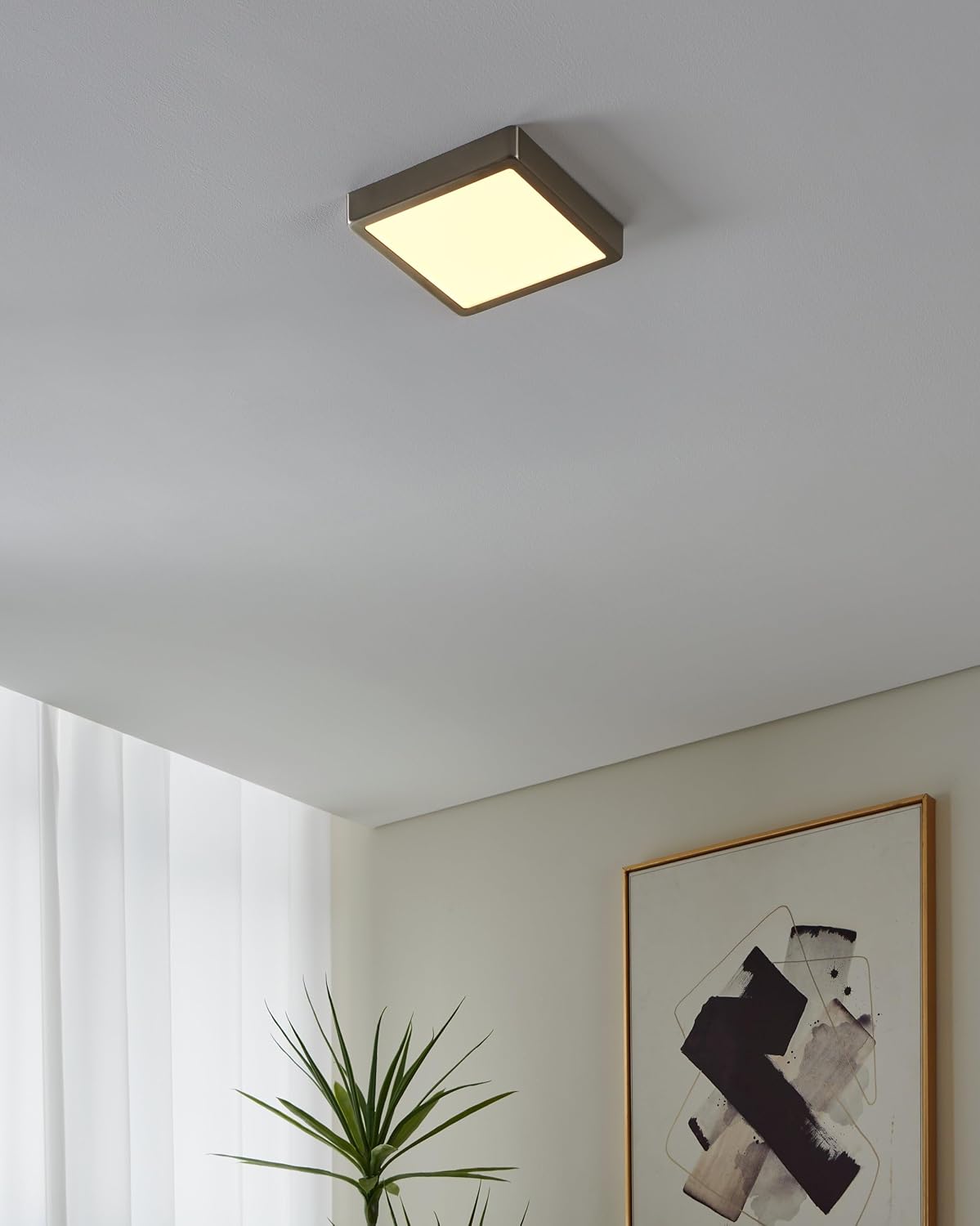
Figure 5: Light installed on a ceiling
6. Maintenance
To ensure the longevity and optimal performance of your EGLO Connect.Z Fueva-Z light:
- Cleaning: Disconnect power before cleaning. Wipe the fixture with a soft, dry, or slightly damp cloth. Do not use harsh chemicals, abrasive cleaners, or scouring pads, as these can damage the finish.
- Inspection: Periodically check the fixture for any signs of damage or loose connections. If any issues are found, consult a qualified electrician.
- Light Source: The integrated LED light source is designed for long life and does not require replacement.
7. Troubleshooting
If you encounter issues with your EGLO Connect.Z Fueva-Z light, refer to the following common problems and solutions:
- Light does not turn on:
- Check if the main power supply is on.
- Verify electrical connections are secure.
- Ensure the light is properly paired with the app or remote control.
- Light flickers or dims unexpectedly:
- Check for stable power supply.
- Ensure no interference with wireless signals (Bluetooth/ZigBee).
- Reset the light by turning off power for 10 seconds and then turning it back on.
- Cannot connect to app or remote control:
- Ensure Bluetooth is enabled on your device.
- Make sure the light is within range of your device or remote.
- Try re-pairing the device according to the app or remote control instructions.
- Check if the app is updated to the latest version.
- Voice control not responding:
- Verify your voice assistant device is online and connected to the internet.
- Ensure the light is properly linked to your voice assistant's platform via the ZigBee bridge.
- Check for correct voice commands.
If the problem persists, please contact EGLO customer support or visit the support website.
8. Specifications
| Feature | Specification |
|---|---|
| Brand | EGLO |
| Model Name | FUEVA-Z |
| Item Model Number | 900115 |
| Material | Metal |
| Color | Nickel - matt |
| Room Type | Bathroom |
| Power Source | AC |
| Voltage | 220-240 Volts |
| Wattage | 16.5 Watts |
| Brightness | 2100 Lumens |
| Color Temperature | 2700K - 6500K (Warm White - Cold White) |
| Special Feature | Dimmable |
| Connectivity | Bluetooth, ZigBee 3.0 |
| Area Lighting Classification | IP44 |
| Product Dimensions (L x W x H) | 21 cm x 21 cm x 2.8 cm (8.27 x 8.27 x 1.1 inches) |
| Item Weight | 1.45 pounds |
| Assembly Required | Yes |
9. Warranty and Support
EGLO products are manufactured to high-quality standards and come with a warranty. For specific warranty details, please refer to the documentation included with your purchase or visit the official EGLO website.
For further assistance, technical support, or to find answers to frequently asked questions, please visit the EGLO Connect.Z support page:
- EGLO Connect.Z Support: https://www.eglo.com/en/connect-z-support
- Product Information (QR Code): eglo.com/qr/900115


