
Introduction
Thank you for choosing the Remax TWS-30 Wireless Bluetooth Earbuds. This manual will guide you through the features, setup, and operation of your new earbuds to ensure optimal performance and user experience. Please read these instructions carefully before use and retain them for future reference.
Package Contents
- Remax TWS-30 Wireless Bluetooth Earbuds (Left and Right)
- Charging Case
- USB Charging Cable
- Ear Cushions
- User Manual
Product Overview
The Remax TWS-30 earbuds are designed for wireless audio playback and communication, featuring Bluetooth 5.0 connectivity and touch controls. They offer both gaming and music modes for optimized audio experiences.

Image: Remax TWS-30 Wireless Bluetooth Earbuds placed inside their charging case, with green indicator lights visible, showing the earbuds are charging or ready for use.
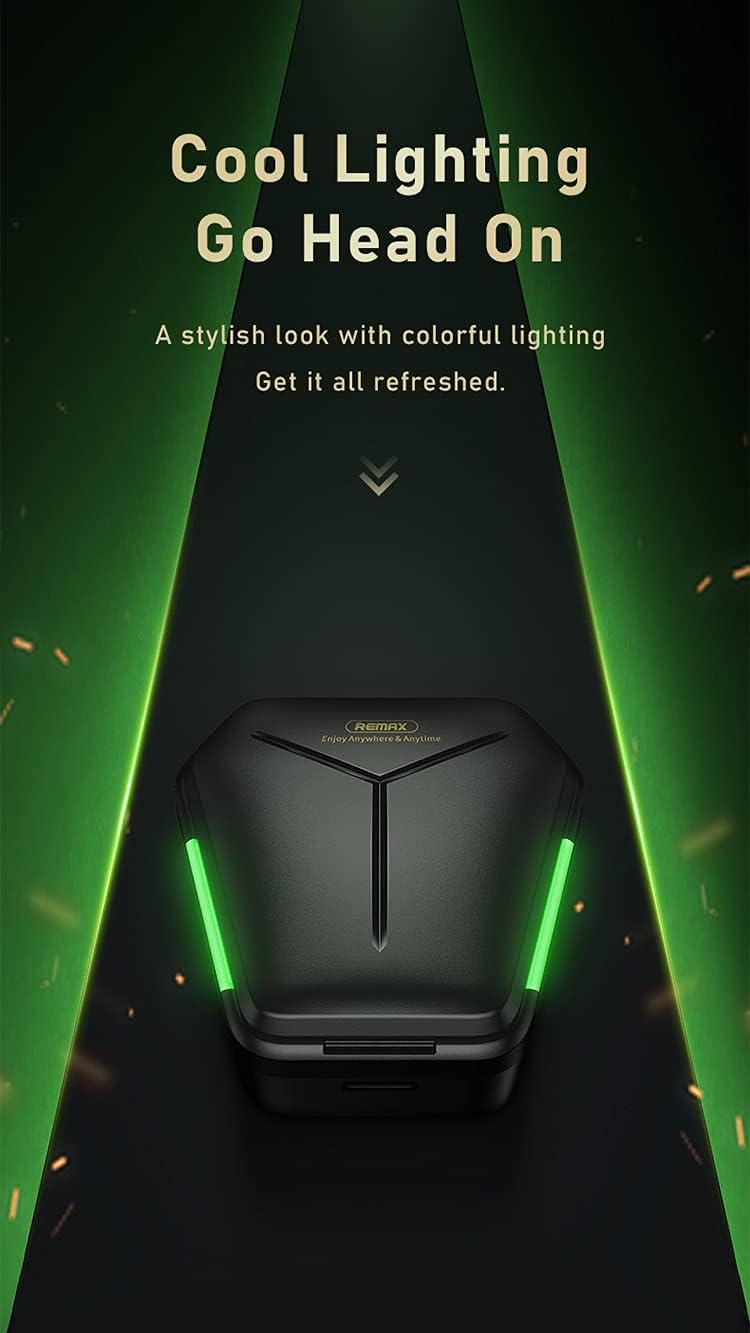
Image: The Remax TWS-30 charging case illuminated with green lighting, highlighting its design.
Setup
1. Charging the Earbuds and Case
- Initial Charge: Before first use, fully charge the earbuds and the charging case.
- Charging the Case: Connect the USB charging cable to the charging port on the case and to a power source. The indicator lights on the case will show the charging status.
- Charging the Earbuds: Place the earbuds into the charging case. Ensure they are correctly seated. The earbuds will automatically begin charging. Indicator lights on the earbuds or case will confirm charging.

Image: The Remax TWS-30 charging case with green lights, depicted in a gaming-themed environment, suggesting its suitability for gaming with up to 90 hours of standby time.
2. Pairing with a Bluetooth Device
- Power On: Open the charging case. The earbuds will automatically power on and enter pairing mode.
- Activate Bluetooth: On your device (smartphone, tablet, etc.), enable Bluetooth.
- Select Device: Search for "TWS-30" or "Remax TWS-30" in the list of available Bluetooth devices and select it to connect.
- Confirmation: Once connected, you will hear an audio prompt, and the indicator lights on the earbuds may change.
3. Wearing the Earbuds
Gently insert the earbuds into your ears. Adjust them for a comfortable and secure fit. The ergonomic design ensures a snug fit for extended use.
Operating Instructions
Touch Controls
The Remax TWS-30 earbuds feature intuitive touch controls. Specific functions may vary slightly depending on your device and operating system.
- Play/Pause: Single tap on either earbud.
- Next Track: Double tap on the right earbud.
- Previous Track: Double tap on the left earbud.
- Answer/End Call: Single tap on either earbud during an incoming call.
- Reject Call: Press and hold either earbud for 2 seconds during an incoming call.
- Activate Voice Assistant: Triple tap on either earbud (e.g., Siri, Google Assistant).
- Switch Modes (Gaming/Music): Press and hold for 3 seconds on either earbud (refer to specific product documentation for exact gesture).

Image: Icons representing key features of the Remax TWS-30 earbuds: Wireless 5.0, Dual-mode enjoyment, Cozy fitting, and Touch control.
Gaming Mode and Music Mode
The TWS-30 earbuds offer optimized audio profiles for different uses:
- Gaming Mode: Features low latency (approximately 65ms) for synchronized audio and visual effects, crucial for gaming. This mode provides precise sound positioning.
- Music Mode: Delivers high-resolution audio for an immersive music listening experience.

Image: A smartphone displaying a game, with white Remax TWS-30 earbuds in the foreground, illustrating the "Zero Latency" feature for gaming with synced audio and visual effects.

Image: A comparison chart showing the benefits of Gaming Mode (ATS decoding, stable 65ms super low latency, precise sound positioning) and Music Mode (SAN decoding, high resolution for super HiFi quality, immersive music).
Active Noise Cancellation (ANC)
The earbuds are equipped with Active Noise Cancellation to reduce ambient noise, enhancing your listening experience. Refer to the product's specific touch control gestures for activating or deactivating ANC.
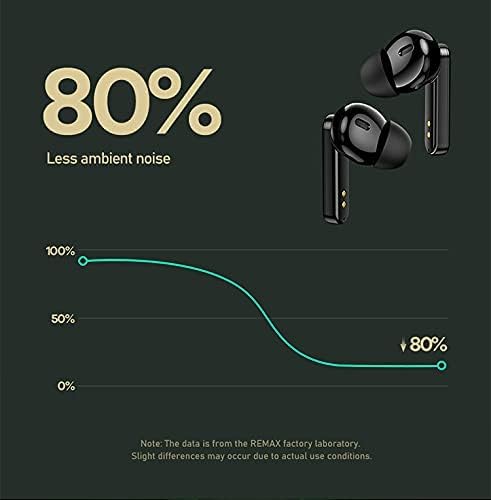
Image: A graph illustrating the noise reduction capability of the Remax TWS-30 earbuds, indicating up to 80% less ambient noise.
Maintenance
- Cleaning: Regularly clean the earbuds and charging case with a soft, dry, lint-free cloth. Do not use harsh chemicals or abrasive materials.
- Storage: When not in use, store the earbuds in their charging case to protect them and keep them charged. Store in a cool, dry place away from extreme temperatures.
- Water Exposure: Avoid exposing the earbuds to water or excessive moisture.
Troubleshooting
- Earbuds not pairing:
Ensure both earbuds are charged. Place them back in the case, close the lid, then open it again to re-enter pairing mode. Check your device's Bluetooth settings and try reconnecting. If issues persist, try forgetting the device on your phone and re-pairing.
- No sound from one earbud:
Ensure both earbuds are charged. Try placing both earbuds back in the case and taking them out again. Sometimes a factory reset (refer to specific product instructions if available) can resolve this.
- Charging issues:
Verify the charging cable and power adapter are working correctly. Ensure the charging contacts on the earbuds and inside the case are clean and free of debris.
- Poor sound quality or disconnections:
Ensure you are within the Bluetooth range (up to 10 meters). Avoid obstacles between your device and the earbuds. Check for interference from other wireless devices. Ensure the earbuds are fully charged.
Specifications

Image: A detailed view of the Bluetooth 5.0 chip and DSP anti-interference chip, highlighting the advanced wireless technology of the Remax TWS-30 earbuds.

Image: Infographic displaying key performance metrics: 10 meters transmission distance, 99% wireless compatibility, and 0 latency with Smoother V5.0 technology.
| Feature | Detail |
|---|---|
| Model Name | TWS-30 |
| Brand | Remax |
| Connectivity Technology | Wireless (Bluetooth 5.0) |
| Wireless Communication Technology | Bluetooth |
| Headphones Form Factor | In Ear |
| Headphones Ear Placement | In Ear |
| Noise Control | Active Noise Cancellation |
| Headphones Jack | Without Jack |
| Color | Black |
| Included Components | Ear Cushions |
| Package Dimensions | 17.1 x 12.1 x 3.5 cm |
| Weight | 160 g (Package) |
Warranty and Support
For warranty information and customer support, please refer to the documentation provided with your purchase or contact the retailer/manufacturer directly. Keep your proof of purchase for warranty claims.


