
1. Introduction
Thank you for choosing the SURFOU N6 Wireless Doorbell System. This manual provides detailed instructions for the installation, operation, and maintenance of your new doorbell. Please read this manual thoroughly before use to ensure proper function and longevity of the product. This system includes one receiver unit and two push-button transmitters, designed for convenience and reliability.

An overview of the SURFOU N6 Wireless Doorbell system, showing the square receiver unit with a glowing blue ring and two rectangular push-button transmitters.
2. Package Contents
Please verify that all items listed below are included in your package:
- 1 x Wireless Receiver (Chime Unit)
- 2 x Wireless Transmitters (Push Buttons)
- 1 x User Manual
- 2 x 12V A23 Batteries (for Transmitters)
- Mounting Hardware (Screws and Wall Anchors)
- 2 x Double-sided Adhesive Tapes

This image displays the complete package contents, including the user manual, two yellow adhesive pads, mounting screws and anchors, a 12V battery, and the receiver and transmitter units. It also provides detailed dimensions for both the receiver (7cm x 7cm) and the transmitter (8.6cm x 3.5cm).
3. Safety Information
- Do not expose the receiver to water or high humidity. The transmitters are waterproof, but prolonged submersion should be avoided.
- Keep batteries out of reach of children. If swallowed, seek medical attention immediately.
- Do not attempt to disassemble or repair the device yourself. Contact customer support for assistance.
- Ensure the receiver is plugged into a standard wall outlet with the correct voltage.
- Dispose of old batteries according to local regulations.
4. Setup
4.1. Transmitter Installation
- Insert Battery: Open the back cover of the transmitter and insert the provided 12V A23 battery, ensuring correct polarity. Close the cover securely.
- Choose Location: Select a flat, clean surface near your door. Ensure the location is within the wireless range of the receiver (up to 1300ft / 400m in open areas).
- Mounting Options:
- Adhesive Tape: Peel off one side of the double-sided adhesive tape and stick it to the back of the transmitter. Peel off the other side and firmly press the transmitter onto the desired surface for 30 seconds.
- Screws: Use the provided screws and wall anchors to securely mount the transmitter to the wall. Mark the drill points, drill holes, insert anchors, and then screw the transmitter into place.

A close-up view of a SURFOU wireless doorbell transmitter mounted on a wall, with water droplets visible, emphasizing its waterproof design and suitability for outdoor installation.
4.2. Receiver Installation
Simply plug the receiver into any standard electrical outlet indoors. Ensure it is within range of the transmitter(s).
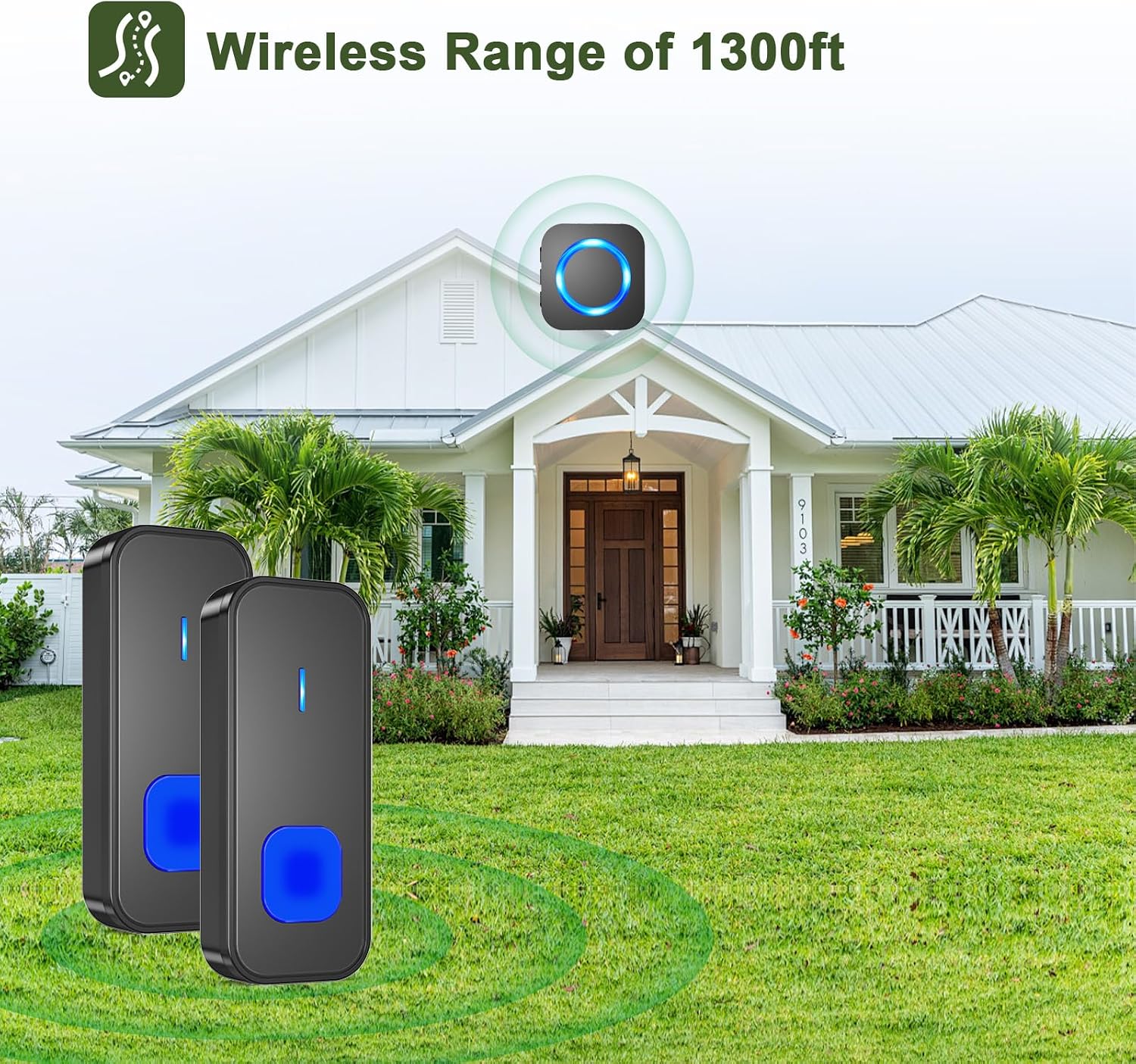
This image depicts two doorbell transmitters placed in a garden in front of a house, with an icon indicating a wireless range of 1300 feet (approximately 400 meters), demonstrating the extensive coverage of the system.
5. Operating Instructions
5.1. Changing Melodies
Press the 'Music' button on the side of the receiver to cycle through the 55 available melodies. Stop pressing when you hear your desired melody.
5.2. Adjusting Volume
Press the 'Volume' button on the side of the receiver to cycle through the 5 volume levels (0dB to 110dB). The lowest setting is mute.
5.3. Pairing Transmitters (if needed)
Your doorbell system is typically pre-paired. If you need to re-pair or add a new transmitter:
- Plug in the receiver.
- Press and hold the 'Volume' button on the receiver for 5 seconds until you hear a 'ding' sound and the LED indicator flashes. This indicates pairing mode.
- Immediately press the push button on the transmitter. The receiver will chime, indicating successful pairing.
- To pair additional transmitters, repeat steps 2 and 3 for each transmitter.

The receiver unit is shown plugged into a wall outlet, accompanied by icons highlighting its key features: 55 selectable melodies, an LED indicator for visual alerts, and 5 adjustable volume levels.
5.4. LED Indication
The receiver features an LED light that flashes when the doorbell is pressed. This is particularly useful for individuals with hearing impairments or when the doorbell is in mute mode.

The receiver unit is shown in a bedroom setting, illustrating its flashing LED light feature, which provides a visual alert for doorbell presses, beneficial for individuals with hearing impairments or when the sound is muted.
6. Maintenance
- Cleaning: Wipe the doorbell units with a soft, dry cloth. Do not use abrasive cleaners or solvents.
- Battery Replacement: When the transmitter's LED indicator no longer lights up or the range decreases significantly, it's time to replace the 12V A23 battery. Open the back cover, replace the battery with a new one of the same type, and ensure correct polarity.
- Environmental Protection: The transmitter is designed to be dustproof and waterproof (IP44 rated), suitable for outdoor use. However, avoid extreme conditions or direct high-pressure water jets.

A doorbell transmitter is mounted on a door, with text indicating its dustproof and waterproof design, a maximum lifespan of 1-3 years, and an operating temperature range of -30°C to 70°C (-22°F to 158°F), suitable for various weather conditions.
7. Troubleshooting
| Problem | Possible Cause | Solution |
|---|---|---|
| Receiver does not chime. | No power to receiver; Transmitter battery low/dead; Out of range; Not paired. | Check power outlet; Replace transmitter battery; Move receiver closer; Re-pair transmitter. |
| Short wireless range. | Obstructions (thick walls, metal structures); Interference; Low transmitter battery. | Relocate receiver/transmitter to minimize obstructions; Replace transmitter battery. |
| Transmitter LED does not light up. | Transmitter battery dead or incorrectly installed. | Replace transmitter battery, ensuring correct polarity. |
| Receiver volume is too low or mute. | Volume setting is too low or set to mute. | Press the 'Volume' button to increase the volume level. |
8. Specifications
- Model Number: N6
- Wireless Range: Up to 1300 ft (400m) in open areas
- Sound Level: 0dB to 110dB (5 adjustable levels)
- Melodies: 55 selectable chimes
- Transmitter Power: 1 x 12V A23 battery (included)
- Receiver Power: AC 110-240V (Plug-in)
- Operating Temperature: -30°C to 70°C (-22°F to 158°F)
- Transmitter Dimensions (L x W x H): 8.6 cm x 3.5 cm x 2 cm (approximate)
- Receiver Dimensions (L x W x H): 7 cm x 7 cm x 5.1 cm (approximate)
- Waterproof Rating: IP44 (Transmitter)
9. Warranty and Support
SURFOU products come with a standard warranty. For specific warranty details, please refer to the product packaging or contact our customer support. If you encounter any issues or have questions regarding your SURFOU N6 Wireless Doorbell System, please do not hesitate to contact us.
Customer Support Email: service@surfou.com


