
Introduction
This instruction manual provides essential information for the safe and efficient use of your Spigen 27W USB C Wall Charger. This compact and powerful charger is designed to provide fast and super fast charging for a wide range of devices, including iPhone and Samsung Galaxy models, as well as iPads and other USB-C compatible devices. Please read this manual thoroughly before using the product.

Figure 1: Spigen 27W USB C Wall Charger (Model PE2103UJ)
Setup
The Spigen 27W USB C Wall Charger is designed for simple plug-and-play operation.
- Unpack the Charger: Carefully remove the charger from its packaging. Ensure no components are missing or damaged. (Note: Charging cable is not included and must be purchased separately.)
- Unfold the Prongs: If the prongs are folded, gently extend them until they lock into place.
- Connect to Power Outlet: Insert the charger into a standard wall power outlet.
- Connect Your Device: Using a compatible USB-C to USB-C cable (or USB-C to Lightning for Apple devices), connect one end to the charger's USB-C port and the other end to your device's charging port.
- Verify Charging: Confirm that your device indicates it is charging.
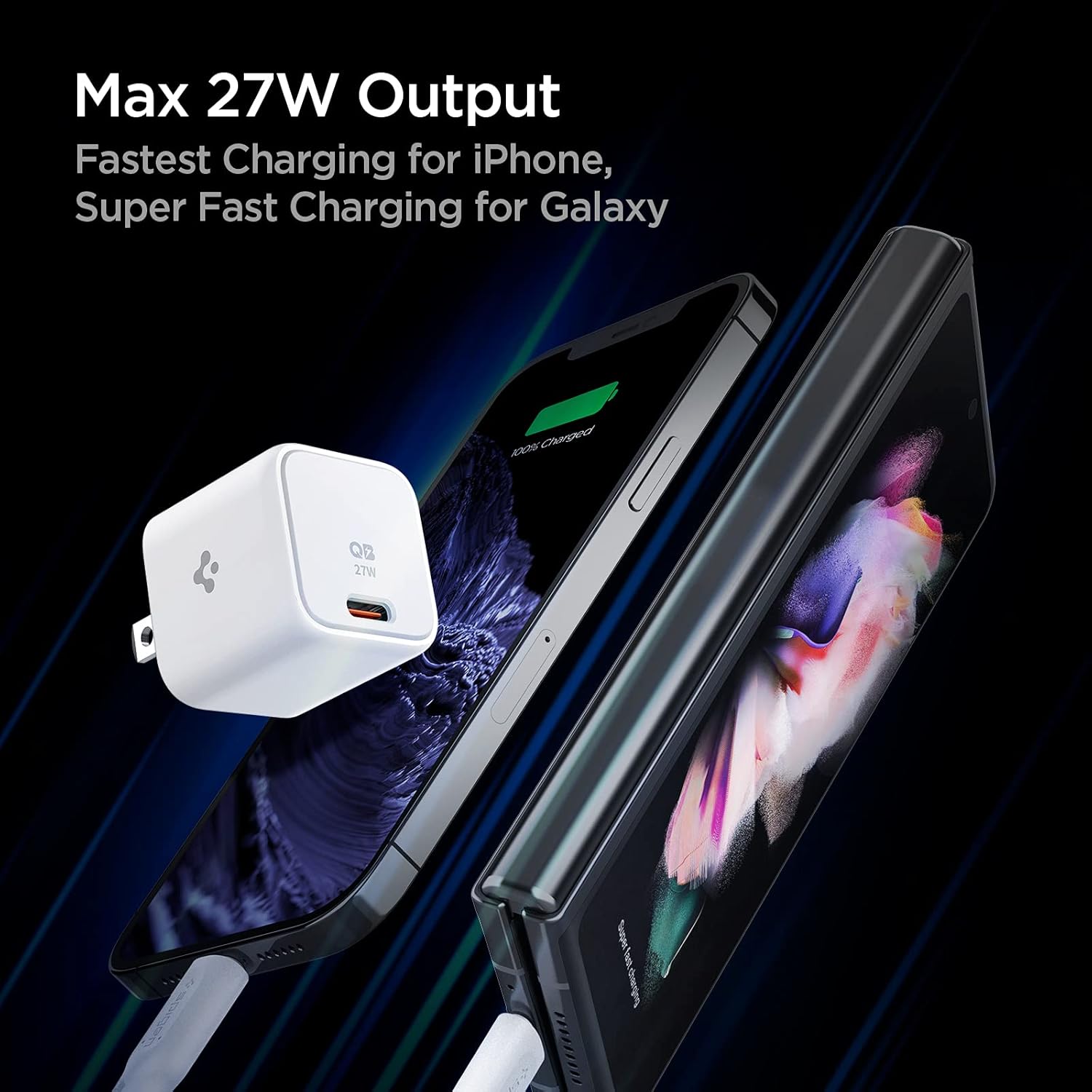
Figure 2: Connecting the charger to devices for optimal charging.
Operating Instructions
The Spigen 27W USB C Wall Charger utilizes advanced charging protocols to deliver optimal power to your devices.
Charging Capabilities:
- USB-C Power Delivery (PD) 27W Output: Provides fast charging for compatible Apple devices, including iPhone 16, 15, 14, 13, 12 series, and various iPad models (e.g., iPad Pro M4, iPad Air M2, iPad Mini).
- Programmable Power Supply (PPS) 25W Output: Delivers super fast charging for Samsung Galaxy devices, including S25, S24, S23, S22, S21 series, Z Fold 6/5/4/3, and Z Flip 6/5/4/3 series.
- Quantum Boost™ Technology: Maximizes the charging speed of your device by intelligently adapting the power output.

Figure 3: Quantum Boost™ technology ensures optimized charging for a wide range of devices.
Compact Design:
The charger features a compact, pocket-sized design, approximately 36% smaller than a standard 20W charger, thanks to its 3D PCB Technology. This design minimizes interference with other outlets when plugged into a power strip or wall outlet.
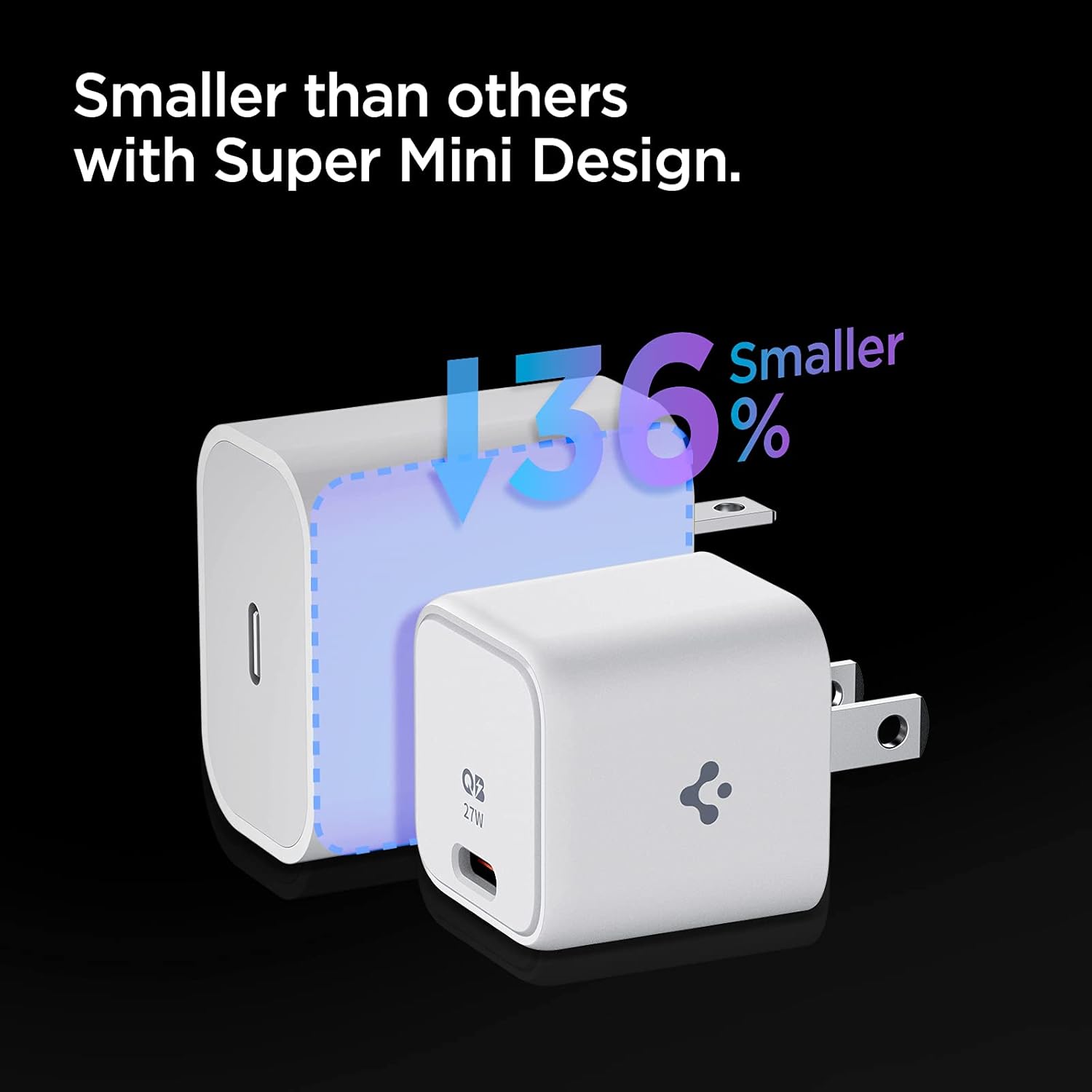
Figure 4: The compact design of the Spigen 27W charger compared to a larger standard charger.

Figure 5: Internal 3D PCB Technology enables a smaller form factor.
Maintenance
To ensure the longevity and optimal performance of your Spigen 27W USB C Wall Charger, follow these simple maintenance guidelines:
- Keep Dry: Avoid exposing the charger to water or excessive humidity. Moisture can damage internal components.
- Clean Gently: Use a soft, dry cloth to clean the exterior of the charger. Do not use liquid cleaners or abrasive materials.
- Store Properly: When not in use, store the charger in a cool, dry place away from direct sunlight and extreme temperatures.
- Handle with Care: Avoid dropping the charger or subjecting it to strong impacts, which can damage its internal circuitry.
- Inspect Regularly: Periodically check the charger and its port for any signs of damage, such as cracks or bent pins. Discontinue use if damage is observed.
Troubleshooting
If you encounter issues with your Spigen 27W USB C Wall Charger, refer to the following common troubleshooting steps:
| Problem | Possible Cause | Solution |
|---|---|---|
| Device not charging. |
|
|
| Device charging slowly or not "super fast charging". |
|
|
| Charger feels warm during use. | Normal operation. | A slight warmth during charging is normal. If the charger becomes excessively hot, disconnect it immediately and contact customer service. Power Quality Technology minimizes ripple noise for stable power and prevents device damage. |
Specifications
Detailed technical specifications for the Spigen 27W USB C Wall Charger:
| Feature | Detail |
|---|---|
| Model Number | PE2103UJ |
| Product Dimensions | 1.22 x 1.22 x 1.26 inches |
| Item Weight | 1.41 ounces |
| Wattage | 27.00 W |
| Amperage | 5.4 Amps |
| Total USB Ports | 1 (USB Type C) |
| Color | White |
| Special Features | Fast Charging, Lightweight Design, Short Circuit Protection, Travel-friendly |
| Compatible Devices | Apple iPhone 16/15/14/13/12 series, iPad Pro M4/Air M2/Mini, Samsung Galaxy S25/S24/S23/S22/S21 series, Z Fold 6/5/4/3, Z Flip 6/5/4/3, Note 20/10, AirPods/Pro/Max, and other USB-C compatible devices. |
| Included Components | Charger unit (Cable Not Included) |
Warranty and Support
Your Spigen 27W USB C Wall Charger comes with a comprehensive warranty and dedicated customer support.
- Warranty Period: The product is covered by a 24-Month Warranty from the date of purchase.
- Customer Service: For any inquiries, technical assistance, or warranty claims, please contact Spigen's friendly customer service team. Refer to the contact information provided on the product packaging or the official Spigen website.
- Welcome Guide: A welcome guide is included with your purchase, providing additional information and quick start instructions.
Important Safety Information
Please read and follow these safety precautions to prevent injury or damage to the product and connected devices:
- Do not disassemble, modify, or repair the charger yourself.
- Do not expose the charger to extreme temperatures, direct sunlight, or fire.
- Keep the charger away from children and pets.
- Use only compatible cables and devices with the charger.
- Unplug the charger from the power outlet when not in use or during electrical storms.
- Do not operate the charger if it has been damaged in any way.
Additional Resources
For more information and product updates, visit the official Spigen website:Spigen Official Store
Note: Video content could not be embedded as per instructions due to missing video URL and metadata in the provided product data.


