
1. Introduction
The Reland Sun 4-Digit PC Motherboard Diagnostic Card is a powerful tool designed for troubleshooting and diagnosing issues with computer motherboards. Also known as a POST (Power On Self Test) card, it displays error codes generated during the system's boot process. This allows users to quickly identify faulty hardware components such as the CPU, memory, or display card, without needing to open the motherboard for extensive inspection. This manual provides instructions for the proper setup, operation, and interpretation of diagnostic codes to assist in efficient computer repair.

Figure 1: Front view of the Reland Sun 4-Digit PC Motherboard Diagnostic Card, showing the 4-digit LED display and main chip.
2. Product Overview
The diagnostic card features a 4-digit LED display for showing POST codes and several LED indicators for power supply status. It is designed to be compatible with both PCI and ISA slots found on various computer motherboards.

Figure 2: Detailed view of the diagnostic card, highlighting the 4-digit display and various onboard components.
3. Installation
- Power Off: Ensure your computer is completely powered off and disconnected from the main power supply before installation.
- Open Case: Carefully open your computer's case to access the motherboard.
- Locate Slot: Identify an available PCI or ISA expansion slot on your motherboard.
- Insert Card: Gently insert the Reland Sun 4-Digit PC Motherboard Diagnostic Card into the chosen PCI or ISA slot. Ensure it is seated firmly and correctly.
- Close Case: Once the card is installed, you may close the computer case.
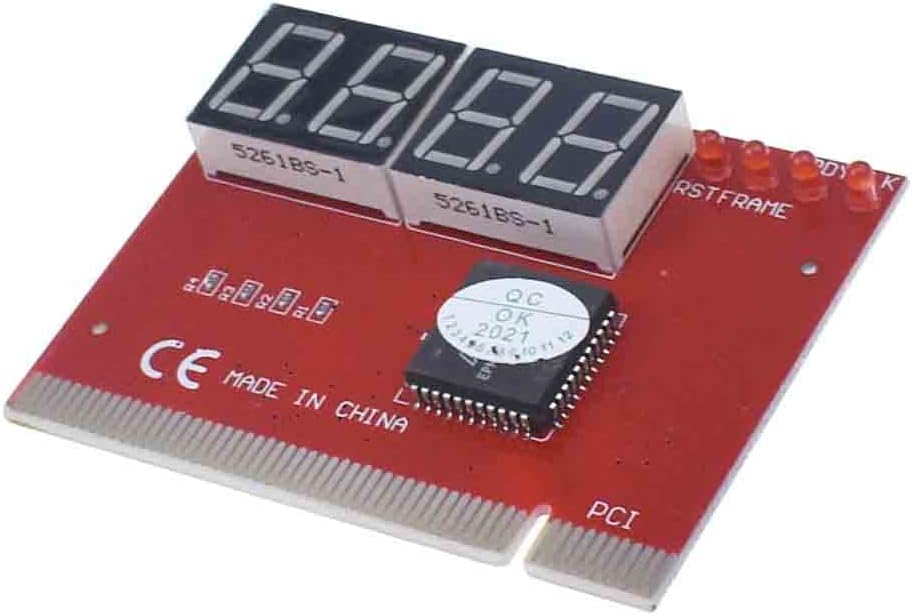
Figure 3: The diagnostic card ready for insertion into an expansion slot.
4. Operating Instructions
After installing the diagnostic card, follow these steps to operate it:
- Power On: Connect your computer to the power supply and turn it on.
- Observe LED Display: The 4-digit LED display on the diagnostic card will begin to show a sequence of hexadecimal codes. These are the POST codes generated by your motherboard.
- Check Power Indicators: Observe the dedicated LED indicators for power supply voltages: +5V, +12V, +3.3V, and -12V. If an LED is lit, the corresponding power line is functioning correctly. If an LED is off, it indicates a potential power failure on that line.
- Record Codes: Note down the final or repeating codes displayed on the 4-digit LED screen. These codes are crucial for diagnosing the specific issue.
5. Interpreting Diagnostic Codes
The 4-digit LED display provides hexadecimal codes that correspond to different stages of the Power On Self Test (POST) process. Each code indicates the status of a specific hardware component or a point in the boot sequence. While a comprehensive code meaning table is typically provided by the motherboard manufacturer, here are general guidelines:
- Code Interpretation: Refer to your motherboard's manual or an online POST code database for the exact meaning of the displayed codes. These codes will pinpoint issues related to the CPU, memory, graphics card, BIOS, or other critical components.
- Start Code Values: The