
1. Introduction
1.1 Product Overview
Thank you for choosing the JOOLA 11645 J500A Outdoor Table Tennis Table. This manual provides essential information for the safe assembly, operation, and maintenance of your table. The JOOLA J500A is designed for outdoor use, featuring a durable, weatherproof surface and a foldable base for convenient storage and solo play.

Image 1.1: The JOOLA 11645 J500A Outdoor Table Tennis Table ready for play.
1.2 Safety Information
- Read all instructions carefully before assembly and use.
- Ensure all fasteners are securely tightened before playing.
- Keep hands and fingers clear of moving parts, especially during folding and unfolding operations, to prevent pinching or injury.
- The table is heavy (approximately 67.5 kg). Use caution and seek assistance when moving or assembling to avoid strain or injury.
- Do not allow children to fold or unfold the table without adult supervision.
- Ensure the table is placed on a level surface to prevent tipping.
- The double anti-tilt protection system is designed for safety; always engage it when the table is folded.
2. Package Contents
Before beginning assembly, verify that all components are present and undamaged. If any parts are missing or damaged, contact JOOLA customer support.
- Table Half 1 (with integrated leg assembly)
- Table Half 2 (with integrated leg assembly)
- Table Tennis Net and Post Set
- Assembly Hardware (bolts, nuts, washers, tools if included)
- Instruction Manual (this document)
3. Assembly Instructions
The JOOLA J500A table is designed for quick assembly. It is recommended that two adults perform the assembly.
- Unpack Components: Carefully remove all parts from the packaging. Place them on a clean, flat, and soft surface (e.g., a carpet or blanket) to prevent scratches.
- Attach Leg Assemblies (if separate): Some models may require attaching the leg assemblies to the table halves. Follow the specific diagrams in your included printed manual for bolt and nut placement. Ensure all connections are firm.
- Connect Table Halves: Position the two table halves side-by-side. Align the connecting mechanisms. Secure them according to the instructions, typically involving a central locking system or bolts.
- Install Net Set: Attach the net posts to the designated clamps on the table. Ensure the net is taut and centered.
- Adjust Table Level: Use the height-adjustable feet on the table legs to ensure the playing surface is perfectly level.
- Final Check: Double-check all bolts, nuts, and connections to ensure they are tight and secure before use.
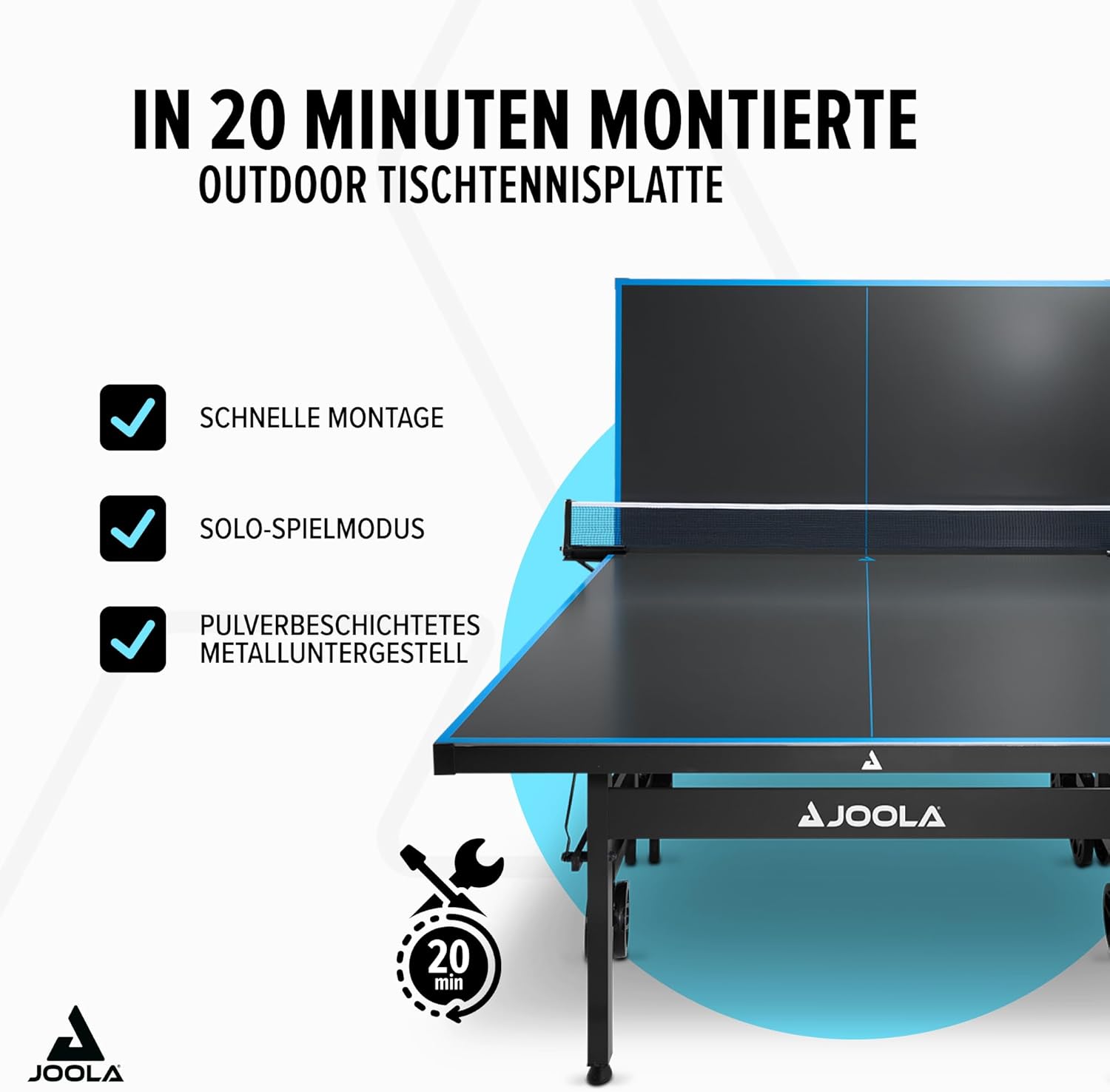
Image 3.1: The JOOLA J500A is designed for quick assembly, typically within 20 minutes.

Image 3.2: Mobility and stability are enhanced by the robust frame and lockable 6-inch wheels.

Image 3.3: The table features a weatherproof playing surface and includes an outdoor net.

Image 3.4: Stable support is provided by edge protection and height-adjustable legs.
4. Operating Instructions
4.1 Folding and Unfolding the Table
The JOOLA J500A table can be folded for compact storage or for solo play. Each half of the table can be moved independently.
- To Fold: Unlock any safety latches. Carefully lift one end of a table half, allowing the legs to fold underneath. Guide the table half into its vertical storage position. Engage the double anti-tilt protection mechanism to secure it. Repeat for the other half.
- To Unfold: Disengage the double anti-tilt protection. Carefully lower each table half from its vertical position, allowing the legs to extend. Ensure the legs are fully locked into place before connecting the two halves and installing the net.

Image 4.1: The table folds compactly for storage and features double anti-tilt protection for safety.
4.2 Solo Play Mode
To practice alone, fold one half of the table into the vertical position while leaving the other half flat. This allows you to hit the ball against the folded half, which acts as a rebound board.
5. Maintenance
Regular maintenance will extend the life and performance of your table tennis table.
- Cleaning the Surface: Wipe the playing surface with a damp cloth and mild soap solution. Avoid abrasive cleaners or solvents that could damage the aluminum composite surface. Dry thoroughly.
- Frame and Legs: Clean the powder-coated metal frame and legs with a damp cloth. Inspect for any signs of rust or damage.
- Wheels: Periodically check the wheels for debris and ensure they roll smoothly. Lubricate axles if necessary.
- Fasteners: Regularly inspect all bolts, nuts, and screws to ensure they remain tight. Tighten any loose fasteners.
- Storage: Although weatherproof, storing the table in a sheltered area or using a protective cover when not in use will help preserve its condition and appearance over time.
6. Troubleshooting
- Table is Uneven: Adjust the height-adjustable feet on the table legs until the playing surface is level. Ensure the table is on a flat ground.
- Table Wobbles: Check all frame connections and fasteners. Tighten any loose bolts. Ensure the table is fully unfolded and locked into position.
- Difficulty Folding/Unfolding: Ensure all safety latches are disengaged. Check for any obstructions in the folding mechanism. Apply a small amount of lubricant to hinges if movement is stiff.
- Net is Loose: Re-adjust the net tensioning system on the posts. Ensure the posts are securely clamped to the table.
7. Technical Specifications
| Model | JOOLA 11645 J500A Outdoor |
| Dimensions (L x W x H) | 274 cm x 152.5 cm x 76 cm (Official ITTF size) |
| Weight | Approximately 67.5 kg |
| Playing Surface | 6mm Aluminium Composite |
| Frame Material | Powder-coated Alloy Steel (40mm profile) |
| Base Material | Aluminium |
| Wheels | 8 x 6-inch lockable transport wheels |
| Features | Weatherproof, Foldable, Quick Assembly, Height-adjustable feet, Double anti-tilt protection, Includes net |
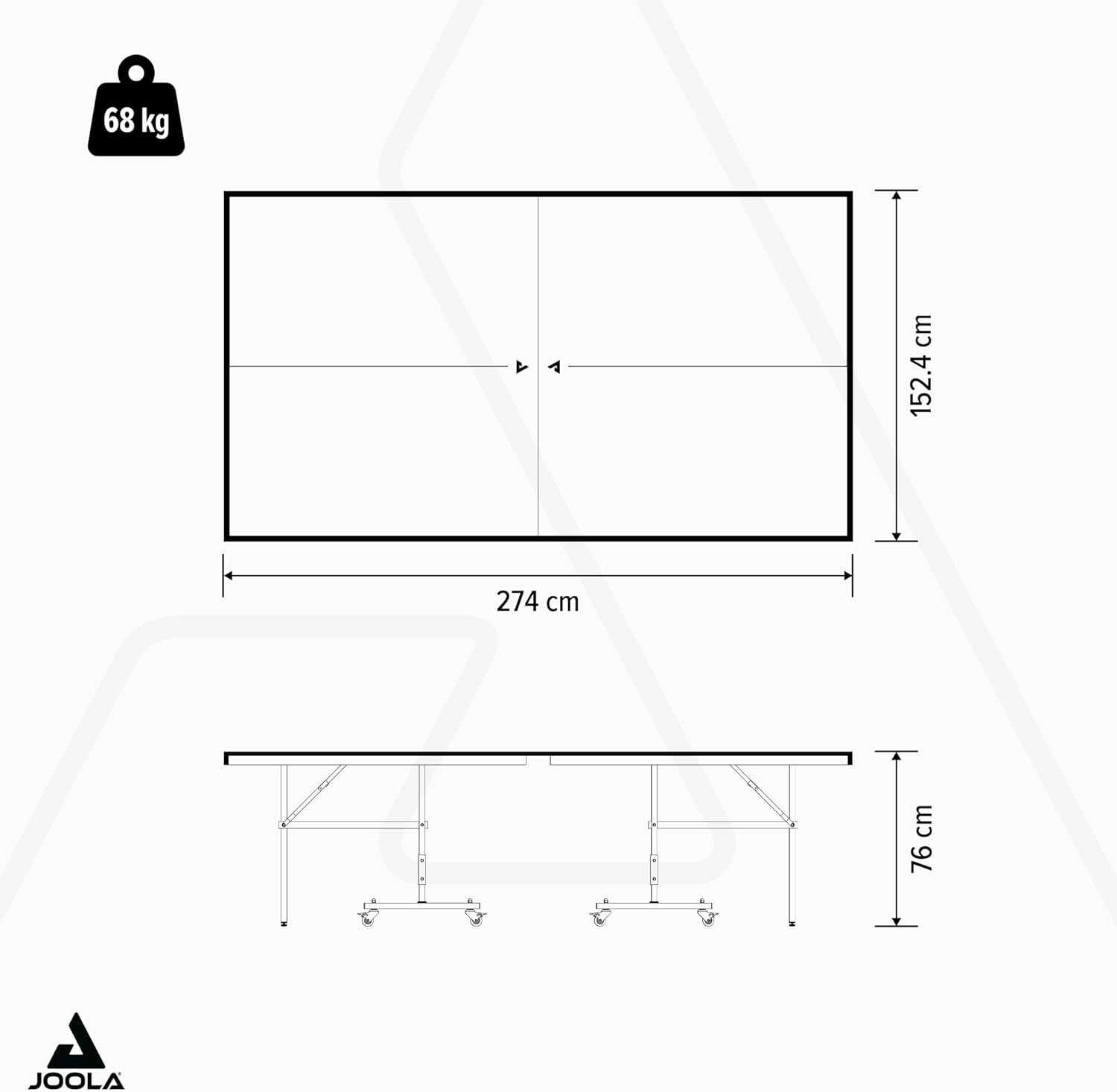
Image 7.1: Detailed dimensions of the JOOLA 11645 J500A table.
8. Warranty and Support
8.1 Warranty Information
JOOLA products are manufactured to high-quality standards. For specific warranty details regarding your JOOLA 11645 J500A Outdoor Table Tennis Table, please refer to the warranty card included with your purchase or visit the official JOOLA website. The warranty typically covers manufacturing defects under normal use.
8.2 Customer Support
If you have any questions, require assistance with assembly, or encounter any issues not covered in this manual, please contact JOOLA customer support. Contact information can typically be found on the JOOLA website or on your product packaging.
For online resources and further information, please visit the official JOOLA website.


