
SUNROAD FR730
SUNROAD Scuba Diving Computer Digital Sports Watch User Manual
Model: FR730
Brand: SUNROAD
1. Introduction
This user manual provides comprehensive instructions for the SUNROAD Scuba Diving Computer Digital Sports Watch, Model FR730. This professional diving computer is designed to assist divers with essential data analysis and safety features, including diving depth, diving time, surface time, no-flight time, and NDL reminders. It also incorporates various outdoor functions such as a digital compass, altimeter, barometer, and pedometer, making it a versatile tool for both underwater and outdoor activities. Please read this manual thoroughly before using the device to ensure proper operation and safety.
2. Safety Information
Always prioritize safety when using the diving computer. Adhere to the following guidelines:
- Ensure the watch is fully charged before each dive.
- Verify all seals and the charging port cover are securely closed to maintain 100M waterproof integrity.
- Do not attempt to open or repair the device yourself, as this will void the warranty and may compromise its waterproof capabilities.
- Regularly check the display for any anomalies or error messages.
- This device is an aid and should not replace proper dive training, planning, or professional dive tables.
- Always follow established diving safety protocols and guidelines.
3. Package Contents
Upon opening the package, please verify that all items are present and in good condition:
- 1 x SUNROAD Scuba Diving Computer (Model FR730)
- 1 x USB Charging Cable
- 1 x User Manual
- 1 x Cleaning Cloth
- (Optional: 1 x Longer Strap, if included with your specific model)
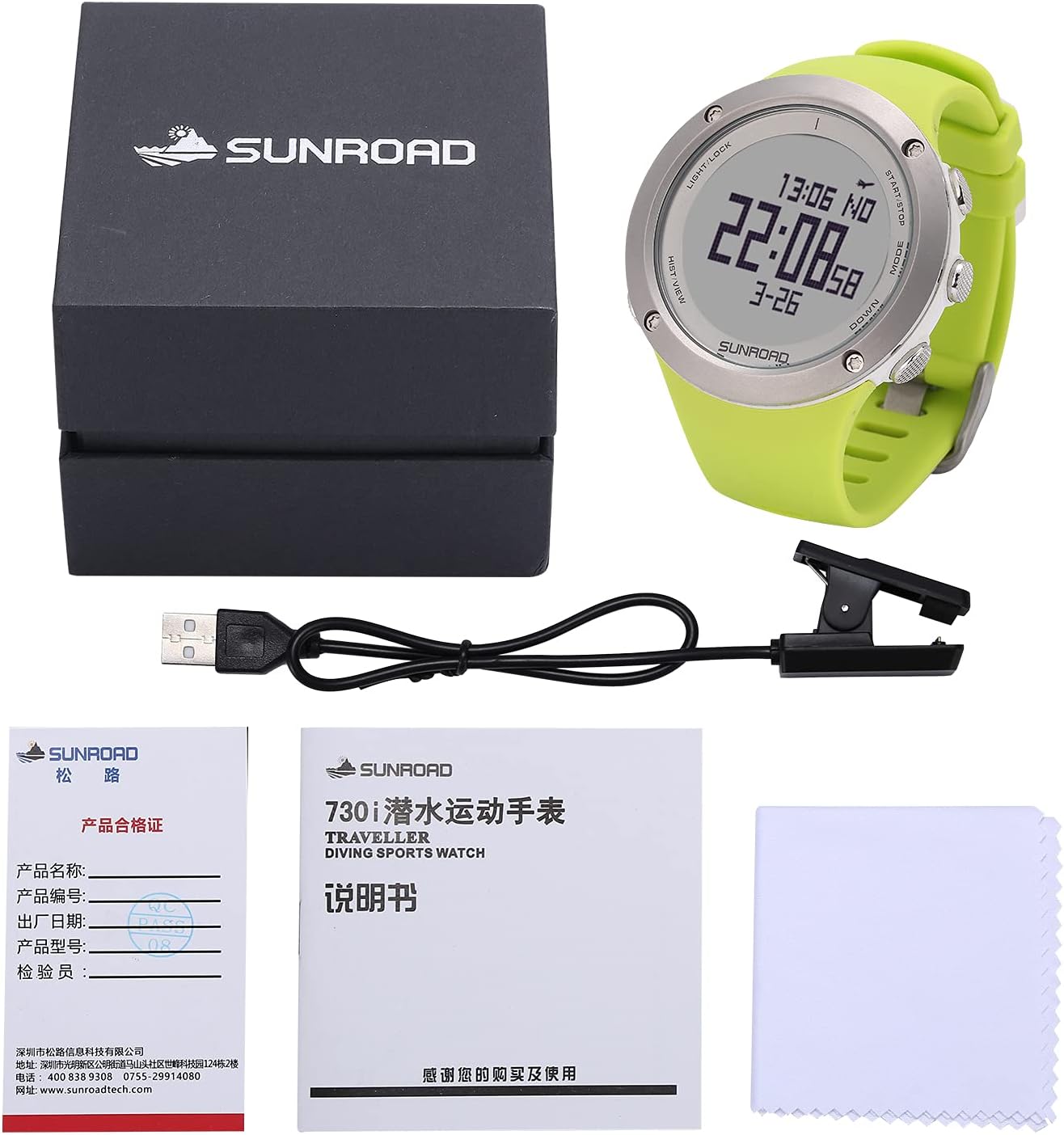
Figure 3.1: Contents of the SUNROAD Scuba Diving Computer package.
4. Product Overview
The SUNROAD FR730 is a robust digital sports watch designed for diverse activities, with a primary focus on diving. It features a clear digital display and multiple buttons for navigation and function selection.

Figure 4.1: Front view of the SUNROAD FR730 Diving Computer.

Figure 4.2: Rear view of the SUNROAD FR730 Diving Computer, indicating sensor placement and model details.

Figure 4.3: Dimensions of the SUNROAD FR730 Diving Computer.
5. Setup
5.1 Charging the Device
The SUNROAD FR730 features a rechargeable battery. Before first use, fully charge the device.
- Locate the USB charging port on the watch.
- Connect the provided USB charging cable to the watch and to a standard USB power adapter (not included) or a computer USB port.
- The charging indicator on the display will show charging progress.
- A full charge typically takes approximately three hours and provides standby time for up to two months.
5.2 Initial Settings
Upon first power-on or after a factory reset, you may need to configure basic settings such as time, date, and measurement units.
- Press the MODE button to cycle through main menus.
- Use the UP and DOWN buttons to adjust values or navigate options.
- Press START/STOP to confirm selections.
6. Operating Modes
The SUNROAD FR730 supports three primary diving modes:
- Air Mode: For diving with standard air.
- Nitrox Mode: For diving with enriched air nitrox. Configure the oxygen percentage (O2%) before diving.
- Free Diving Mode: For breath-hold diving, tracking depth and time without decompression calculations.
Switch between modes using the MODE button. Refer to the on-screen prompts for specific settings within each mode.

Figure 6.1: Example display in a diving mode, showing depth and temperature.
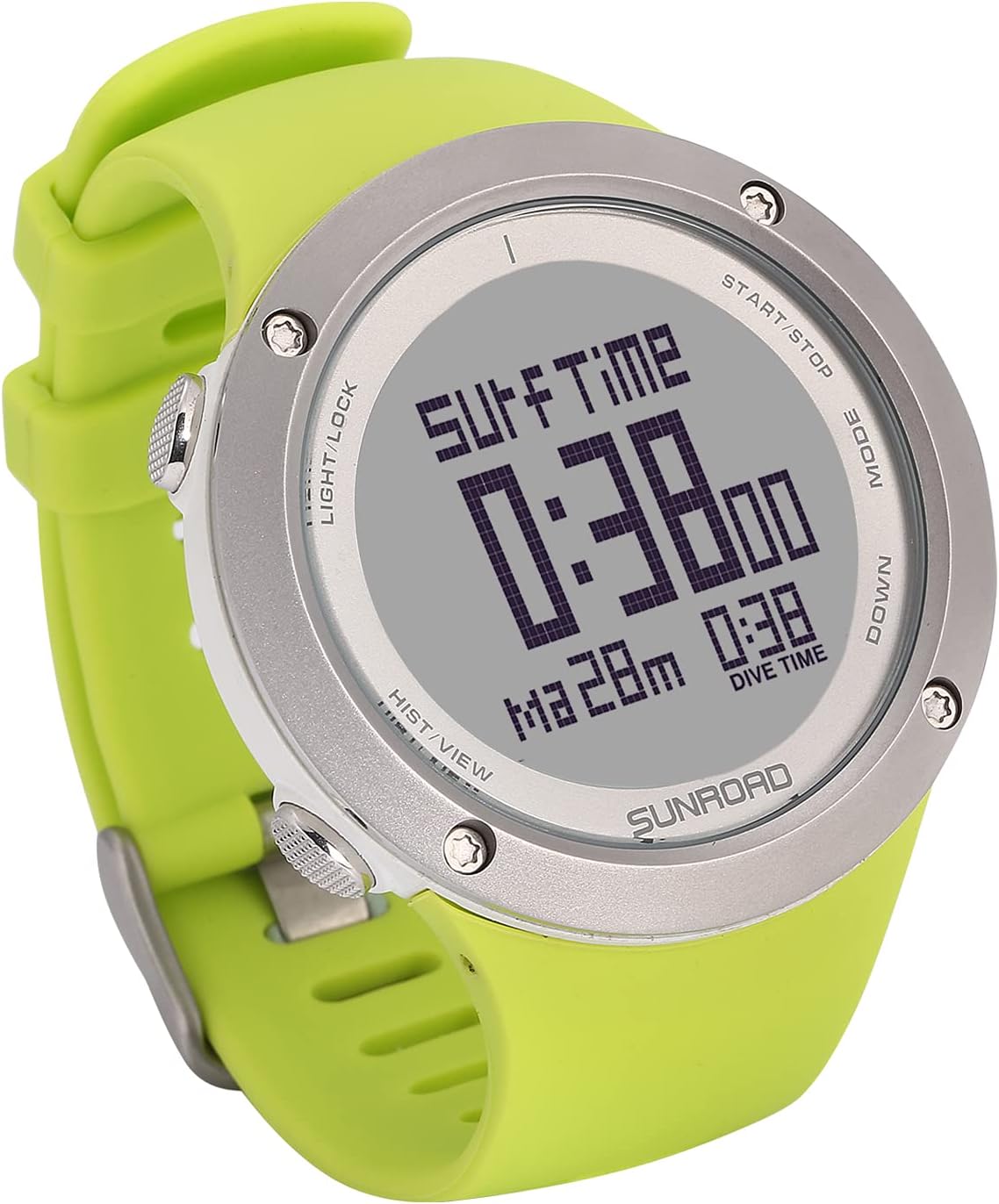
Figure 6.2: Example display showing surface time.
7. Key Functions
The FR730 integrates several useful functions beyond diving:
- Digital Compass: Provides accurate directional readings. Calibrate before first use and periodically.
- Altimeter: Measures current altitude. Useful for hiking and mountaineering.
- Barometer: Displays atmospheric pressure, which can indicate weather changes.
- Pedometer: Tracks steps, distance, and calories burned during daily activities.
- Stopwatch: For timing events.
- Sunrise & Sunset: Displays local sunrise and sunset times based on configured location.
- Temperature: Shows ambient temperature.
8. Diving Data Analysis and Safety Alarms
The watch provides critical diving data and safety alerts:
- Diving Depth & Time: Real-time display of current depth and elapsed dive time.
- Rising Speed: Monitors ascent rate to prevent rapid ascents.
- Safe Stay & Forcible Safe Stay: Indicates required safety stops.
- Deep Stay: Alerts for deep stops if necessary.
- Water Surface Time: Tracks time spent on the surface between dives.
- No-Fly Time: Calculates the minimum surface interval before flying.
- NDL Remind: No Decompression Limit reminder.
- Target Depth/Time Alarm: User-settable alarms for reaching specific depths or dive durations.
- Diving Log: Stores up to 100 groups of diving data history for review. Access via the HIST/VIEW button.
Video 8.1: Demonstration of the SUNROAD Diving Computer in an underwater environment, showcasing its display and functionality during a dive. The video highlights the watch's readability and practical use for divers.
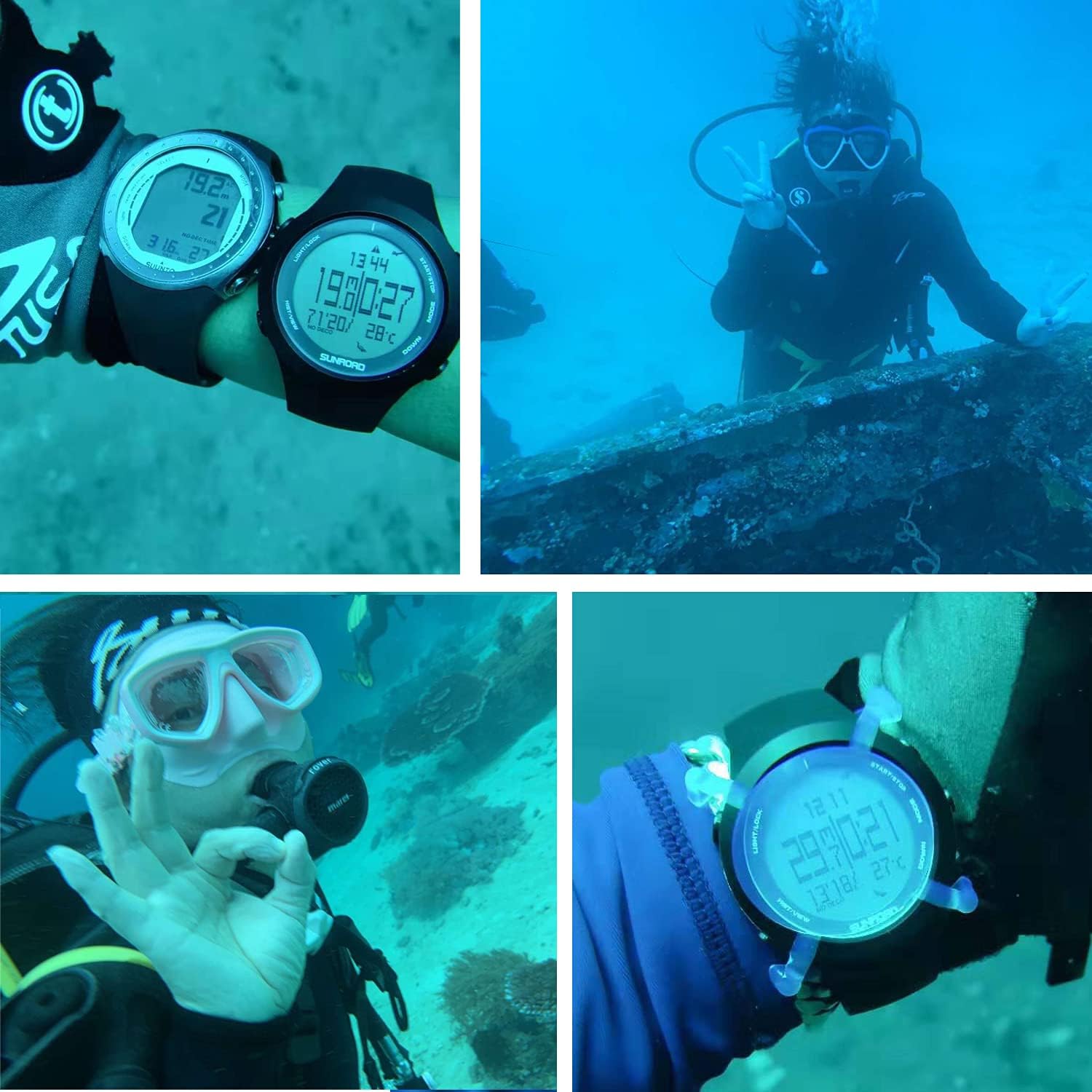
Figure 8.2: Examples of the SUNROAD Diving Computer in use during actual dives.
9. Maintenance
9.1 Cleaning
- After each dive, rinse the watch thoroughly with fresh water to remove salt, sand, and other debris.
- Use a soft cloth to dry the watch. Do not use abrasive materials or chemical cleaners.
- Ensure the charging port is clean and dry before charging.
9.2 Storage
- Store the watch in a cool, dry place away from direct sunlight and extreme temperatures.
- If storing for an extended period, ensure the battery has some charge to prevent deep discharge.
9.3 Battery Care
- Avoid completely draining the battery frequently.
- Charge the watch regularly, even if not in frequent use, to maintain battery health.
10. Troubleshooting
| Problem | Possible Cause | Solution |
|---|---|---|
| Watch does not power on. | Low or depleted battery. | Charge the watch for at least 3 hours. |
| Display is dim or unreadable. | Low battery; backlight setting. | Charge the watch. Adjust backlight settings if available. |
| Inaccurate compass readings. | Needs calibration; magnetic interference. | Recalibrate the compass. Move away from strong magnetic fields. |
| Water ingress after diving. | Charging port not sealed; damaged seals. | Ensure charging port cover is securely closed. If damage is suspected, contact support. |
11. Specifications
| Feature | Detail |
|---|---|
| Model Name | SUNROAD Scuba Diving Computer (FR730) |
| Water Resistance | 100M |
| Material | ABS + Stainless steel |
| Item Weight | 240 Grams |
| Connectivity | USB (for charging) |
| Battery Type | Lithium Manganese Dioxide |
| Special Features | Pedometer, Digital Compass, Altimeter, Barometer, Stopwatch, Temperature, Sunrise & Sunset |
| Diving Modes | Air, Nitrox, Free Diving |
| Diving Log Capacity | 100 groups |
12. Warranty and Support
For warranty information and technical support, please refer to the warranty card included in your product package or visit the official SUNROAD website. Keep your purchase receipt as proof of purchase for any warranty claims.
For further assistance, you may contact SUNROAD customer service through the contact information provided on their official website or through your point of purchase.
Ask a question about this manual
Ask about setup, troubleshooting, compatibility, parts, safety, or missing instructions. Manuals+ will review the question and use this page’s manual context to help answer it.