
Jada 33165
Instruction Manual
Jada Toys Hollywood Rides 1:12 R/C - Transformers Camaro
Introduction
Welcome to the world of Jada Toys Hollywood Rides! This manual provides essential information for the safe and optimal operation of your new 1:12 R/C Transformers Camaro, inspired by Bumblebee. Please read this manual thoroughly before operating the vehicle to ensure a fun and safe experience.
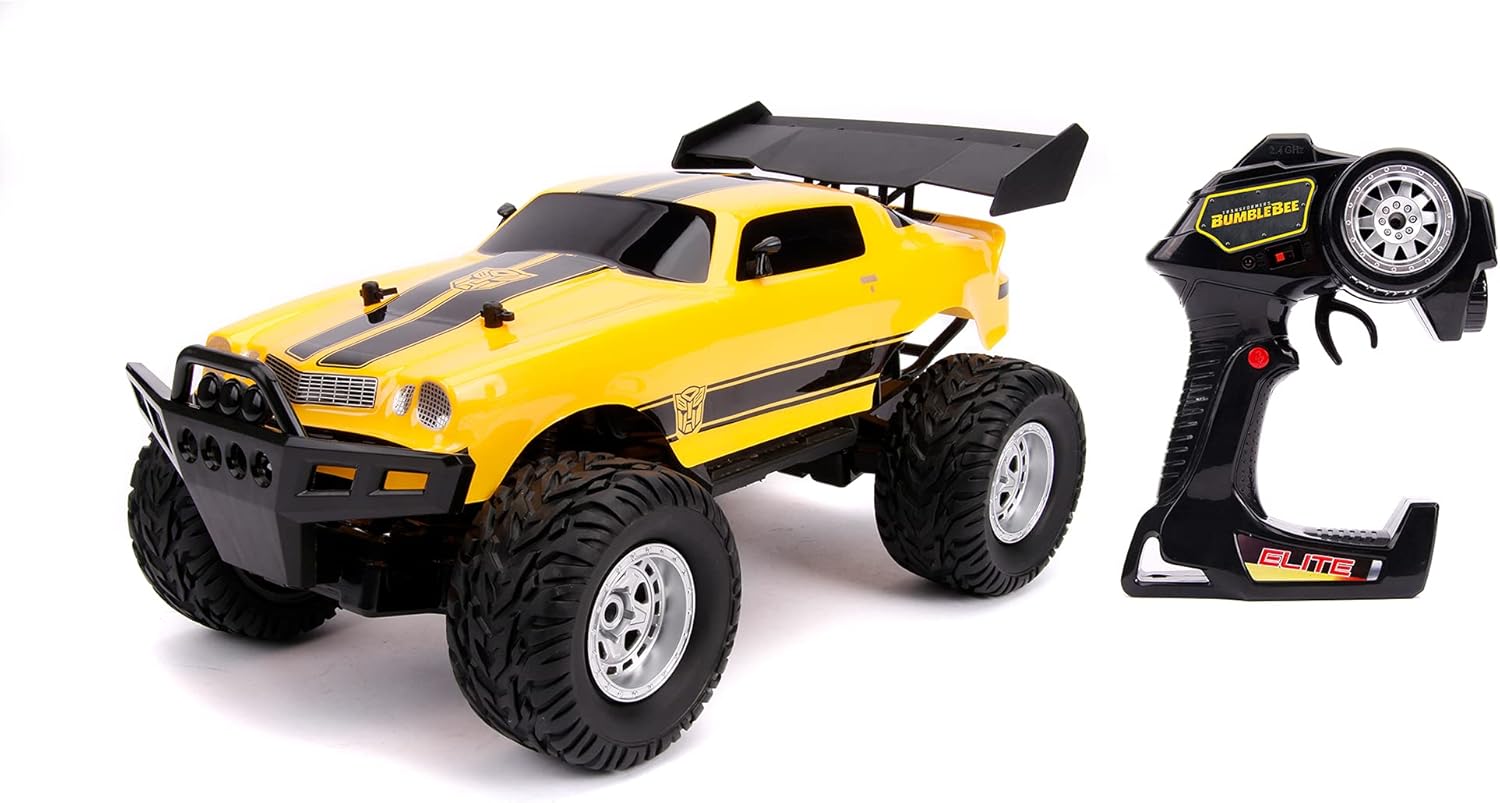
Image: The Jada Toys Hollywood Rides 1:12 R/C Transformers Camaro in yellow with black stripes, alongside its black pistol-grip remote controller.
What's in the Box
Your Jada Toys Hollywood Rides 1:12 R/C Transformers Camaro package should contain the following items:
- 1x Jada Toys Hollywood Rides 1:12 R/C Transformers Camaro Vehicle
- 1x Pistol Grip Remote Controller
- 1x Rechargeable Battery (for vehicle)
- Batteries for Remote Controller
- 1x USB Charging Cable
Please inspect all contents upon opening the package. If any items are missing or damaged, contact customer support.
Setup
1. Charging the Vehicle Battery
- Locate the battery compartment on the underside of the R/C vehicle.
- Carefully open the compartment and remove the rechargeable battery.
- Connect the rechargeable battery to the provided USB charging cable.
- Plug the USB charging cable into a standard USB power source (e.g., computer USB port, USB wall adapter).
- Allow the battery to charge fully. The charging indicator light on the cable will change (e.g., turn off or change color) when charging is complete.
- Once charged, disconnect the battery and reinsert it into the vehicle's battery compartment, ensuring proper polarity. Secure the compartment cover.
2. Installing Controller Batteries
- Locate the battery compartment on the back of the pistol grip remote controller.
- Open the battery compartment cover.
- Insert the required batteries (typically AA or AAA, check markings inside the compartment) according to the polarity indicators (+/-).
- Close the battery compartment cover securely.
3. Pairing the Controller and Vehicle
Your R/C vehicle and controller are designed to pair automatically using 2.4 GHz technology. Follow these steps:
- Ensure both the vehicle and the controller have fresh or fully charged batteries.
- Turn on the R/C vehicle using its power switch.
- Turn on the remote controller using its power switch.
- The controller and vehicle should automatically connect. An indicator light on the controller may stop blinking or turn solid when connected.
- If they do not connect, turn both off and repeat the process. Ensure no other 2.4 GHz devices are causing interference nearby.
Operating Instructions
Once your R/C Transformers Camaro is set up and paired, you are ready to operate it. The pistol grip controller provides intuitive control.
Controller Functions:
- Trigger: Pull the trigger to move the vehicle forward. Push the trigger away from you to move the vehicle backward.
- Steering Wheel: Rotate the steering wheel left or right to turn the vehicle in the corresponding direction.
- Power Switch: Turns the controller on/off.
Driving Tips:
- Terrain: This Elite Bumblebee 4x4 R/C is designed for operation on land or dirt surfaces. Avoid water, mud, or excessively rough terrain.
- Range: The 2.4 GHz frequency allows for a range of up to 100 feet. Operating beyond this range may result in loss of control.
- Multi-Player: The 2.4 GHz frequency enables up to 16+ players to operate their R/C vehicles simultaneously without interference.
- Speed Control: Practice gentle trigger movements for smooth acceleration and braking.
- Steering: Use small adjustments to the steering wheel for precise control, especially at higher speeds.
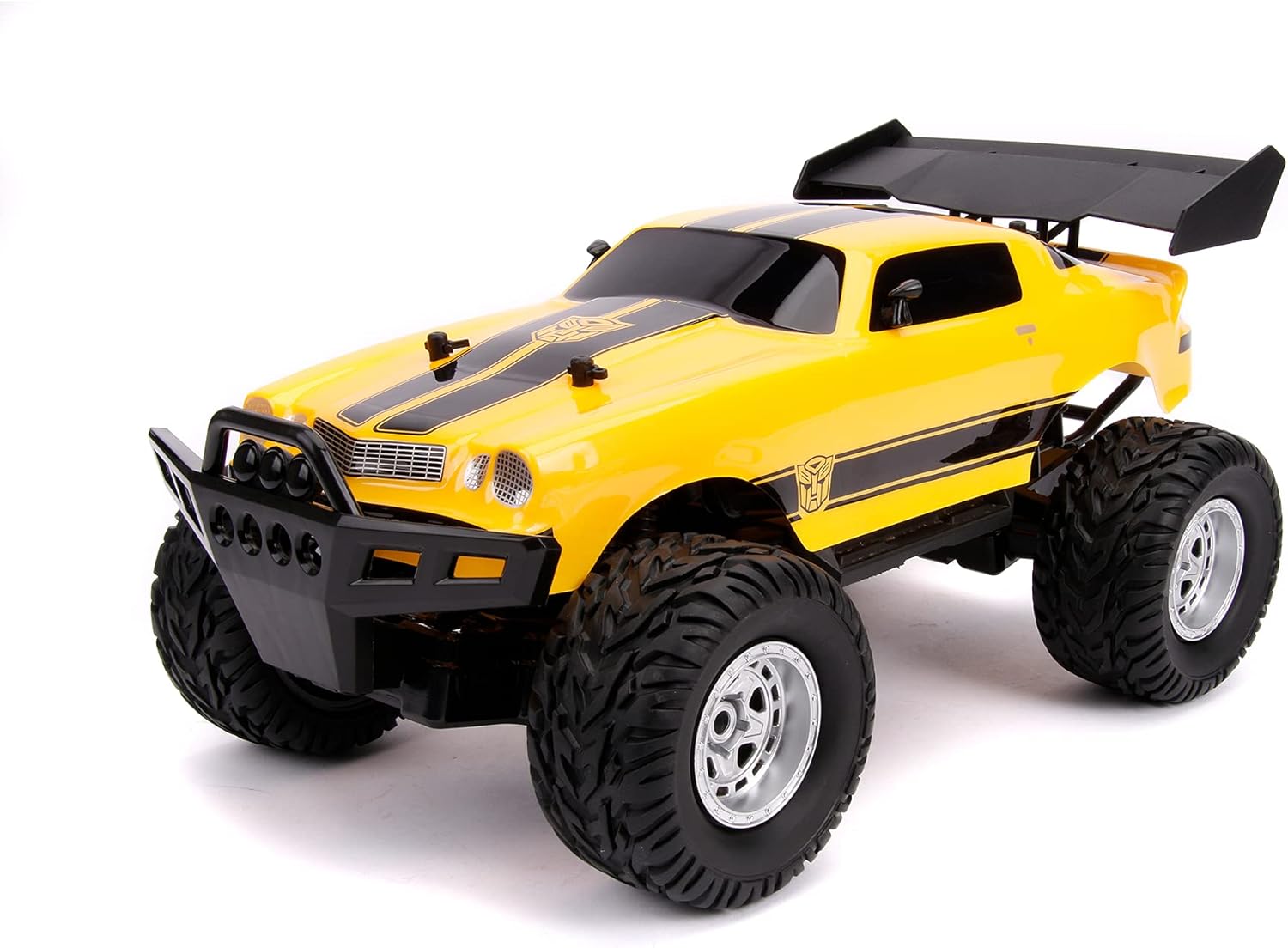
Image: A detailed front three-quarter view of the Jada Toys Hollywood Rides 1:12 R/C Transformers Camaro, highlighting its robust tires and front bumper.
Maintenance
Proper maintenance will extend the life and performance of your R/C vehicle.
- Cleaning: After each use, especially on dirt, gently wipe down the vehicle with a dry or slightly damp cloth to remove dust and debris. Do not use harsh chemicals or immerse the vehicle in water.
- Battery Care:
- Always fully charge the vehicle's rechargeable battery before storage.
- Do not overcharge or completely drain the battery.
- Remove batteries from both the vehicle and controller if storing for extended periods to prevent leakage.
- Store batteries in a cool, dry place.
- Storage: Store the R/C vehicle and controller in a cool, dry place away from direct sunlight and extreme temperatures.
- Inspection: Periodically check for loose screws, damaged parts, or tangled wheels.
Troubleshooting
If you encounter issues with your R/C Transformers Camaro, refer to the following common problems and solutions:
| Problem | Possible Cause | Solution |
|---|---|---|
| Vehicle does not respond to controller. |
|
|
| Vehicle moves slowly or erratically. |
|
|
| Short operating range. |
|
|
Specifications
- Model Number: 33165
- Scale: 1:12
- Vehicle Dimensions: Approximately 14 x 6 x 8 inches
- Item Weight: 4.64 pounds
- Frequency: 2.4 GHz
- Operating Range: Up to 100 feet (approx. 30 meters)
- Multi-Player Support: Up to 16+ players simultaneously
- Power Source (Vehicle): Rechargeable Battery (USB charging)
- Power Source (Controller): Batteries (included)
- Recommended Age: 8 years and up
- Manufacturer: Transformer
- Release Date: August 1, 2021
Warranty and Support
For warranty information, product support, or to inquire about replacement parts, please contact Jada Toys customer service directly. Refer to the packaging or the official Jada Toys website for the most current contact details.
Jada Toys Official Website: www.jadatoys.com
Please retain your purchase receipt as proof of purchase for any warranty claims.
Related documents33165


Ask a question about this manual
Ask about setup, troubleshooting, compatibility, parts, safety, or missing instructions. Manuals+ will review the question and use this page’s manual context to help answer it.