
1. Introduction
This manual provides detailed instructions for the assembly, operation, maintenance, and troubleshooting of your DORTALA Folding Wall Mounted Desk. Please read this manual thoroughly before installation and use to ensure proper function and safety.
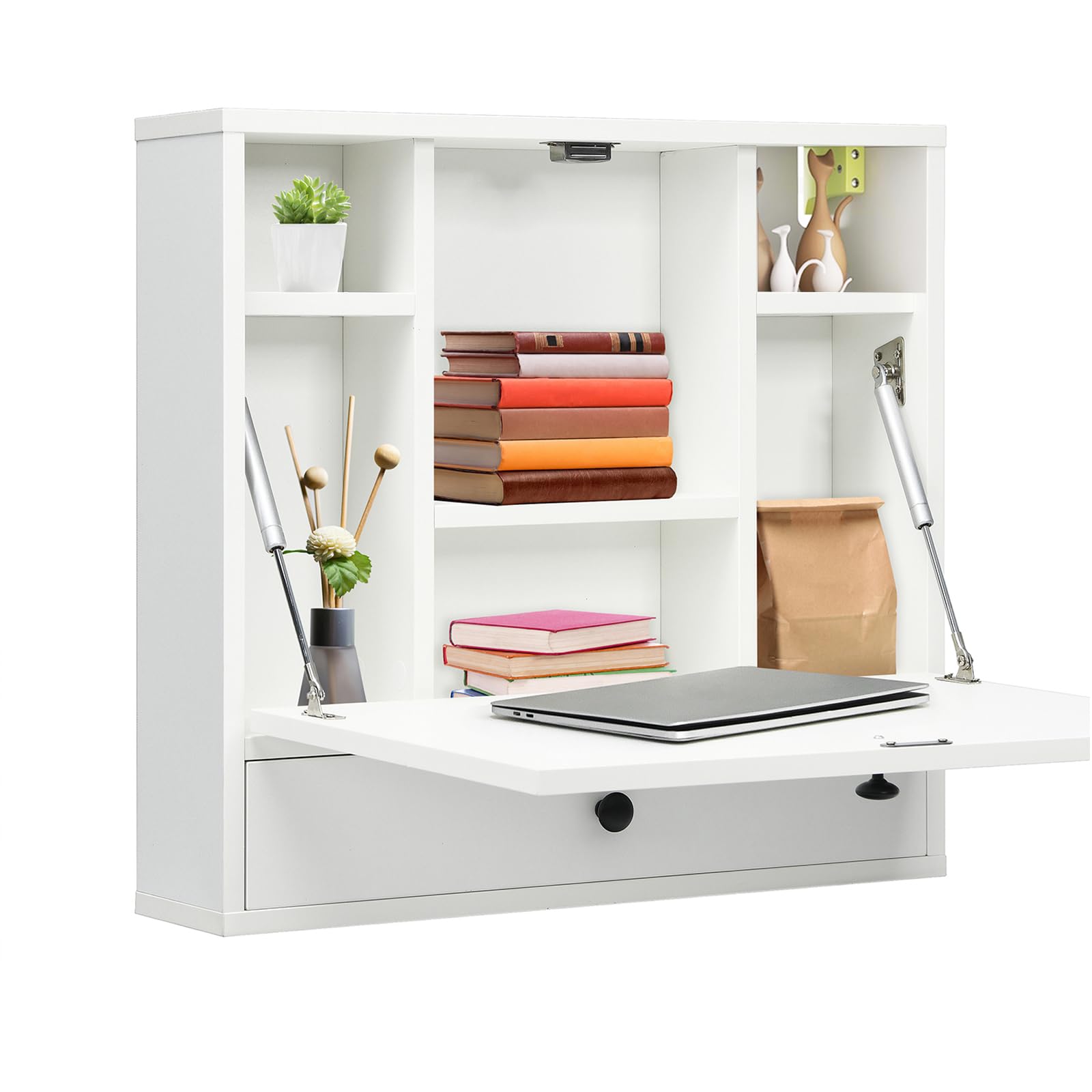
Image 1.1: DORTALA Folding Wall Mounted Desk in use.
2. Safety Information
Please observe the following safety precautions:
- Always ensure the desk is securely mounted to a sturdy wall structure. Improper mounting can lead to instability and potential injury.
- Exercise caution when folding and unfolding the desk to prevent pinching hands or fingers. Keep hands clear of moving parts.
- Do not exceed the maximum weight capacity of the desk top (44.1 lbs / 19.96 kg) or each shelf (11 lbs). Overloading can cause damage or collapse.
- Keep small children and pets away from the desk during assembly and operation.
3. Package Contents
Verify that all components are present and undamaged before beginning assembly. Refer to the packing list included with your product for a complete inventory. If any parts are missing or damaged, contact customer support.
4. Setup and Assembly
Assembly is required for this product. Please follow the instructions provided in the separate assembly guide included in your package. Basic tools for assembly are not included and may be required.
4.1 Wall Mounting
The desk must be securely mounted to a wall. Identify a suitable location with a sturdy wall structure (e.g., wood studs or concrete). Use appropriate wall anchors and screws for your wall type. The desk features a sturdy wall hanger system for secure attachment.

Image 4.1: Detail of the sturdy wall hanger for secure mounting.
4.2 Folding Mechanism Installation
Install the hydraulic rods as per the assembly guide. These rods facilitate smooth and controlled folding and unfolding of the desk surface. Ensure they are correctly oriented and securely fastened.

Image 4.2: Upgraded hydraulic rod for smooth folding action.
5. Operating Instructions
5.1 Folding and Unfolding the Desk
To unfold the desk, gently pull the desk surface downwards. The hydraulic rods will assist in a smooth descent. To fold, lift the desk surface upwards until it clicks into place, secured by the magnetic catch. Ensure the desk is fully secured in both positions.
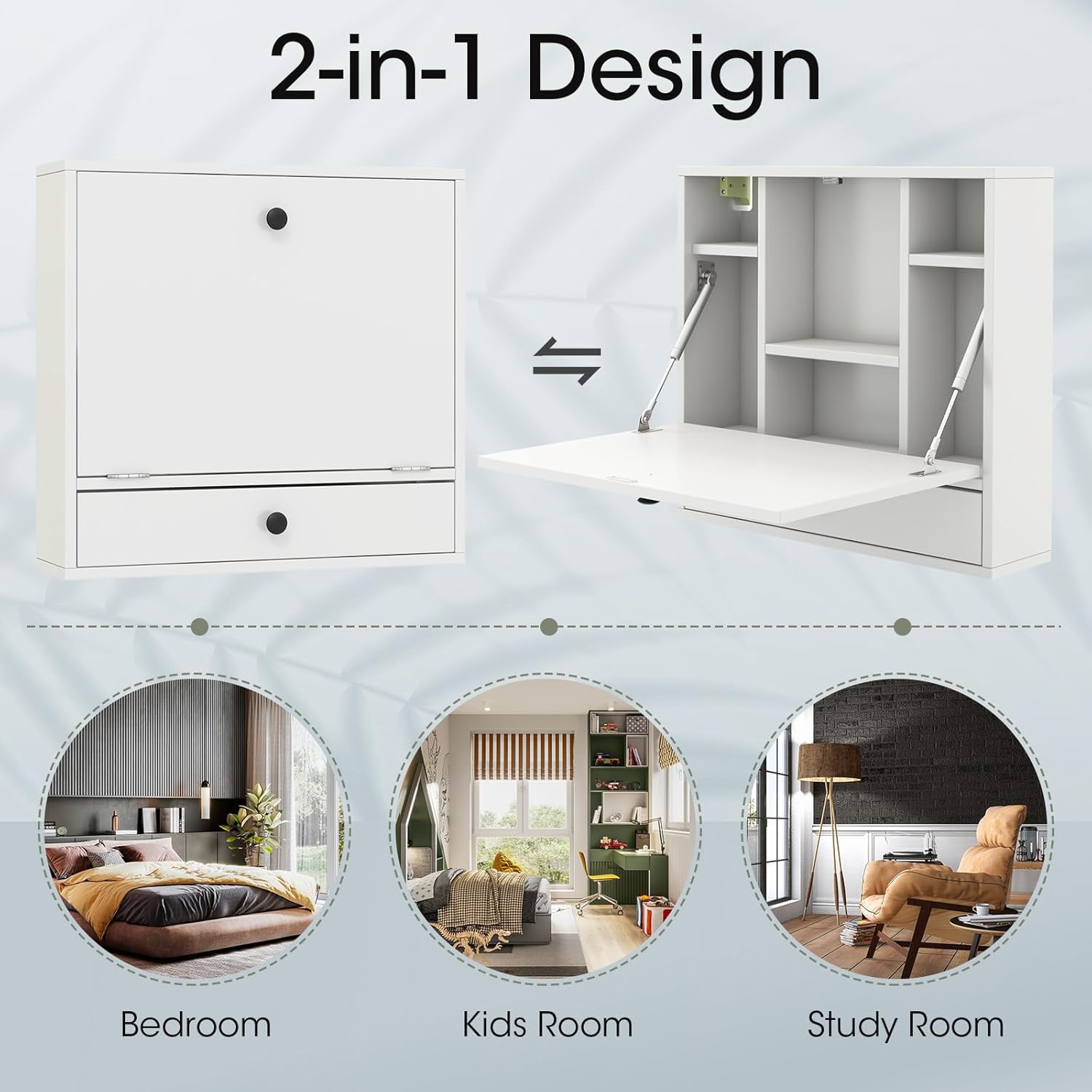
Image 5.1: Desk in folded and unfolded positions.
5.2 Using Storage Compartments
The desk features multiple open shelves and a full-size drawer for storage. Organize items such as books, stationery, and small decorative objects within these compartments. The drawer is equipped with a knob for easy access.

Image 5.2: Ample storage space with shelves and a drawer.
6. Maintenance
To maintain the appearance and functionality of your desk:
- Clean the surface with a soft, damp cloth. Avoid abrasive cleaners or harsh chemicals.
- Wipe spills immediately to prevent staining.
- Periodically check all screws and fasteners to ensure they are tight. Retighten if necessary.
- Inspect the hydraulic rods and hinges for smooth operation. If they become stiff, a small amount of silicone lubricant can be applied.
7. Troubleshooting
| Problem | Possible Cause | Solution |
|---|---|---|
| Desk feels unstable after mounting. | Improper wall mounting; loose fasteners. | Ensure desk is mounted to a sturdy wall stud or appropriate anchors are used. Tighten all mounting screws. |
| Desk surface does not fold/unfold smoothly. | Hydraulic rods or hinges are stiff or misaligned. | Check for obstructions. Apply silicone lubricant to hinges and rods. Ensure rods are installed correctly. |
| Drawer is difficult to open/close. | Drawer slides are misaligned or obstructed. | Check for items blocking the drawer. Ensure drawer slides are properly aligned and free of debris. |
8. Specifications
| Feature | Detail |
|---|---|
| Model Number | DO-HW65835WH-CA |
| Color | White |
| Material | Engineered Wood (MDF) |
| Folded Dimensions (L x W x H) | 24'' x 6'' x 20'' (61 cm x 15.2 cm x 50.8 cm) |
| Unfolded Dimensions (L x W x H) | 24'' x 20'' x 20'' (61 cm x 50.8 cm x 50.8 cm) |
| Desk Top Weight Capacity | 44.1 lbs (19.96 kg) |
| Each Shelf Weight Capacity | 11 lbs (5 kg) |
| Net Weight | 22.4 lbs (10.16 kg) |
| Number of Drawers | 1 |
| Number of Shelves | Multiple (6 visible in images) |
| Mounting Type | Wall Mount |

Image 8.1: Product dimensions.
9. Warranty and Support
For warranty information or technical support, please refer to the documentation included with your purchase or contact the retailer where the product was acquired. Keep your purchase receipt for warranty claims.