
Product Overview
The PRUNUS J-401 is a compact and versatile digital radio and MP3 player, designed for both indoor and outdoor use. It features AM, FM, and Shortwave (SW) reception, a built-in voice recorder, and MP3 playback capabilities via TF card or AUX input.

Image: The PRUNUS J-401 Shortwave Radio, showcasing its compact design and front panel controls.
Key Features
- Portable Design: Measures 135 x 31 x 80 mm and weighs 191g, making it small enough to hold in one hand. Includes a durable lanyard for easy carrying.
- Multi-functional: Offers one-key scan and store, manual station saving and deletion, voice recorder, MP3 speaker functionality, a lock button, and a sleep timer.
- Excellent Reception: Equipped with a 40.7cm telescopic antenna and a quality DSP chip for reliable 3-band radio reception (AM/FM/SW).
- Rechargeable Battery: Features a 1200mAh replaceable and rechargeable battery, providing up to 10 hours of operation on a full charge.
- High-Quality Sound: Built-in bass diaphragm and 3W magnetic speaker deliver clear audio. Supports music playback with AUX in and TF card, including lyric display.

Image: The PRUNUS J-401 radio demonstrating its compact size and portability, shown with dimensions and weight.

Image: An illustration highlighting the various functions of the PRUNUS J-401 radio, including FM/AM/SW, preset/delete, lyrics display, earphone jack, sleep timer, TF card support, voice recorder, AUX jack, lock button, and DC5V charging.
Initial Setup
Battery Installation and Charging
The PRUNUS J-401 comes with a 1200mAh rechargeable Lithium-Ion battery.
- Locate the battery compartment on the back of the device.
- Insert the provided 1200mAh battery, ensuring correct polarity.
- Close the battery compartment cover securely.
- To charge, connect the radio to a 5V DC power source using a standard USB cable. The charging indicator will illuminate. A full charge provides approximately 10 hours of operation.

Image: The PRUNUS J-401 radio being charged, emphasizing its rechargeable and durable 1200mAh battery for extended use.
Inserting a TF Card
For MP3 playback and recording, insert a TF (microSD) card into the designated slot. Ensure the card is inserted correctly until it clicks into place. The device supports lyric display for compatible MP3 files.
Operating Instructions
Power On/Off
Press and hold the POWER button (often integrated with the MODE button or a dedicated switch) to turn the radio on or off.
Mode Selection
Press the MODE button to cycle through available modes: FM, AM, SW, and MP3 Player. The current mode will be displayed on the screen.
Radio Tuning (AM/FM/SW)
Extend the telescopic antenna for optimal reception, especially for FM and SW bands.
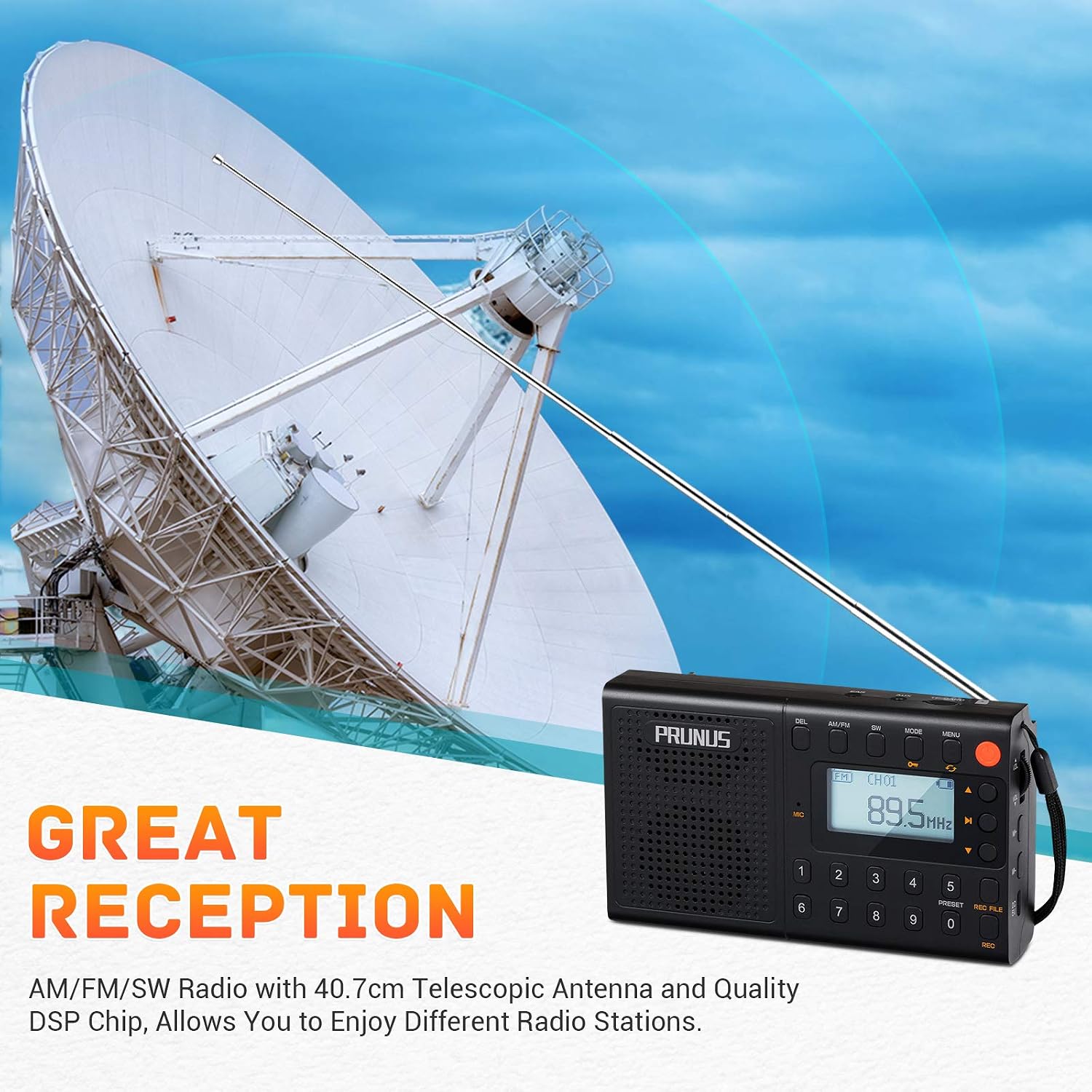
Image: The PRUNUS J-401 radio with its extended telescopic antenna, illustrating its capability for great reception across AM, FM, and SW bands.
- Automatic Scan and Store: In radio mode, press and hold the SCAN button (or equivalent, often labeled AM/FM/SW or MENU then select scan) to automatically scan and save available stations.
- Manual Tuning: Use the number pad or tuning buttons (often labeled with arrows) to manually adjust the frequency.
- Preset Stations: Use the PRESET buttons (1-0) to directly access saved stations. To save a station, tune to the desired frequency, then press and hold a number button (1-0) until the display confirms saving. To delete a preset, navigate to the preset and use the DEL button.
Note: Shortwave (SW) reception is generally better during nighttime hours.
Volume Control
Adjust the volume using the dedicated volume buttons or knob, typically located on the side or front panel.
MP3 Playback
In MP3 mode (after inserting a TF card), the radio will automatically begin playing audio files.
- Use the PLAY/PAUSE button to start or stop playback.
- Use the NEXT/PREVIOUS buttons to skip tracks.
- The device supports lyric display for compatible files.

Image: An illustration highlighting the sound quality of the PRUNUS J-401 radio, featuring its bass diaphragm and 3W speaker, and its capability as an MP3 player with lyric display.
Voice Recorder
To use the voice recorder function, switch to recording mode (often accessed via the REC button or a menu option). Ensure a TF card is inserted. Press REC to start recording and again to stop. Recorded files are saved on the TF card.
Sleep Timer
The sleep timer allows the radio to automatically turn off after a set period. Access this function via the MENU button and select the desired duration.
Lock Button
Use the LOCK button to prevent accidental button presses, useful when carrying the radio.
Care and Maintenance
- Cleaning: Use a soft, dry cloth to clean the radio's exterior. Avoid using abrasive cleaners or solvents.
- Battery Care: To prolong battery life, avoid fully discharging the battery frequently. If storing the radio for an extended period, charge the battery partially (around 50%) and store in a cool, dry place.
- Storage: Store the radio in a dry environment, away from extreme temperatures and direct sunlight.
- Antenna: Handle the telescopic antenna gently to prevent damage. Retract it when not in use.
Troubleshooting Guide
No Power
- Check if the battery is properly installed and charged.
- Connect the radio to a power source to confirm if it powers on while charging.
Poor Radio Reception
- Fully extend the telescopic antenna.
- Try repositioning the radio, especially near a window or outdoors.
- For Shortwave (SW) bands, reception quality can vary significantly with time of day and atmospheric conditions; try tuning at night.
- Ensure you are in an area with adequate signal strength for AM/FM.
No Sound or Distorted Sound
- Check the volume level.
- If using headphones, ensure they are fully plugged in and functional.
- If playing from TF card, ensure the audio files are not corrupted and are in a supported format.
MP3 Playback Issues
- Ensure the TF card is inserted correctly.
- Verify that the audio files on the TF card are in a compatible format (e.g., MP3).
- Check if the TF card is damaged or corrupted.
Recording Not Working
- Ensure a TF card is inserted and has sufficient free space.
- Confirm the radio is in recording mode.
Product Specifications
| Feature | Detail |
|---|---|
| Brand | PRUNUS |
| Model | J-401 (JM-RADIO401CE) |
| Product Dimensions | 13.5 x 3.1 x 8 cm |
| Item Weight | 191 g |
| Batteries | 1 Lithium Ion battery (included, rechargeable) |
| Tuner Technology | FM, AM, SW (3-band) |
| Speakers Maximum Output Power | 3 Watts |
| Power Source | Battery Powered (DC 5V) |
| Hardware Interface | TransFlash (TF card slot) |
| Special Features | Portable, Voice Recorder, MP3 Player, Lyric Display, Sleep Timer, Lock Function |
| Display Type | LCD or LED |
| Connector Type | Auxiliary (AUX in) |
| Mounting Hardware | Hand Strip (Lanyard) |

Image: A detailed view of the PRUNUS J-401 radio with its physical dimensions labeled (13.5cm length, 3.1cm width, 8cm height).
Warranty and Customer Support
This product is covered by the manufacturer's warranty. For specific warranty terms and conditions, please refer to the documentation included with your purchase or contact PRUNUS customer support.
If you encounter any issues or require assistance with your PRUNUS J-401 radio, please contact the manufacturer directly. The product description states: "If you have any issues, please freely let us know."

