
1. Product Overview
The SECRUI Wireless Doorbell system offers a convenient and reliable solution for your home, classroom, or office. This kit includes three plug-in receivers and two waterproof ringer buttons, providing flexible installation and extensive coverage. With a long-range wireless signal, multiple chime options, and adjustable volume, you can customize your doorbell experience to ensure you never miss a visitor or delivery.

Image 1: Overview of the SECRUI Wireless Doorbell Kit highlighting its features: 5 volume levels, 1000ft wireless range, 58 chimes, IP55 waterproof, and memory function.
2. What's Included
Your SECRUI Wireless Doorbell package contains the following components:
- 2 × Transmitter (ringer button, battery included)
- 3 × Plug-in receiver
- 2 × Adhesive tape for mounting
- 4 × Screw for mounting
- 4 × Anchor for mounting
- 1 × User manual
3. Setup and Installation
The SECRUI Wireless Doorbell is designed for quick and easy setup, ready to use right out of the box. Follow these steps for installation:
3.1. Prepare the Transmitter (Ringer Button)
Before mounting, ensure the battery in the transmitter is activated. Peel off the protective seal on the button cell if present.

Image 2: Visual guide showing how to peel off the seal on the button cell before installation, followed by screw mounting and adhesive patch mounting options for the transmitter.
3.2. Mount the Transmitter
You have two options for mounting the ringer button:
- Adhesive Mounting: Use the provided double-sided adhesive tape to attach the button to a clean, dry surface.
- Screw Mounting: For a more secure installation, use the provided screws and anchors to fix the button to the wall.
3.3. Install the Receivers
Simply plug the mini doorbell receivers into any standard electrical socket within range. The receivers are designed to not block other sockets.

Image 3: The compact design of the receiver and transmitter, showing dimensions and emphasizing that the receiver won't block other sockets.
3.4. Initial Pairing (Usually Pre-Paired)
The doorbell system is typically pre-paired at the factory. If re-pairing is needed, refer to the 'Operating Instructions' section for details on how to pair the transmitter with the receivers.
Video 1: Official SECRUI video demonstrating the unboxing and basic setup of the wireless doorbell, including plugging in the receiver and pressing the button.
4. Operating Instructions
Once installed, operating your SECRUI Wireless Doorbell is straightforward.
4.1. Ringing the Doorbell
Press the ringer button on the transmitter. The receiver(s) will chime and an LED indicator will flash.
4.2. Changing Chimes and Volume
The receivers feature buttons on the side to adjust settings:
- Chime Selection: Press the music note button to cycle through 58 different chimes. The system has a memory function, so it will remember your last selected chime.
- Volume Adjustment: Press the volume button to select from 5 adjustable volume levels.

Image 4: Close-up of the doorbell receiver illustrating the availability of 58 chimes and 5 volume settings.

Image 5: The doorbell receiver displaying its LED indicator, which flashes when the doorbell is pressed.
4.3. Pairing Additional Transmitters/Receivers (if needed)
If you need to pair additional components or re-pair existing ones:
- Plug in the receiver.
- Press and hold the volume button on the receiver for 5 seconds until it emits a 'ding' sound and the LED flashes.
- Immediately press the transmitter button. The receiver will confirm pairing with a chime.
- Repeat for all transmitters you wish to pair with that receiver.
5. Features
- Long-Range Wireless: Operates up to 1000 feet (300 meters) in open areas, ensuring you hear visitors from anywhere in your home.
- 58 Chimes & 5 Volume Levels: Offers a wide variety of melodies and adjustable sound output to suit your preference.
- IP55 Waterproof Transmitter: The ringer button is built to withstand various weather conditions, including wind, snow, sleet, and extreme temperatures.
- Memory Function: Remembers your last selected chime and volume level even after a power outage.
- LED Indicator: Provides a visual alert, useful for noisy environments or for individuals with hearing impairments.
- Versatile Use: Suitable for homes, classrooms, offices, and stores. Can also function as a caregiver pager.
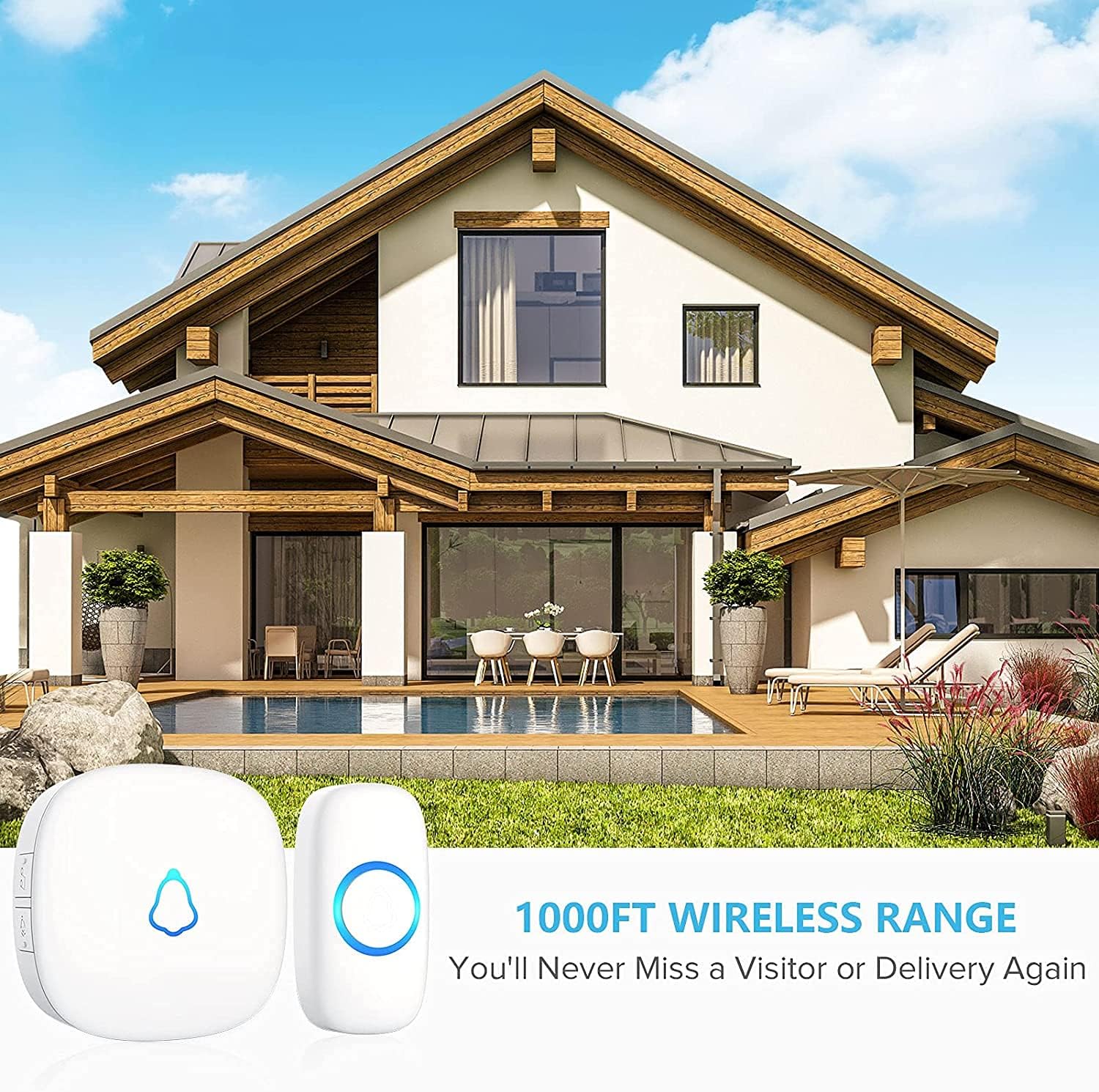
Image 6: A modern house exterior with the doorbell system, illustrating the 1000ft wireless range for comprehensive coverage.

Image 7: The IP55 waterproof ringer button, detailing its operating temperature range (-4 to 140°F) and a maximum battery lifetime of 3 years.
6. Maintenance
To ensure optimal performance and longevity of your SECRUI Wireless Doorbell:
- Cleaning: Wipe the doorbell and receivers with a soft, dry cloth. Avoid using harsh chemicals or abrasive cleaners.
- Battery Replacement: The transmitter uses a CR2032 battery (included). Replace the battery when the signal strength weakens or the LED indicator on the transmitter no longer lights up.
- Placement: Ensure the transmitter is not submerged in water, though it is waterproof. Avoid placing receivers in areas with extreme humidity or direct exposure to water.
7. Troubleshooting
If you encounter any issues with your doorbell system, try the following:
- No Chime: Check if the receiver is properly plugged into a working outlet. Ensure the transmitter battery is not depleted. Try re-pairing the transmitter and receiver (refer to Section 4.3).
- Weak Signal: The 1000ft range is for open areas. Walls, metal structures, and other electronic devices can reduce the range. Try repositioning the receiver closer to the transmitter or away from interference sources.
- Interference: If the doorbell chimes without the button being pressed, it might be experiencing interference. Try changing the chime melody or re-pairing the devices.
- Volume Issues: Ensure the volume is not set to the lowest level or muted. Adjust using the volume button on the receiver.
8. Specifications
| Feature | Specification |
|---|---|
| Model Number | M520x3+F55x2-White |
| Wireless Range | Up to 1000 ft (300m) |
| Chime Options | 58 melodies |
| Volume Levels | 5 levels (up to 120 dB) |
| Transmitter Waterproof Rating | IP55 |
| Operating Temperature | -4°F to 140°F (-20°C to 60°C) |
| Transmitter Battery Type | 1 x CR2032 (included) |
| Average Battery Life | 3 years |
| Power Source | AC & Battery-Powered |
| Material | ABS |
| Product Dimensions | 2.56 x 2.56 x 0.94 inches |
| Item Weight | 9.9 ounces |
9. Warranty and Support
For warranty information, technical support, or any inquiries regarding your SECRUI Wireless Doorbell, please visit the official SECRUI Store or contact customer service through your retailer.
SECRUI is committed to providing high-quality home security products and excellent customer service. Your satisfaction is our priority.
Visit the SECRUI Store for more products and support.


