
KAIWEETS VT200
KAIWEETS VT200 Non-Contact Voltage Tester
Instruction Manual
Model: VT200 | Brand: KAIWEETS
1. Introduction
The KAIWEETS VT200 is a versatile non-contact AC voltage tester designed for electricians, homeowners, and DIY enthusiasts. It provides a safe and convenient way to detect the presence of AC voltage without direct contact, ensuring user safety. This manual provides detailed instructions for the proper use, maintenance, and troubleshooting of your VT200 voltage tester.

Figure 1: KAIWEETS VT200 Non-Contact Voltage Tester
2. Safety Information
Always prioritize safety when working with electrical systems. Read and understand all safety warnings before using the VT200 voltage tester.
- SAFETY FIRST: The VT200 provides multiple alarms (sound and light) to indicate voltage presence. A red light and beep indicate high voltage. Higher frequency beeps and red light indicate closer proximity to the voltage source or higher voltage. Green light indicates low voltage or null wire.
- SECURITY LEVEL: This device is IEC rated CAT III 1000V and CAT IV 600V, and meets CE certification standards. It is safely double insulated.
- High Voltage Alert: An alert is triggered for voltages above 90V, indicated by a red light and continuous beeping.
- Always test on a known live circuit before and after use to confirm the tester is functioning correctly.
- Do not use the tester if it appears damaged or is not operating properly.
- Keep hands and fingers away from the tip of the tester during operation.
- This device is for AC voltage detection only. Do not use for DC voltage.
3. Product Features
The KAIWEETS VT200 is equipped with several features to enhance its functionality and user experience:
- Non-Contact Detection (NCV): Safely detect AC voltage by simply placing the tip near a terminal strip, outlet, or supply cord. The tester will indicate voltage presence without physical contact.
- Dual Range Sensitivity: Detects both standard (48-1000V AC) and low voltage (12-1000V AC) for versatile applications. The NCV sensor automatically recognizes the voltage and displays it on a bar graph.
- Live/Neutral Wire Detection: The voltage detector can automatically distinguish between live and neutral wires.
- Breakpoint Test: Ideal for identifying breakpoints in wires and cables. Use high-sensitivity mode for this function.
- Integrated LED Flashlight: A bright LED flashlight assists in working in dimly lit areas.
- Low-Power Indicator: Alerts when battery voltage drops below 2.5V.
- Automatic Power Off: The device automatically powers off after 3 minutes of inactivity or no signal detection to conserve battery life.
- Compact Design with Pen Hook: Easy to carry in a shirt pocket for convenience.

Figure 2: Non-Contact Voltage Detection

Figure 3: Dual Range Sensitivity

Figure 4: Live and Neutral Wire Detection

Figure 5: Breakpoint Test
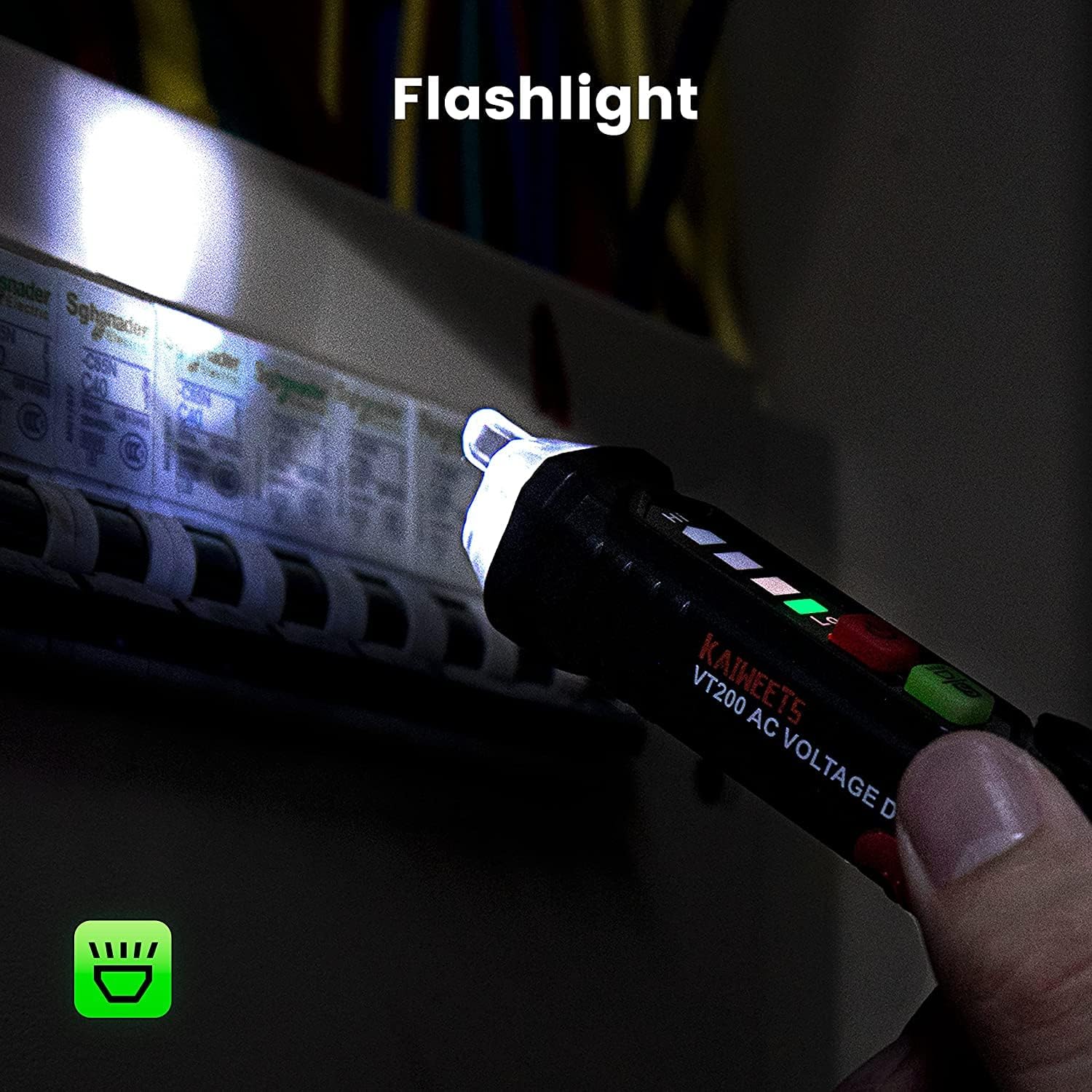
Figure 6: LED Flashlight

Figure 7: Low Battery Warning

Figure 8: 3-Minute Auto Off

Figure 9: Portable Pen Hook
4. Setup
4.1 Battery Installation
The KAIWEETS VT200 requires 2 AAA batteries (included). Follow these steps to install or replace batteries:
- Locate the battery compartment cap at the top of the tester.
- Twist or slide the cap to open the battery compartment.
- Insert two AAA batteries, ensuring correct polarity (+/-) as indicated inside the compartment.
- Close the battery compartment cap securely.

Figure 10: Battery Compartment Access
5. Operating Instructions
5.1 Power On/Off
- To power on, press the red power button (⏻). The indicator lights will briefly illuminate.
- To power off, press and hold the red power button (⏻) for approximately 2 seconds. The device will also auto-off after 3 minutes of inactivity.
5.2 Adjusting Sensitivity (Dual Range)
- The VT200 has two sensitivity ranges: 48V-1000V AC (Low Sensitivity) and 12V-1000V AC (High Sensitivity).
- Press the green 'S' button (S) to toggle between sensitivity modes.
- Use the low sensitivity range for general voltage detection in outlets or main wires.
- Switch to high sensitivity for detecting lower voltages or for applications like doorbells, thermostats, irrigation wiring, or breakpoint testing.

Figure 11: Sensitivity Button
5.3 Non-Contact Voltage (NCV) Test
- Ensure the tester is powered on.
- Place the tip of the tester near the wire, outlet, or electrical component you wish to test.
- The tester will emit beeps and illuminate its indicator lights based on the detected voltage:
- Red Light & Beeping: Indicates high voltage or live wire detected. The frequency of beeps increases with higher voltage or closer proximity.
- Green Light: Indicates low voltage or null wire detected.

Figure 12: Live Wire Indication

Figure 13: Neutral Wire Indication
5.4 Breakpoint Finding
To locate a breakpoint in a wire:
- Switch the tester to high sensitivity mode (12V-1000V AC).
- Slowly move the tip of the tester along the wire.
- The tester will indicate voltage up to the point of the break. The alarm will stop or significantly reduce past the breakpoint.
5.5 Using the LED Flashlight
- Press the green flashlight button (often integrated with the 'S' button) to turn the LED flashlight on or off.
- The flashlight is useful for illuminating dark work areas like electrical panels or behind appliances.
6. Maintenance
6.1 Battery Replacement
When the low-power indicator illuminates, it's time to replace the batteries. Refer to Section 4.1 for battery installation instructions.
6.2 Cleaning
- Wipe the exterior of the tester with a clean, damp cloth.
- Do not use abrasive cleaners or solvents.
- Ensure the tester is completely dry before storage or next use.
6.3 Storage
- Store the tester in a cool, dry place, away from direct sunlight and extreme temperatures.
- If storing for extended periods, it is recommended to remove the batteries to prevent leakage.
7. Troubleshooting
If you encounter issues with your VT200 voltage tester, refer to the following common problems and solutions:
| Problem | Possible Cause | Solution |
|---|---|---|
| Tester does not power on. | Dead or incorrectly installed batteries. | Replace batteries, ensuring correct polarity. |
| No indication when testing a live circuit. | Tester is off, batteries are low, or sensitivity is too low. | Ensure tester is on. Check/replace batteries. Switch to high sensitivity mode. Test on a known live circuit. |
| False positives (tester indicates voltage where none exists). | High sensitivity in an electromagnetically noisy environment. | Switch to low sensitivity mode. Move away from strong electromagnetic fields. |
| Flashlight not working. | Batteries are dead or low. | Replace batteries. |
8. Specifications
| Attribute | Value |
|---|---|
| Model Number | VT200 |
| Brand | KAIWEETS |
| AC Voltage Range | 12V-1000V (High Sensitivity) / 48V-1000V (Low Sensitivity) |
| Frequency | 50/60Hz |
| Safety Rating | CAT III 1000V, CAT IV 600V |
| Power Source | 2 x AAA Batteries (included) |
| Automatic Power Off | After 3 minutes of no operation/signal |
| Low Battery Indicator | Yes (below 2.5V) |
| Dimensions | 14.5 x 2.8 x 2.4 cm |
| Weight | 14 g |
| Certification | CE |
9. Warranty and Support
KAIWEETS provides a 36-Month after-sale service for the VT200 Voltage Tester. If you have any concerns, questions, or require technical assistance, please do not hesitate to contact KAIWEETS customer support through their official channels or the platform where you purchased the product.
For the most up-to-date support information, please visit the official KAIWEETS website or refer to your purchase documentation.
Related documentsVT200


Ask a question about this manual
Ask about setup, troubleshooting, compatibility, parts, safety, or missing instructions. Manuals+ will review the question and use this page’s manual context to help answer it.