
1. Introduction
This manual provides detailed instructions for the installation, operation, and maintenance of your Sofucor 52 Inch Solid Wood Ceiling Fan with Lights and Remote. This fan features a reversible DC motor, dimmable LED lighting with multiple color temperatures, and a convenient remote control for ease of use. Designed for both indoor and covered outdoor spaces, it offers efficient air circulation and quiet operation.
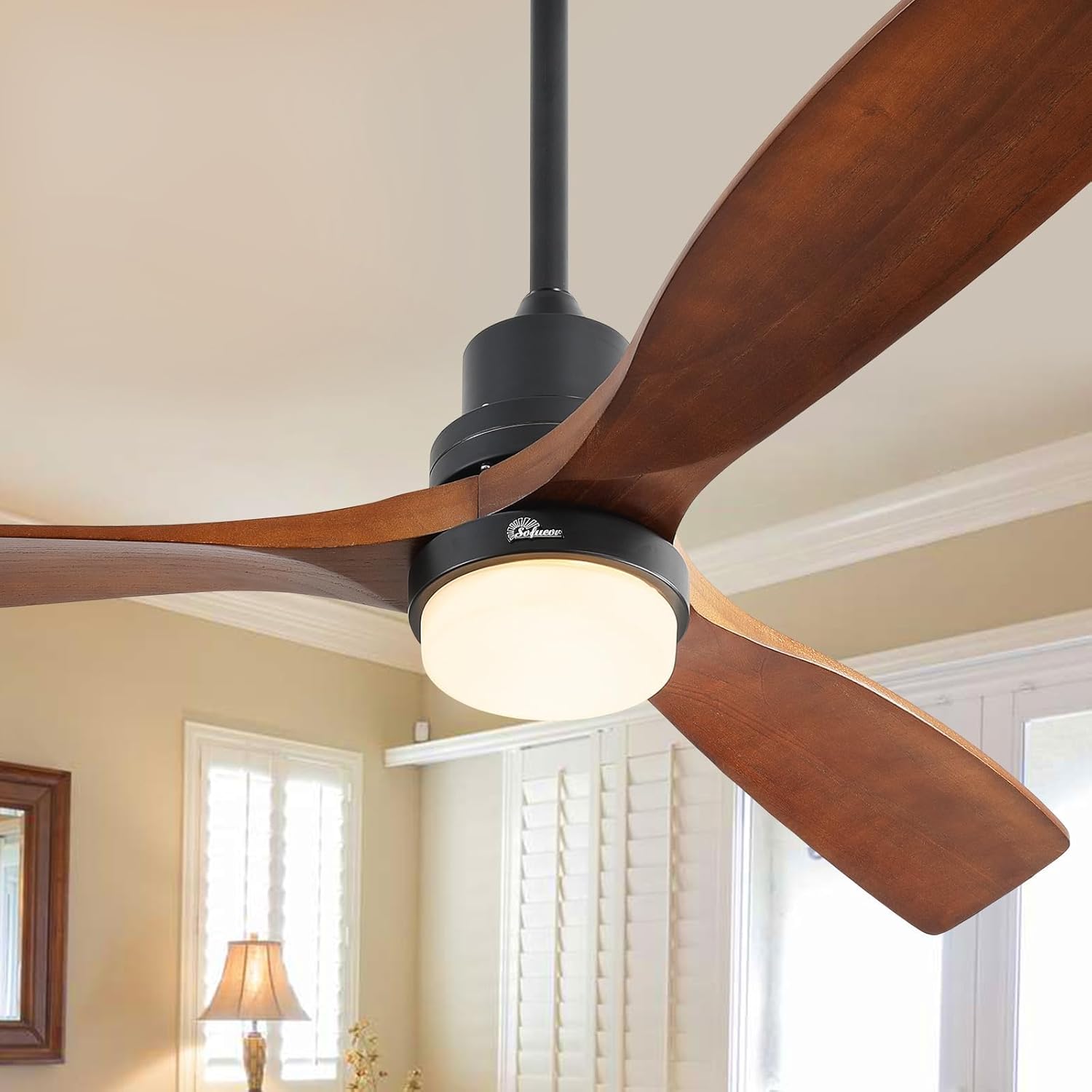
Image 1: Sofucor 52 Inch Solid Wood Ceiling Fan with Lights and Remote.
2. Important Safety Information
Please read and understand all instructions before beginning installation. Failure to follow these instructions may result in electric shock, fire, or personal injury.
- All wiring must be in accordance with national and local electrical codes.
- Installation should be performed by a qualified electrician.
- Ensure the installation site can support the fan's weight (approximately 14.45 pounds).
- Turn off power at the circuit breaker before installation or servicing.
- Do not bend the blade holders during installation or cleaning.
- Keep children away from the fan during operation.
3. Package Contents
Verify that all components are present before beginning installation:
- 3 × Fan Blades
- 1 × DC Motor
- 1 × LED and Lampshade
- 1 × Remote Control
- 1 × User Manual
- 3 × Down-rods (5 inch, 10 inch, 24 inch)
4. Product Specifications
| Feature | Specification |
|---|---|
| Brand | Sofucor |
| Model Name | 5247-BK-DC-HTM-60 |
| Product Dimensions | 52"D x 52"W x 16"H |
| Color | Walnut+black |
| Electric Fan Design | Ceiling Fan |
| Power Source | DC |
| Number of Blades | 3 |
| Speed Settings | 6 RPM |
| Noise Level | 30 Decibels |
| Air Flow Capacity | 5000 Cubic Feet Per Minute |
| Special Feature | Dimmable LED Light, Reversible Function |
| Voltage | 120 Volts (DC) |
| Wattage | 35 watts |
| Item Weight | 14.45 Pounds |
| Certification | ETL Listed |

Image 2: Product dimensions and included down-rods for various ceiling heights.
5. Installation
Most functional components of the Sofucor ceiling fan are pre-assembled for easier installation. Refer to the detailed installation manual included in the package for step-by-step instructions and diagrams. An installation video is also available for visual guidance.
5.1 Down-rod Selection
The fan comes with three down-rods (5 inch, 10 inch, 24 inch) to accommodate different ceiling heights. Choose the appropriate length for your space to ensure optimal airflow and safety clearance.
5.2 Sloped Ceiling Installation
This ceiling fan can be installed on ceilings with a maximum slope of 15 degrees. Ensure the mounting bracket is securely fastened and the down-rod allows for proper fan clearance.

Image 3: Illustration of flat and sloped ceiling installation options.
5.3 Wiring
The wiring process is simplified with connectors. Connect the black, white, and ground wires as indicated in the manual. Ensure all connections are secure before proceeding.
5.4 Blade Attachment
Attach the solid wood fan blades to the motor housing. Ensure the blades are securely fastened to prevent wobbling during operation.
Video 1: A user demonstrating the quiet operation and light features of the Sofucor ceiling fan.
6. Operating Instructions
Your Sofucor ceiling fan is operated using the included remote control.
6.1 Remote Control Functions
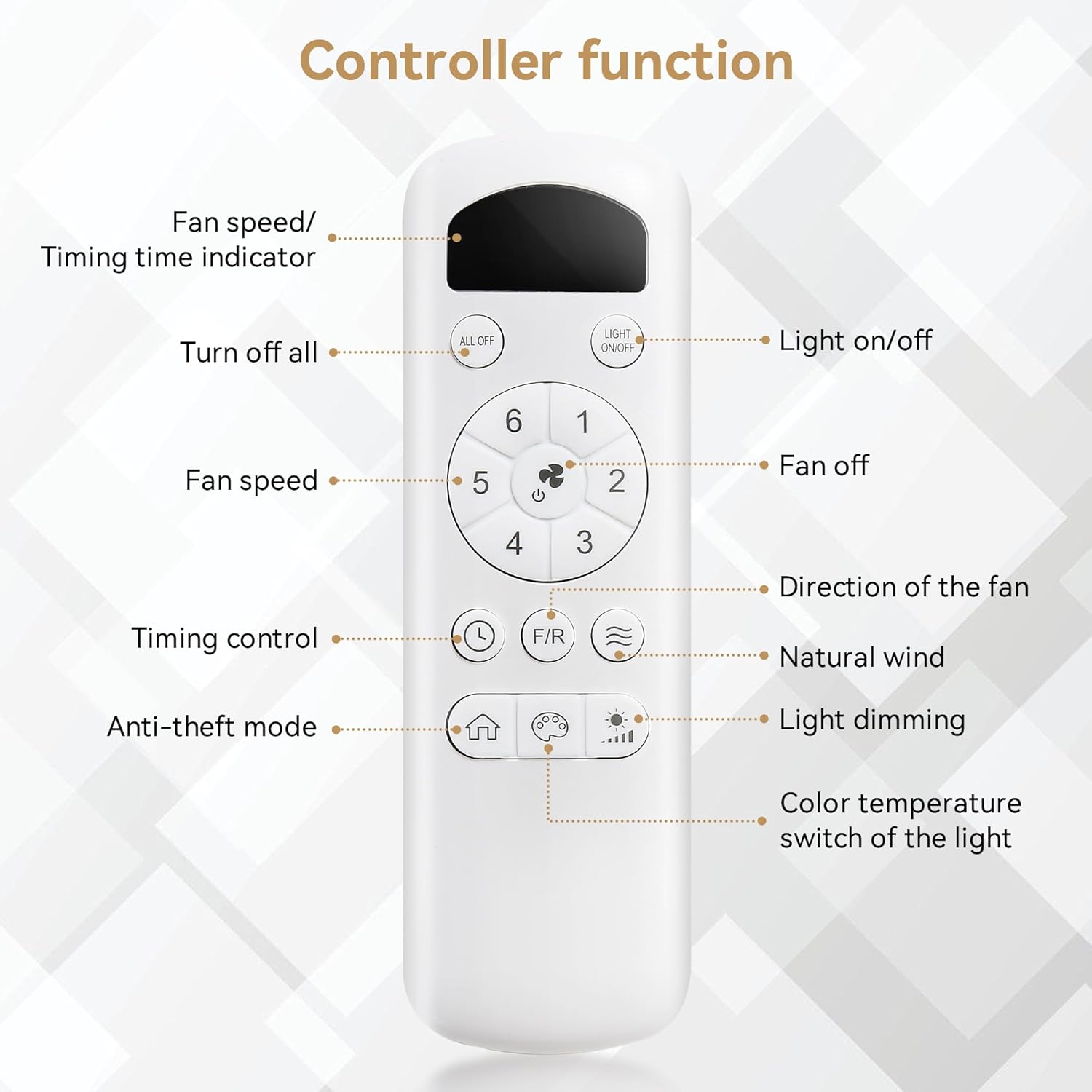
Image 4: Detailed layout of the remote control buttons and their functions.
- Light On/Off: Toggles the LED light.
- Light Dimming: Adjusts the brightness from 1% to 100%.
- Color Temperature Switch: Cycles through 3000K (warm light), 4000K (natural light), and 6000K (cool light).
- Fan On/Off: Powers the fan on or off.
- Fan Speed (1-6): Selects one of six fan speeds.
- Timing Control (1H/4H/8H): Sets a sleep timer for 1, 4, or 8 hours.
- Direction of the Fan (F/R): Toggles the fan's rotation direction for summer or winter mode.
- Natural Wind: Activates a mode that simulates natural breezes.
- Anti-theft Mode: (Refer to full manual for specific functionality).
6.2 Dimmable LED Light
The integrated LED light offers three dimmable color temperatures and adjustable brightness. This allows you to customize the lighting to suit your preference and room ambiance.
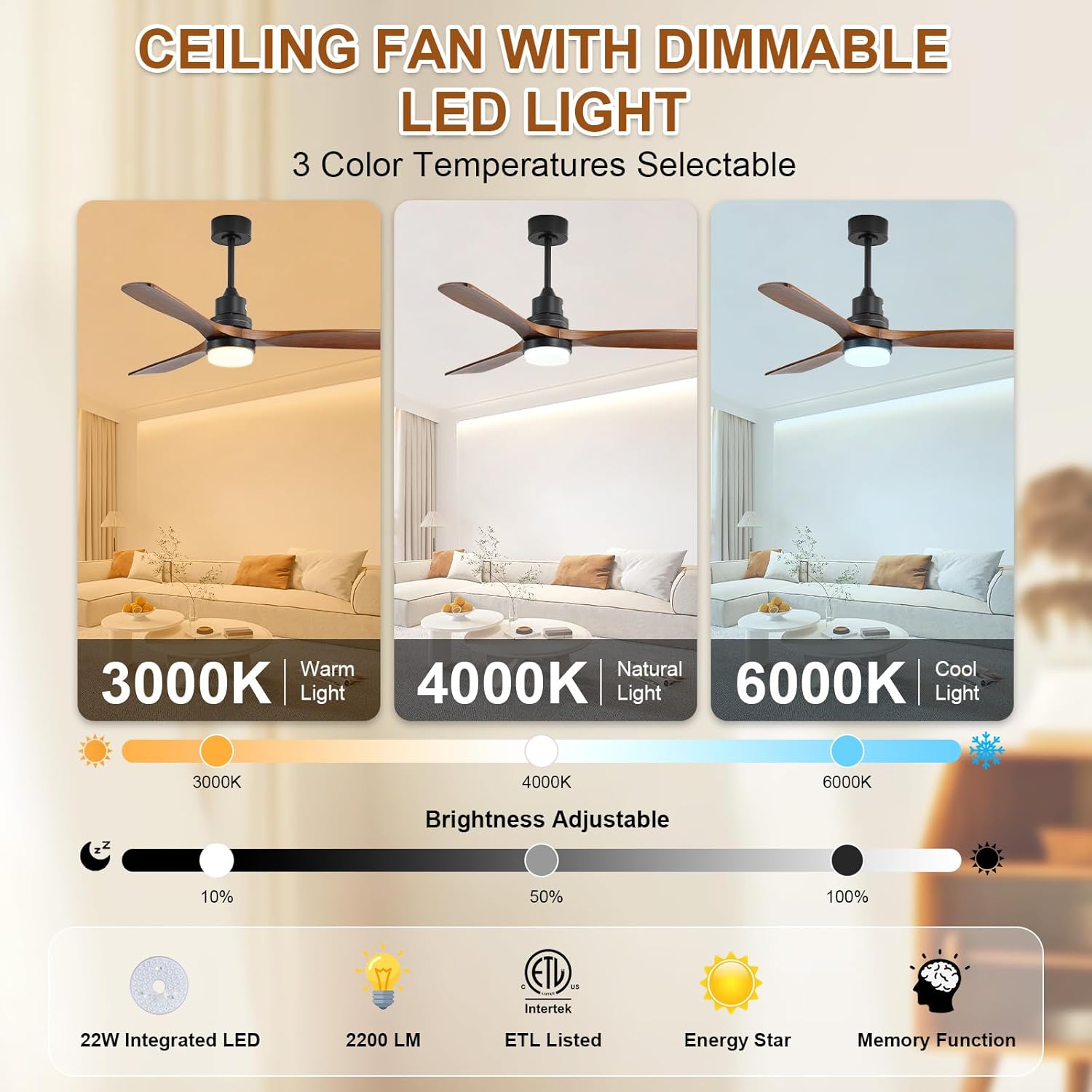
Image 5: Visual representation of the three dimmable light colors and brightness adjustment.
6.3 Reversible DC Motor
The reversible DC motor allows you to change the direction of the fan blades. In summer, the fan rotates counter-clockwise to create a cooling downdraft. In winter, it rotates clockwise to circulate warm air near the ceiling, helping to reduce heating costs.

Image 6: Diagram illustrating the summer (cooling) and winter (warm air circulation) modes.
Video 2: A user demonstrating the fan's quiet operation and light features, highlighting its attractive design.
7. Maintenance
Regular maintenance ensures optimal performance and longevity of your ceiling fan.
- Cleaning: Use a soft, damp cloth to clean the fan blades and motor housing. Do not use abrasive cleaners or solvents.
- Blade Inspection: Periodically check the fan blades for any signs of damage or looseness. Tighten screws if necessary.
- Light Cover: Ensure the light cover is securely attached and free from dust buildup.
8. Troubleshooting
If you experience issues with your Sofucor ceiling fan, refer to the following common solutions:
| Problem | Possible Cause | Solution |
|---|---|---|
| Fan does not start | No power to the fan; Loose wiring; Remote control battery low | Check circuit breaker; Verify all wire connections; Replace remote control battery. |
| Fan wobbles | Loose blade screws; Unbalanced blades; Loose mounting bracket | Tighten all blade screws; Use a balancing kit (not included) if necessary; Ensure mounting bracket is secure. |
| Light does not work | Loose wiring; LED module failure | Check light wiring connections; Contact customer support for LED module replacement. |
| Remote not responding | Battery low/dead; Remote not paired | Replace remote battery; Refer to manual for remote pairing instructions. |
For further assistance, please contact Sofucor customer support.
9. Warranty and Support
Sofucor is committed to providing quality products and excellent customer service.
- Motor Warranty: Lifetime motor maintenance.
- Accessories Warranty: 3-year protection plan for accessories.
- Technical Support: Our technical team is available to assist you within 24 hours for any questions or concerns.

Image 7: ETL Listed certification, ensuring product safety and quality.


