
Tzumi 7553PINK
TZUMI Portable Vacuum 7553PINK User Manual
Model: 7553PINK | Brand: Tzumi
Introduction
Thank you for choosing the TZUMI Portable Vacuum 7553PINK. This compact and cordless handheld vacuum is designed for quick clean-ups in your home, car, or office. Please read this manual thoroughly before use to ensure proper operation, maintenance, and to maximize the lifespan of your device.
Package Contents
- TZUMI Portable Vacuum 7553PINK
- Crevice Nozzle Attachment
- Brush Attachment
- Charging Cable
- User Manual
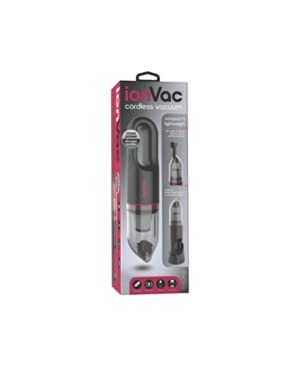 Image: The TZUMI Portable Vacuum 7553PINK shown with its crevice tool attachment.
Safety Instructions
Before operating the vacuum, please observe the following safety precautions:
- Do not use the vacuum to pick up water or other liquids.
- Do not vacuum flammable or combustible materials, such as gasoline, or use in areas where they may be present.
- Keep hair, loose clothing, fingers, and all parts of the body away from openings and moving parts.
- Do not operate the vacuum with a damaged cord or plug.
- Ensure the filter is properly installed before use.
- This appliance is not intended for use by persons (including children) with reduced physical, sensory, or mental capabilities, or lack of experience and knowledge, unless they have been given supervision or instruction concerning use of the appliance by a person responsible for their safety.
Setup
Charging the Vacuum
- Locate the charging port on the vacuum.
- Connect the provided charging cable to the vacuum and a suitable power source (e.g., USB wall adapter, car USB port).
- The indicator light will illuminate during charging and change color or turn off when fully charged.
- A full charge typically takes approximately 3-4 hours.
Attaching Accessories
- Crevice Nozzle: For reaching tight spaces, corners, and between seats. Simply push the crevice nozzle firmly onto the vacuum's suction opening until it clicks into place.
- Brush Attachment: For loosening stubborn dirt and dust from surfaces like upholstery or carpets. Attach the brush to the end of the crevice nozzle or directly to the vacuum's suction opening.
Operating Instructions
- Power On/Off: Press the power button to turn the vacuum on. Press it again to turn it off.
- Speed Settings: This vacuum features two speed settings. Press the power button once for the standard speed. Press it a second time for a higher suction speed. Press a third time to turn off.
- Vacuuming: Direct the nozzle towards the area to be cleaned. Use the appropriate attachment for different surfaces and hard-to-reach areas.
- Battery Life: The vacuum can operate for approximately 10-15 minutes on a full charge, depending on the speed setting used.
Maintenance
Emptying the Dustbin
- Ensure the vacuum is turned off.
- Twist or unlatch the dustbin from the main body of the vacuum.
- Empty the collected debris into a trash receptacle.
- Reattach the dustbin securely.
Cleaning the Filter
- Remove the dustbin as described above.
- Carefully remove the filter from the dustbin.
- Tap the filter gently to dislodge dust and debris. For a more thorough cleaning, rinse the filter under cool running water.
- Important: Allow the filter to air dry completely before reinserting it into the vacuum. Do not use the vacuum with a wet filter.
- Reinsert the dry filter and reattach the dustbin.
Troubleshooting
| Problem | Possible Cause | Solution |
|---|---|---|
| Vacuum does not turn on. | Battery is depleted. | Charge the vacuum fully. |
| Low suction power. | Dustbin is full or filter is clogged. | Empty the dustbin and clean the filter. |
| Vacuum stops unexpectedly. | Battery is low or motor is overheating. | Recharge the battery. Allow the vacuum to cool down if it has been used continuously for an extended period. |
| Attachments do not fit securely. | Attachments not aligned correctly. | Ensure attachments are pushed firmly and aligned with the suction opening. |
Specifications
- Model Number: 7553PINK
- Brand: Tzumi
- Package Dimensions: 14.8 x 4.92 x 4.13 inches
- Item Weight: 1.76 pounds
- ASIN: B09B8JGSH2
- Date First Available: July 26, 2021
- Manufacturer: TZUMI
Warranty and Support
For information regarding warranty coverage, technical support, or replacement parts, please refer to the official Tzumi website or contact their customer service directly. Keep your purchase receipt as proof of purchase for warranty claims.
You can often find support information on the manufacturer's website: www.tzumi.com
Related documents7553PINK


Ask a question about this manual
Ask about setup, troubleshooting, compatibility, parts, safety, or missing instructions. Manuals+ will review the question and use this page’s manual context to help answer it.