
Introduction
The IRIS USA WOOZOO Air Circulator Fan is designed to maximize airflow and enhance comfort in various indoor environments such as homes, offices, and dorms. This compact yet powerful unit features remote control operation, multiple speed settings, oscillation, and a convenient auto-off timer to optimize energy usage. Its quiet motor ensures a peaceful environment while providing effective air circulation.
Product Features
- Oscillation: Achieve full room air circulation with WOOZOO oscillation. The fan offers 65° of horizontal auto-oscillation and six vertical manual tilt settings for comprehensive airflow.
- Remote Control: Adjust settings conveniently from a distance. The included remote controls power, mode, speed, oscillation, and timer functions.
- Timer Function: Utilize the optional 1, 2, or 4-hour auto-off timer settings to conserve energy and ensure comfortable sleep without continuous operation.
- Multiple Speeds and Modes: Choose from 5 speed settings, ranging from a whisper-quiet breeze to a strong gust. A natural breeze setting is also available to mimic outdoor airflow.
- Compact Size: The desktop fan is lightweight and portable, making it easy to move between rooms. Dimensions: 8.27"L x 8.27"W x 11.42"H.
- Quiet Operation: Enjoy extra-quiet cooling on the circulator’s virtually silent 'low' setting (under 30 dB), ideal for studying, sleeping, or relaxing.
Visual Guide to Features

Figure 1: The IRIS USA WOOZOO Air Circulator Fan in black, shown with its remote control. The image highlights the fan's compact dimensions: 8.27 inches deep, 8.27 inches wide, and 11.42 inches high.

Figure 2: A hand holding the full-function remote control for the WOOZOO fan. The remote allows control over 3 auto-off timers, 5 speed settings, natural breeze mode, and oscillation.
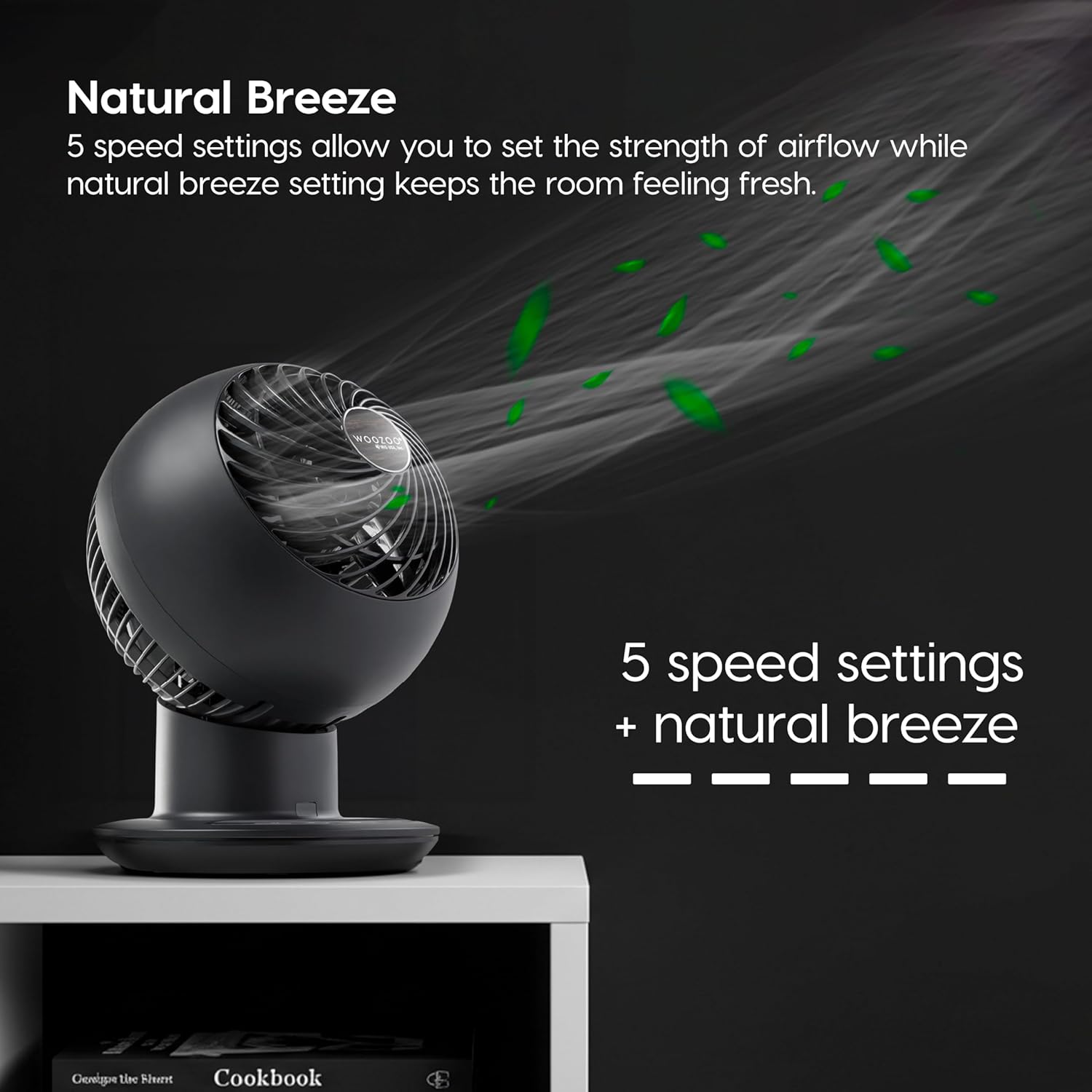
Figure 3: The WOOZOO fan operating in Natural Breeze mode, illustrating airflow with green leaf icons. This mode, combined with 5 speed settings, helps keep the room feeling fresh.

Figure 4: An illustration showing the WOOZOO fan redistributing stratified warm air from the ceiling level downward. This action enhances heat retention and comfort during colder months.

Figure 5: The WOOZOO fan on a bedside table, demonstrating its powerful yet quiet operation. The low speed setting is under 30 dB, ensuring peaceful and non-interruptive use.

Figure 6: An overhead view of the WOOZOO fan illustrating its 65° horizontal oscillation. This feature allows for maximum coverage and air distribution across the room.

Figure 7: A close-up of the WOOZOO fan's control panel, highlighting the auto-stop timer settings (1, 2, and 4 hours). These preset timers allow the fan to automatically shut off to conserve energy.

Figure 8: A detailed view of the WOOZOO fan's remote control, showing buttons for power, fan speed adjustment, natural breeze mode, timer settings, and oscillation control.
Package Contents
- WOOZOO Air Circulator Fan
- Instructions Manual
- Remote Control
Setup
- Unpack: Carefully remove all components from the packaging.
- Placement: Place the fan on a stable, flat surface. Ensure there are no obstructions to the airflow around the fan.
- Power Connection: Plug the AC power cord into a standard 120V electrical outlet.
Operating Instructions
The WOOZOO Air Circulator Fan can be operated using either the control panel on the unit or the included remote control.
Control Panel Operation:
- Power On/Off: Press the power button () to turn the fan on or off.
- Adjust Speed: Use the speed adjustment buttons () to cycle through the 5 available fan speeds.
- Oscillation: Press the oscillation button () to activate or deactivate horizontal oscillation. The fan head can also be manually tilted vertically to 6 different angles.
- Timer: Press the timer button () to set the auto-off timer for 1, 2, or 4 hours.
- Natural Breeze Mode: Select the natural breeze mode () for a varied airflow pattern.
- Button Sound/Display Light Control: Long-press the timer button on the unit to turn off the button sounds. Long-press the oscillation button on the unit to turn off the display lights for undisturbed sleep.
Remote Control Operation:
The remote control mirrors the functions of the control panel, allowing for convenient adjustments from a distance. Ensure the remote is pointed towards the sensor on the fan's base for proper function.
Maintenance
- Cleaning: Always unplug the fan before cleaning. Use a soft, damp cloth for cleaning the exterior. Do not use abrasive cleaners or immerse the fan in water.
- Grille Cleaning: The front grille can be disassembled for cleaning. Refer to the product's specific instructions for safe disassembly and reassembly.
- Storage: When not in use, store the fan in a cool, dry place.
- Care Instructions: Hand wash components as needed, following specific guidelines in the full manual.
Troubleshooting
- Fan Not Turning On: Ensure the power cord is securely plugged into a working outlet. Check if the remote control batteries need replacement.
- No Airflow: Verify the fan speed setting. Ensure the fan grille is not obstructed.
- Oscillation Not Working: Check if the oscillation function is activated. Ensure the fan is on a level surface.
- Remote Not Responding: Replace remote batteries. Ensure there are no obstructions between the remote and the fan's sensor.
Specifications
| Brand | IRIS USA |
| Model Name | PCF-SC15 |
| Item Model Number | 594329 |
| Color | Black |
| Electric Fan Design | Table Fan |
| Power Source | Corded Electric |
| Style | 5-Speed |
| Product Dimensions | 8.27"D x 8.27"W x 11.42"H |
| Item Weight | 4.2 Pounds |
| Noise Level | 30 Decibels |
| Wattage | 60 watts |
| Voltage | 120 Volts |
| Number of Blades | 3 |
| Control Method | Remote |
| Indoor/Outdoor Usage | Indoor |
| UPC | 762016489001 |
Warranty & Support
The IRIS USA WOOZOO Air Circulator Fan comes with a 1 Year Limited Warranty. For support, please refer to the contact information provided in your product packaging or visit the official IRIS USA website.


