
Product Overview
This countertop nugget ice maker produces chewable, crunchy, and airy ice from compacted ice flakes. It is designed to produce up to 24 pounds of ice per day, with a large-capacity bin that holds up to 3 pounds of nugget ice. The first batch of ice can be ready in 20 minutes or less.
The unit features built-in Bluetooth connectivity, allowing users to schedule ice production, monitor the ice maker's status, and order accessories via a smartphone application. It recirculates melted ice to a 0.5-gallon water reservoir, ensuring continuous ice production without constant refilling.
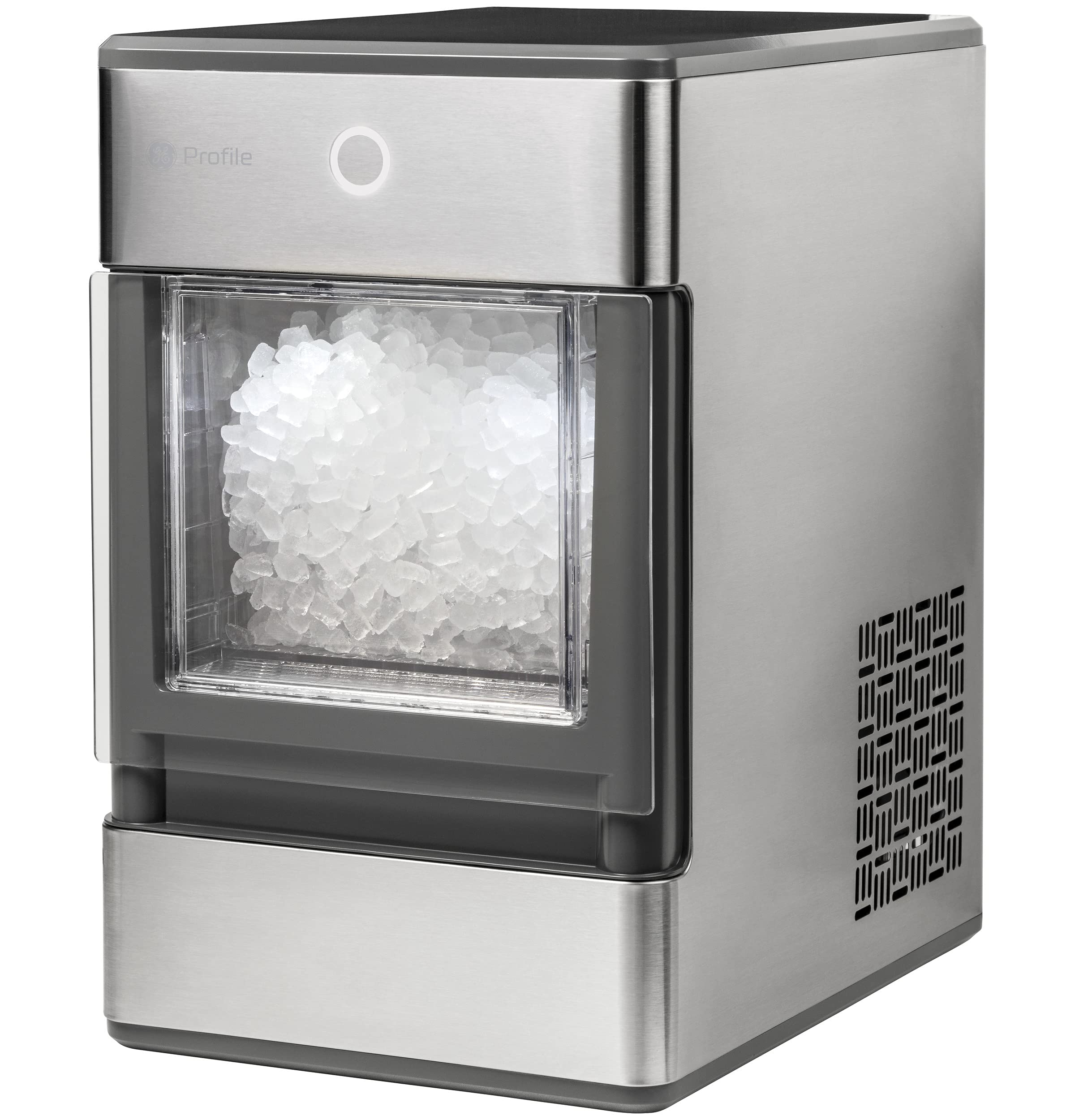
The GE Profile Opal Countertop Nugget Ice Maker in a kitchen setting.
Setup
Placement
- Ensure the unit has a minimum of 3 inches of clearance around the side and back walls for proper air circulation.
- Place the ice maker on a stable, level countertop.
Water Filling
- No water hookup is required. Plug the unit into any 120V grounded (standard) electrical outlet.
- Fill the reservoir with water. As ice melts, the water returns to the reservoir for reuse.
Initial Cleaning
- Before first use, perform a cleaning cycle as detailed in the 'Maintenance' section or refer to page 9 of the Use and Care manual.
Operating Instructions
Ice Production
- The ice maker produces approximately one pound of ice per hour.
- The ice bin has a capacity of up to 3 pounds.
- Expect the first batch of ice within 20 minutes of starting.
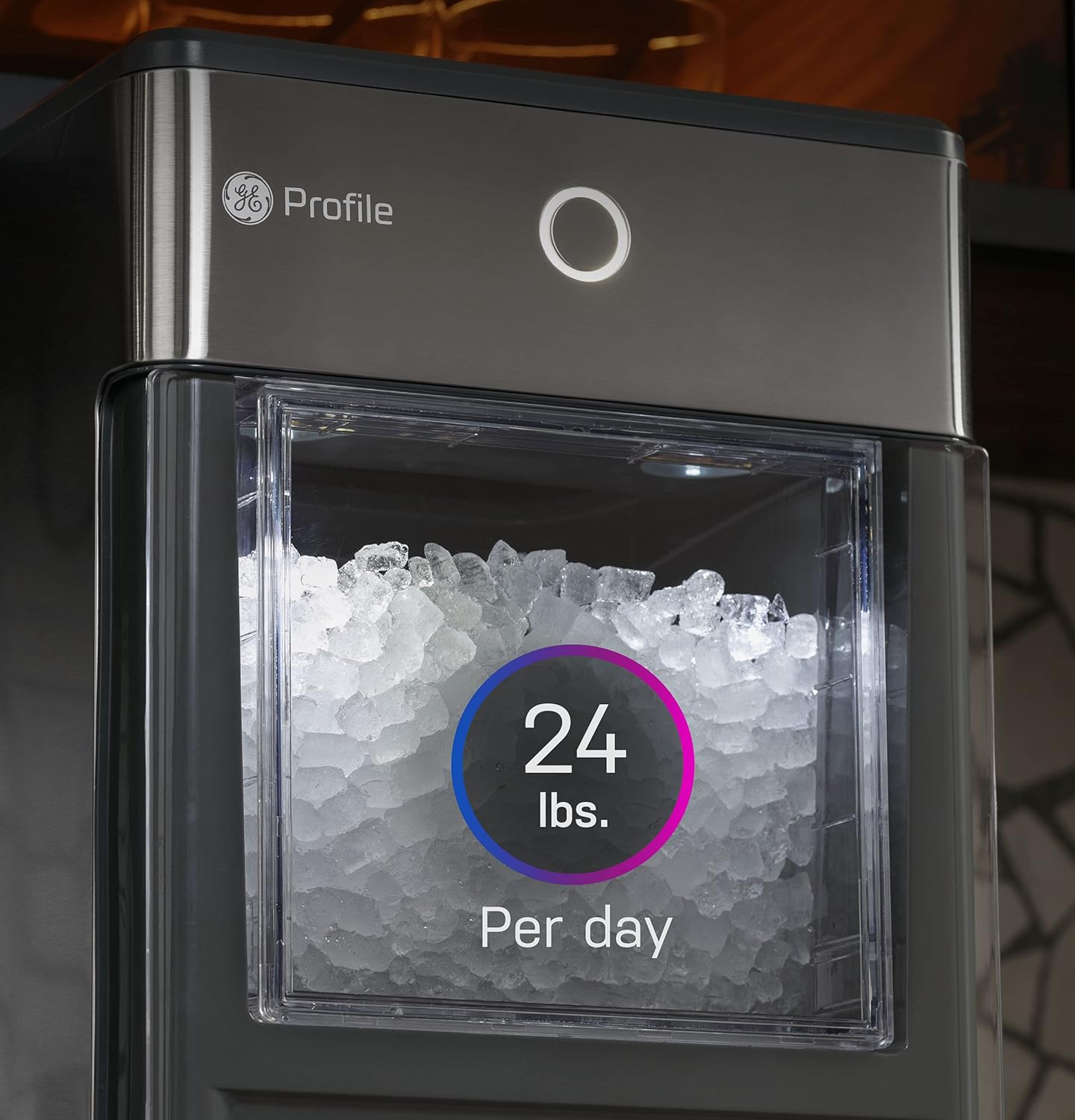
The ice maker can produce up to 24 pounds of ice per day.
Smart Features (Bluetooth Connectivity)
- Connect your smartphone via Bluetooth to the GE Profile Opal app.
- Use the app to schedule ice production times.
- Monitor the ice maker's operational status.
- Order accessories directly through the app.

Control and monitor your ice maker using the smartphone app.
Ice Bin and Water Recirculation
- The ice bin is designed to hold up to 3 pounds of nugget ice.
- Melted ice water is automatically recirculated back to the 0.5-gallon reservoir for continuous ice making.

The ice bin has a 3-pound capacity for nugget ice.
Maintenance
Descaling Procedure
- Refer to page 9 of the Use and Care manual for the complete descaling procedure.
- Descaling is recommended monthly, or more frequently in hard water areas, to prevent mineral buildup and maintain performance.
Filter Compatibility
- The Opal ice maker is compatible with taste and odor filters, which typically have a 3-month lifespan.

The side tank accessory, sold separately, can extend water capacity.
Troubleshooting
Unit alerts to add water when reservoir is full (blue light ring)
- Inadequate water flow: Follow the descaling procedure on page 9 of the Use and Care manual.
- Air in water lines: Clear trapped air by manually priming the unit. Remove the white water filter or metal particulate filter. In a rapid plunger-like movement, press your finger at the reservoir outlet 4 times to force water into the lines.
Low quantity ice or unit continues to enter defrost (slowly falling white light ring)
- Inadequate Cooling: With the unit off, use a vacuum to clean the vent on the left side of the unit to remove dust/debris.
- Improper Spacing around unit: Ensure the unit has a minimum of 3 inches of clearance around the side and back walls of the ice maker for proper air circulation.
Hardwater stains in reservoir/back wall/ice bin
- Solution: Follow the descaling procedure on page 9 of the Use and Care manual.
Specifications
| Feature | Specification |
|---|---|
| Brand | Profile |
| Model Name | Ice Maker |
| Product Dimensions (D x W x H) | 15.5" x 10.5" x 17.25" |
| Ice Bin Capacity | 3 Pounds |
| Daily Ice Production | Up to 24 Pounds |
| Water Reservoir Capacity | 0.5 Gallons |
| Wattage | 350 watts |
| Voltage | 120 Volts |
| Noise Level | 53 Decibels |
| Material | Plastic, Stainless Steel |
| Installation Type | Countertop |
| Connectivity | Built-In Bluetooth |

Product dimensions for proper placement.
What's in the Box
- Opal Icemaker
- Ice Bin
- Ice Scoop
- Drip Tray
Product Videos
Video: Important considerations before purchasing the GE Profile Opal Nugget Ice Maker.
Warranty and Support
For detailed warranty information and customer support, please refer to the official GE Profile documentation included with your product or visit the manufacturer's website. Specific warranty terms and conditions may vary.


