
Rossetta Star Projector-RT009
Rossetta Star Projector User Manual
Model: Star Projector-RT009
Brand: Rossetta
1. Introduction
The Rossetta Star Projector is designed to transform any space into a captivating celestial experience. Combining stunning northern lights and starry sky projections with integrated audio features, it creates a relaxing or vibrant atmosphere. This manual provides essential information for safe and effective use of your new projector.
2. Package Contents
Please ensure all items are present and in good condition upon opening the package:
- Rossetta Star Projector Unit
- Remote Control
- Power Cable (USB-C to USB-A)
- User Manual (this document)
- Note: A 5V-2A USB power adapter is NOT included and must be provided by the user.
3. Setup Guide
Follow these steps to set up your Rossetta Star Projector:
- Unpack: Carefully remove the projector unit, remote control, and power cable from the packaging.
- Power Connection: Insert the USB-C end of the power cable into the projector's power port. Connect the USB-A end to a powered USB port (e.g., a 5V-2A USB power adapter, computer USB port, or power bank).
- Placement: Place the projector on a flat, stable surface. For optimal projection, aim the light aperture towards the desired ceiling or wall.
- Initial Power On: Press the Power button on the projector unit or the remote control. The ambient lights and stars will illuminate and begin moving by default.
- Adjust Illumination Angle: To adjust the illumination angle for walls, tilt the light forward onto the secondary support panel.
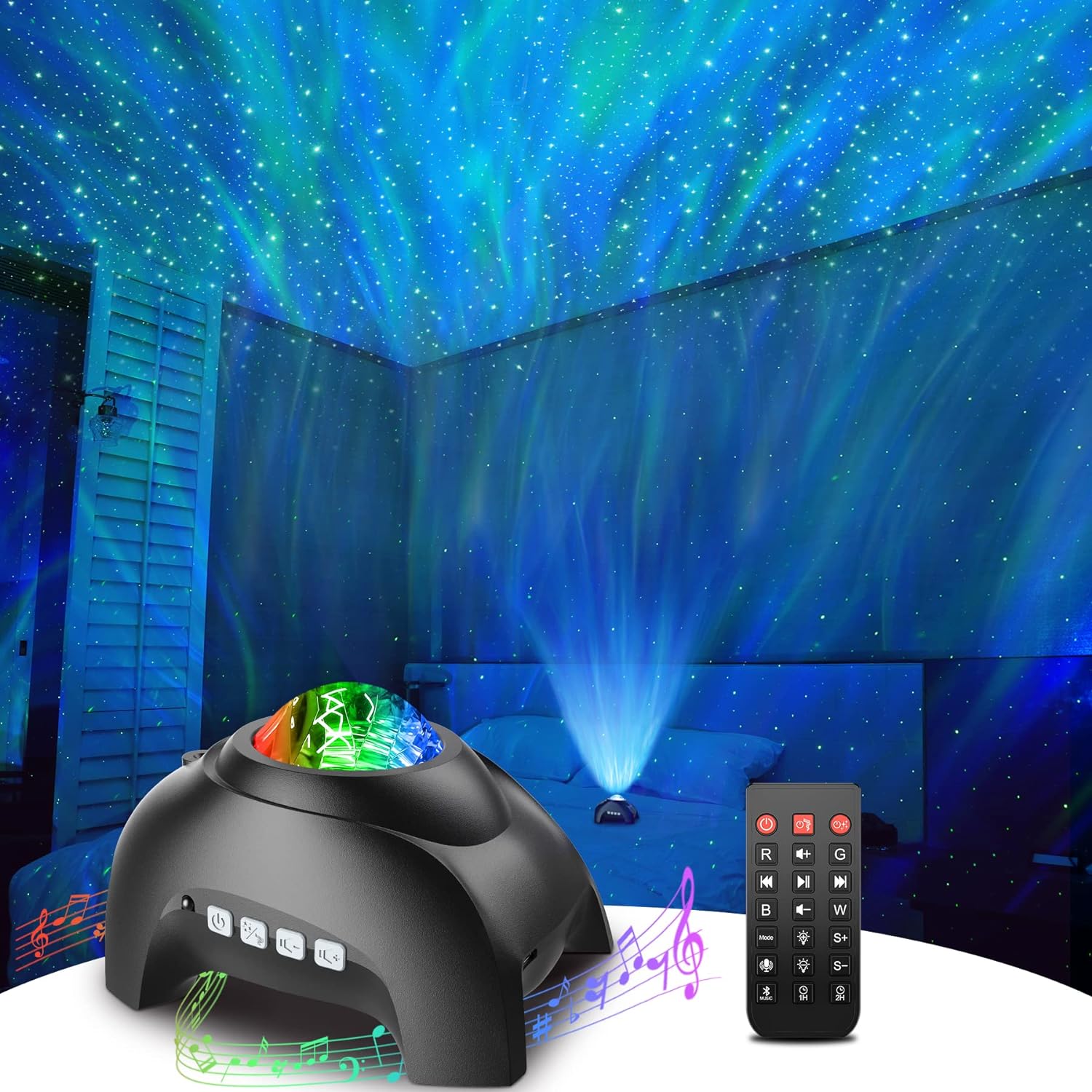
Figure 1: Rossetta Star Projector unit with remote control and projected lights.
4. Operating Instructions
The Rossetta Star Projector offers various functions controllable via the unit's buttons or the included remote control.
4.1. Basic Controls (Unit & Remote)
- Power Button: Press to turn the unit On/Off.
- Light Effects Button: Cycle through different light modes (ambient lights & stars, ambient lights only, stars only).
- Volume Buttons (+/-): Short press to skip tracks (previous/next song). Long press to adjust volume.
4.2. Light Effects & Colors
The projector features multiple color options and dynamic light effects, including northern lights and starry patterns. Use the remote control to customize your visual experience.
- Color Selection (R, G, B, W buttons): Press 'R' for Red, 'G' for Green, 'B' for Blue, and 'W' for White. Combine colors by pressing multiple buttons.
- Brightness Adjustment (S+, S- buttons): Increase or decrease the brightness of the projection (5 levels available).
- Light Mode (Mode button): Cycle through various light patterns and movements.

Figure 2: The projector offers 16 color light effects and various patterns.
4.3. Bluetooth Speaker Functionality
Connect your smartphone or other Bluetooth-enabled device to the projector to play your favorite music, podcasts, or audiobooks.
- Enable Bluetooth: Ensure Bluetooth is enabled on your external device.
- Pairing: Search for the Bluetooth device named "HJ-09" in your device's Bluetooth settings and connect.
- Play Music: Once connected, you can play audio through the projector's built-in speaker.
- Sound Activated Mode: The projector can synchronize lighting effects with music rhythm for a dynamic display.
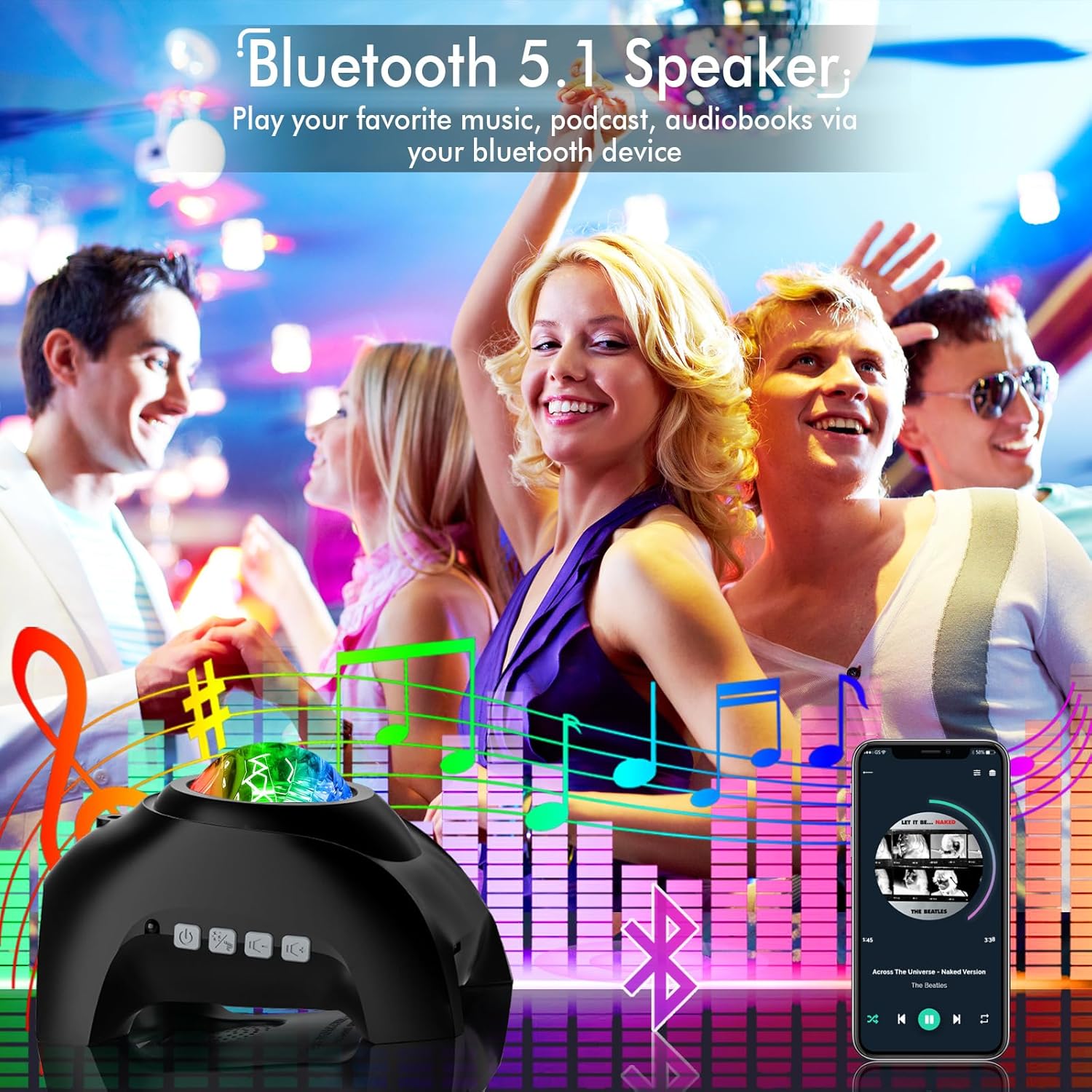
Figure 3: Connect via Bluetooth to play audio and synchronize light effects.
4.4. White Noise Sound Machine
The projector includes 8 calming white noise options to help create a peaceful environment for relaxation or sleep.
- Activate White Noise: Press the 'Music' button on the remote control to cycle through the pre-loaded white noise sounds.
- Adjust Volume: Use the Volume +/- buttons on the remote to control the white noise volume.

Figure 4: The projector offers 8 soothing white noise sounds for a peaceful atmosphere.
4.5. Timer Function
Set a timer for automatic shut-off to conserve energy or for convenience during sleep.
- 1H Timer: Press the '1H' button on the remote to set the projector to turn off after 1 hour.
- 2H Timer: Press the '2H' button on the remote to set the projector to turn off after 2 hours.
- Auto-off: The projector will automatically turn off after 4 hours if no timer is set.

Figure 5: Utilize the remote control to set convenient auto-off timers.
4.6. Official Product Video
Video 1: Official product video showcasing the Rossetta Star Projector's features and light effects.
5. Maintenance
Proper care will ensure the longevity and optimal performance of your projector:
- Cleaning: Use a soft, dry cloth to wipe the exterior of the projector. Do not use abrasive cleaners or solvents.
- Light Aperture: Gently clean the light aperture with a microfiber cloth to ensure clear projection.
- Storage: When not in use for extended periods, store the projector in a cool, dry place away from direct sunlight.
6. Troubleshooting
If you encounter issues with your projector, refer to the following common problems and solutions:
| Problem | Possible Cause | Solution |
|---|---|---|
| Projector does not turn on. | No power or loose connection. | Ensure the power cable is securely connected to both the projector and a working USB power source. Verify the power source is active. |
| Lights are dim or unclear. | Low brightness setting or dirty light aperture. | Increase brightness using the remote (S+ button). Clean the light aperture with a microfiber cloth. Ensure the room is sufficiently dark. |
| Bluetooth connection issues. | Device not in pairing mode or interference. | Ensure Bluetooth is enabled on your device and the projector is discoverable. Move closer to the projector. Disconnect and reconnect. |
| Remote control not working. | Battery issue or obstruction. | Ensure the remote control has a working CR2 battery (not included). Point the remote directly at the projector's infrared sensor. Remove any obstructions. |
7. Specifications
Detailed technical specifications for the Rossetta Star Projector:
| Feature | Detail |
|---|---|
| Model Number | Star Projector-RT009 |
| Color | Black |
| Dimensions (L x W x H) | 6.69" x 4.92" x 4.25" |
| Item Weight | 1.08 Pounds |
| Material | Plastic, Acrylonitrile Butadiene Styrene |
| Light Source Type | LED |
| Voltage | 5 Volts (DC) |
| Brightness Levels | 5 levels |
| Max Light Source Wattage | 7.5 Watts |
| Power Source | Corded Electric |
| Bluetooth Version | 5.1 (implied from feature bullets) |
| White Noise Sounds | 8 options |
| Timer Options | 1H, 2H, 4H (Auto-off) |
| Certifications | CE, FCC, RoHS |

Figure 6: Product dimensions for the Rossetta Star Projector.
8. Warranty and Support
Rossetta provides a limited warranty and customer support for your product.
8.1. Warranty Information
This product comes with a 1-year limited warranty. The use of the Rossetta Star Projector is subject to the terms and conditions outlined in the warranty policy. Please retain your proof of purchase for warranty claims.
8.2. Customer Support
For any questions, technical assistance, or warranty inquiries, please contact Rossetta customer support through the official channels provided at the time of purchase or on the product packaging.
Related documentsStar Projector-RT009


Ask a question about this manual
Ask about setup, troubleshooting, compatibility, parts, safety, or missing instructions. Manuals+ will review the question and use this page’s manual context to help answer it.