
1. Introduction
The OWLTRA OW-2 Electric Mouse Trap provides an efficient and humane solution for rodent control. This device utilizes high-voltage shock to quickly eliminate mice, featuring a pet-safe design and easy, no-touch disposal. This manual provides detailed instructions for the safe and effective use of your OWLTRA OW-2 Electric Mouse Trap.
Key Features
- Humane Solution: Delivers a quick, high-voltage shock (6,000 to 9,000 volts) for instant elimination, preventing prolonged suffering.
- Pet-Safe Design: Equipped with an infrared sensor and side entrance, the trap activates only when a rodent is fully inside, protecting children and pets.
- No-Mess Disposal: Features magnetic latches allowing for easy, no-touch disposal of captured rodents. Simply lift the lid and empty.
- Efficient Power Usage: A single set of 4 AA batteries can eliminate up to 60 rodents.
- Convenient Bait Area: Designed for easy application of bait, recommending high-protein options like peanut butter.

Figure 1: Key features of the OWLTRA OW-2 Electric Mouse Trap.
2. Safety Information
WARNING: HIGH VOLTAGE. Keep out of reach of children and pets.
- Use the trap only on dry, clean indoor surfaces.
- Keep the trap away from flammable vapors, liquids, or combustible solids.
- Do not use in barns, stables, or similar wet or dusty locations.
- Handle the trap only with dry hands or while wearing rubber gloves.
- Always turn the power off when baiting, cleaning, or touching the metal plates inside the trap.
- Remove batteries if the trap will not be used for an extended period.

Figure 2: The trap's pet-safe design with dual infrared sensors.

Figure 3: Avoid exposing the trap to water or moisture.
3. Package Contents
Your OWLTRA OW-2 Electric Mouse Trap package includes the following items:
- 2 x OWLTRA OW-2 Electric Mouse Traps
- Instruction Manual (this document)

Figure 4: Two OWLTRA OW-2 Electric Mouse Traps.
4. Setup
4.1 Battery Installation
The OWLTRA OW-2 trap requires 4 AA batteries (not included).
- Ensure the trap is turned OFF. The power switch is located on the top of the trap.
- Locate the battery compartment cover on the underside of the trap.
- Slide open the battery compartment cover.
- Insert 4 new AA batteries, ensuring correct polarity (+/-) as indicated inside the compartment.
- Replace the battery compartment cover securely.

Figure 5: Battery installation in the OWLTRA trap.
4.2 Baiting the Trap
Proper baiting is crucial for attracting rodents into the trap.
- Ensure the trap is turned OFF.
- Lift the top lid of the trap to access the bait area.
- Apply a pea-sized amount of high-protein bait, such as peanut butter, hazelnut spread, or chocolate syrup, onto the designated bait area at the back of the trap's floor. Use a toothpick or cotton swab to avoid leaving human scent.
- Close the top lid securely.

Figure 6: Bait application area inside the trap.

Figure 7: Correct and incorrect bait placement.
4.3 Trap Placement
Place the trap in areas where rodent activity is suspected. Rodents tend to travel along walls.
- Place the trap indoors only, in locations such as kitchens, basements, attics, garages, or utility rooms.
- Position the trap with the entrance hole facing and flush against a wall.
- Ensure the trap is placed on a flat, stable surface.
- Keep the trap away from areas accessible to children and pets.

Figure 8: The trap is designed for indoor use only.

Figure 9: Proper trap placement along a wall.
5. Operating Instructions
5.1 Activating the Trap
Once batteries are installed and bait is applied, activate the trap:
- Locate the power switch on the top of the trap.
- Slide the switch to the 'ON' position.
- A green light will flash once to indicate the trap is active and ready for use.
5.2 Indicator Lights
The OWLTRA OW-2 trap features indicator lights to communicate its status:
- Green Light (Flashing): Indicates a rodent has been captured. The light will flash every 10 seconds.
- Red Light (Flashing): Indicates low battery. Replace batteries promptly for continued operation.

Figure 10: Green light indicates rodent captured, Red light indicates low battery.
5.3 Rodent Capture
When a rodent enters the trap and makes contact with the metal plates, the infrared sensor triggers a high-voltage shock, ensuring quick and humane elimination. The green indicator light will begin flashing to alert you of a successful capture.

Figure 11: Illustration of rodent capture mechanism.
6. Maintenance and Cleaning
6.1 Rodent Disposal
The OWLTRA OW-2 trap is designed for no-touch disposal.
- Ensure the trap is turned OFF.
- Hold the trap over a trash receptacle.
- Lift the top lid of the trap. The magnetic latches will release, allowing the rodent to fall directly into the trash without direct contact.
- Close the lid securely.
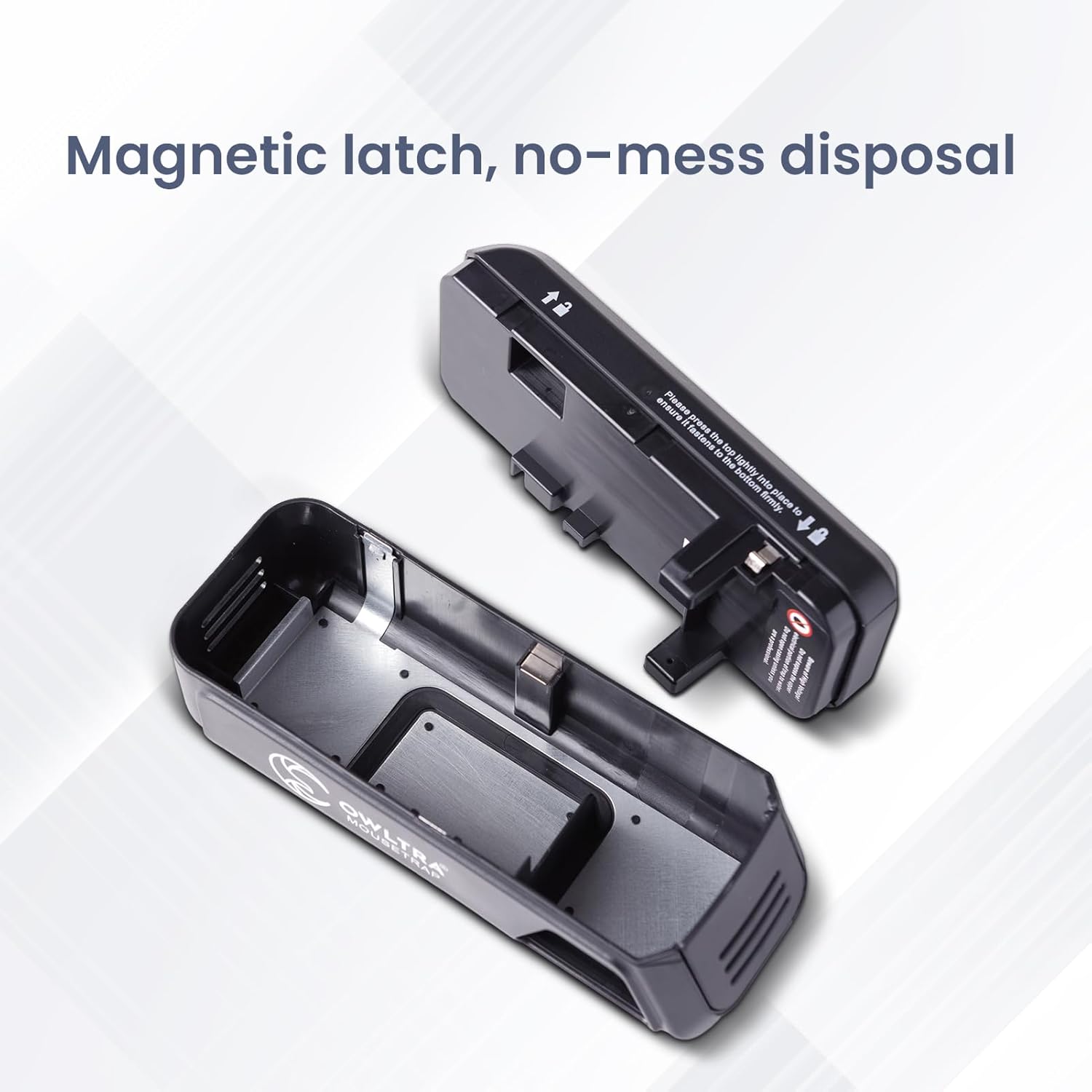
Figure 12: Magnetic latch design for no-mess disposal.
6.2 Cleaning the Trap
Regular cleaning helps maintain the trap's effectiveness and hygiene.
- Ensure the trap is turned OFF and batteries are removed before cleaning.
- Separate the top electronic unit from the base.
- Wipe the interior of the base with a damp cloth and mild detergent. Avoid getting water into the electronic components of the top unit.
- Allow all parts to dry completely before reassembling and reusing the trap.
- Do not immerse the electronic top unit in water.
7. Troubleshooting
If your OWLTRA OW-2 Electric Mouse Trap is not functioning as expected, refer to the following common issues and solutions:
| Problem | Possible Cause | Solution |
|---|---|---|
| Trap not turning on / No green light flash upon activation | Batteries are dead or incorrectly installed. | Check battery polarity. Replace with new AA batteries. |
| Trap not catching rodents | Incorrect bait or bait placement. Trap placed in an inactive area. Rodents are avoiding the trap. | Use a pea-sized amount of high-protein bait (e.g., peanut butter) at the back of the trap. Relocate the trap to an area with clear signs of rodent activity (droppings, gnaw marks). Allow rodents to get used to the trap by placing it with bait but turned off for a few nights before activating. |
| Green light flashing but no rodent found | False trigger or rodent escaped (unlikely due to design). | Ensure the trap is on a stable surface. Check for any debris that might have triggered the sensor. Reset the trap by turning it off and then on again. |
| Red light flashing continuously | Low battery power. | Replace all 4 AA batteries with new ones. |
| Trap smells after use | Residual scent from previous captures. | Clean the trap thoroughly as per Section 6.2. Ensure it is completely dry before reuse. |
8. Specifications
| Feature | Detail |
|---|---|
| Model Number | EMZ30-2P |
| Product Dimensions | 20.32 x 7.62 x 7.62 cm (8 x 3 x 3 inches) |
| Weight | 630 g (1.39 lbs) |
| Power Source | 4 x AA Batteries (not included) |
| Material | Plastic |
| Color | Black |
| Voltage Output | 6,000 to 9,000 Volts |
| Intended Use | Indoor use only |
9. Warranty and Support
OWLTRA products are manufactured to high-quality standards. For any questions, concerns, or support needs regarding your OWLTRA OW-2 Electric Mouse Trap, please contact OWLTRA customer service. Please refer to the product packaging or the official OWLTRA website for the most current warranty information and contact details.
No official product videos were found for this model.


